
How to Test the European Accessibility Act (EAA)?
 |
The European Accessibility Act (EAA) should not be considered as just another regulation we “need to tick off.” It fundamentally alters the way digital products and services in the EU need to function for people with disabilities and older users. As of June 28, 2025, a broad set of products and services from e-commerce sites to banking apps, e-books, and self-service terminals must meet certain accessibility requirements in the E.U.
So the real, practical question becomes: how do you actually test for EAA compliance?

| Key Takeaways: |
|---|
|
What is EAA (European Accessibility Act)?
Before addressing what type of test is appropriate to determine EAA compliance, it is necessary to understand the Act’s purpose. The European Accessibility Act is far more than the usual guidance. It is legislation that specifies that particular products and services must be made accessible for disabled people by a specific date (originally June 2025, with ongoing enforcement beyond). The EAA is not limited as strictly as the WCAG (Web Content Accessibility Guidelines) for digital content, but promises to apply in many more product and service areas:
- E-commerce platforms
- Smartphones and tablets
- Computers and operating systems
- Ticketing services
- Telephony services
- Banking and financial services
- ATMs
- eBooks and eReaders
- Media and entertainment services
- Transportation-related digital services
The aim of the Act is to create a more inclusive marketplace by removing access barriers. It guarantees that individuals with disabilities can join fully in all aspects of society, including social, economic, and civic life. Due to this wide span, testing for EAA compliance is needed in a more holistic approach beyond web accessibility.
What Makes EAA Testing Different?
Explaining the accessibility testing for EAA is a little more in-depth than typical digital accessibility testing. Though WCAG remains an essential technical base, EAA necessitates assessment on three key levels:
- Functional Accessibility: Checking if disabled users can perform critical functions on products or services.
- Usability Accessibility: Making it perceivable, operable, understandable, and robust in practice, not just in theory.
- Compliance Accessibility: Documenting that the product or service already complies with the accessibility requirements of EAA and is compatible with assistive devices.
EAA testing goes beyond the digital interface and often includes:
- Hardware buttons
- Physical device setup
- Alternative input methods
- Packaging accessibility
- Customer support accessibility
- Contract and communication accessibility
So EAA testing is not an instance of “run automated scans and fix things.” It’s an entire line of quality assurance based on inclusive design, user empathy, regulation decoding, and cross-functional cooperation.
EAA Testing Foundations
Every effective EAA testing program is built on a solid foundation. The definition of accessibility provides the context you need for evaluating whether a product or service is adequate to meet the requirements of disabled users.
Universal Design Principles
The EAA is related to Universal Design, a concept that aims for products to be usable by individuals with the broadest range of abilities and without specialized adaptations. Testing should confirm that the product lives up to principles like:
- Equitable use
- Flexibility in use
- Simple and intuitive operation
- Perceptible information
- Tolerance for errors
- Low physical effort
- Appropriate size and space for approach and use
These principles aren’t just theoretical; they affect how testers think about designing test scenarios.
Read: Top Mistakes in Software Standards Compliance
Scope of EAA Testing
In order to test for EAA compliance, you first need to determine what it is that needs to be tested. We cannot restrict our scope to a single interface or touch point. Organizations must look at the full customer journey instead. This typically includes:
- Digital Interfaces: Examples of digital interfaces include websites, mobile apps, web apps, e-commerce platforms and services, customer portals, media players, and e-book reading interfaces or other digital content, banking applications, or online experiences (e.g., booking).
- Software Platforms: Software platforms include desktop applications, operating systems, and smart device interfaces.
- Hardware Considerations: Hardware considerations include device controls, input methods, screen readability/screen labeling, and compatibility with assistive technology devices.
- Documentation and Communication: Documentation and communication cover user manuals, product descriptions, contracts, disclosures, and customer support channels.
- Service Interactions: Service interactions include in-person kiosks, ATMs, customer helplines, and ticketing terminals.
- Hardware Considerations: Hardware considerations involve device controls, input methods, screen readability, labeling, and compatibility with assistive devices.
Each of these groups needs a different way to test. EAA testing begins with mapping the ecosystem, finding all the touchpoints, and figuring out which categories of the organization’s offerings must be followed.
Creating an EAA Accessibility Test Strategy
Accessibility testing under the EAA should be done with the same level of care as security, performance, or functional testing. It needs a full plan. A good EAA test strategy has the following parts:
Read: Test Strategy Template
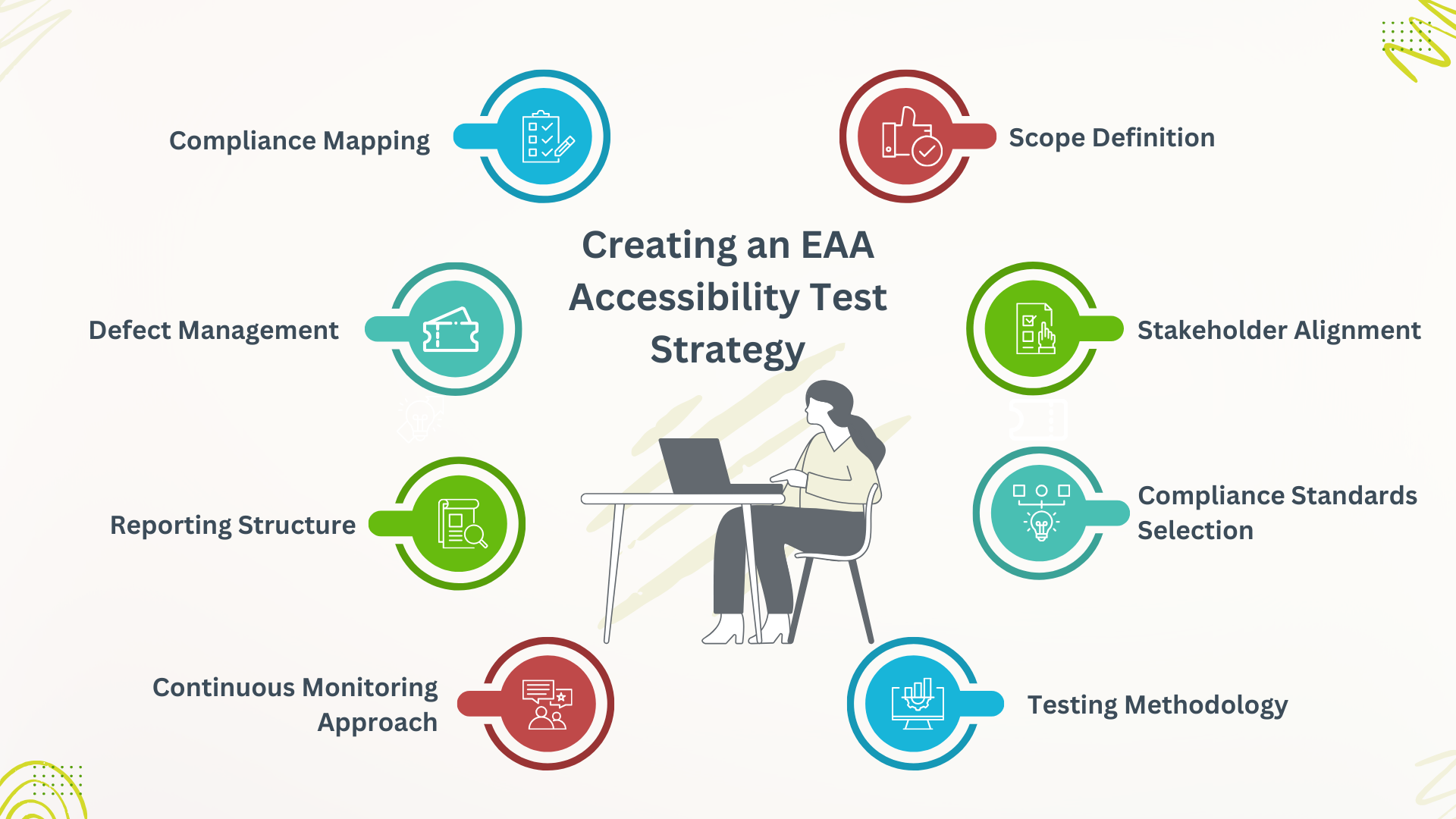
Scope Definition
Scope definition focuses on identifying all products and services that are subject to EAA, such as digital goods, digital services, hardware products, and communicative materials that are related to these products. Clearly documenting this scope in detail enables organizations to concentrate their accessibility work on those areas where they are legally mandated, minimizing wasted time and ensuring complete compliance.
Stakeholder Alignment
Stakeholder alignment ensures that accessibility is everyone’s job in the organization, including product managers, designers/engineers, legal, customer support, marketing, procurement/vendor management, and accessibility experts, all of whom have a role. As both groups are integral in achieving and sustaining compliance, testing teams need to work closely with all stakeholders. This coordinated approach reinforces accountability and makes sure accessibility is baked into all parts of the product lifecycle.
Compliance Standards Selection
The choice between compliance standards often focuses on relying on EN 301 549 as the main standard, since it closely resembles WCAG 2.1 Level AA for digital interfaces. This is because EAA testing depends on the designator EN 301 549 across the board, WCAG 2.1 AA for web and mobile, functional performance criteria with hardware, and requirements for perceptibility and usability in documentation and communication. The clever choice of standards guarantees uniform, legally compliant testing for all types of products.
Testing Methodology
The testing procedure details how accessibility will be tested with manual checks, automated tools, assistive technologies, and usability tests. Having a defined approach leads to consistent, repeatable wins across teams and products. It also gives a strong definition of what you expect in terms of coverage and quality.
Compliance Mapping
Compliance map pinpoints how your product features and user flows match against EN 301 549 and WCAG criteria. This generates an auditable trail so that no need is overlooked. It makes audits easier and assists teams in prioritizing fixes.
Defect Management
Accessibility bugs must be entered, tracked, prioritized, fixed, and re-verified with the same degree of process as critical issues. A robust defect management system will guarantee that issues are fixed in a timely and consistent manner. It also offers insights into frequent issues and long-term developments.
Reporting Structure
Reporting describes how accessibility findings are reported out to leadership and product teams. Clear reports warn against threats, the level of compliance, and additional action needed. To help ensure the organization can make well-informed decisions and foster transparency.
Continuous Monitoring Approach
Products need to remain compliant with accessibility as they mature. Continuous monitoring employs routine audits, automated checks, and regression testing to catch new problems fast. This proactive process allows for future compatibility with EAA needs.
Types of EAA Accessibility Tests
There are many levels of testing that need to be done to ensure EAA compliance. One type of test is not enough. The following are the main types of tests that must be done to be in compliance.
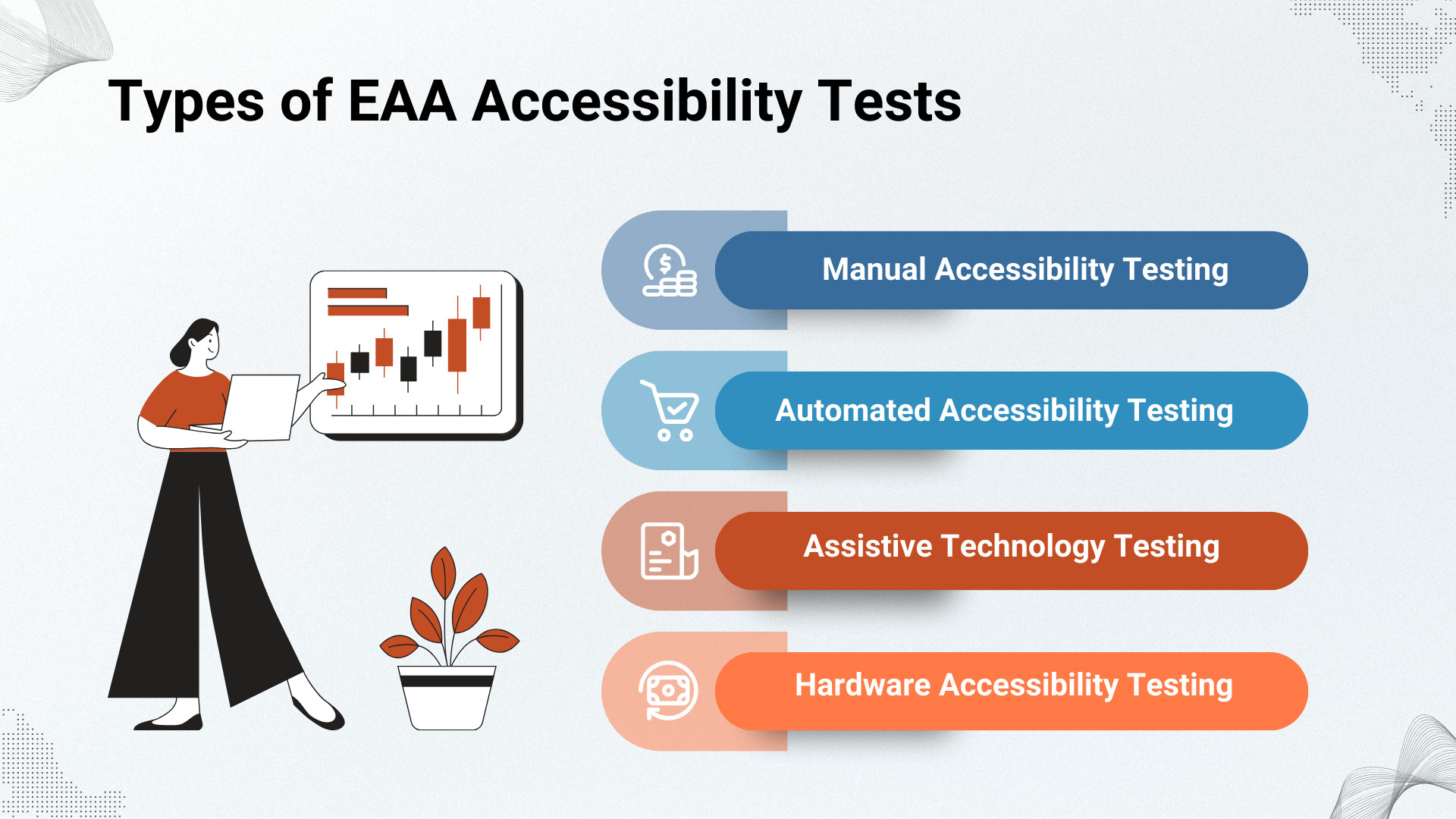
Manual Accessibility Testing
The main part of EAA validation is manual accessibility testing. Let’s look into the major testing types to be followed.
- Keyboard Navigation Testing: Keyboard navigation testing checks that a user can interact with the interface without a mouse by checking tab order, focus visibility, logical navigation, control activation, and compliance with alternative input devices. This is critical for EAA compliance (accessible to users with a motor disability, mobility impairment, tremor, and users who cannot use mouse buttons, like switch devices)
- Screen Reader Testing: This testing helps to verify that blind and low vision users can accurately interpret, navigate, and manipulate the product by checking reading order, labels, navigation landmarks, announcements for dynamic content changes, and interactions with controls. It utilizes tools like JAWS, NVDA, VoiceOver, and TalkBack to verify that every element is appropriately described, states are being announced, forms and images are working, and all controls are accessible.
- Magnification and Low Vision Testing: This type of testing allows users to comfortably perceive and interact with the interface using zoom tools, magnifiers, large-print settings, personalized high-contrast settings, etc. This encompasses testing pinch-to-zoom, text-resizing, contrast-ratios, and layout reflow, in addition to compatibility with high-contrast mode to ensure ease of use at different levels of enlargement.
- Color Blindness Testing: These tests confirm that we cannot use color as the only way to convey information, and that error messages can be understood, success indicated, forms validated, charts interpreted, or navigation cues taken without having to depend on seeing in color. By simulating protanopia, deuteranopia, and tritanopia, you can make sure everyone can read your content with ease, supporting EAA-compliant design.
- Voice Control Testing: Testing ensures that users are able to interact with the interface with voice input aids such as Voice Access and iOS Voice Control. It’s to make sure you can control with voice, differentiate the labels that are clear and understandable, navigate via voice, and follow the whole flow of your UI to help people disabled or chronic pain.
- Motor Disability Testing: This evaluates whether the product can be fully operated using alternative input methods such as switch controls, single-key inputs, eye-tracking devices, and joysticks. This ensures users with limited mobility or motor impairments can navigate and interact with the interface without barriers.
Automated Accessibility Testing
Automated accessibility testing allows scaling and speeding up EAA validation by immediately raising frequent issues such as missing alt text, incorrect headings, misusing ARIA attributes, and low contrast. While it doesn’t replace manual testing, it gives you quick health checks that catch initial problems early. Incorporating the automated scans into development processes also helps ensure accessibility is considered along the way, rather than just at the end.
testRigor helps to validate different accessibility compliance, including ADA, ACA, AODA, WCAG, IS5568, and Section 508. You can read more about it: Automated Accessibility Testing for ADA, AODA, Section 50,8 AC, and WCAG compliance
testRigor helps to write automation scripts in plain English, utilizing its Natural Language Processing Algorithms. These algorithms then convert the English text to an executable script and run across different browsers and devices. To know how to run accessibility testing in testRigor, take a look at: Accessibility Testing. This helps manual testers write automation scripts easily without any maintenance headaches.
Assistive Technology Testing
Assistive technology testing for EAA compliance is critical in that it helps to guarantee products will work seamlessly with the tools people with disabilities are relying on. That is screen readers, switches, eye trackers, Braille displays, magnifiers, and voice input types of technology. By testing the actual operability in real scenes with these ATs, teams are able to verify that the product is perceived and used by all users.
Hardware Accessibility Testing for EAA
Hardware accessibility testing ensures that physical-media products are EAA compliant through the examination of factors such as button size, tactile feedback, clear labeling, and setup processes. It further involves realizing usability aspects, including reading of packaging, acoustic signaling, physical reach, and arrangement of sockets or ports. This sort of thing keeps hardware interactions accessible to users with differing physical and sensory inputs.
Testing EAA Compliance Using EN 301 549 Requirements
EN 301 549 is structured into:
- Functional performance statements (FPS)
- General accessibility requirements
- Software-specific requirements
- Hardware-specific requirements
- Documentation requirements
- Support service requirements
Testing teams must validate compliance across all applicable sections. For digital accessibility testing, WCAG 2.1 AA success criteria form the core compliance metrics.
Creating EAA Accessibility Documentation
The EAA mandates that entities have an accessibility policy in place, which includes official documentation of compliance, testing success, and accountability. Appropriate documentation assists with legal protection, compliance with procurement standards, transparency, and gaining customer confidence.
- Accessibility Conformance Reports (ACRs): ACRs provide a summary of how well a product meets EN 301 549 and WCAG requirements, with emphasis on what areas align and which do not.
- VPAT-like Documents: These documents define the level of accessibility-compliance for entities external to the organization (commonly referred to in procurement processes).
- Internal Accessibility Test Reports: They also report findings from all accessibility testing, as well as methodologies employed and completion status.
- Defect Documentation: This records all accessibility issues discovered, their severity, and progress toward resolution.
Conclusion
Testing for EAA compliance should not focus just on traditional WCAG checks; it needs a holistic approach that includes digital interfaces, hardware, documentation, and support services. EN 301 549 requirements coupled with a comprehensive manual, automated, and assistive-technology testing ensure products are accessible and meet legal obligations. Tools such as testRigor enhance this process even more by allowing for scalable, plain-English accessibility testing and driving organizations towards maintaining Continuous EAA readiness.
| Achieve More Than 90% Test Automation | |
| Step by Step Walkthroughs and Help | |
| 14 Day Free Trial, Cancel Anytime |











