
What is ChatOps? The Future of DevOps Collaboration
 |
There has been a big shift in how new organizations develop, implement, and maintain software. ChatOps is a collaborative model that transforms chat platforms into powerful operations, development, and IT control centers. It is at the center of this transformation. ChatOps redefines teamwork by integrating automation, workflows, and communication into a single channel.
| Key Takeaways: |
|---|
|
The next phase of the DevOps journey, ChatOps, was built by GitHub and merges real-time communications with efficiency, transparency, and speed. However, what is ChatOps, how does it function, and what role does software testing and tools play?
What is ChatOps?
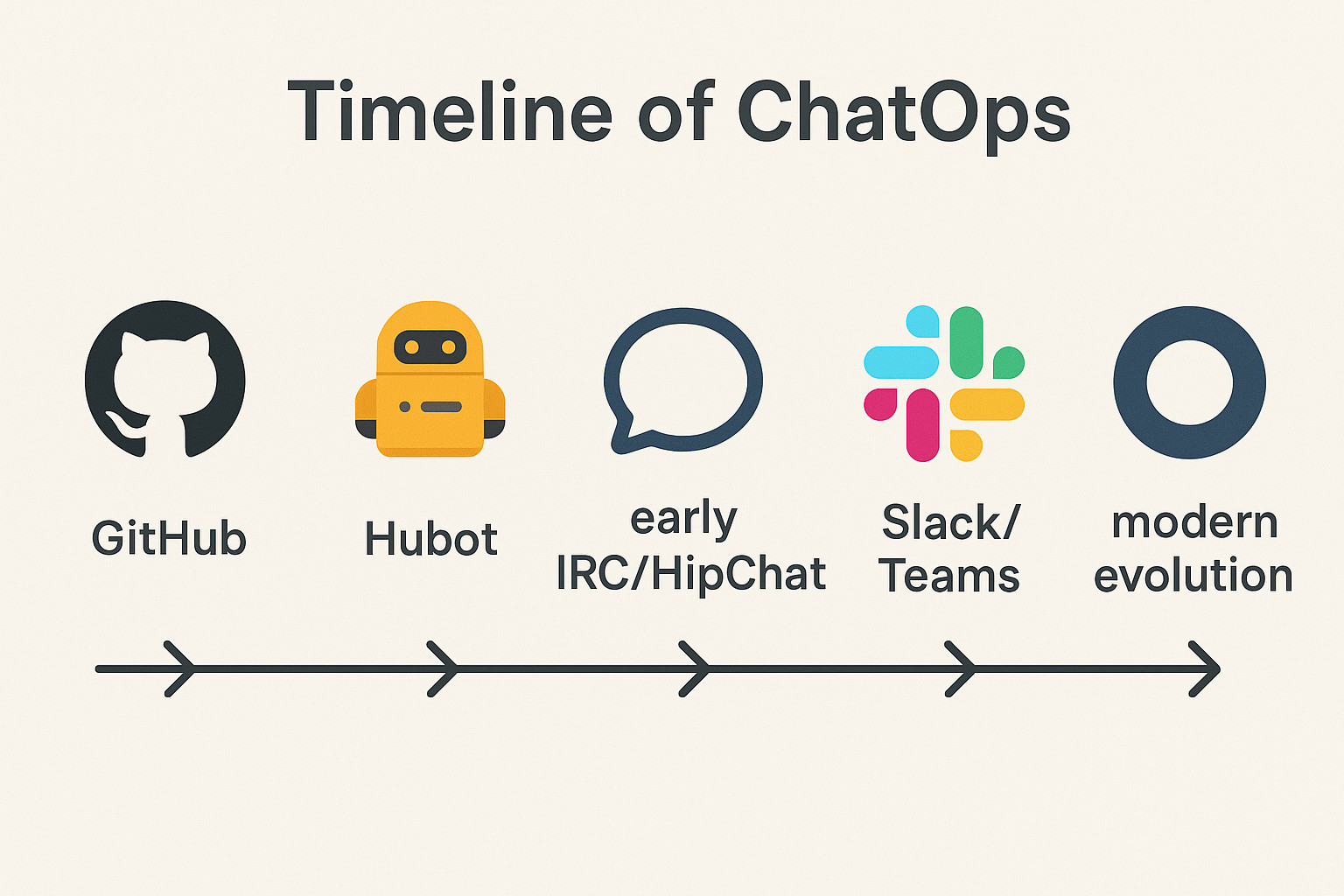
In simplest terms, ChatOps is the method of integrating automation, people, and tools into a single chat platform. This is so that work can be done collaboratively. Teams can carry out actions, share results, and discuss outcomes in real time inside a chatroom. This is in comparison to previously where they had to switch back and forth between dashboards, terminals, and monitoring tools. The chat client becomes a central operations hub as a result.
The Origin of ChatOps
- Built at GitHub: When developers at GitHub developed Hubot, an open-source chatbot that automated repetitive tasks, the term “ChatOps” was first coined. Teams could deploy code, retrieve logs, or validate system health without affecting the conversations by inputting basic commands into chat.
- Early Adoption: Teams experimented with integrating automation into chat using IRC and HipChat, much before the popularity of Slack and Microsoft Teams. This defined the foundation for modern ChatOps procedures.
- Transitioning from DevOps to ChatOps: DevOps had already encouraged teamwork, automation, and continuous feedback. By embedding these ideas directly into everyday discussions, ChatOps built upon them and implemented shared accountability and transparency as the standard.
Why ChatOps is Important Now?
- Dispersed Teams: ChatOps ensures that all employees have equal visibility in time zones with remote and hybrid workforces.
- Tool Fragmentation: Numerous tools are utilized by modern organizations. They are blended into a single interface by ChatOps.
- Knowledge Sharing: Every conversational action contributes to the institutional memory. Monitoring and observing workflows aid new team members learn more quickly.
Thus, ChatOps was built as a logical reaction to the growing intricacy of software operations, offering teams a common area where discussions lead to immediate actions.
ChatOps Implementation
While ChatOps may appear random, once dissected, its mechanics are quite simple. The smooth interaction of chat clients, bots, and automation pipelines is what makes the magic happen.
Chat Platforms
- The foundation is made up of platforms such as Slack, Microsoft Teams, and Mattermost.
- These platforms provide searchable history, persistent chat rooms, and strong APIs for integrations.
- Public channels offer shared visibility, while private ones allow focused collaboration for sensitive tasks like incident response.
Bots and Command Interfaces
- Acts as intermediaries between humans and systems, bots such as Hubot, AWS Chatbot, and Botkit.
- They can respond to direct commands (/deploy staging), proactively send alerts (failed builds, CPU spikes), or engage in conversation when blended with AI.
- Bots regularly include modular “scripts” or plugins that allow teams to customize them to meet organizational requirements.
Automation Pipelines
A typed command can trigger even complex workflows. Some examples are:
- /deploy production: Runs the CI/CD pipeline and deploys code.
- /rollback latest: Returns to the most recent stable version.
- /run-tests regression: Executes automated tests and returns results.
These workflows integrate with StackStorm, Jenkins, and GitHub Actions.
Shared Context
- All actions and outputs are displayed in the same chat channel where the discussion is taking place.
- It ensures transparency and stops anyone from wondering, “Did the deployment go through?”
- As everyone can see what is already underway, it also prevents effort duplication.
Example Scenario
Imagine a production-related incident:
- Alerts from monitoring tools are sent to Slack.
- An engineer inputs /get-logs serviceA to obtain recent logs.
- A different team executes /restart serviceA.
- Everyone views the outcomes, talks about the next steps, and records their observations in the same channel.
ChatOps turns cooperation into action by weaving automation into execution.
Benefits of ChatOps
Embracing ChatOps has a range of important advantages. Many of the key advantages of implementing ChatOps have a direct bearing on business outcomes, teamwork, and productivity. They are:
Efficiency and Automation
ChatOps removes manual tasks by enabling automation right within chat. Teams can execute commands in a single location rather than logging into multiple systems. This accelerates delivery cycles, reduces cognitive load, and lowers the chances of human error.
Team Work and Transparency
The full team can see every action, including deployments, database migrations, and monitoring queries. This decreases misunderstandings, defines a common context, and aids in new members’ understanding of workflows.
Fast Reaction to Incidents
Speed is critical during outages. Real-time alerts can be received in chat, responders can be assigned immediately within a conversation, and remediation or diagnostic commands can be executed without ever exiting the chat windows all due to ChatOps.
The Mean Time to Resolution (MTTR) is highly reduced by this streamlined procedure.
Built-in Documentation and Compliance
What transpired, when it took place, and who started it are all authoritatively documented in the chat log. This helps in:
- Compliance checks and auditing.
- Blameless retrospectives and post-event reviews.
- Developing playbooks that can be reused for common issues.
Increased Efficiency
Teams can focus more on creativity and problem-solving when there are fewer context changes between tools. The shared environment among developers, testers, and operations personnel enhances alignment and engagement.
ChatOps in DevOps and Incident Management
When combined with incident management techniques and DevOps processes. ChatOps is particularly effective.
In DevOps
- Continuous Integration/ Continuous Delivery (CI/CD): Developers can initiate build, deployments, and rollbacks right from chat.
- Pipeline Monitoring: Real-time updates on deployment statuses, test results, and build progress are offered.
- Teamwork: Product managers, QA engineers, and developers can observe and discuss deployment as they take place.
The feedback loop is closed and a sense of collective ownership over the pipeline is established by doing this. Read: Top 7 CI/CD Tools to Explore.
In Incident Management
- Immediate Alerts: Chat notifications are sent by monitoring platforms like Splunk On-Call or PagerDuty.
- Collaborative Triage: In a single channel, teams discuss the issue and carry out commands together.
- Swift Resolution: Usual fixes, such as expanding instances, cache clearing, or restarting services, can be programmed as bot commands.
- Post-Incident Learning: Teams can examine the timeline and improve future responses. This is possible due to every action being logged.
ChatOps ensures that incidents are resolved faster, transparently, and with full involvement of all relevant parties.
AI and the Future of ChatOps
Large Language Models (LLMs) and artificial intelligence are building and changing the future of ChatOps. Chatbots can understand natural language and respond intelligently. They no longer depend only on strict commands.
Imagine something like, “Show me the test failures from the last release and restart the service if it was a timeout.” An AI-powered bot could decode this instruction, extract results, and respond appropriately rather than chaining multiple commands.
Better incident triage, predictive analytics (detecting potential failures before they worsen), and more user-friendly interfaces are made possible by AI in ChatOps.This development enables ChatOps to switch from a reactive to a proactive state. Read: Chatbot Testing Using AI – How To Guide.
Popular ChatOps Integrations and Tools
With a range of tools and integration, ChatOps can be personalized to meet the needs of different teams:
- Chat clients: Mattermost, Microsoft Teams, and Slack.
- Chatbots: Botkit, AWS Chatbot, and Hubot.
- Automation Engines: StackStorm, Jenkins, GitHub Actions.
- Monitoring and Notifications: PagerDuty, Splunk On-Call, VictorOps.
- Custom Scripts: Organizations-specific integrations that plug directly into pipelines.
It is easier to integrate ChatOps into nearly any workflow as a direct consequence to this modular ecosystem.
Where ChatOps Meets Software Testing
Software testing is a critical but often disregarded area where ChatOps excels. Continuous testing ensures that code changes don’t interfere with functionality in DevOps pipelines that move faster. However, testing regularly takes place in isolated silos that are not connected to real-time collaboration.
ChatOps + Testing = Faster Feedback
By incorporating testing workflows into ChatOps, teams can:
- Trigger automated tests run directly from chat commands.
- Obtain instant alerts about test results in Teams or Slack.
- Immediately communicate test failures to developers to promote faster fixes.
This ensures testing is actionable, transparent, and cooperative.
testRigor: AI-Powered Test Automation in a ChatOps World
This is where testRigor comes into the picture. testRigor, a Gen AI-powered test automation tool, is better suited to ChatOps’ principles:
- Natural Language Testing: Test cases are written in simple English so that everyone, not only engineers, can comprehend them.
- Smooth Integration: testRigor can provide results straight into chat channels and integrates with CI/CD pipelines.
- Faster Feedback: Decision-making is accelerated by developers and testers being able to see test results instantly in Teams or Slack.
- Reduced Maintenance: testRigor uses AI to decrease flakiness and automatically adapt to UI changes, in comparison to conventional test frameworks that are rigid.
Why does testRigor Matter in ChatOps?
Organizations ensure that quality assurance is not an afterthought by integrating test automation with ChatOps workflows. Instead, it becomes a first-class citizen in the discussion on development. Immediate detection of test failures reduces delays and improves the overall quality of the product.
In other words, testRigor smoothly integrates the abilities of Gen AI-driven test automation into the team-based ChatOps environment. This makes it a good choice for teams that strive for dependability, transparency, and speed.
Challenges of ChatOps
Despite its power, adoption of ChatOps is not without hurdles:
- Tool Sprawl: Users may become overwhelmed by the chat environment if there are high volumes of bots or integrations. It is important to carefully select integrations.
- Security Risks: Strict precautions must be implemented before facilitating bots to carry out production commands.
- Role-based access controls: Not every team is comfortable with this level of transparency. It takes leadership support and cultural adjustment to shift to a model where every action is visible. A few of them are:
- Audit logging.
- Approval workflows for critical actions.
- Cultural Changes
- Training and Onboarding: It could take some time for new users to become familiar with workflows, commands, and best practices. Adoption needs mentoring and documentation.
- Resistance to Change: Centralizing everything into chat may be opposed by organizations used to having distinct tools and procedures. Change management strategies are vital.
How to Adopt ChatOps in Your Organization
Adopting ChatOps is as much about culture as it is about technology. Organizations should begin small, try new things, and scale as their confidence grows.
Begin with Modest Automations
Start with low-risk activities like system status checks and log retrieval. For example: /check-disk db-server ->, it instantaneously displays disk utilization. These small victories give teams value without posing a major risk.
Select the Right Chat Platform
- Slack and Microsoft Teams dominate the enterprise market, while Mattermost is preferred by organizations that need self-hosting.
- Consider account aspects such as integration, scalability, and security.
Introduce Bots Incrementally
- Start with an established bot, like AWS Chatbot or Hubot.
- Slowly add scripts for test triggers, deployment automation, and monitoring alerts.
- Avoid giving users too many commands at once.
Integrate Critical Workflows Early
- Connect ChatOps to QA testing, monitoring tools, and CI/CD pipelines.
- Ensure that ChatOps becomes a standard practice and does not die as just a novel idea. For example: Surface test results from testRigor directly into Slack for real-time feedback.
Give Higher Priority to Security and Governance
- Implement role-based controls, like limiting production deployments to senior engineers.
- Audit bot activities on a regular basis to prevent misuse.
- Implement chat retention policies for compliance purposes.
Build a Culture of Transparency
- Encourage the use of shared channels rather than private ones for all operational work.
- Promote a blameless culture in which errors are visible and used for learning.
- New team members can be trained using the chat history.
Measure and Iterate
- Prior to and after ChatOps adoption, monitor key performance indicators (KPIs) such as deployment frequency, incident resolution time, and test cycle duration.
- Use feedback to refine commands and integrations.
- Gradually extend ChatOps coverage to more workflows as teams mature.
ChatOps adoption is a strategic process rather than a one-time event. Organizations can convert chat platforms into critical hubs for automation and collaboration by starting small, maintaining security, and promoting cultural buy-in.
Conclusion
ChatOps is a massive shift in the way teams work together, automate tasks, and deliver software, not just a passing cloud. ChatOps aids faster incident response, higher transparency, reduced errors, and a robust team culture by centralizing communication and automation.
Additionally, ChatOps is scaling into new fields like software testing as a result of the emergence of AI-powered tools. Such tools ensure that quality remains at the forefront of the development discussion by integrating real-time automation feedback into chat.
| Achieve More Than 90% Test Automation | |
| Step by Step Walkthroughs and Help | |
| 14 Day Free Trial, Cancel Anytime |











