
What is Persona Testing?
 |
If you’ve ever released something, wondering, “Hmm, why’s everyone using it this way?” – congrats, you’re looking at the messy, wild side of how people act. Teams might design slick layouts, clever steps, or flashy tools; yet, once users jump in, they go off-script. It can seem like a battle of intentions vs. reality! That’s exactly what persona testing was made for.
In this post, you’ll learn what persona testing means, how it actually functions, plus why squads enjoy using it – because it often shows up behind the scenes in top products.
| Key Takeaways: |
|---|
|

Let’s dive right in – users come in all kinds: some get it fast, others scratch their heads, a few tap their feet waiting, while many just breeze past the how-to stuff.
What is Persona Testing?
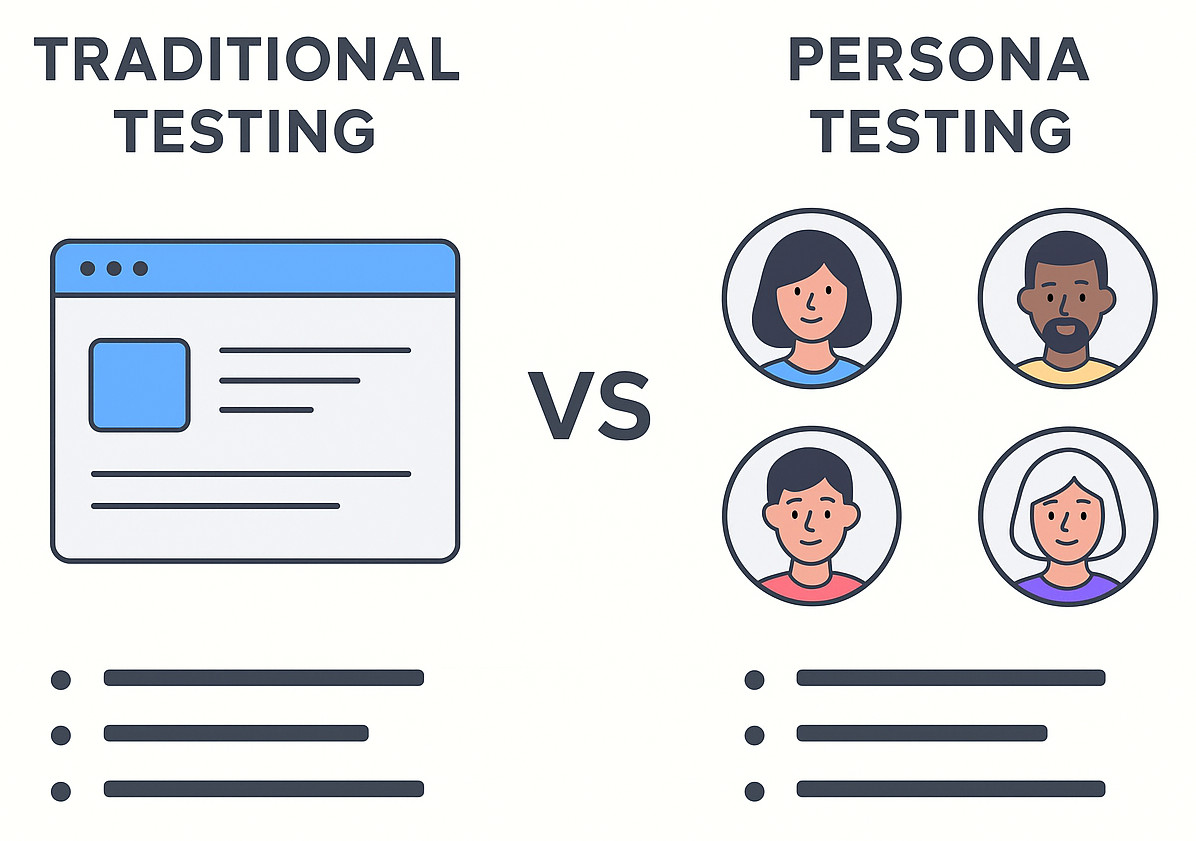
Persona testing means trying out the software as various people or personas. Rather than asking whether something functions, imagine how someone unique would use it – someone with their own habits, aims, strengths, or struggles.
A persona might look like:
- A tech-challenged parent trying to order groceries.
- A hectic project lead handling two dozen open windows.
- A learner is stuck with a sluggish device while riding a spotty internet connection.
- A quick learner familiar with all tricks, always looking for something extra.
Every character stands for part of your actual crowd.
Persona testing says:
“Let’s test like them – not like engineers, not like testers, and not like people who know the product inside-out.”
This is why it gets results – by revealing everyday hurdles that standard tests usually miss, yet doing so more effectively than most methods.
Why Persona Testing Matters
In theory, software’s made for people who use it. Yet most teams only check if things go smoothly. Testing with real user profiles connects what devs assume with what really happens.
This is why it matters:
1. It Forces Empathy
Focusing on real people, not just numbers, this highlights what they actually need, how they behave, or even the little things they tend to do.
2. It Reveals Issues You’d Never Notice
A button which may be obvious to a coder might be difficult to locate for someone uneasy with tech – different comfort levels change what feels obvious.
3. It Brings All Stakeholders on the Same Page
Personas help product teams, designers, testers, or engineers speak the same way. Rather than talking in terms of test cases, design layouts, or code, all stakeholders are forced to consider the user’s perspective first.
4. It Makes it Easier for Everyone to Operate the Software
Look at things through the eyes of someone who can’t move well or see clearly – designs end up working smoothly for all groups of people. This especially applies to accessibility considerations that are required in present-day software.
5. Test Coverage Becomes Way More Useful
You’re not merely checking boxes – instead, you focus on what actually affects people’s lives. With helpful testing tools, you can build test suites that add real value, not just complete management targets.
Persona Testing Examples
Let’s look at some real-life examples of persona testing in action.
Persona Testing Example 1: The “I’m Not Great With Tech” User
Persona:
Linda is 56. She’d like to handle her bills on the internet, yet she’s unsure about filling out online forms. While tech feels tricky for her now, getting help could make things smoother down the road.
Test focus:
- Are instructions clear?
- Do the buttons stand out clearly?
- Could there be a time when she starts to freak out?
Do error messages sound like a friend helping out instead of a robot yelling?
A weird amount of stuff fails when “Linda” uses it. But spotting this? That’s where persona checks come in.
Persona Testing Example 2: The Multitasking Professional
Persona:
Rohan is 34 and works in project management. With three screens at his desk, he keeps loads of browser tabs open – switching between programs nonstop.
Test focus:
- Is the app keeping its session running?
- Does it move quickly or what?
- Is it possible for him to switch tabs while keeping his place?
- Do keyboard shortcuts help someone seem super-efficient?
This version checks how fast it works – not only if it runs.
Persona Testing Example 3: The Budget-Conscious Student
Persona:
Emily’s 19, sticks to a basic phone, plus she fights spotty internet most days.
Test focus:
- What happens if your signal’s spotty – can the app cope?
- Are images optimized?
- Is the layout still fine on tiny displays?
- Does she get things done quickly?
- Checking things for this role helps all users work better.
How to Implement Persona Testing (Without Overthinking It)
Some folks picture persona testing as a tricky design step full of reports and deep reviews. But it can actually stay pretty simple.
Here’s a straightforward way to set up persona testing – something any group can actually use
1. Start With Research, But Keep It Light
Grab what’s nearby – make it work somehow
- Support tickets
- Customer interviews
- Analytics
- Surveys
- Sales feedback
- User reviews
You’re not crafting a story – instead, spotting how people act.
2. Create 3–5 Useful Personas
Over five, folks just forget the rest.
Every character’s got to respond by saying:
- Who’s this individual?
- What’s their goal with the item?
- What ticks them off fast?
- How well do they get along with technology?
- Which gadget or setting are they on?
That’s about it.
3. Map Personas to Real Scenarios
Ask yourself:
- What’s the first thing this person aims to achieve?
- What’s toughest for them?
- When will they decide – give up or keep going?
4. Turn Scenarios Into Test Cases
Make up tests that feel real – like something someone actually did. Instead of listing steps, tell a quick scene: what happened, how it went wrong, why it matters.
“Linda tries to reset her password. She gets confused by the wording. She presses the back button.”
This is the way to spot actual issues with ease.
5. Execute, Observe, and Adjust
- Move around the item like you’re that person. Try it out from their point of view instead.
- Pay attention to spots where you pause.
- Pay attention to spots that seem a bit wrong.
Figuring out personas works just as much on gut sense as it does on reading the data right.
How to Perform Persona Testing (The Practical Step-by-Step Version)
If you’re after something your crew can take over, try this simpler layout:
- Figure out who your key users are.
- Make profiles tailored to these crowds.
- Set targets, along with reasons behind them, for every character.
- Turn these reasons into real-life situations.
- Write persona-driven test cases.
- Pick tools that are able to handle task-driven workflows instead.
- Try checks by hand or use tools to do them.
- Log UX issues, not just bugs.
- Keep adjusting when users act differently.
- Stay flexible – when personas shift, your tests have to shift along with them.
Steps for Creating Effective Personas (Without Fancy Frameworks)
Some groups waste time perfecting personas – focusing on looks, depth, or tiny details. Skip that; it’s not necessary.
Try this basic method – it actually gets great results
Step 1: Gather Real Data
Pull from:
- Observations
- Interview notes
- App analytics
- Customer journeys
- Market research
Step 2: Identify Patterns
Watch for groups such as:
- “People who rush through steps”
- “People who fear making mistakes”
- “Power users”
- “People who need hand-holding”
Patterns turn into clusters of people.
Step 3: Give Each Persona a Face and Story
A short bit. But still plenty to seem true.
Example:
“Mark, 42, hates complicated forms and checks out the moment he feels overwhelmed.”
Step 4: Write Down Goals and Frustrations
- What’s on Mark’s mind to finish?
- What stops him?
- What stresses him?
- What delights him?
Step 5: Validate With Teams
Check your personas using:
- Support
- Sales
- Customer success
- UX
- QA
They’ll let you know whether the character seems true to life.
Benefits of Persona Testing (Spoiler: It Makes Your Product Actually Work for Real People)
Try persona tests – they catch stuff normal checks usually skip.
- Better User Experience: Personas push you to focus on clear, easy-to-get ideas.
- More Meaningful Test Coverage: Swap out 500 vague tests for just 50 solid ones. But pick them smartly – the effectiveness of the tests counts way more than volume.
- Improved Accessibility: People push your thinking towards fairness – no extra guidelines required.
- Fewer Surprises After Launch: Besides acting like actual visitors, your personas help cut down the loss of customers or weird questions.
- Stronger Team Alignment: Each person views the item with an eye on how it works for them – shaped by real use, not hype.
- Stronger Product Differentiation: Businesses that know what people want usually come out ahead – because they pay attention, so things work better.
Where Software Testing Meets Persona Testing (And Why It Works So Well)
Persona testing doesn’t take the place of regular software checks. Instead, it adds depth by showing how real people might use the app.
While functional tests wonder, “Does this feature work?”
Persona tests ask, “Does this work for the people who depend on it?”
Both are necessary, though. They fit together perfectly, like pieces of a puzzle, matching by chance.
Here’s the thing, though – checking personas takes ages if you do it by hand, particularly when rerunning the same cases post-update or after a new launch. Which is why automating those checks begins to matter a lot more, even better when powered by smart tech that learns over time.
How testRigor Helps With Persona Testing
testRigor uses AI to automate tests, letting you write them in everyday English. Honestly, this makes it a perfect match for persona-based testing.
Check it out – here’s the way.
1. Tests Written in Plain English = Perfect for Persona Scenarios
Personas work better when the chat feels smooth. testRigor allows you to actually create tests just by writing them out in plain English.
“As Linda, click the ‘Forgot Password’ link, enter an incorrect code, and check if the system explains what to do next.”
- No code.
- No confusing syntax.
- Just storytelling.
This turns persona checks into a light task rather than a chore.
2. Easier Collaboration Across Teams
Since testRigor works in plain English, folks from non-QA backgrounds can jump in without any hassle or prerequisite of knowing programming. This includes members who have better insights into the user base, like
- Product managers
- UX designers
- Customer success
- Support agents
Whoever gets the character can tweak how it’s tested. This is big. Because different views help test personas better.
3. Reliable Cross-Device and Cross-Environment Testing
Some personas use:
- old devices
- weak networks
- unusual browsers
- assistive technologies
testRigor handles lots of these changes on its own. Read to know more about cross-browser testing.
4. Stable Tests That Don’t Break Easily
Persona testing involves feelings or guidance moves – such as:
- “User gets confused and clicks back.”
- “User tries the shortest path.”
- “User quickly jumps between pages.”
These need steady labeling since people use the app in different ways. testRigor’s smart AI engine tackles these jumps and toggles in steps more smoothly compared to old-school tools.
5. Regression Testing That Supports Persona Coverage
After setting up user-based situations in testRigor, it runs them again each time you deploy. While building real-life cases, the tool repeats them on every update through CI/CD pipeline integrations.
That means:
- Skip repeated hand-run checks.
- Fewer mistakes are making it past checks.
- Steady feel for users, though functions keep changing.
6. Great Fit for Agile and Rapid Release Cycles
Personas might take time because they split into different paths. testRigor manages split paths in tests without any hiccups, also tackling longer sequences with ease.
Even when your crew delivers nonstop, the character focus doesn’t slip – because consistency keeps it grounded through changes.
Bringing It All Together
Testing personas is something that seems basic, yet it shapes how good a product turns out. It adds understanding, real-life perspective, and practical thinking – stuff people naturally look for, even if development groups overlook them when racing to hit goals or roll out new functions.
By thinking like real users when creating tests, you
- Build better products
- Reduce friction
- Prevent UX disasters
- Understand your audience deeply
With tools such as testRigor on your side, automated testing of personas becomes possible and manageable at scale.
If you’re looking to connect better with your audience – or just think your tests could use some real-life flavor, trying persona testing might be the move. Pairing that with smart automation helps things run quicker and easier, while keeping it engaging.
Besides, when it comes down to it, programs aren’t made for flawless people.
It’s made for actual folks – because persona checks keep you grounded.
Additional Resources
- User Acceptance Testing: Manual vs. Automated Approaches
- UI Testing: What You Need to Know to Get Started
- How to Customize the Testing Pyramid: The Complete Guide
- UX Testing: What, Why, How, with Examples
- Defect-based Testing: A Complete Overview
- How to Write Test Cases from a User Story
- Production Testing: What’s the Best Approach?
| Achieve More Than 90% Test Automation | |
| Step by Step Walkthroughs and Help | |
| 14 Day Free Trial, Cancel Anytime |











