
What is a Software Requirement Specification Document (SRS)?
 |

In software development, project success highly depends on transparency and alignment. Without clear requirements, vague goals, and misunderstood expectations, it leads to extended timelines. This results in bloated costs and, ultimately, a product that is of little use to your users. That is where a Software Requirements Specification (SRS) document plays a significant role. It is an important artifact in the Software Development Life Cycle (SDLC) that demonstrates how to create a software solution.
An SRS document is not merely a list of requirements. It is a detailed and organized document that connects business objectives with technical implementation. It shows the details in terms of what the software should do, how it should work, and the limits within which it must function.
In this article, we will explore the SRS document, its purpose, its components, and how to create and maintain it effectively.
| Key Takeaways: |
|---|
|
What is SRS (Software Requirements Specification)?
This is a comprehensive and detailed description of the intended purpose and environment for the system under development. The solution architecture is presented in a structured format with functional and non-functional requirements, system constraints, assumptions, and dependencies. SRS contains what the software needs to achieve for all stakeholders, such as business analysts, developers, QA teams, project managers, end-users, etc.
SRS Meaning
Therefore, SRS is a binding contract to minimize differences between the functional specification and the final product. It basically aligns the entire project. The project follows the design closely throughout the chain (after requirements, through implementation, testing, and deployment), and it is sometimes referred to as a single source of truth.
Why is an SRS Document Important?
It is so important that you will see how it sets the stage for your entire project, helping keep everyone clear, aligned, and accurate at all stages of development.
- Provides Clarity: Defines what the software will and will not do. So, leaves no room for ambiguity. This makes sure that all stakeholders have the same understanding of the project. Through these clear expectations, misunderstandings and misaligned deliverables are avoided.
For example, instead of writing “The system should load fast.”, Write “The system must load the dashboard within 2 seconds under normal network conditions.” This shows measurable clarity.
- Brings in Communication: Acting as a shared reference point, the SRS bridges the gap between technical and non-technical stakeholders. It translates business objectives into actionable technical requirements, so that everyone speaks the same language.
- Roadmap for Development and Testing: This roadmap outlines the features and functionalities that developers need to implement. For QA teams, it provides a baseline for test case design. It checks whether the software meets its requirements. This structured approach makes sure development and testing efforts align with project goals.
- Removes Risks: By identifying requirements, constraints, and potential challenges upfront, the SRS minimizes surprises during development. You can address risks early to reduce the cost of rework. This approach saves time, effort, and resources throughout the SDLC. If early in the SRS it is documented that, “The system must comply with GDPR.” Security and legal requirements are addressed early, avoiding expensive redesign later.
- Follows Compliance: SRS document is often required to demonstrate adherence to standards and laws. It helps capture compliance-related requirements. This helps to make sure that the software meets industry and legal guidelines. So, this reduces the risk of non-compliance penalties and enhances credibility with regulators.
SRS Document Template
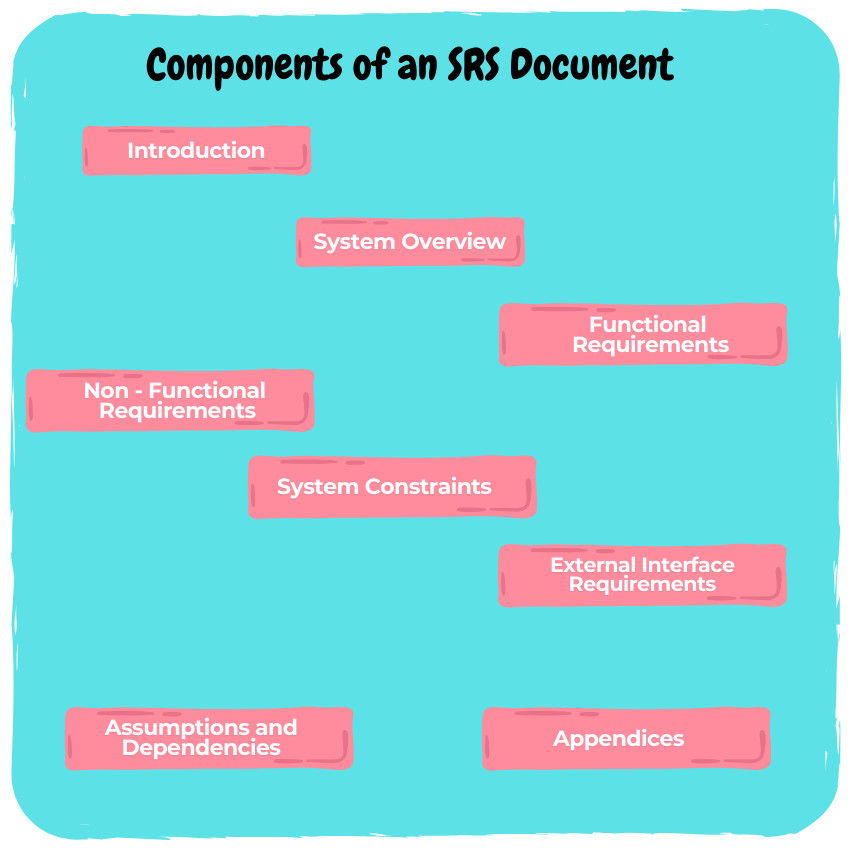
Usually, a Software Requirements Specification (SRS) document consists of various portions to maintain transparency and coverage for all the stakeholders. Here are the basic elements of an SRS document:
Introduction
- Purpose: Why is the SRS being created?
- Scope: What are the boundaries of the project? Details of the business problems it addresses and its objectives.
- Definitions, Acronyms, and Abbreviations: Technical terms, acronyms, or abbreviations used in the document for all stakeholders.
- References: List related documents, such as business requirements, standards, or technical guides, for further information.
System Overview
- A summary of the system’s goals.
- The problem it aims to solve.
- An overview of its key functions and its role in the organization.
Functional Requirements
- Features: Write the system functionalities, often organized by modules or use cases.
- User Scenarios: How will users interact with the system?
- Data Requirements: Inputs, processes, and outputs of the system, including data formats.
Write each functional requirement in a clear, measurable, and testable format.
Non-functional Requirements
- Performance: Response times, processing speeds, and throughput levels.
- Usability: Accessibility, user experience, and ease of learning.
- Reliability: System uptime, fault tolerance, and error recovery capabilities.
- Security: Authentication, authorization, data encryption, and privacy measures.
- Scalability: The system’s ability to handle increased workload or user demand.
- Maintainability: How easily the system can be updated, modified, or debugged.
System Constraints
- Technological Constraints: Restrictions on programming languages, frameworks, or hardware.
- Budgetary Constraints: Cost limitations that impact design or development choices.
- Regulatory Constraints: Compliance with legal or industry standards.
- Time Constraints: Deadlines that affect scope or development priorities.
External Interface Requirements
- User Interfaces: Write the requirements for the design and functionality of graphical interfaces.
- Hardware Interfaces: Mention the specifications for devices the software will interact with, such as sensors or printers.
- Software Interfaces: Descriptions of APIs, protocols, or integrations with third-party systems.
- Communication Interfaces: Mention data transmission, formats, and protocols, such as HTTP, FTP, or WebSocket.
Assumptions and Dependencies
- Assumptions about user behavior or system environment.
- Dependencies on third-party libraries, external APIs, or specific hardware.
Appendices
- Diagrams and Charts: Use case diagrams, flowcharts, or architecture diagrams to represent the system visually.
- Glossary: Provide a detailed glossary of terms for reference.
- Detailed Data Models: Comprehensive descriptions of database structures or data flows.
How to Write an SRS Document
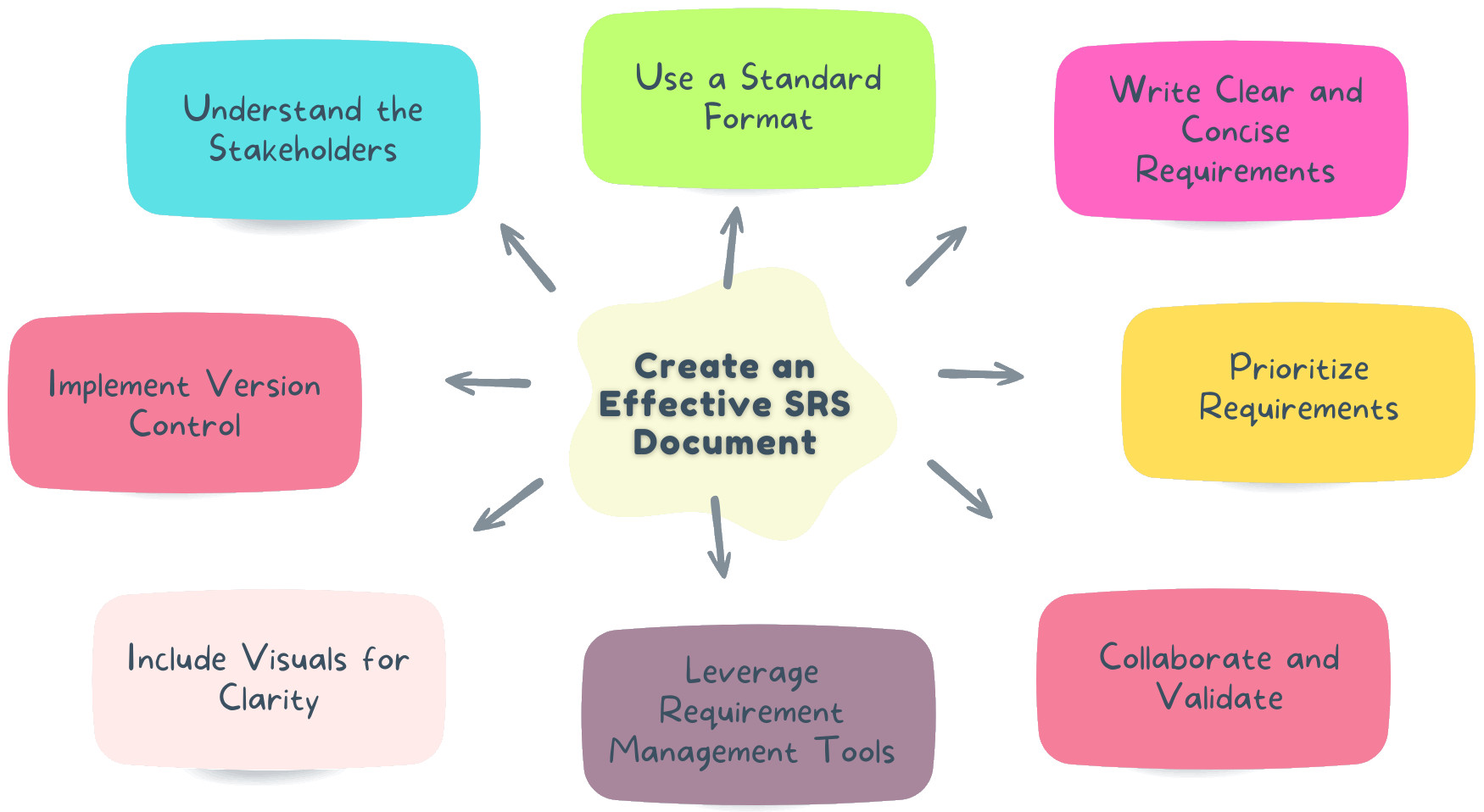
SRS is crucial to the success of the project. Hence, a well-structured SRS removes ambiguities, aligns stakeholders in one direction, and provides a blueprint for the development team. So, here’s how to build your SRS document step-by-step:
Understand the Stakeholders
- Gather Input: Work with business analysts, product owners, end-users, developers, and QA teams to address different perspectives.
- Define Goals: Understand the overall software functionality, what issues it will address, and what value it will provide.
- Identify Stakeholder Needs: Identify the technical and non-technical requirements of various stakeholder groups.
Use a Standard Format
- Make sure to add an introduction, functional requirements, non-functional requirements, system constraints, external interfaces, etc.
- Use headings and subheadings to create a logical flow.
- HR team wants leave tracking
- Employees want mobile access
- Finance wants payroll integration
This shows how multiple perspectives shape requirements.
Write Clear and Concise Requirements
- Avoid ambiguity when describing requirements using simple, precise language.
- Minimize the use of technical jargon when conversing with non-technical stakeholders and define specialized terms.
- Make sure that every requirement is quantifiable, precise, and checkable.
Prioritize Requirements
- Categorize requirements using techniques like MoSCoW (Must have, Should have, Could have, Won’t have).
- Focus on high-priority requirements to make sure essential features are addressed before moving to less critical ones.
- Clearly indicate which requirements are mandatory for the initial release and which can be deferred to later phases.
- Must Have: User login authentication
- Should Have: Two factor authentication
- Could Have: Dark mode interface
- Won’t Have: AI based resume screening in Phase 1
This makes prioritization clear and practical.
Collaborate and Validate
- Involve stakeholders throughout the SRS creation process to gather feedback and resolve ambiguities.
- Conduct iterative reviews to refine the document based on input from business, technical, and QA teams.
- Validate requirements with all stakeholders to confirm that they align with project objectives.
Use Requirement Management Tools
- Drafting tools like Microsoft Word or Google Docs can be used to create a simple SRS.
- For more complex projects, adopt platforms like JIRA, Confluence, or IBM DOORS to track, organize, and share requirements.
- Use templates and collaboration features provided by these tools to streamline document management.
Include Visuals for Clarity
- Add diagrams, flowcharts, and wireframes to represent workflows visually, as well as data flows or user interfaces.
- Use tools to create use case diagrams, data flow diagrams (DFDs), or mockups for clarity.
- Visual elements simplify complex ideas and reduce the risk of misinterpretation.
Implement Version Control
- Maintain a revision history section with details of changes, dates, and the authors.
- Use version control tools like Git, Microsoft SharePoint, or Google Docs to track updates effectively.
- Version control prevents confusion and makes sure transparency during the document lifecycle.
Best Practices for Maintaining an SRS Document
- Version Control: If you have a version control system, use it to track changes and maintain a history of revisions. Using version numbers, dates, and change descriptions helps make sure that stakeholders know which version they are reading and allows tracking of the evolution of the SRS.
- Regular Updates: Continuously review the SRS alongside the development process to accommodate changes and updates. So that it accurately represents the current scope of the project. Keeping it up to date prevents information from becoming stale and leading to miscommunication or delays in development.
- Conduct Reviews: Set up periodical reviews with external and internal stakeholders to validate accuracy. Keep the alignment with project objectives. Such reviews are an opportunity to fill in gaps or ambiguity and communicate changes in state-of-the-art systems or processes to stakeholders.
- Maintain Accessibility: Store it easily in shared folders or requirement management tools to make sure all stakeholders can access the document. They need to be easily accessible so that every member of the team can refer to the SRS when required, allowing them to make collaborative and better decisions.
Challenges in Creating an SRS Document
Despite its crucial role in software development, creating a comprehensive and effective Software Requirements Specification (SRS) document can present several challenges. If not addressed, these challenges can hinder project progress and lead to misaligned outcomes.
- Ambiguity: Unclear or incomplete requirements can lead to misunderstandings, causing confusion among stakeholders and the development team. Ambiguities in the SRS may result in rework, missed objectives, and delays in the project timeline.
- Scope Creep: Inadequate scoping or poorly defined boundaries can result in continuous additions to the requirements during development. This leads to project delays, increased costs, and difficulty in managing resources effectively.
- Stakeholder Misalignment: Without proper collaboration and regular communication, conflicting expectations from stakeholders may lead to inconsistencies in the SRS. This misalignment can cause disagreements and a lack of clarity on the project’s goals and deliverables.
- Overcomplication: Overloading the SRS with excessive or irrelevant details can make the document cumbersome and hard to navigate. This complexity reduces its usability, making it difficult for teams to extract critical information during development.
Conclusion
The Software Requirement Specification (SRS) document is a keystone of successful software development. Specification establishes expectations that serve as a basis for streamlined design, development, testing, and maintenance. It helps define what the software should do and how it should perform. Although developing an SRS is time-consuming, its advantages make it an essential element of the SDLC.
Implementing best practices, utilizing available tools, and collaborating can keep SRS documents effective and updated, leading organizations toward the successful completion of projects.
Frequently Asked Questions (FAQs)
What is the difference between SRS and BRD?
A Business Requirements Document (BRD) focuses on high level business goals and stakeholder expectations, while an SRS translates those goals into detailed functional and non functional technical requirements that guide development and testing.
Who is responsible for writing the SRS document?
Typically, business analysts lead the creation of the SRS in collaboration with product owners, stakeholders, developers, architects, and QA teams. It is a collaborative effort rather than the responsibility of one individual.
Can requirements change after the SRS is finalized?
Yes, requirements can change due to business needs, regulatory updates, or market shifts. However, changes must follow a formal change management process to maintain version control and project stability.
| Achieve More Than 90% Test Automation | |
| Step by Step Walkthroughs and Help | |
| 14 Day Free Trial, Cancel Anytime |











