
What is Regression Testing?
 |
If you’ve ever seen a software engineer staring at a bunch of running tests like the future of their life depended on it, you’ve probably already seen the tail end of regression testing in software QA.
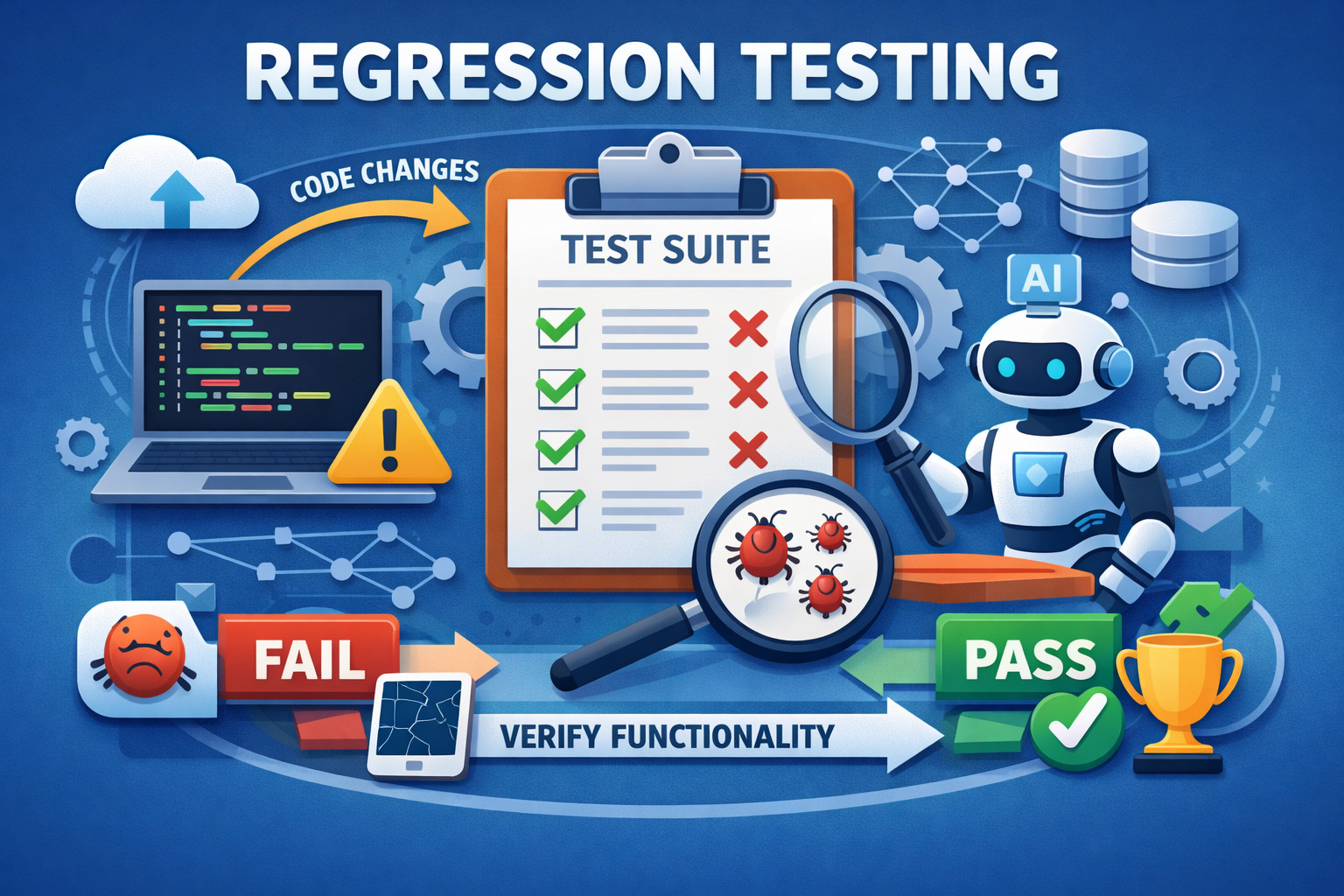
While their life might not be on the line, their ability to release a code update and shut down for the day could be. Indeed, few things are as gratifying as seeing a regression test suite turn green (pass with no issues), and seeing unexpected failures in regression tests can strike dread into the hearts of unsuspecting devs who were hoping to move on to other tasks.
So what exactly is regression testing, and why is it so powerful that it can ultimately make or ruin someone’s day? Below is a quick explanation, along with some advice about how your team can most effectively and efficiently maximize the value of regression testing in your software project.
| Key Takeaways: |
|---|
|
The Basics of Regression Testing
Regression testing is a vital part of the software development lifecycle. It’s designed to ensure that all features within a software project are functioning as intended, even after modifications have been made. The term ‘regression’ refers to the act of going back to reconfirm that the previously working functionalities still work after changes.
The process begins when developers introduce changes to the codebase. These changes could be new features, updates, modifications to existing functionalities, or even configuration changes in the software environment. After the modifications, regression testing is performed to confirm that the software’s existing functionalities still work as intended.
The value of regression testing cannot be overstated. Without it, a minor change in one part of the software could have unintended consequences elsewhere, causing functionality breakdowns, poor performance, or worse. Such issues, if left unresolved, can result in a poor user experience, a potential loss of user trust, and damage to the company’s reputation. Thus, regression testing is essential for maintaining software quality and reliability in the face of constant changes and improvements.
Regression Testing in the Age of AI-Generated Code
Regressions don’t only come from human-written changes anymore. With AI-assisted coding, teams can produce larger changes faster, sometimes with less clarity about what else might be impacted. A seemingly harmless refactor, a “cleanup” suggested by an AI tool, or a sweeping change across multiple files can quietly alter behavior in places no one expected.
This is where regression testing becomes a true trust layer. It helps you validate that the software still behaves the way users and systems rely on, even when changes are introduced at high speed or with a broader scope than usual. Regression testing is especially valuable when:
- An AI tool recommends a refactor that changes the logic structure but claims the behavior is unchanged
- A large pull request touches many modules, dependencies, or shared components
- Code is rewritten for performance, readability, modernization, or “best practices”
- Replacements happen at scale (for example, swapping libraries, updating SDKs, or reorganizing architecture)
Types of Regression Testing
There are several types of regression testing, each with its own application and purpose.
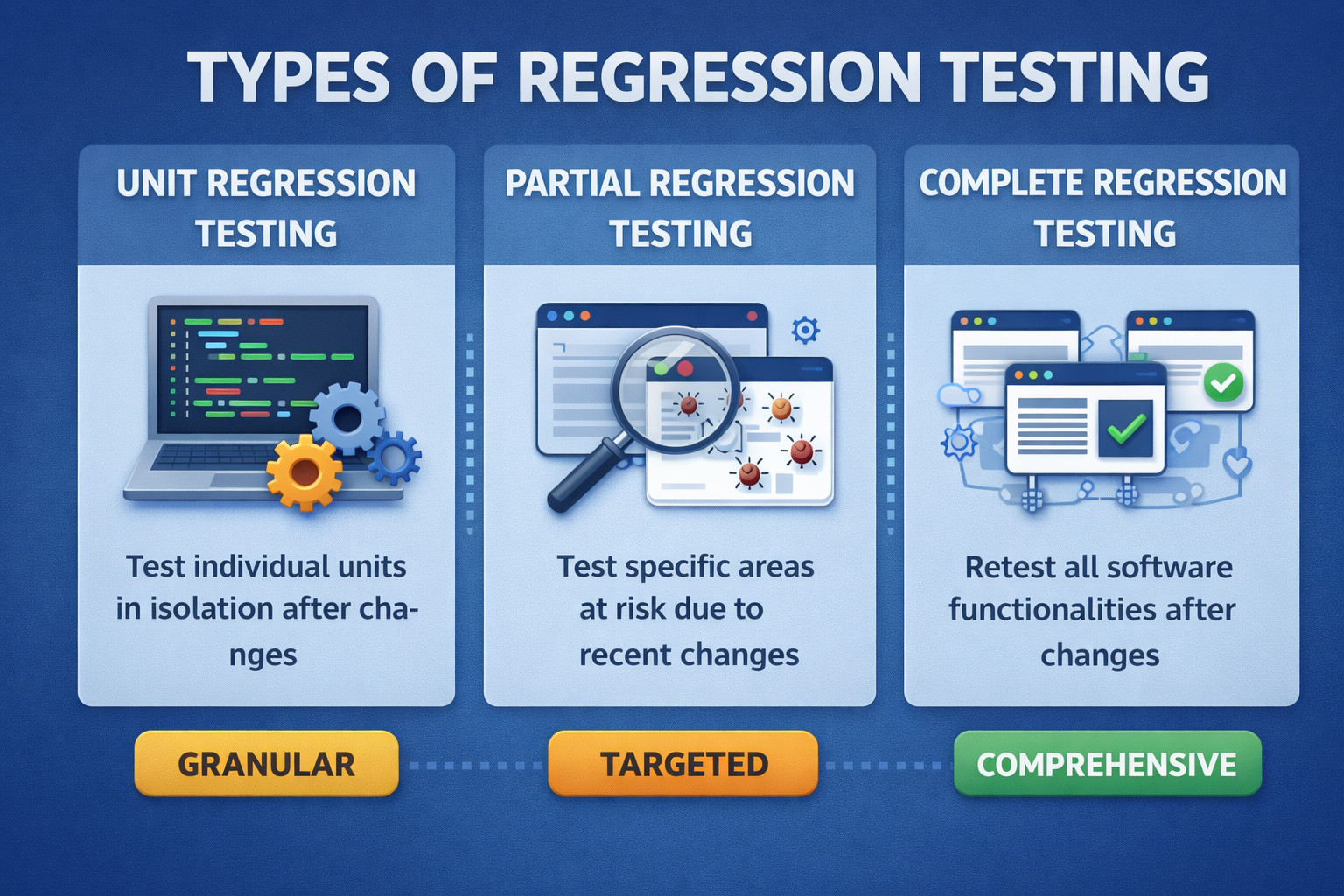
- Unit Regression Testing: This is the most granular level of regression testing, focused on individual components or units of the software. Each unit is tested in isolation to ensure that it still functions correctly after changes. This type of testing is typically automated and carried out by the developers who made the changes.
- Partial Regression Testing: This type of regression testing is more targeted, focusing on certain areas of the software that are considered at risk due to recent changes. Partial regression testing can be less time-consuming than complete regression testing, but it requires a good understanding of the software and the potential impact of the changes to decide which areas need to be retested.
- Complete Regression Testing: This is the most comprehensive form of regression testing, where all aspects of the software are retested. Complete regression testing can be quite time-consuming and is typically performed when the changes are significant and impact the software’s broader aspects. Typically, it has to be done prior to every release.
Each type of regression testing serves its purpose and is used depending on the scope and impact of the changes made to the software.
Read: Iteration Regression Testing vs. Full Regression Testing.
Creating a Regression Test Plan
Creating a well-defined regression test plan is crucial for the effective execution of regression tests. The plan guides the testing process, ensuring that it’s systematic, repeatable, and covers all necessary areas.
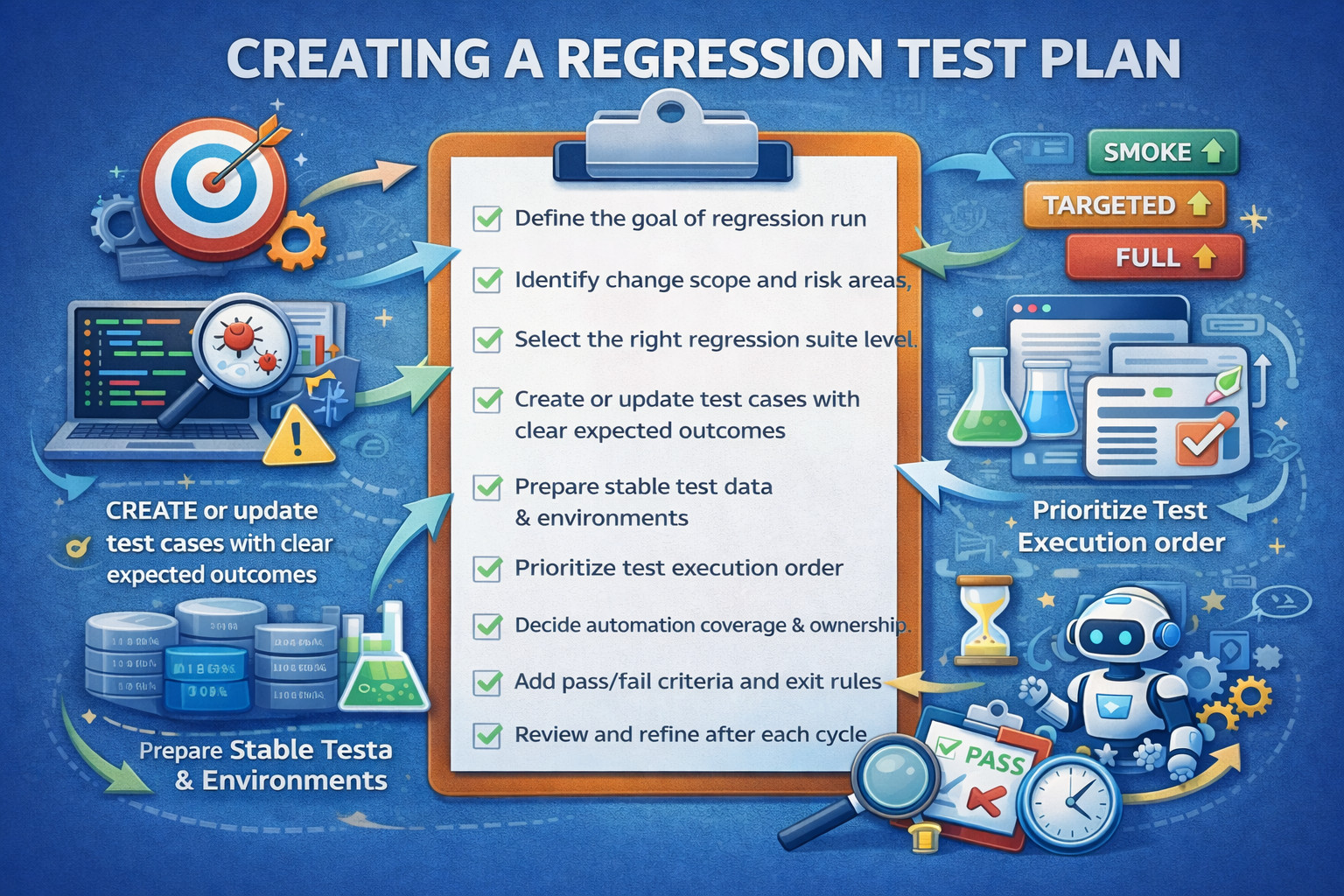
- Define the goal of the regression run: Decide what the run is meant to protect: a hotfix validation, a sprint release, a major refactor, or a full production release. This prevents the suite from becoming a “run everything” ritual.
- Identify change scope and risk areas: List what changed (features, modules, configs, dependencies, UI flows). Then mark what is most likely to break and what would hurt most if it breaks (core journeys, revenue flows, permissions, data integrity).
- Select the right regression suite level: Choose between a smoke regression (fast), targeted regression (change/risk-based), or full regression (pre-release). This keeps feedback fast without sacrificing confidence.
- Create or update test cases with clear expected outcomes: Ensure every test has: preconditions, steps, expected result, and what failure would indicate. Keep tests small and diagnostic, each failure should point to a specific problem area.
- Prepare stable test data and environments: Define what test accounts, datasets, and states are required. Unstable data is a major cause of flaky regression results.
- Prioritize test execution order: Run the highest business impact and highest risk tests first (login, checkout, critical APIs, role-based access). This helps teams detect “release blockers” early.
- Decide automation coverage and ownership: Mark which tests must be automated, which can be manual (rare), and who owns keeping each test reliable. Regression tests should be maintained like the product code.
- Add pass/fail criteria and exit rules: Define what “green enough” means: what failures block release, what can be deferred, and how flaky tests are handled (e.g., quarantine and fix before re-enabling).
- Review and refine after each cycle: After each release/run, remove low-value tests, fix flaky ones, and add regressions for any escaped defects so the suite gets smarter over time.
Regression Without Running Everything
As regression suites grow, the biggest challenge isn’t writing more tests, it’s deciding which tests to run right now. High-performing teams reduce regression time through smart test selection strategies, instead of relying only on “more machines” or longer pipelines. The goal is simple: get fast feedback while still maintaining strong confidence in the release.
Risk-based Selection
Not every part of the product carries the same risk, so teams start by protecting what would hurt most if it broke. They prioritize tests for user-critical workflows like login, checkout, onboarding, and core navigation. They also focus on modules with frequent changes, since high churn often correlates with higher defect probability. This approach catches high-impact regressions early without spending time on low-risk areas.
Change-based Selection
When a pull request lands, teams use what changed to decide what to test. They map modified files, modules, or feature flags to the most relevant test cases, including nearby dependencies that might be indirectly affected. This prevents running large portions of the suite that have no connection to the change. Done well, it dramatically shortens feedback time while still covering the real blast radius.
Tag-based Selection
Tests are labeled with meaningful tags so teams can assemble targeted suites on demand. Tags often reflect business or architectural areas such as payments, auth, reporting, admin, or search. With tagging, a team can quickly run only what matters for a given release, feature rollout, or hotfix. It also makes ownership and coverage gaps easier to spot because you can see which areas are heavily tested and which aren’t.
Failure History Selection
Teams learn which tests tend to find real problems and use that history to order execution intelligently. Tests that frequently detect defects are run earlier, so failures show up when the developer context is still fresh. This approach also helps teams identify high-risk areas of the product that deserve deeper attention. Over time, it improves suite efficiency because the highest-signal tests get priority instead of being buried in long runs.
The Role of Regression Testing in Agile Development
Agile development methodologies, with their emphasis on iterative development, incremental changes, and frequent releases, put regression testing at the center of the software quality assurance process.
The heart of Agile is continuous integration and delivery (CI/CD), where developers are constantly integrating new code changes, leading to frequent deployments. With each deployment, there’s potential for new issues to emerge or old ones to resurface, threatening the stability of the existing functionalities.
This is where regression testing comes in. As a crucial component of the Agile development process, regression testing is performed regularly to ensure these constant updates and changes do not disrupt the software’s existing functionality.
By catching and rectifying issues early in the development process, regression testing helps maintain the software’s integrity and quality. It ensures that the software is always in a state ready for deployment, or as it is often referred to in Agile terms, a ‘potentially shippable state’.
Regression testing in an Agile context also encourages close collaboration between developers and testers. Frequent testing and immediate feedback enable developers to address and rectify issues promptly, improving the software quality and speeding up the delivery time.
Moreover, the automated nature of most regression testing fits well within Agile teams’ fast-paced environments, where manual testing might be too time-consuming. Automated regression tests can be run as part of the CI/CD pipeline, providing quick feedback on the impact of recent changes, enabling rapid action if any problems are found.
Read: How to Reduce Manual Regression Tests in Software Release?
Challenges in Regression Testing
While regression testing is crucial for maintaining and improving software quality, it does come with its challenges.
- Scope Management: As a software project grows and evolves, new features are added, and the existing ones are updated or removed. This growth impacts the scope of regression testing. The more features a software has, the more complex and time-consuming the regression testing can become.
- Maintenance of Test Cases: Test cases need regular updates to remain effective and relevant as the software changes. This upkeep can be a significant task, especially for large projects with many test cases.
- Test Coverage: Ensuring comprehensive test coverage is another challenge. The goal is to test all the functionalities of the software, but given the constraints of time and resources, it’s often not feasible. Testers need to make strategic decisions about what to test and when, often focusing on high-risk areas or parts of the software most likely to be affected by changes.
- False Positives and Negatives: These are test results that incorrectly indicate a problem (false positive) or fail to catch an issue that is present (false negative). Both can waste time and resources, either leading to unnecessary investigation or letting bugs slip through undetected.
- Resource Management: Regression testing requires a careful balance of depth and breadth of testing with available resources – time, manpower, and infrastructure. Testing everything thoroughly every time is often not feasible, so teams have to decide where to focus their efforts for the maximum benefit.
Despite these challenges, the benefits of regression testing – more reliable software, higher user satisfaction, and lower maintenance costs – make it an indispensable part of the software development process. Techniques such as test automation, risk-based testing, and test case prioritization can help manage these challenges and maximize the value of regression testing.
Benefits of Regression Testing
Despite these challenges, the benefits of regression testing are considerable. It increases software stability, ensuring that changes don’t inadvertently disrupt existing features. It improves user experience by preventing bugs and issues from making it into the live software. Additionally, it enhances developer productivity. Instead of fielding complaints and troubleshooting issues after a release, developers can catch potential problems during the development process, saving time and reducing frustration.
Since regression testing is often a gatekeeper for determining if a change should be deployed into production or not, regression testing is typically performed upon every software build and before release for teams using a modern software development lifecycle.
Why is Regression Testing Automation so Important?
You may already be starting to get a feeling that automating regression testing is of critical importance for modern software development teams. For any team emphasizing a CI/CD process, the more frequently the team releases updates into production, the more frequently regression tests will need to run. Regardless of the frequency of software updates, as a software project grows and adds more features, the regression test coverage will likewise need to become larger in scope to account for testing more and more functionality.
Therefore, regression testing usually becomes such a broad and frequently performed function that teams quickly begin to realize that manually performing regression testing would create an unsustainable cost and bottleneck in the flow of updates into production. At the same time, regression testing is so critically important that it cannot be taken out of the software testing process without adding an extreme level of risk.
Read more: Automated Regression Testing.
Why Traditional Automation Often Fails
Traditional regression automation often struggles to keep up as the product evolves. Many automation frameworks depend on brittle locators, tightly scripted steps, and rigid assumptions about the UI, which means even small changes like a button label update, a layout shift, or a minor workflow tweak can cause widespread test failures.
Over time, teams end up spending more effort maintaining and repairing tests than actually detecting meaningful regressions. When failures become noisy and unreliable, confidence in the suite drops, and automation starts to feel like a bottleneck instead of a safety net.
How testRigor Plays a Critical Role
This is where automation of functional regression testing with a leading platform, such as testRigor, becomes a must-have for modern teams. testRigor enables teams to create regression tests using plain English and run them automatically with each deployment, reducing the manual effort required to keep up with frequent releases.
Because it uses AI-powered mechanisms to handle superficial UI changes, it helps prevent tests from becoming invalid due to minor modifications, cutting down ongoing maintenance work. As a result, teams can scale regression coverage and run it frequently without turning every release into a test-fixing exercise, making regression automation dependable, efficient, and sustainable.
- Automatic Element Detection: Vision AI allows testRigor to automatically detect UI elements based on their visual appearance. This is particularly useful in dynamic environments where elements frequently change position, size, or styling. You can mention the element name or its position in plain English, and that’s all. testRigor identifies the element and performs the requested action. To know more, you can read this blog: testRigor locators.
- Cross-Platform Testing: testRigor can handle cross-platform testing more effectively by recognizing visual elements consistently across different browsers, devices, and screen sizes. It ensures that the application’s visual appearance and functionality are consistent across all platforms, improving test coverage and reliability.
- Self-Healing Tests: With the help of Vision AI, AI context, and NLP, testRigor helps create self-healing tests that automatically adapt to minor changes in the UI. When a change in the application’s visual elements is detected, testRigor can adjust the test scripts dynamically, reducing the need for manual updates and minimizing test maintenance efforts.
Visual Testing: testRigor, with the support of Vision AI, helps you perform visual testing. You can do this in one step – “compare screen”. Another option is to take a screenshot of the screen and then save that as test data. You can compare every new run with the saved screenshot to ensure there are no visual changes on the application pages. This is very helpful as it covers an extra step in validation.
| Achieve More Than 90% Test Automation | |
| Step by Step Walkthroughs and Help | |
| 14 Day Free Trial, Cancel Anytime |











