
How to Create Linear Test Cases That Are Easier to Build, Debug, and Maintain
 |
When a test case covers one clear scenario, automation becomes much easier to trust.
That is the idea behind linear test cases.
A linear test case gives you one main path, one expected outcome, and a much clearer signal when something fails. That matters because the real value of automation is not just running steps quickly. It is helping your team find the issue quickly when something goes wrong.
In this guide, we’ll walk through the difference between linear and non-linear test cases, why we recommend linear design for working with our tool, how to think about conditionals and data sets, and how to split a mixed scenario into clean automation.
What Is a Linear Test Case?
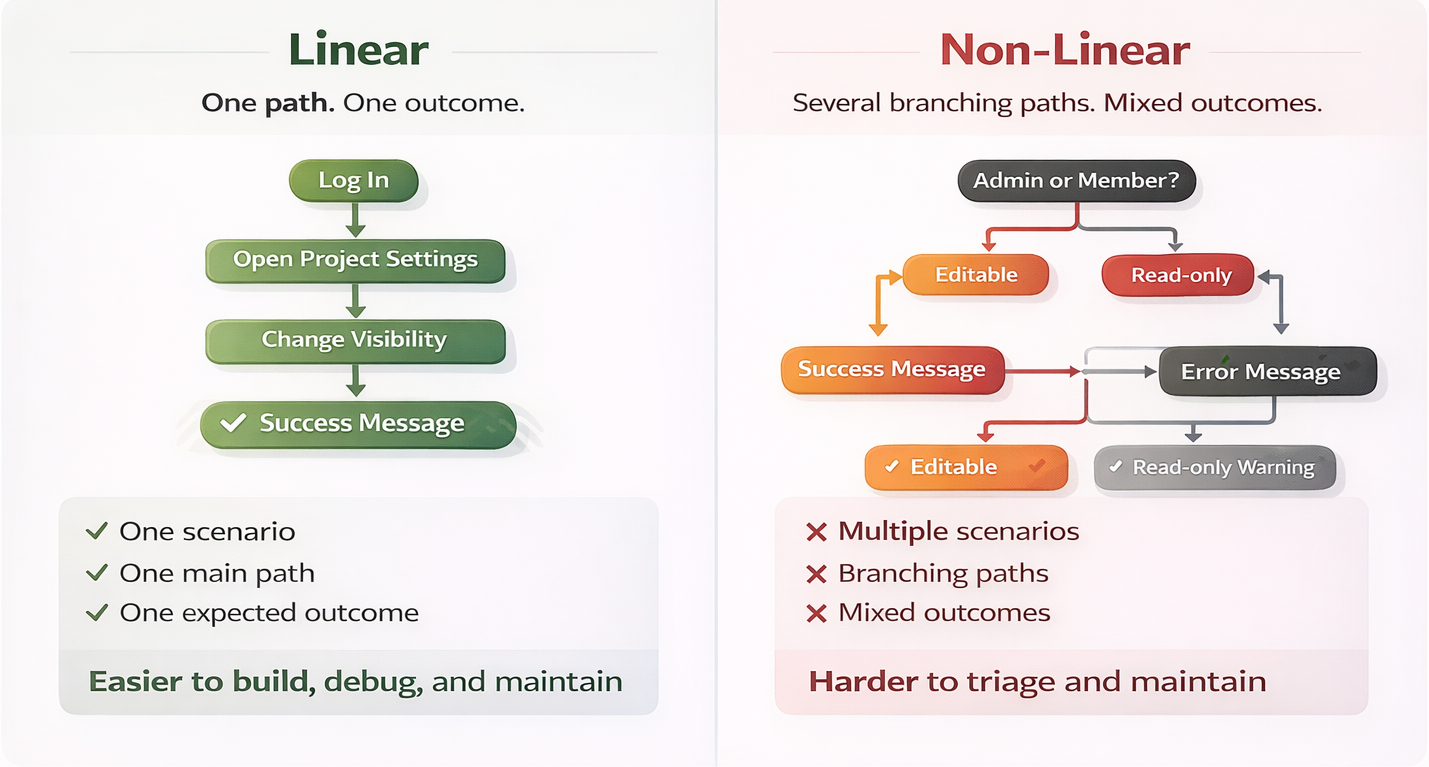
That means the test follows the same core flow every time it runs, and it checks for one expected result.
A non-linear test case mixes multiple scenarios into one script. It usually does that by using branching logic, changing users or permissions, or combining multiple expected outcomes into the same test.
A simple way to think about it is this:
Linear test case
- One scenario
- One main path
- One expected outcome
- Any conditional is a small stabilization step
- Data sets change values, not behavior
Non-linear test case
- Multiple scenarios
- Branching paths
- Different expected outcomes
- Conditionals choose between scenarios
- Data sets change what the test is actually validating
Quick example
A linear case might be:
“An Admin can publish a draft article, resulting in a success message.”
A non-linear case might be:
“Verify Admins and Editors can publish or archive draft and scheduled articles with the correct access.”
The second version sounds efficient, but it is actually combining different actors, different starting states, different actions, and different outcomes.
That is not one test. That is a small test suite.
Why Do We Recommend Linear Test Cases for Our Tool?
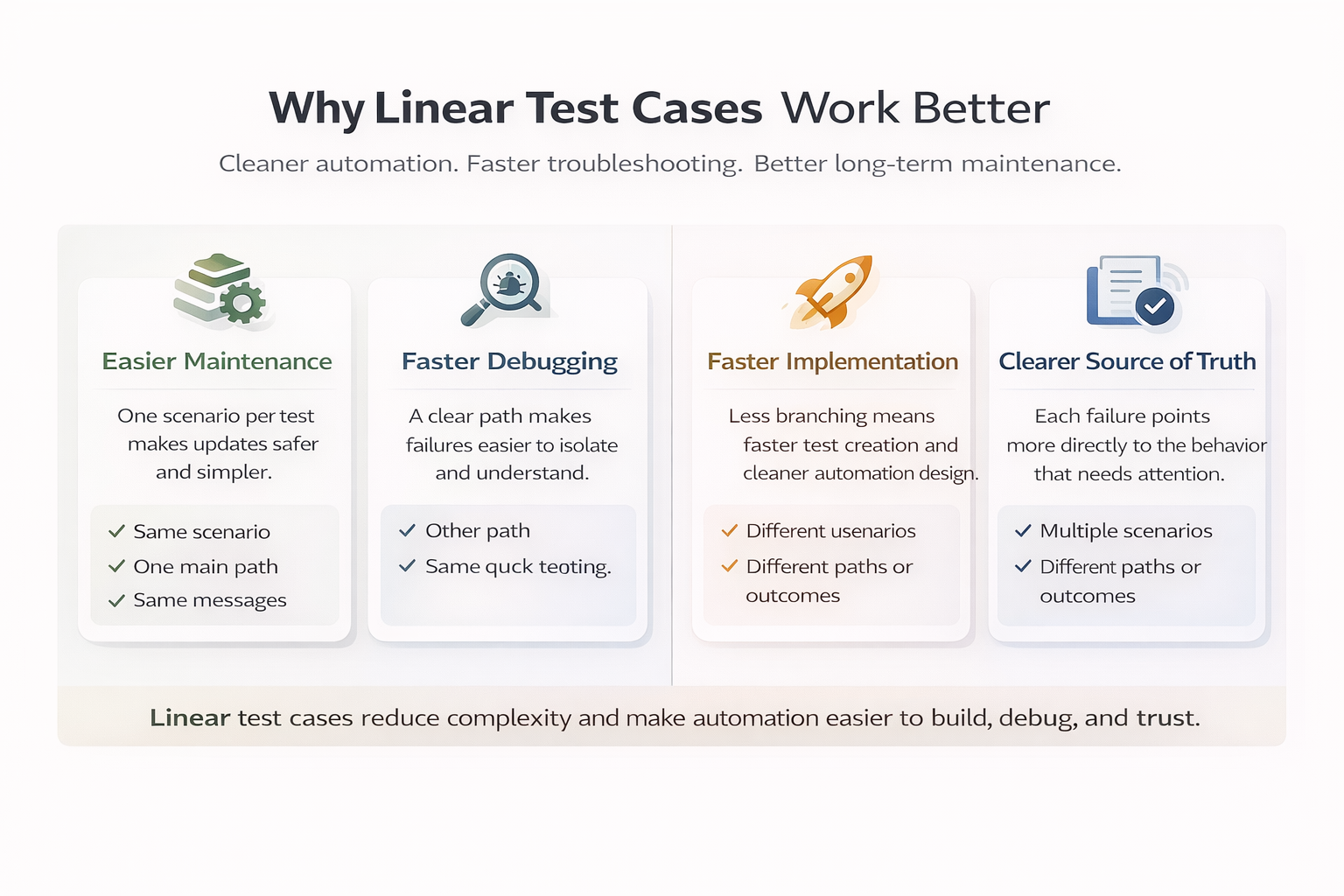
We recommend linear test cases because they are easier to build, easier to maintain, and much easier to debug.
1. They make maintenance easier
When one test case tries to cover several scenarios, a change that fixes one branch can accidentally break another branch.
That creates a frustrating cycle: update one path, recheck the others, then discover a new side effect somewhere else.
With a linear test case, the scope is smaller and clearer. When you update it, you are updating one scenario instead of trying to protect three or four at the same time.
2. They make failures easier to understand
When a linear test fails, the meaning of that failure is much clearer.
You know which actor was involved, what starting state was expected, what action was attempted, and what outcome should have happened.
That makes defect triage faster.
By contrast, when a non-linear test fails, the first question is often not “What broke?” It is “Which branch were we even in?”
3. They are faster to implement well
Linear tests are more straightforward to translate into automation.
There is less branching, less ambiguity, and less backtracking during design. That usually means faster implementation and cleaner long-term maintenance.
4. They create a better source of truth
The best automation does more than execute steps. It tells a clear story when something fails.
Linear design helps your test suite become a more reliable source of truth for bug identification.
What Is the Main Trade-Off?
This is the main trade-off:
A compact scenario matrix is often excellent for human readers, but a linear test case is usually better for automation.
That does not mean your current documentation is wrong. In many cases, it was built for a different purpose.
A manual tester can look at a matrix, understand each row, choose the right setup, notice nuance, and isolate the problem with human judgment.
Automation is different.
Automation is very good at doing repetitive work quickly. But when a failure happens, a person still needs to come in, understand the failure, and report the actual bug.
That is why linear test design matters so much. It helps automation hand that human a much clearer signal.

In other words:
Automation removes the repetitive work.
Linear test design makes the remaining human work faster and cleaner.
How Do You Tell Whether a Test Case Is Really Linear?
A helpful check is to describe the test in one sentence.
Try this format:
[Actor] can/cannot [Action] on [Object] when [Starting State], resulting in [Expected Outcome].
If you can write that sentence cleanly, you probably have one scenario.
If you keep needing words like or, various, multiple, correct access, or properly, you may be mixing more than one scenario together.
Example
Clear and linear:
“A Manager can archive a published campaign, resulting in a success banner.”
Not clear and likely non-linear:
“Verify users can manage campaign settings correctly for public or private campaigns.”
Why is the second one a problem?
Because it leaves too much open:
- Which users?
- Which settings?
- Which starting state?
- Which expected result?
If the answer to the expected result is “it depends,” that is usually your sign to split the case.
Guard Conditionals vs Scenario Conditionals
Conditionals can be very useful in automation, but not all conditionals do the same job.
Guard conditionals
A guard conditional handles something unpredictable and then brings the test right back to the main path.
Its job is stabilization.
For example, imagine a welcome modal appears on some runs but not others:
Navigate to Dashboard
IF page contains "What's New"
  click "Close"
END
Click "Create Project"
Check that page contains "Project Name"
That is a good guard conditional.
Why? Because the test still has the same purpose, the same main path, and the same expected outcome. The conditional simply removes an unpredictable interruption.
Scenario conditionals
A scenario conditional chooses between different paths that represent different scenarios.
For example:
IF stored value "userType" is "Admin"
  log in as Admin
  verify Billing settings are editable
ELSE
  log in as Member
  verify Billing settings are read-only
END
This is not a small stabilization step. This is two different tests living inside one script.
The actor changes.
The permissions change.
The assertions change.
The failure meaning changes.
That is why scenario conditionals make automation harder to maintain and harder to debug.
Why Are Guard Conditionals Better for Automation?
Guard conditionals are better because they protect the flow without changing the meaning of the flow.
They help the test stay stable while preserving one scenario.
Scenario conditionals do the opposite. They increase variation inside the same test, which makes failures less precise.
A simple rule is:
If the two branches would lead to different bug reports, they should usually be separate test cases.
That is the difference.
A guard conditional says, “Handle the interruption and continue.”
A scenario conditional says, “Choose a different test.”
What Are Data Sets For?
A data set is for varying values while keeping the scenario the same.
That is the key point.
A data set helps you get broader coverage without changing the path or the expected result.
Good uses for data sets
- Trying different project names in the same field
- Trying different search terms in the same search flow
- Trying different valid tags in the same tagging workflow
- Trying different dropdown values when the steps and result stay the same
Example of a good data set
Scenario:
“A user can search for an item and see results.”
Data set values:
- Laptop
- Printer
- VPN
The steps stay the same.
The expected outcome stays the same.
Only the value changes.
That is exactly what data sets are for.
What Data Sets Are Not For
Data sets are not a good way to choose different scenarios.
They should not be used for:
- Admin vs Member
- Owner vs Non-owner
- Public vs Private when the UI changes
- Allowed vs Not Allowed
- Modal appears vs modal does not appear
If a data set changes the actor, the setup, the path, or the expected result, it is no longer just data variation.
It is scenario selection.
And once that happens, you are back in non-linear territory.
Why Is a Scenario Matrix Great for Manual Testing, but Not for Test Automation?
A scenario matrix is a planning tool.
It is a great way to organize possibilities, especially for manual testing performed by a human.
For example, a manual tester might work from a table like this:
| Scenario | Expected Result |
| Admin + Private project | editable |
| Admin + Public project | editable |
| Member + Public project | read-only |
| Guest + Private project | no access |
That is useful documentation. A person can look at each row, understand the intent, and execute the right case deliberately.
But for automation, that same matrix should usually be split into separate test cases.
Why?
Because each row may change:
- the actor
- the starting state
- the UI steps
- the expected result
- the meaning of failure
That makes the matrix excellent for planning, but not a good candidate to automate as one single test.
A good way to use a scenario matrix is this:
- Use the matrix to identify the scenarios you care about.
- Turn each meaningful variation into its own linear automated test.
- Use data sets only inside a linear test, where the values change but the scenario does not.
That approach gives you the best of both worlds:
strong planning and clean automation.
A Good Automation Goal
The goal is not to make your documentation smaller.
The goal is to make your automation clearer.
A strong automated test should be:
- easy to understand
- easy to maintain
- easy to debug when it fails
Linear design gets you there much more reliably.
Example: How to Split a Non-Linear Test Case
Let’s end with a made-up example.
Here is a test case that is not linear:
“Verify Admin and Member users can change project visibility from Private or Public and confirm the correct access behavior.”
At first glance, that may sound like one reasonable test. But it actually combines:
- two actors: Admin and Member
- two starting states: Private and Public
- more than one expected result: editable vs restricted
- likely different assertions
So instead of automating that as one script, split it into separate linear cases.
Split version
1. Admin can change a Private project to Public, resulting in a success banner.
One-sentence purpose:
An Admin can change a Private project to Public, resulting in a “Project updated” success banner.
2. Admin can change a Public project to Private, resulting in a success banner.
One-sentence purpose:
An Admin can change a Public project to Private, resulting in a “Project updated” success banner.
3. Member cannot change a Private project to Public, resulting in disabled visibility controls.
One-sentence purpose:
A Member cannot change a Private project to Public, resulting in disabled visibility controls.
4. Member cannot change a Public project to Private, resulting in disabled visibility controls.
One-sentence purpose:
A Member cannot change a Public project to Private, resulting in disabled visibility controls.
Now each test has:
- one actor
- one starting state
- one main path
- one expected outcome
That makes the automation much easier to build and much easier to diagnose later.
Where data sets could still help
Inside one of those Admin cases, you could still use a data set for values like:
- project name
- workspace name
- tag value
That would still be linear, because the scenario itself would not change.
In Summary
Linear test cases are the best fit when you want automation that is stable, maintainable, and clear when it fails.
Use linear design when you want:
- one scenario per test
- one main path
- one expected outcome
- faster debugging
- cleaner maintenance
Use guard conditionals to stabilize a flow.
Do not use scenario conditionals to combine multiple tests into one.
Use data sets to vary values.
Do not use data sets to switch scenarios.
Use scenario matrices to plan and organize cases for humans.
Then split those scenarios into linear automated tests.
When one test covers one clear behavior, your automation becomes much easier to trust.










