
Release Notes: Safari Native Clicks, Telnyx Phone Calls
 |
Added Support for Native Clicks in Safari
This update introduces native click support in Safari, enabling precise Safari automation for testing and interactions. Previously, options were limited to JavaScript-based clicks or Driver-initiated clicks, both prone to unexpected behavior on certain Safari websites, such as misaligned event triggers or inconsistent hover states during automated tests. Now, you gain enhanced control over actions like clicks, drags, and especially hovers, which perform reliably as expected in Safari thanks to native event handling.
Implemented Telnyx Integration for Phone Calls
We have also added support for Telnyx, enabling another service for testing Phone calls. To use it, go to Settings -> Integrations -> Phone Provider:
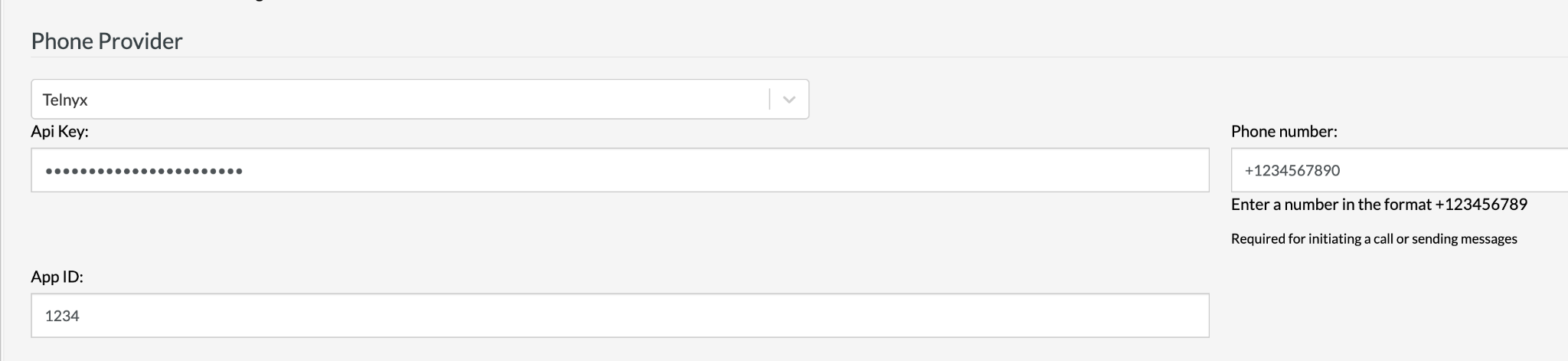
Caption: Configuration necessary for setting up the Telnyx Integration.
Select Telnyx from the dropdown, enter the API Key, the Phone number, and the App ID. The integration opens doors to more diverse test scenarios with Telnyx’s global voice API, supporting inbound/outbound calls, and programmable features, ideal for end-to-end workflows like 2FA voice verification or IVR testing. Previously limited to fewer providers, testRigor users can now create tests involving Telnyx phone calls for broader coverage without code changes.










