
What Is a Bug Bash? Benefits, Process & Best Practices for QA Teams
 |
Software teams of today work swiftly, sometimes too fast for traditional testing cycles to keep pace. User expectations are increasing, releases are more complex, features are getting more sophisticated, and quality teams are drowning under more pressure to detect issues before clients do. In this environment, one collaborative practice continues to prove its value: the Bug Bash.
In a structured, time-limited event known as a “bug bash,” team members from various roles assess a product to find defects, usability issues, inconsistencies, and unexpected behaviors. A bug bash, in comparison to formal test cycles, leverages the combined creativity of cross-functional contributors, not just the QA team, to detect issues from a range of angles.
| Key Takeaways: |
|---|
|

This blog below will examine what a bug bash is, how to run one effectively, best practices, examples, planning advice, metrics, and remote bug bash concepts. Additionally, it will also explain how tools can drastically enhance the results of your bug bash efforts.
Understanding the Bug Bash: Meaning and Purpose
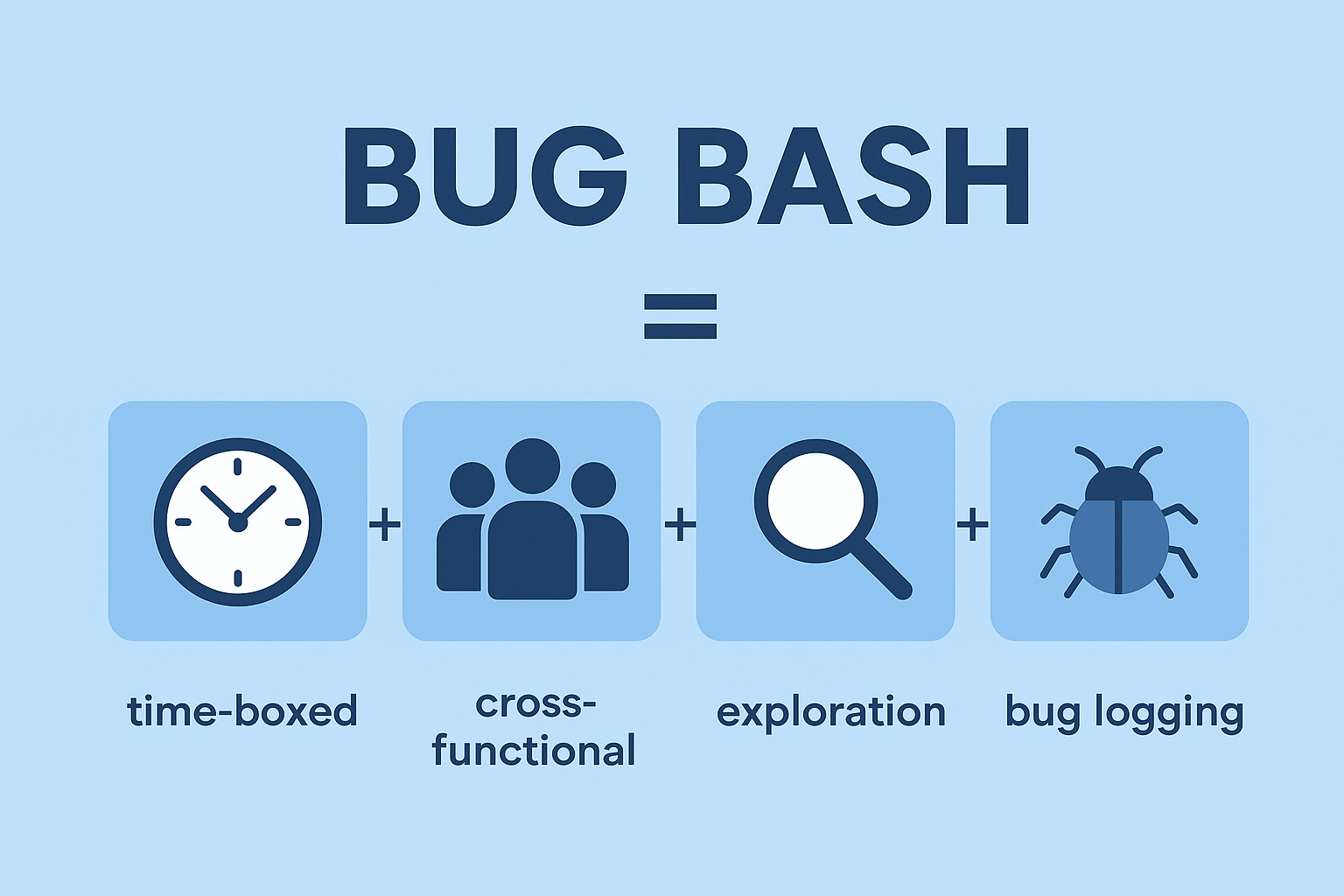
What Is a Bug Bash?
In software testing, a bug bash is effectively a group testing session where participants deliberately “bash the product” to detect bugs. A bug bash encourages experimentation, creativity, and real-world usage patterns, in comparison to usual QA cycles that follow structured test cases.
Bug bash testing is:
- Time-boxed (usually 1-3 hours)
- Cross-functional (QA, developers, designers, PMs, support, sales, etc.)
- Goal-driven (discover bugs, validate experiences, review flows)
- Unscripted or lightly guided (exploratory testing techniques encouraged)
- High-energy and focused (often competitive or gamified)
The definition of a bug bash is simple: collect as many eyes, viewpoints, devices, and usage styles as you can on a product in a limited time period.
Why Teams Run Bug Bashes: Key Benefits
Bug bashes continue to be popular due to their fast value and inexpensive nature. Some of the main benefits are:
- Improved Defect Detection: Different mental models are leveraged by cross-functional participants to interact with the product. Product managers may examine workflow clarity, developers may highlight edge cases, designers may focus on UI issues, and QA may examine breakpoints. This diversity exposes issues that structured assessments often ignore.
- Higher Test Coverage Across Real-World Scenarios: Teams often verify across multiple environments, data sets, devices, and browsers. The diversity of coverage is immediately increased as a result.
- Stronger Cross-Functional Collaboration: A bug bash empowers the concept of shared quality ownership. Everyone participates in enhancing the product rather than QA being the only one responsible for detecting issues.
- Faster Insight Before Releases: Bug bashes offer a faster feedback loop prior to deployments. This is useful for agile teams that practice continuous delivery, ensuring that last-minute issues surface early.
- Increased User Empathy: Participants simulate real user behavior. This often reveals usability issues, incorrect flows, and overlooked UX friction.
Read: Is Your Development Team Leaving Your QA Team in the Dust?
Bug Bash Goals: What Organizations Aim to Achieve
Below are the general goals of a bug bash:
- Detect functional bugs.
- Find UX/UI issues.
- Find inconsistencies across browsers and devices.
- Verify new features or integrated systems.
- Surface regressions after drastic code changes.
- Improve documentation or onboarding flows.
- Examine user journeys end-to-end.
Establishing clear goals helps in defining the bug bash process, selecting participants, and shaping success metrics.
The Bug Bash Process: How to Run a Bug Bash Successfully
Organized facilitation, meticulous preparation, and efficient follow-ups are required for a bug bash to be successful. A detailed bug bash workflow can be found below:
Bug Bash Planning
Good preparation can help prevent chaos. Usually, planning includes:
- Establish Goals: What are you testing and why?
- Define Scope: The full product? New characteristics? Particular travels?
- Select a Time and Date: Preferably when the product is stable.
- Choose a Duration: 1-3 hours is common.
- Prepare Test Data: Accounts, scenarios, credentials, and sample payloads.
- Set up Bug Reporting: Templates, severity ratings, reproducibility instructions.
Bug Bash Roles and Responsibilities
Assigning responsibilities makes the event run seamlessly:
- Organizer: Arranges the logistics, event, and scope.
- Facilitator: Provides direction and responds to inquiries.
- Participants: Assess the program and document any issues.
- Triage Owner: Assesses and categorizes issues later.
- Developer/QA Leads: Approve severity levels and assign fixes.
- Running the Bug Bash: Activities and ideas.
Read: Mastering Defect Management: Understanding Severity vs. Priority in the Life Cycle
Bug Bash Activities
To encourage diverse enquiry:
- End-to-end flow testing.
- Edge case identification.
- Negative testing.
- Browser/device compatibility checks.
- Usability or accessibility passes.
- Testing with unusual amounts of data or input.
Bug Bash Ideas for Engagement
To inspire teams:
- Use leaderboards and points to gamify the event.
- Offer prizes for:
- most critical bug
- best usability find
- most interesting edge case
- Conduct mini-challenges, like:
- “Break the login flow”
- “Stress-test the search feature”
- Pair developers with marketers or product designers.
- Create themed bashes (mobile-first, data-heavy, onboarding, etc.)
Read: A Tester’s Guide to Working Effectively with Developers
After the Bug Bash: Consolidation and Metrics
Bug Bash Results and Metrics
Teams can examine efficiency by measuring results. Track:
- Total bugs detected.
- Bugs by severity level.
- Reproducibility rate.
- Areas with the maximum defects.
- Bugs found per participant.
- Time needed to fix.
- The percentage of issues detected prior to release due to the bash.
These metrics help in detecting quality trends and areas that could benefit from strengthened automated or exploratory testing.
Bug Bash Best Practices for Effective Sessions
Intentional structure is required to improve bug bash outcomes. Key bug bash best practices are as follows:
- Keep the Scope Focused: If your goal is not high-level discovery, don’t overburden participants with the entire product.
- Provide Lightweight Guidance: Offer user journeys or test concepts without limiting creativity, particularly for non-technical participants.
- Make Bug Reporting Effortless: Noise and invalid bugs are reduced by using clear templates.
- Encourage Participant Diversity: A higher range of issues is found by cross-functional bug bashes.
- Use Real Devices: Especially for responsive web apps or mobile devices.
- Celebrate Participant: Acknowledgment increases attendance at future parties.
- Pair Bug Bashes with Automation: While the bug bash detects innovative edge cases, automation ensures consistency.
Bug Bash Examples: Real Situations Where Bug Bashes Excel
Bug bashes are most efficient:
- Before significant releases (such as v2.0 launches).
- Following the integration of a new system (authentication providers, payment gateways).
- When new features stabilize during or close to the sprint review.
- When onboarding new team members, give them practical experience.
- When user complaints often point to edge case failures.
- Before beta or customer testing.
An extensive review, including new eyes and a range of viewpoints, is advantageous for these scenarios.
Bug Bash vs. Exploratory Testing
In exploratory testing, testers simultaneously create, run, and assess tests as part of an ongoing quality assurance procedure. It is continuous, highly skilled, and iterative.
However, bug bashes:
- Take place at predefined intervals.
- Involve many participants and not just testers.
- Prioritize coverage breadth over depth.
- Aim for fast discovery over methodical investigation.
They complement each other. Bug bashes provide collaborative breadth, while exploratory testing provides depth.
Bug Bash in Agile: Frequency and Integration
Bug Bash in Agile Teams
Bug bashes are a natural complement to agile frameworks, which encourage rapid feedback loops and regular iteration.
Bug bashes often occur:
- Near the end of the sprint.
- During sprint reviews.
- Prior to release candidates.
- After integrating complex features.
Bug Bash Frequency
The majority of teams run them:
- Once every sprint
- Once a month.
- Before major releases
- During pre-launch hardening phases
The perfect frequency is based on team size, product complexity, and release cadence.
When NOT to Run a Bug Bash
Bug bashes are not always the best choice, despite all of their advantages. Knowing when not to conduct one guarantees that the practice continues to be impactful rather than cause disturbances.
- When the Product is Unstable: Participants will spend more time fighting hurdles than detecting important nugs if the build consistently crashes, lacks essential features, or is incomplete. Basic stabilization work should not be replaced by a bug bash.
- When Requirements Are Still Changing: Bug bashes are most efficient when features are ready for review and have already been implemented. If requirements, workflows, or UI elements are still in flux, there will be a high number of reported “bugs” that are actually just pending updates.
- When You Need Deep, Systematic Testing: Breadth, not depth, is what bug bashes provide. Performance load testing, backend verification, complex data integrity scenarios, and security testing are not relevant uses for them. These call for structured planning and specific knowledge.
- When Participants Don’t Have the Context They Need: The quality of issues reported drops when large cross-functional groups are brought in without relevant context or guidance. Ensure participants have clear goals, scope boundaries, and access to documentation or demo videos before scheduling a bug bash.
- When Teams Are Already Overloaded: Bug bashes need focused effort and time. Running one during a high-stress period, such as a sprint with heavy engineering commitments, significant incidents, or approaching deadlines, often leads to low engagement and subpar results.
- When You Are Using It to Replace QA Processes: A bug bash improves QA, but it does not take the place of:
- Regression suites
- Exploratory testing
- Automation
- CI checks
- Accessibility or usability audits
A bug bash functions as a band-aid rather than a strategic quality tool if it is leveraged to compensate for irrelevant testing foundations.
Remote Bug Bash Tips for Distributed Teams
Organizations that prioritize remote work often hold virtual bug battles. To successfully run one:
- Use cloud-based testing environments.
- Provide pre-recorded instructions or demo videos.
- Use shared video calls or asynchronous sessions.
- Offer easy online bug submission templates.
- Use screen recording tools.
- Track real-time leaderboards to increase engagement.
- Provide digital rewards or shout-outs.
When the right tools are available, remote bug bashes work surprisingly well.
Bug Bash Tools and Technology
Bug bashes are more effective and productive due to technology. Typical tools include:
- Bug tracking systems (Jira, Linear, YouTrack).
- Screen recording tools.
- Cloud device farms for testing across browsers and devices.
- Automation tools to validate or reproduce findings.
- Session recording solutions to replay user interactions.
One of these tools is specifically noteworthy for organizations trying to enhance their overall testing strategy and bug bashes: testRigor.
How testRigor Enhances Bug Bashes and Improves Defect Detection
Many defects are detected during a bug bash, but teams often face two important difficulties afterward:
- Consistently reproducing bugs.
- Preventing regressions in future releases.
This is where testRigor makes a significant contribution.
Easily Converting Bug Bash Findings into Automated Tests
Teams can use testRigor to create automated tests written in plain English based on user flows or bugs detected during the bash. No code is required.
click "Login"
enter "[email protected]" into "Email"
enter "wrongpassword" into "Password"
click "Submit"
check that page contains "Invalid password"
testRigor’s generative AI engine further simplifies the process of creating automated test cases and can handle a variety of test scenarios, like testing 2FA logins, or even AI features like LLMs and Chatbots. You can expect negligible test maintenance costs as testRigor will also use AI to ensure stable test runs for you. Additionally, you can achieve:
- Reproducing Bugs with High Reliability: Compared to Selenium-based frameworks, testRigor reproduces flows with higher stability because it communicates with the UI in the same manner as a user. This helps teams in dependably validating bug bash results.
- Supporting Cross-Functional Participation: PMs, designers, and support teams are all instances of non-technical participants who can use testRigor to establish or run tests without the help of engineers. This is an ideal fit for a bug bash’s cross-functional nature.
- Reducing QA Bottlenecks: Teams can deploy faster and with reduced surprises by automating the most critical flows detected during a bug bash to help guarantee they don’t fail again.
- Great for Remote Bug Bashes: As testRigor is fully cloud-based:
- No installation required
- Works on any browser
- Provides instant access to test results and screenshots
- Easy collaboration for remote teams
As a result, testRigor turns ad hoc discovery into long-term quality improvement, making it an efficient tool for the bug bash process.
Maximizing Participation and Engagement in Bug Bashes
To maintain a high level of engagement:
- Provide clear instructions.
- Create themed challenges.
- Offer small incentives.
- Recognize high-impact contributors.
- Assign mentors for non-technical participants.
- Encourage device diversity: tablets, phones, multiple browsers.
- Share results publicly after the event.
Better results come from high coverage, which is due to high participation.
Conclusion
Bug bashes are a cultural practice that enhances quality throughout the entire company, not just a testing exercise. They encourage teamwork, detect flaws before they impact consumers, draw attention to usability issues, and promote shared product ownership.
Bug bashes become even stronger when combined with the right tools, specifically automation platforms like testRigor. Regression risk is drastically reduced, reproductions become easier, and findings from bug bashes can be changed into dependable automated tests. Bug bashes are a high-impact, low-cost method to enhance quality and deliver better faster. This is regardless of whether they are held monthly, once every sprint, or prior to important launches.
| Achieve More Than 90% Test Automation | |
| Step by Step Walkthroughs and Help | |
| 14 Day Free Trial, Cancel Anytime |











