
Difference in Test Planning for Automation and Manual Testing
 |
Test planning is frequently seen as one-size-fits-all, something that testers must do before they move on to test design, execution, and reporting. If you’ve worked with both manual and automated testing, then you’ll often find yourself having to change tactics to make each of them work effectively for your situation. While they do have the same high-level goal – that is, product quality – they differ a lot in terms of mindset, tactics, documentation, priorities, depth, tooling, schedule, and maintenance considerations, as well as a long-term cost perspective.
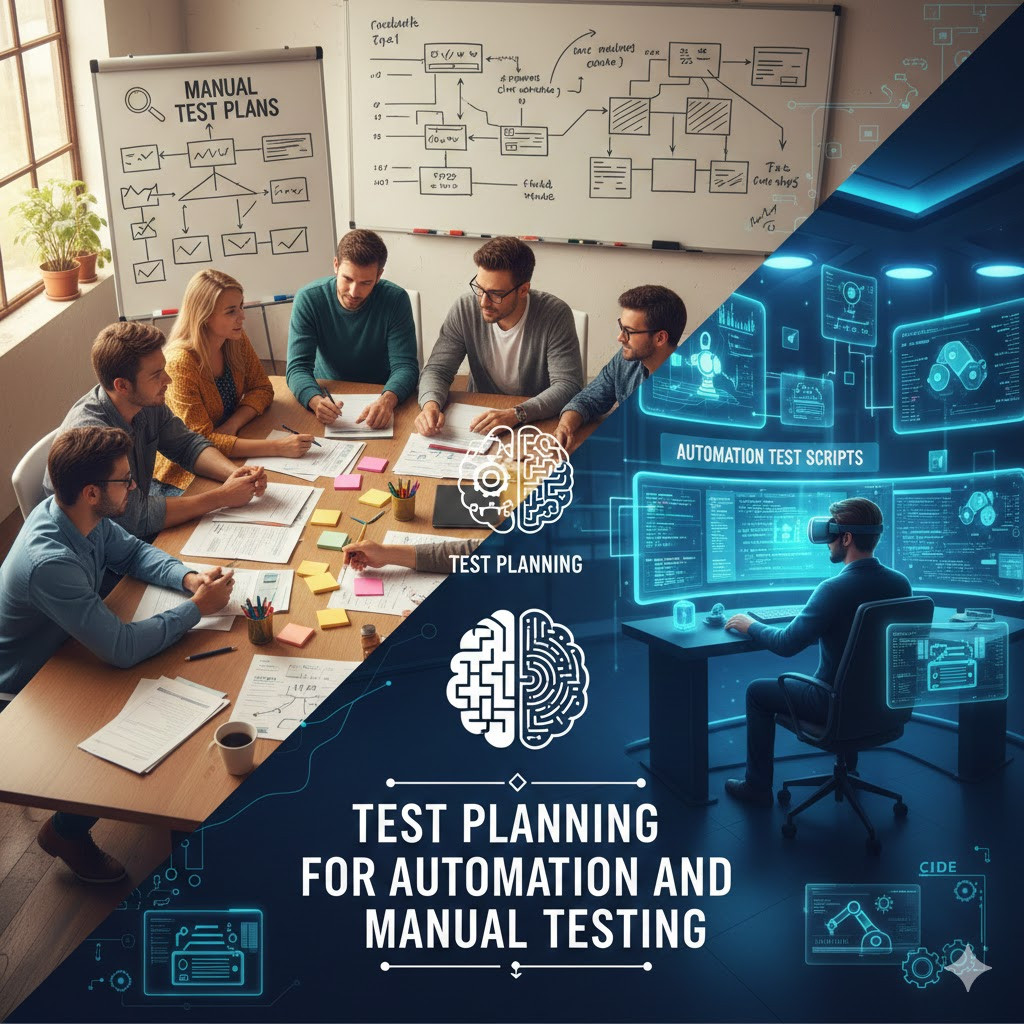
These subtleties are where most professionals blunder. The outcome is a mixed combination of generic templates for manual as well as automation planning that results in misconceptions, partial summaries, and inappropriate test strategies far from reality.
| Key Takeaways: |
|---|
|
Understanding the Foundations
Test planning is not the same for automation testing as manual testing, since both have different strengths, limitations, and purposes. Manual testing enables human testers to feel the issues that automation is unable to find, like usability bugs, user experience glitches, UI visual irregularities, and many more logical errors, which are contextual in nature. Automation testing, on the other hand, is great for repetitive tasks that require precision, speed, and scalability across large data sets, browsers, environments, or versions.
The foundation of test planning lies in understanding one simple truth:
“Manual testing plans for human behavior. Automation testing plans for machine behavior.”
This variance drives the entire planning process from scope definition to stack configuration, resourcing to exit criteria, and risks through timelines and everything in between.
Test planning for manual testing is all about maximizing tester time, clarity in the steps, understanding all variations, and human-readable and executable test scenarios. It’s almost like crafting the path a user takes with a system.
Test Planning for automation testing is about thinking in terms of machine time, ensuring structure, preparing testable scenarios with automation in mind, identifying reusable components, and prioritizing tests based on ROI. It’s as if you’re architecting a system within a system.
To better understand the differences in test planning, we need to look at how each type of test affects decisions about the key components of a test plan.
Automated Testing vs Manual Testing: Differences in Objectives and Expectations
The goal of both manual and automated testing is to ensure the quality of the software, but the specific goals set during test planning are very different.
| Manual Testing | Automation Testing |
|---|---|
|
|
A manual test plan is usually driven by the execution of tests, and an automation test plan is guided by the development of a testing framework and approach. This difference will establish the tone for subsequent planning work.
Read: Test Planning – a Complete Guide
Difference in Scope Definition
Manual testing can be anything from edge cases, usability checks, exploratory paths, and the way user behaves. It enables testers to roam the beaten path and modify the case as well.
Automation testing is limited to repeating stable actions that provide long-term ROI and are not likely to change often. The planning process is centered around determining what can be sustained and automated.
| Manual Testing | Automation Testing |
|---|---|
| Broad, flexible scope including exploratory testing | Narrow, selective scope focusing on automatable flows |
| Includes subjective scenarios like UX and usability | Includes objective, predictable, and repetitive scenarios |
| Can adapt test coverage during execution | Must predefine stable scenarios before automating |
| Covers complex flows even if unstable | Avoids unstable or frequently changing areas |
Difference in Resource and Skill Planning
Manual testing needs functional testers who have domain experience and can think like an end user. Critical thinking, curiosity, and close observation are paramount.
Automation testing needs SDETs, or engineers who have skills in coding, frameworks, debugging, CI/CD, and architectural planning. The headcount plan must allow for the availability of technical expertise required to develop and support automation assets.
Read: QA Tester Career: Average Salary and Weekly Hours Explained
| Manual Testing | Automation Testing |
|---|---|
| Requires functional testers with domain knowledge | Requires technical engineers with automation skills |
| Focuses on cognitive and exploratory abilities | Focuses on coding, framework design, and debugging |
| Human effort drives execution | Machine effort drives execution |
| Training focuses on test design and analysis | Training focuses on tools, programming, and pipelines |
Difference in Tools and Environment Planning
Manual testing is based on lightweight instruments, including test management systems, bug and issue trackers, real devices, or browsers. Its environmental requirements are low because humans can deal with errors or a lack of consistency.
In the case of automation testing, advanced tooling is needed, such as frameworks, runners, pipelines, and a stable environment where scripts have a predictable run-time. Planning it means the CI/CD integration, execution infrastructure, and technical configuration.
Read: What is a Test Environment?: A Quick-Start Guide
| Manual Testing | Automation Testing |
|---|---|
| Uses simple tools for test case and bug tracking | Uses complex frameworks, automation tools, and CI/CD |
| Requires basic test environments | Requires stable, consistent, automation-ready environments |
| Humans can work around environmental issues | Scripts fail on instability or missing dependencies |
| Minimal setup effort | High setup and configuration effort |
Difference in Test Design Strategy
Manual test design is all about being clearly written, well-detailed, and human-readable so the tester can also comprehend the statement correctly. It encourages exploratory testing, subjective validation, and simulation of user behavior.
Automation test design looks into code architecture, reusability, stability, and also patterns that can help a maintainable test suite. One needs careful consideration of structure, modularity, and automation-friendly flows to prevent flaky scripts.
Read: Test Design and Test Coverage Techniques for Tech Leaders: How to Avoid Costly Mistakes
| Manual Testing | Automation Testing |
|---|---|
| Written for humans with clear, detailed steps | Written like software, prioritizing structure and reusability |
| Supports subjective evaluation and exploratory deviation | Limited to defined, predictable flows |
| Easy to modify on the fly | Must be stable and automation-ready |
| Focuses on readability | Focuses on maintainable architecture |
Difference in Test Data Planning
Manual testers can adjust to data changes or unexpected scenarios, and have flexibility at run time. The data does not necessarily need to be as tightly controlled because humans can intervene to correct problems or rerun tests.
Automation needs predictable, controlled, and repeatable datasets because data consistency issues cause scripts to break. The planning consists of data report production, cleaning strategies, parameterization, and environment coherence.
Read: How to generate unique test data in testRigor?
| Manual Testing | Automation Testing |
|---|---|
| Flexible data requirements | Rigid, controlled data requirements |
| Testers adjust manually if the data is incorrect | Scripts fail if the data is inconsistent |
| Data can be prepared ad hoc | Data must be predefined or auto-generated |
| Less dependent on data stability | Highly dependent on data stability |
Difference in Timeline and Effort Estimation
Manual testing is faster to plan and design, but longer to execute because it relies on human effort for each cycle. Regression and double testing become resource-intensive as the application scales.
Automation means significant investment in advance, like setting up the framework, scripting, and debugging, but it saves a significant amount of time in execution once we are done. Thinking long-term ROI is another important factor that should be considered in planning, not just what is being paid for right now, or the speed.
Read: Test Estimation Techniques: The Backbone of Your QA Strategy
| Manual Testing | Automation Testing |
|---|---|
| Fast to prepare, slow to execute | Slow to prepare, extremely fast to execute |
| Execution effort increases with product size | Execution effort remains low even as the product grows |
| Higher recurring cost | Higher initial cost, lower future cost |
| Human effort drives timelines | Machine execution drives timelines |
Difference in Risk Management
Manual testing is vulnerable to a variety of risks, such as human mistakes, irregular executions, or scenarios overlooked due to cognitive fatigue. Its planning includes reviewer checks, tester training, and coverage monitoring.
Automation adds risks for flaky tests, broken scripts with UI changes, and the accuracy of tools. Planning must include locator strategies, stability practices, pipeline resilience, and maintenance buffers.
Read: Technology Risk Management: A Leader’s Guide
| Manual Testing | Automation Testing |
|---|---|
| Prone to human mistakes or oversight | Prone to script failures and flakiness |
| Execution variability across testers | Execution is consistent but fragile to changes |
| Risk mitigated through reviews and training | Risk mitigated through architecture and stable design |
| Less dependent on technical factors | Highly dependent on tools and environment |
Difference in Documentation and Reporting
Manual test planning needs user-readable information like step-by-step scenarios and corresponding log files. Reporting is based on human-recorded observation, notes, and descriptions of defects.
The documentation on automation is of a framework nature with descriptions of pipeline structure, naming conventions, etc., and environment dependencies that need to be set up. The reporting is fully automated and provides dashboards, logs, screenshots, and machine-generated summaries.
Read: Test Reports – Everything You Need to Get Started
| Manual Testing | Automation Testing |
|---|---|
| Requires detailed test cases and steps | Requires framework and script documentation |
| Reporting is manual and descriptive | Reporting is automatic and data-driven |
| Testers record observations | Systems record logs, screenshots, and output |
| Documentation is functional | Documentation is technical |
Difference in Execution Planning
Manual execution relies on tester availability, stepwise workflows, and synchronization between people and test cycles. Its bottleneck is the human speed, as it cannot easily be parallelized.
Automation can be executed on several devices, browsers, and environments during a CI/CD pipeline. Planning involves parallelization, scheduling, scaling of the environment, and choreography of execution.
Read: How to execute test cases in parallel in testRigor?
| Manual Testing | Automation Testing |
|---|---|
| Sequential and human-paced | Parallel and machine-paced |
| Depends on tester capacity | Depends on execution infrastructure |
| Slow for large-scale regression | Extremely fast for regression |
| Requires human intervention | Fully automated via CI/CD |
Difference in Maintenance Planning
Maintenance of manual tests is relatively straightforward, involving updates to test steps, as well as the addition or removal of test cases. Since humans are adaptable, in many cases, even minor UI or workflow changes do not immediately break integration tests.
Maintenance of automation test is continuous, needs to be aligned with changes to locators, script, data, and framework on each and every change in a system. It should do so in a way that dedicates time and resources to keeping automation stable over time
Read: Decrease Test Maintenance Time by 99.5% with testRigor
| Manual Testing | Automation Testing |
|---|---|
| Easy to update test cases | Requires updating scripts, locators, and data |
| Resilient to minor UI changes | Breaks easily with small UI changes |
| Maintenance effort is moderate | Maintenance effort is high and continuous |
| Human adaptation reduces impact | Machine execution has zero tolerance for change |
Difference in Governance and Review
Manual testing governance is centered on test case review, coverage check, and defect triage. It focuses on process adherence and making sure testers adhere to procedures.
Automation governance is more technically detailed, including checking code, branching strategies, standards, and version control policies. Planning means engineering government like software development.
Read: How Requirement Reviews Improve Your Testing Strategy
| Manual Testing | Automation Testing |
|---|---|
| Governed through test cases and process reviews | Governed through code and framework reviews |
| Emphasizes QA process discipline | Emphasizes engineering discipline |
| Coverage is reviewed manually | Coverage is reviewed through automated metrics |
| Less tied to version control | Strongly tied to version control and standards |
Difference in Stakeholder Expectations
Manual testing provides usability, logic flaws, and real user experience insights, which are valued by end-users for quality and UX. What’s anticipated is both intense feedback and verbose defect descriptions.
Automation testing delivers speed, consistency, metrics, and regression coverage, aligning with stakeholders focused on velocity and release confidence. Stakeholder expectations shift from human insight to measurable performance.
Read: Understanding Test Monitoring and Test Control
| Manual Testing | Automation Testing |
|---|---|
| Provides qualitative insights | Provides quantitative performance metrics |
| Expected to reveal subtle or UX issues | Expected to ensure fast and reliable quality checks |
| Communication is descriptive | Communication is metric-driven |
| Human-centered results | Execution-centered results |
Difference in Scalability Planning
Manual testing scales by adding more testers, more time, or dividing test areas, which increases cost proportionally. It becomes harder to scale when the application grows rapidly.
Automation scales through parallel execution, cloud/grid architectures, and pipeline expansion. Planning must account for infrastructure scalability instead of human scalability.
Read: Test Scalability
| Manual Testing | Automation Testing |
|---|---|
| Scales by increasing manpower | Scales by increasing compute resources |
| Increased cost as testers grow | Lower incremental cost after setup |
| Has physical and time limitations | Scales nearly infinitely with parallel execution |
| Harder to keep pace with fast releases | Naturally supports frequent releases |
Difference in End-to-End Test Planning
Manual E2E testing allows humans to evaluate cross-system workflows, business logic, and real-world usage. Testers can recognize inconsistencies or user experience issues that automated tests might overlook.
Automation E2E testing must handle timing dependencies, data flow issues, and integration complexities that require stable environments. Planning involves mocks, stubs, service virtualization, and synchronized data setups.
Read: End-to-end Testing
| Manual Testing | Automation Testing |
|---|---|
| Strong for complex, user-centric workflows | Strong for repetitive, stable end-to-end flows |
| Detects usability and experiential issues | Detects functional regressions reliably |
| Handles unpredictable workflow variations | Breaks on unexpected variations |
| Requires human coordination | Requires stable integration environments |
Conclusion
An effective test plan should acknowledge the fact that manual testing and automation testing are different in nature, strengths, and expectations. Aligning them as if they were both uniform does not reflect reality and results in unrealistic expectations, mismatched strategies, misdirected action, and lost value. By intentionally involving humans on one side and exploiting the machine capabilities on the other, teams are creating a more balanced, efficient, and scalable experimentation ecosystem. True power comes when they are used together intelligently, letting one help out the other in producing great software.
| Achieve More Than 90% Test Automation | |
| Step by Step Walkthroughs and Help | |
| 14 Day Free Trial, Cancel Anytime |











