
Common Myths and Facts About AI in Software Testing
 |
Nowadays, your eyes might see AI everywhere, from software testing blogs and live-streamed presentations to LinkedIn updates and product seller pages, and even in conference speeches. For as all-powerful as AI appears in these portrayals, it’s not magic,even if some treat it that way. You also have people on the other end of the spectrum calling the AI hype noise.
So, what is the truth? So, is AI really that capable inQA? The answer isthat it’s something in between.
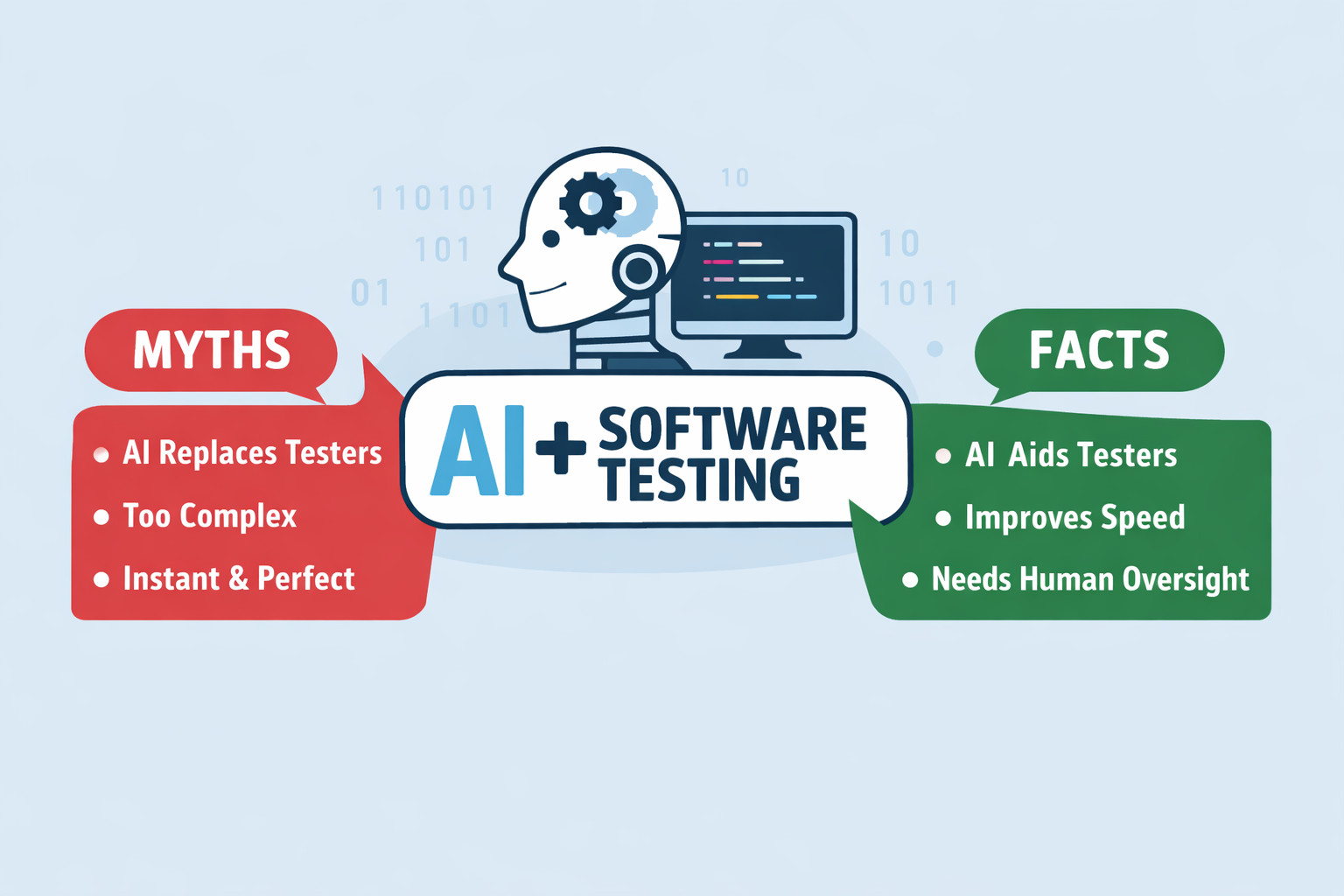
Here’s a look at what’s true, what’s not, when it comes to AI in software testing, pulled straight from actual QA workflows being executed these days. You’ll find out where automated tests driven by AI really stand.
| Key Takeaways: |
|---|
|
What Is AI in Software Testing? (Before We Bust the Myths)
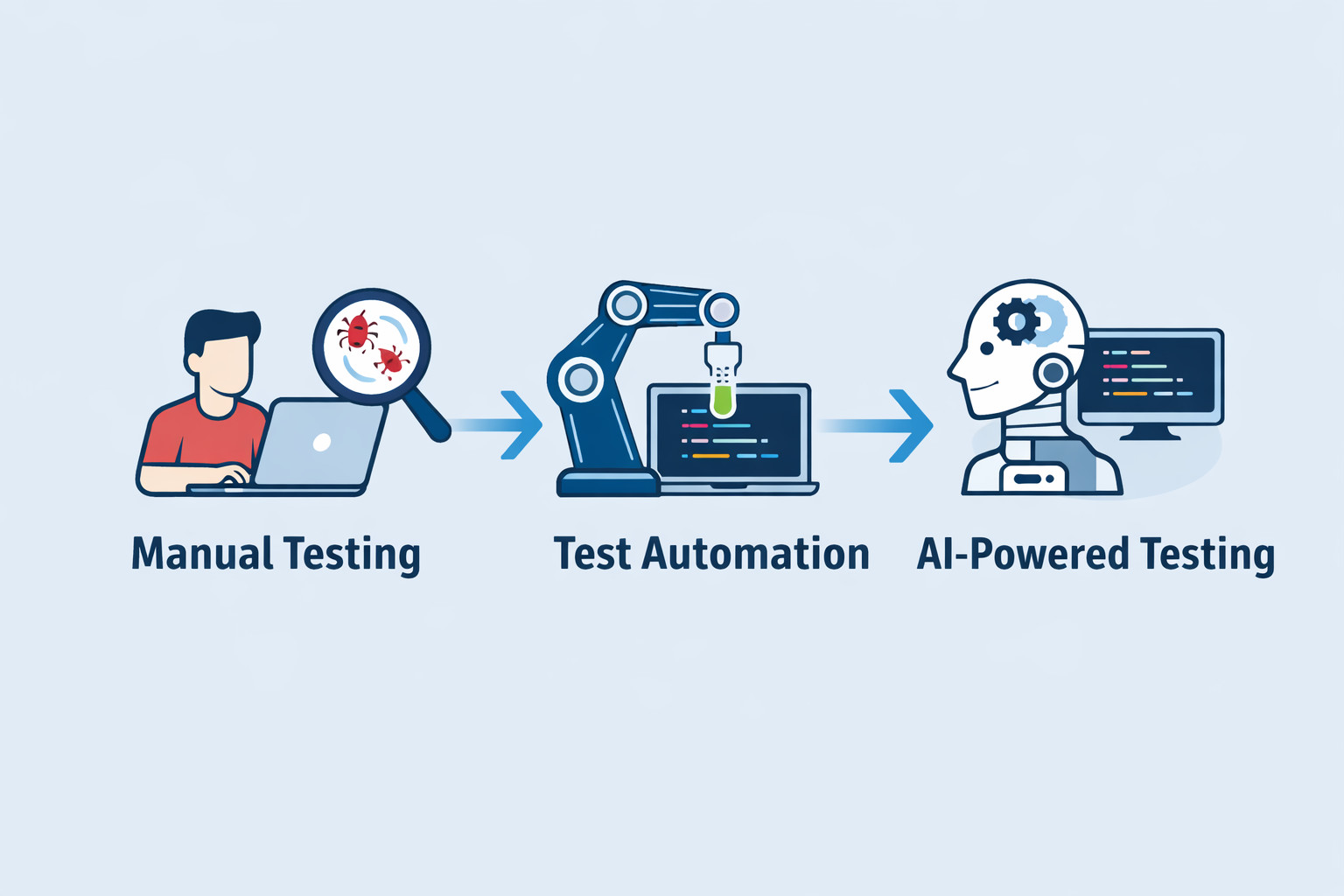
Automation that learns can spot patterns, making tests smarter over time. This kind of tech changes how testing is carried out step by step. Automation gains a mind of its own, adapting without constant direction. Testing shifts when smart systems take part behind the scenes.
That’s it. This isn’t about machines taking over QA roles.
In practice, AI is being used to:
- Generate test cases from requirements
- Maintain tests when UI changes
- Prioritize what to test first
- Analyze failures faster
Read about AI in software testing to learn more.
Truth is, most automated checks need people to make sense of them. Turns out, that balance helps more than it hurts.
Take a second to consider what people often get wrong.
Myths About AI in Software Testing
Myth 1: AI Will Replace Human Testers
Most people get this one completely wrong. Yet it sticks around longer than anything else.
Far from wiping out jobs, automation quietly handles the tedious bits people dislike. Instead of drama, there’s just steady progress; repetition fades, routine vanishes slowly.
Testers can focus on tasks that only humans can manage well, like:
- Exploratory testing
- Understanding business logic
- Spotting usability issues
- Thinking creatively
- Asking “what if?”
AI sees patterns, yet misses the meaning behind them. Feelings? Not part of its wiring when things go wrong. When directions are ambiguous, it follows without pause. Poor choices in design slip through, unchallenged by logic alone.
That means testers will still be around. Their role isn’t vanishing anytime soon. Change shapes their job now. Not staying fixed defines how they work.
Here’s an article that will further give you assurance:
- Will AI Replace Testers? Choose Calm Over Panic
- Why Testers Require Domain Knowledge?
- Exploratory Testing vs. Scripted Testing: Tell Them Apart and Use Both
Myth 2: AI Testing Works Perfectly Out of the Box
Mistakes pop up when people think AI testing tools deliver results right away.
They don’t. AI needs:
- Clean data
- Consistent requirements
- Time to learn patterns
- Human supervision
A single mistake might be enough to throw off a brilliant system. Even the most advanced technology stumbles when key pieces go missing.
A fresh start means questions, not answers. Picture something like a new hire: eager, fast to pick things up, yet unsure at first. Guidance shapes how they respond. Left alone too soon, mistakes grow. With time and support, they handle more than expected. The beginning may be slow, but once AI is ramped up, it can simplify your life.
Learn more about the various ways in which AI gets evaluated and fine-tuned:
- What is AI Evaluation?
- Different Evals for Agentic AI: Methods, Metrics & Best Practices
- How to Keep Human In The Loop (HITL) During Gen AI Testing?
Myth 3: AI in Testing Is Only for Large Enterprises
Once upon a time, that actually held up.
It isn’t true anymore.
Teams running smaller groups now have access to solid AI testing options, too. Costs bend to fit different budgets, getting started feels smoother than before, and tools that don’t require coding open doors for all kinds of users.
Far from just big companies now, tools once seen as extras are becoming part of everyday testing routines.
Myth 4: AI Testing Is Just Test Automation With a New Name
This idea makes sense when you think about it.
When things shift, traditional automated tests stick to the plan. But AI-driven tests respond differently every time. Learning happens through past runs, repeated behaviors, and new inputs. Instead of repeating steps exactly, they modify their approach on the fly.
This one thing sets it apart.
Fragile systems start fading when AI steps in. Smarter routines emerge, not full replacements – just sharper logic behind the scenes.
Read more about how the non-deterministic nature of AI can impact software testing: Generative AI vs. Deterministic Testing: Why Predictability Matters
Myth 5: AI Can Test Everything on Its Own
Not true.
AI still struggles with:
- New features
- Ambiguous requirements
- Complex business rules
- User experience validation
What machines do well is handle huge amounts of work quickly. Picking up on small details and subtle differences comes naturally to people. One without the other misses something essential.
Myth 6: AI in Software Testing Requires a Complete Process Overhaul
Fear of the unknown stops many in their tracks long before AI-powered testing even begins.
People think using AI in software tests comes with a set of assumptions, like:
- Rebuilding your entire QA process
- Replacing tools
- Retraining everyone from scratch
- Slowing down releases for months
Few people see it, but small steps make AI actually work.
Some groups begin with tiny experiments involving artificial intelligence, like:
- Stabilizing flaky automation
- Reducing test maintenance
- Speeding up regression runs
- Generating test cases from existing requirements
This explains how tools such as AI-driven test automation systems like testRigor are built to slide into current processes without disruption because they integrate directly into CI/CD pipelines, empower everyone to automate testing, even manual testers, all while allowing easy migrations that don’t require a major halt and uphaul.
Facts About AI in Software Testing
Let’s look at some real achievements of AI in software testing.
Fact 1: AI Improves Speed and Coverage
Faster than a person ever could, AI sifts through mountains of test results, system records, or code updates. One moment it’s tracing errors, the next spotting patterns across countless revisions without slowing down. It can:
- Run tests in parallel
- Generate variations
- Cover edge cases you might miss
- Shorten release cycles
You might wonder how this is any different from the existing test automation. The answer to that is that AI brings some level of intelligence to the field. You’ll see test automation tools, for example, testRigor, letting you write tests in plain English without a single line of code, or the tool’s generative AI feature to create tests for you. That’s AI’s power to interpret natural language and analyze the application under test to make sense of these English statements.
With faster test creation abilities coupled with CI/CD integrations to enable continuous testing, test execution speed and reliability shoot up.
Fact 2: AI Helps With Test Maintenance (A Lot)
Fixing broken scripts comprises most of the time spent on automation. Common pain points are that the UI got updated – maybe significantly (a button’s position, color, text got changed) or ever so slightly (a button’s HTML id value got updated).
Tools driven by artificial intelligence detect these shifts and then adapt tests on their own. Known as self-healing, this approach stands out as a real-world application of AI in quality assurance right now.
Fact 3: AI Can Generate Test Cases and Data
Modern AI tools can read:
- Requirements
- User stories
- Existing tests
- Production data
into usable tests along with proper data sets.
Fact 4: AI Helps Teams Focus on What Matters
Facing old bugs head-on, AI spots patterns in code shifts that hint where testing matters most. When mistakes repeat, lessons emerge for AI. Risk hides in history, yet clarity comes from digging through what broke before.
This means:
- Fewer wasted runs
- Faster feedback
- Smarter releases
Testing every single thing isn’t the goal, a fact even in traditional test automation.
Start by validating what matters most. Test the key pieces up front. See how they hold up early on. Focus shifts when priorities lead. Here’s a great read explaining this very matter: When to Stop Testing: How Much Testing is Enough?
Fact 5: AI Can Be Introduced Incrementally and Safely
The most successful teams rarely make a big move into artificial intelligence. Small steps come first. Results get checked along the way. Changes are made based on results and learnings. Growth happens only after proof of worth appears.
The Role of Human Testers in the Age of AI
People who validate codebases still have a place. Their role just grows stronger now.
The evolution can lead to roles like this:
- Test strategist
- Quality advisor
- Exploratory tester
- AI supervisor
- Automation designer
- Prompt Engineer
AI vs Traditional Test Automation: What’s the Difference?
Stuck in its ways, traditional automation lacks flexibility. Flexibility shows up where machines learn on their own.
| Traditional Automation | AI-Powered Automation |
|---|---|
| Script-based | Intent-based |
| Breaks easily | Adapts to changes |
| High maintenance | Self-healing |
| Needs coding skills | Often no-code |
| Static | Learns over time |
Just because AI exists doesn’t make traditional automation pointless. Many companies still rely on it daily. The key is to know when to leverage AI.
Limitations of AI in Software Testing
Bugs live inside every AI system. Believing otherwise leads to eventual disappointment.
Some real limitations:
- AI depends heavily on data quality
- Mistakes happen when guesses go off track
- Beyond surface details, it misses the bigger picture of how companies operate
- Someone has to check it before it’s trusted, and maybe, even periodically, to make sure it’s on track.
Now let’s talk about something practical.
What happens when real teams try AI in testing? It seems smart at first. Yet putting it into practice isn’t always smooth. Some find it clutters their workflow instead of helping. Others adjust slowly, learning what to ignore. These dilemmas are well discussed in these articles:
- Why Gen AI Adoptions are Failing – Stats, Causes, and Solutions
- Is AI Slowing Down Test Automation? – Here’s How to Fix It
So are we saying that AI in testing isn’t good?
Not really. The catch is how one integrates it into their QA ecosystem.
Example of AI-Powered Test Automation in Practice
You can improve your AI-powered automation’s throughput by simply opting for a good test automation tool like testRigor. This is because such modern tools do not require shoddy AI patches and instead come built in with AI capabilities to simplify test automation. testRigor focuses on making automation simpler, more stable, and human-readable, and relying more on actions than lines of script.
What happens when testing feels natural? Teams skip complex code, using everyday words instead. A flow gets described in the way someone actually talks. This small shift knocks down a major roadblock holding back automated checks.
Here’s how testRigor puts AI to work.
AI-Powered Test Creation
testRigor can simplify test creation as it lets you use plain English to write test cases. With its generative AI feature, you can take test creation a step further by providing your English-based user stories, requirements, and even manual test cases and letting testRigor build automated tests for you. Because of that, teams cover more ground without long setup delays.
Here’s an example of how easily you can check complex elements like graphs using simple English commands.
check that page “contains an image of graph of positively growing function” using ai
Read more about this over here: AI Features Testing: A Comprehensive Guide to Automation
Self-Healing Automation
Changes in UI? testRigor’s AI adapts on its own. A good thing is that the tool lets you, the human, intervene and decide which changes stay and which get canned. Tests keep running without falling apart constantly. Less maintenance needed, way less work overall. Read: Decrease Test Maintenance Time by 99.5% with testRigor
Stable End-to-End Testing Across Platforms
Automated tests in testRigor aren’t rigid because they adapt to your application. Since the tool’s focus is on users’ intent rather than the technical implementation of those UI elements (like XPaths and CSS tags), it becomes easier to achieve stable test runs across various platforms and browsers. Read: How to do End-to-end Testing with testRigor
Continuous Testing
You can run these tests as many times as you want, thanks to testRigor’s various integrations, including the ones with CI/CD tools.
Put simply, testRigor brings AI to test automation in a way that is easy to use and absorb into existing systems.
How to Adopt AI in Software Testing the Right Way
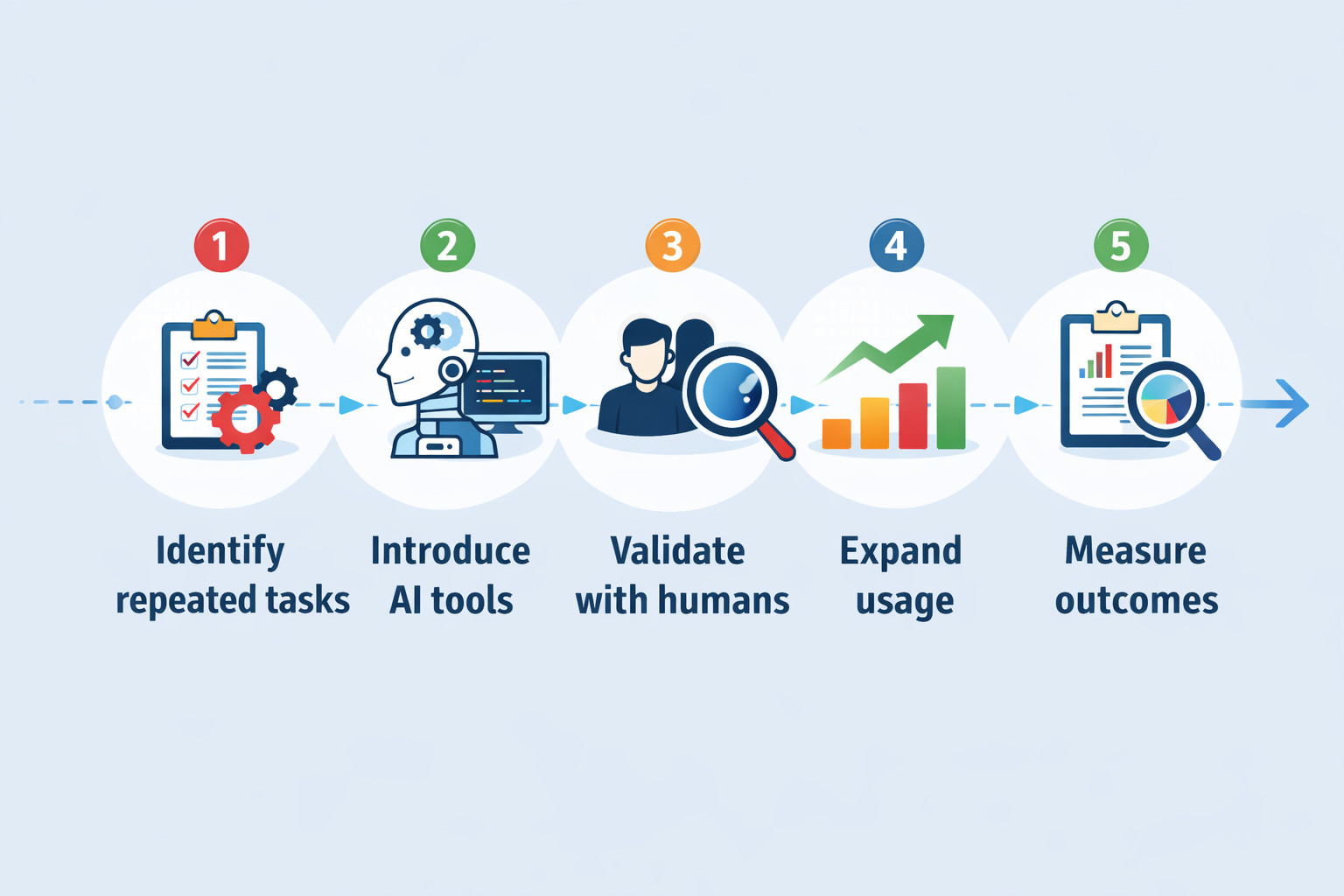
If you’re thinking about using AI in software testing, the biggest mistake is trying to do too much, too fast. AI works best when it’s introduced gradually.
A Step-by-Step Approach to Adopting AI in Testing
- Identify Repetitive Tasks: Start by looking at where your team spends the most time. Regression testing, smoke tests, test data creation, and test maintenance are usually good candidates.
- Use AI to Support, Not Replace, Testers: Don’t roll AI across the entire test suite at once. Pick one area or one workflow and apply AI there first. This helps the team learn how the tool behaves without risking stability across all testing activities.
- Validate Results With Humans: Early on, it’s important to closely review AI-generated tests, test results, and recommendations. This builds trust and ensures that AI outputs align with real business requirements.
- Expand Usage Based on Results: Once the team sees consistent value, fewer flaky tests, lower maintenance, and faster feedback. AI can be extended to additional test suites or workflows.
- Measure Outcomes and Adjust: Track improvements such as reduced test failures, faster execution times, or lower maintenance effort. These metrics help teams understand what’s working and where AI needs fine-tuning.
A Practical Example of AI Adoption in Testing
Let’s look at a hypothetical example of AI adoption in testing. Imagine a mid-sized SaaS company with frequent UI changes and a growing regression suite. The QA team starts by using an AI-powered test automation tool to handle just a few key regression checks, all spelled out in plain English. Rather than wrestling with detailed, complex scripts, they concentrate on outlining what users do and what should happen next. Changes in UI elements won’t crash the tests right away. The AI adapts, reducing maintenance work. Testers review results, adjust tests when needed, and gradually add more coverage as confidence grows.
Now, here’s another real-life example of how manual QA could hit the ground running with test automation and help improve automation coverage by switching to an AI-powered tool like testRigor: How IDT Corporation went from 34% automation to 91% automation in 9 months
This is how things often go when teams actually make AI work in their test processes.
Over a few release cycles, the team notices fewer flaky tests, faster feedback in CI, and more time for exploratory testing. AI didn’t replace the testers — it simply removed friction from their day-to-day work.
That’s what successful AI adoption in software testing usually looks like.
The Future of AI in Software Testing
- AI will get better at root cause analysis, helping teams understand why tests fail, not just that they failed.
- Fewer distractions pop up when test hiccups get sorted properly. Mistakes start making more sense once unstable results fade out.
- Even as time passes, self-healing automation keeps cutting down maintenance needs while boosting reliability in quiet ways.
- AI will make small, guided steps toward autonomy, with humans staying in control.
- Higher focus on risky spots comes when smarter test prioritization is implemented.
What matters most isn’t AI taking over testing. It’s how they cut through delays – revealing a quieter kind of power. Quiet shifts often reshape things more than loud takeovers ever could.
Myths Fade, Facts Remain
Far from just talk, using AI in software testing proves its worth every day.
And yet, it isn’t sorcery.
One needs to consider various factors like their team’s readiness to adopt a new process, their requirements (could be speed or an easier way to write tests), existing infrastructure, budget, and then look at the options available in the market.
So while we’ve taken a good look at the various myths and facts revolving around AI in software testing, the truth remains that a tool or technology is only as good as the one using it. With the right kind of strategic approach and test automation tool, AI can boost your QA process behind the scenes to deliver positive results.
FAQs
Is AI-powered testing suitable for regulated or compliance-heavy industries?
Yes, but with care. AI can help increase consistency, coverage, and traceability, which are important for regulated environments. However, human validation, model transparency, and clear audit trails are still essential. AI should support compliance, not replace oversight.
What should teams look for when choosing an AI-powered testing tool?
Teams should concentrate on practicality over buzzwords. Look for tools that:
- Reduce test maintenance
- They are easy to adopt
- Blend into existing workflows
- Don’t require heavy coding
- Keep humans in control
AI should make testing easier, not harder.
Can AI testing tools work with legacy applications and older systems?
Many AI-powered test automation tools can interact with legacy UIs just like traditional automation tools do. If you’ve picked a good testing tool, then your tool won’t require you to specify implementation details of UI elements like XPaths or CSS tags, which can be difficult to identify. Moreover, with AI testing tools, you can easily switch between testing old and new systems in a single test case. It all boils down to the tool you end up choosing and whether it supports your needs.
Do testers need AI or data science skills to work with AI-powered testing tools?
Generally, no. Many modern AI testing tools are built specifically for QA teams, not data scientists. The goal is to hide complexity, not add to it. Testers mainly need to understand testing principles and review AI output, not build or train models themselves.
| Achieve More Than 90% Test Automation | |
| Step by Step Walkthroughs and Help | |
| 14 Day Free Trial, Cancel Anytime |











