
Release Notes: Enhanced Error Detection
 |
New Enhanced Error Detection and Control for Clicks, Inputs, and Validations
The error detection feature in testRigor has been upgraded to provide users with greater control over test execution when errors occur during clicks, hovers, drags, inputs, selections, validations, and other test steps in Settings -> Error Detection. Previously, tests would stop immediately upon any step failure. Now, you can choose from three configurable options for error handling:
The options are:
-
Stop execution of the test case: Immediately halt the test case if an error occurs.
-
Proceed execution with a critical error: Continue test execution, but mark the test case as failed.
-
Minor error: Treat the error as a warning without failing the test case.
These options allow flexible handling of errors based on their severity and testing needs. You can view error statuses during test case execution and update preferences dynamically using the “set preference by ID” command. Additionally, the error handling settings are available for review and configuration on the dedicated Error section page.
This robust error management empowers more reliable and customizable automated testing workflows by balancing test completeness with failure sensitivity.
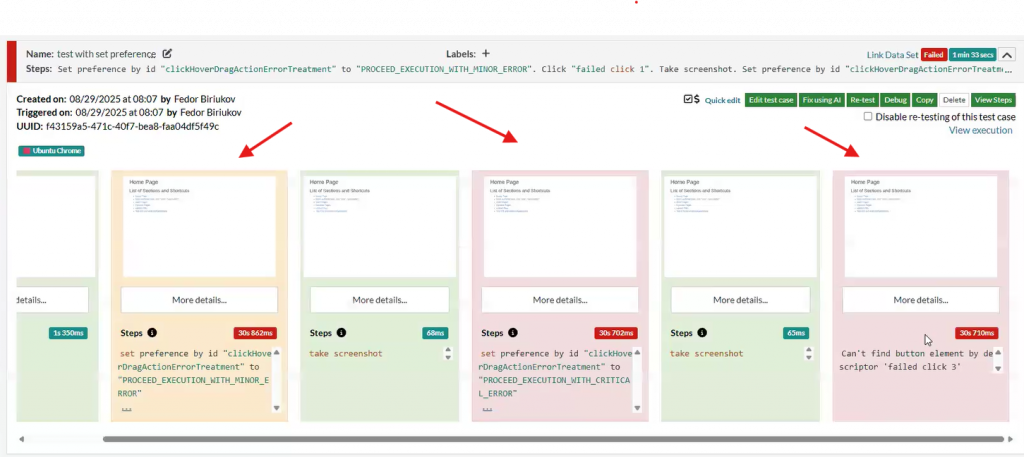
Caption: Execution showing all errors. First is Warning, second is Critical Error, and the last one is Stop execution.
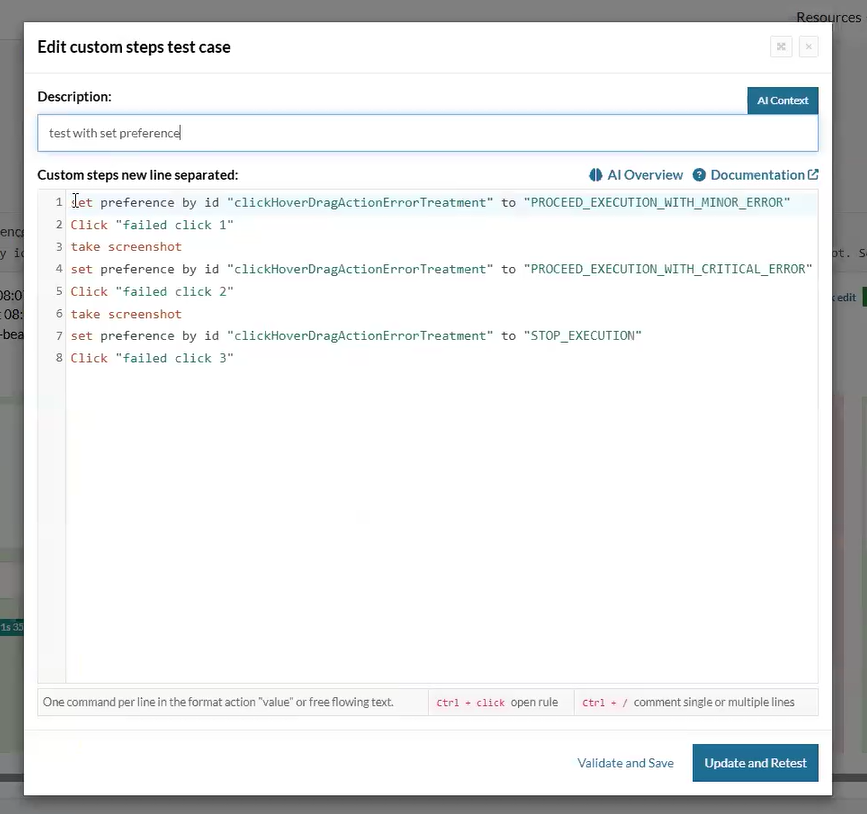
Caption: Commands used during execution. You can force and set a preference from command option too.
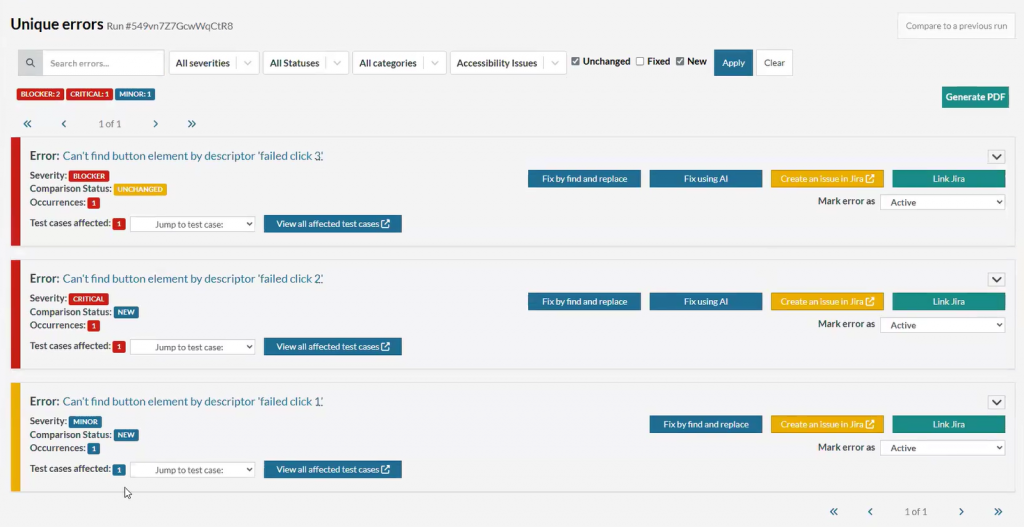
Caption: Blocker, Critical and Minor depending on the type of error selected.










