
Release Notes: Xray Datasets Support, Better Android Accessibility
 |
Support for Xray Datasets
testRigor now offers enhanced integration with Xray by fully supporting the import of datasets associated with Xray test cases whenever they are available. After the import process, users will see the imported datasets listed as selectable options, allowing them to easily link these datasets to their corresponding test cases for better data management and traceability.
Furthermore, testRigor introduces a new feature that enables automatic triggering of test case executions immediately after the import process completes. This “Trigger test case executions after import is complete” option is enabled by default to streamline test workflows, but users retain full control and can disable this feature if automatic execution is not desired. These improvements ensure smoother synchronization between Xray and testRigor, enhancing overall test automation efficiency and accuracy.
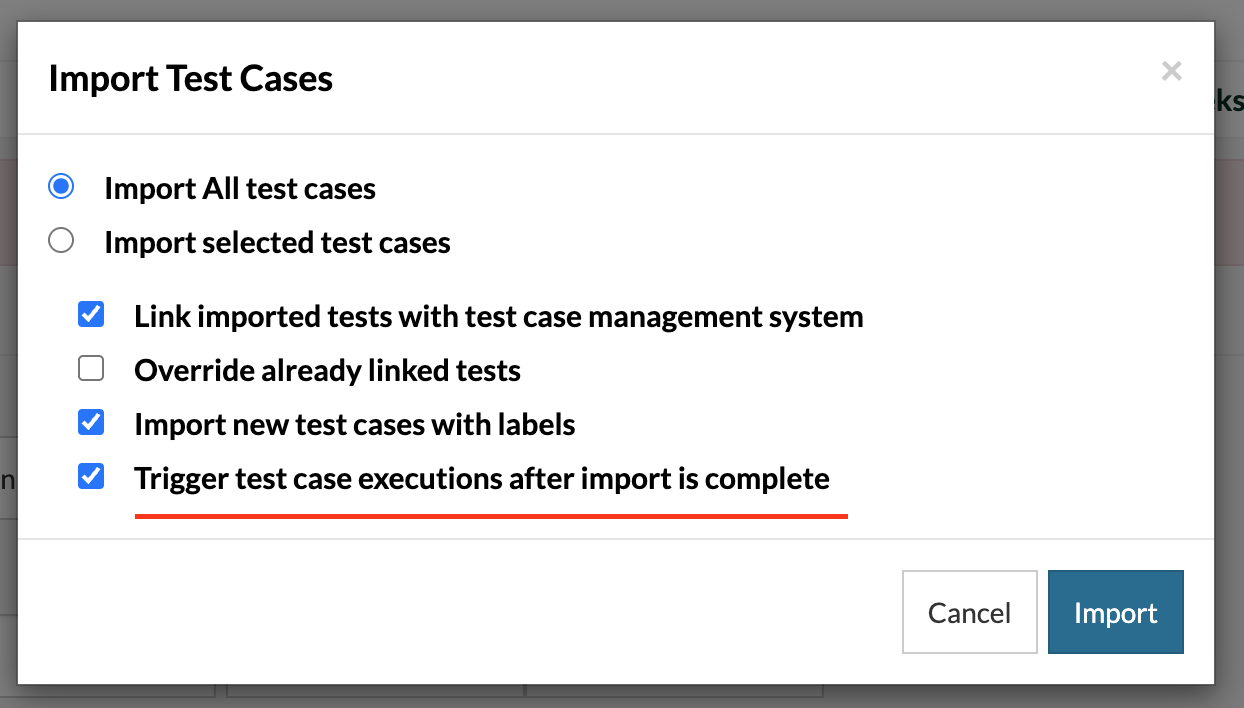
Caption: New option to Trigger test case executions after import is complete.
Enhanced Android Accessibility Debugging
The Android test cases accessibility errors page has been enhanced to provide more comprehensive and actionable information for identifying elements causing accessibility violations. In addition to existing details, the page now displays both the Resource ID and the precise XPath of the element that triggered the violation. It also visually highlights the problematic element directly in the accompanying screenshot, making it easier to locate at a glance.
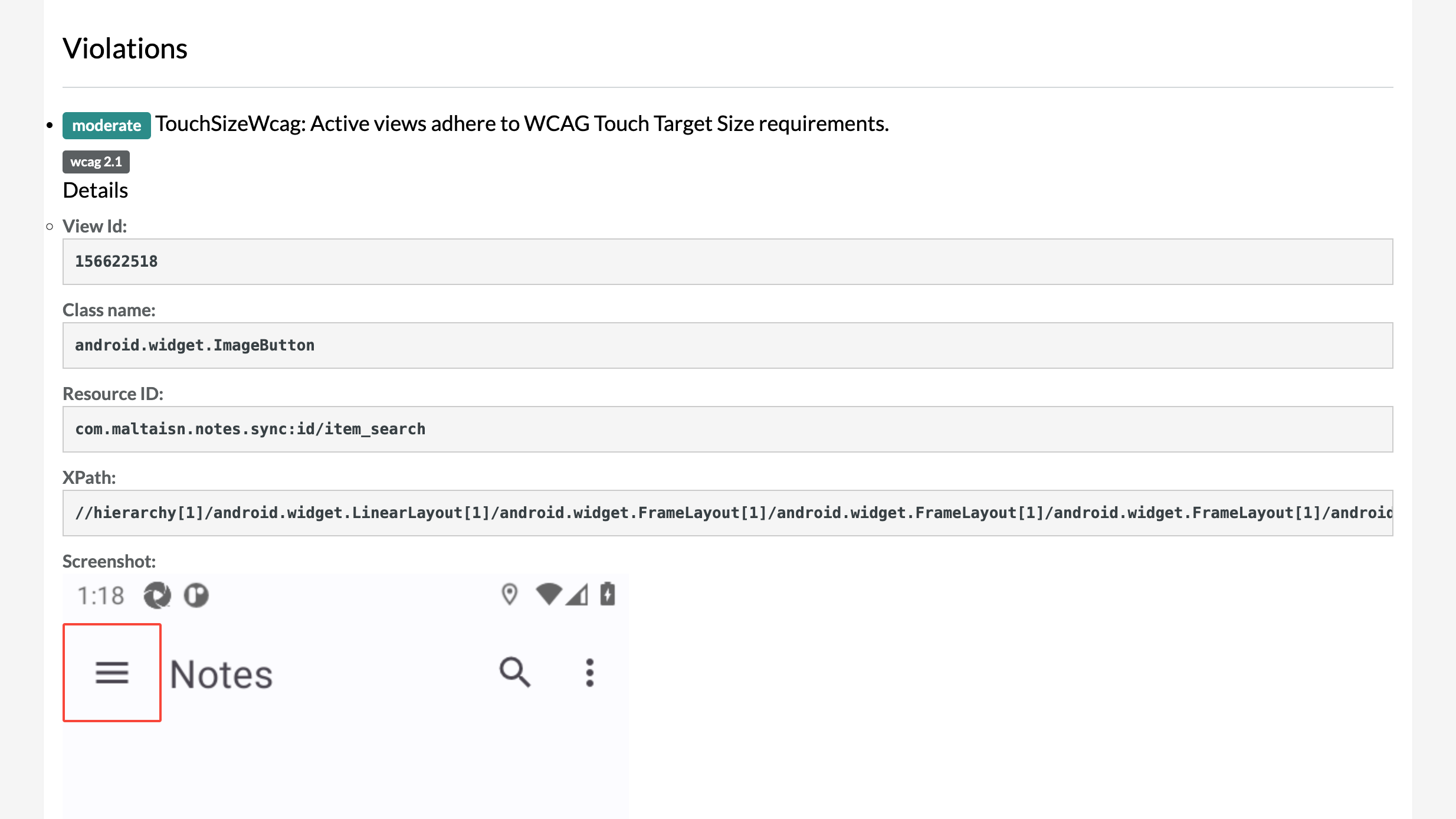
Caption: The accessibility errors page, now including the Resource ID, the Xpath and the highlighted screenshot.
These improvements give developers and testers clear, pinpoint data along with visual context, significantly simplifying the process of tracing and resolving accessibility issues during testing. By combining textual identifiers with highlighted screenshots, the updated error page streamlines debugging, saves time, and reduces complexity when fixing accessibility problems.










