
What is Benchmark Testing?
 |
Performance is often a critical requirement in the world of software development and system engineering. Applications today must handle an increasing number of users, growing volumes of data, and higher expectations for speed and reliability. Out of various optimization techniques used for optimizing digital products, benchmark testing is an essential practice that stands out.
| Key Takeaways: |
|---|
|
This article delves into the concept of benchmark testing, examining what it is, its significance, its operational mechanics, and the best practices for implementing it effectively.
What is Benchmark Testing?
Benchmark testing is a type of performance testing that measures a system’s performance against a defined set of standards, metrics, or reference points known as benchmarks.
The benchmarks used can be industry averages, internal performance goals, or competitor results. The goal of this approach is to objectively evaluate a system’s performance and identify areas for improvement.

In simpler terms, benchmark testing answers questions like:
- How fast is the system?
- How much load can it handle?
- How does it compare to similar systems?
- Is the system improving or degrading over time?
The benchmark testing approach assesses the system’s performance under peak and normal conditions to ensure it meets the expected speed, responsiveness, and reliability. It helps identify performance bottlenecks and areas for improvement.
Key Aspects of Benchmark Testing
Here are the key aspects of benchmark testing:
- Comparison to a Standard: Benchmark testing compares a system’s performance metrics against a baseline standard to assess its performance.
- Objective Measurement: It gathers quantitative data on aspects like response time, stability, and throughput (data-driven approach) for performance evaluation.
- Identifies Bottlenecks: Benchmark testing runs controlled tests to pinpoint performance bottlenecks so that developers can make targeted optimizations.
- Measures Impact of Changes: This can be used to measure the impact of changes by comparing system performance before and after the changes. This helps identify regressions as well.
- Versatile Applications: Benchmark testing is a versatile approach and is used in other fields as well, apart from software. For example, it can be used to gauge student progress or in hiring to assess candidate preparedness.
- Evaluate Speed: It measures page load times, server response times, and user interaction speeds.
- Assess Scalability: Systems are tested for scalability using benchmark testing to assess how well the system can handle an increasing amount of data or traffic.
- Ensure Consistency: Ensure the system performs consistently across platforms, devices, and browsers.
In essence, benchmark testing provides insights to help optimize performance, improve user experience, and ensure that the system functions efficiently and reliably across diverse conditions.
How Benchmark Testing Differs From Other Testing Types
Benchmark testing differs from other testing types in that its primary focus is on comparison against defined standards (internal goals, industry norms, or competitors) to establish performance baselines.
On the other hand, other testing types, such as load, stress, or functional testing, focus on testing specific behaviors, identifying bottlenecks under extreme or unusual conditions, or ensuring core features work.
In other words, while benchmark testing answers “How good is the system compared to others?”, other performance tests answer “Does it break under pressure?” or “Does it meet basic speed needs?”. Read: What is Performance Testing: Types and Examples.
The following table summarizes the differences between benchmark testing and other testing types.
| Testing Type | Function |
|---|---|
| Benchmark Testing | Focuses on objective comparison, identifying bottlenecks, and assessing market position. |
| Functional Testing | Checks if specific features work. For example, if the windows scroll properly or if the login functionality is working correctly. |
| Load Testing | Assesses how the system handles expected load on the application, such as 1000 concurrent users. |
| Stress Testing |
Identifies how the system behaves when pushed beyond limits or when it is under extreme load.
For example, loading the system with 10000 users to find its breaking point.
|
| Endurance Testing | This tests the endurance capacity of the system by checking performance over long periods, like running an application overnight to test its stability. |
Analogy: Car Performance
Consider that you need to evaluate the performance of the newly launched car, and you apply various testing techniques to achieve this purpose. The following are the results of testing carried out:
- Benchmark Testing: Compares the speed of your car to that of a sports car in the same class.
- Functional Testing: Verifies the functionality of various components, such as whether the horn works and if all controls on the dashboard are operational.
- Load Testing: Tests whether the car can handle the load when it’s full of passengers or luggage.
- Stress Testing: Can this car still accelerate with a full load on a steep hill?
In summary, benchmarking provides a strategic context for the system, while other testing types offer tactical insights into how it behaves under specific conditions.
The Importance & Benefits of Benchmark Testing
The reasons why benchmark testing is essential and beneficial are as follows:
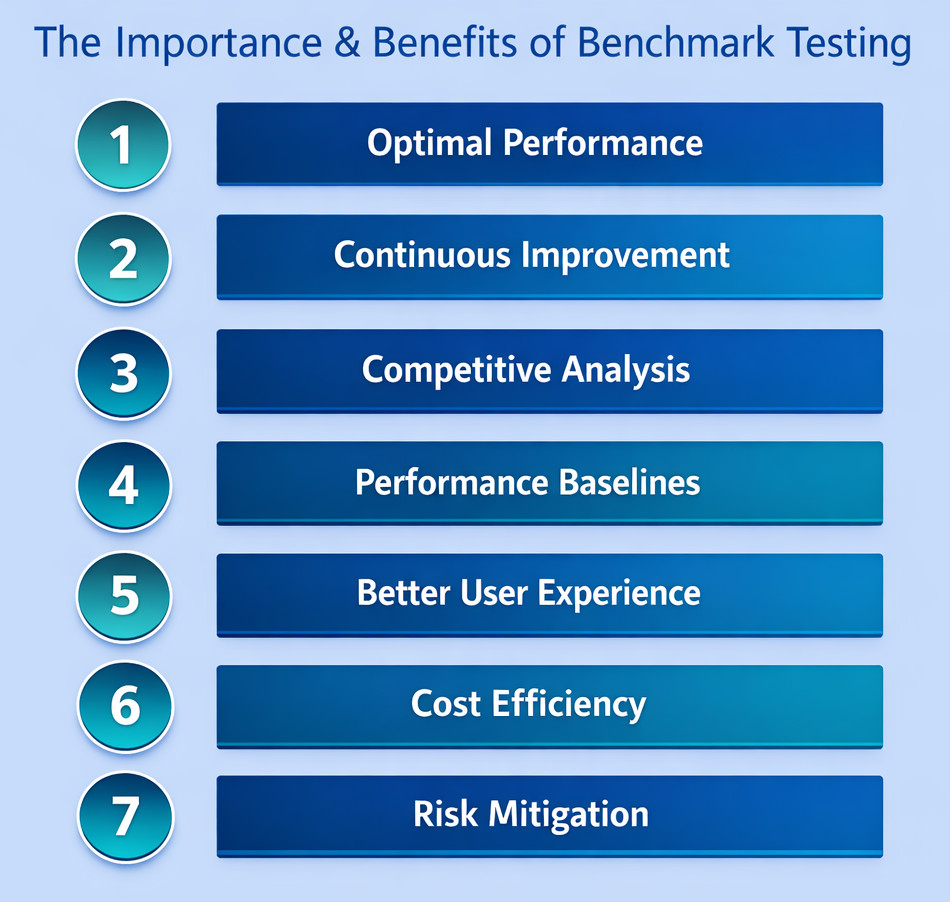
Optimal Performance
Benchmark testing determines whether an application meets predefined performance expectations. It identifies bottlenecks, such as low response times, memory leaks, and inefficient code paths, which developers can use to fine-tune the system.
Continuous Improvement
Teams can run benchmarks regularly to track performance changes over time. This step is essential when software updates, infrastructure changes, or new user requirements risk changing system efficiency.
Competitive Analysis
Companies widely use benchmark testing to compare their products’ performance with that of competitors. For example, comparing web browsers on performance, benchmarking a processor or GPU speed, and comparing cloud provider network latency. This benchmarking is conducted against industry standards and competitors, providing organizations with insights to identify market differentiators and refine their market positioning.
Performance Baselines
Benchmark testing is essential for establishing performance baselines that serve as reference points for future performance evaluations. These are set during:
- New system deployments
- System or cloud migrations (e.g., on-prem to cloud)
- Major application releases
- Infrastructure upgrades
By analyzing performance baselines, teams determine whether their performance is improving or deteriorating.
Better User Experience
Benchmark testing enhances user experience by identifying potential roadblocks and improving system responsiveness and reliability.
Read: UX Testing: What, Why, How, with Examples.
Cost Efficiency
Any issues in resource usage are identified by benchmark testing. It also aids in configuring hardware and software to improve efficiency.
Risk Mitigation
Benchmark testing method identifies weak points before deployment and provides feedback to enhance system reliability, thereby reducing risks.
Read: Risk-based Testing: A Strategic Approach to QA.
Types of Benchmark Testing
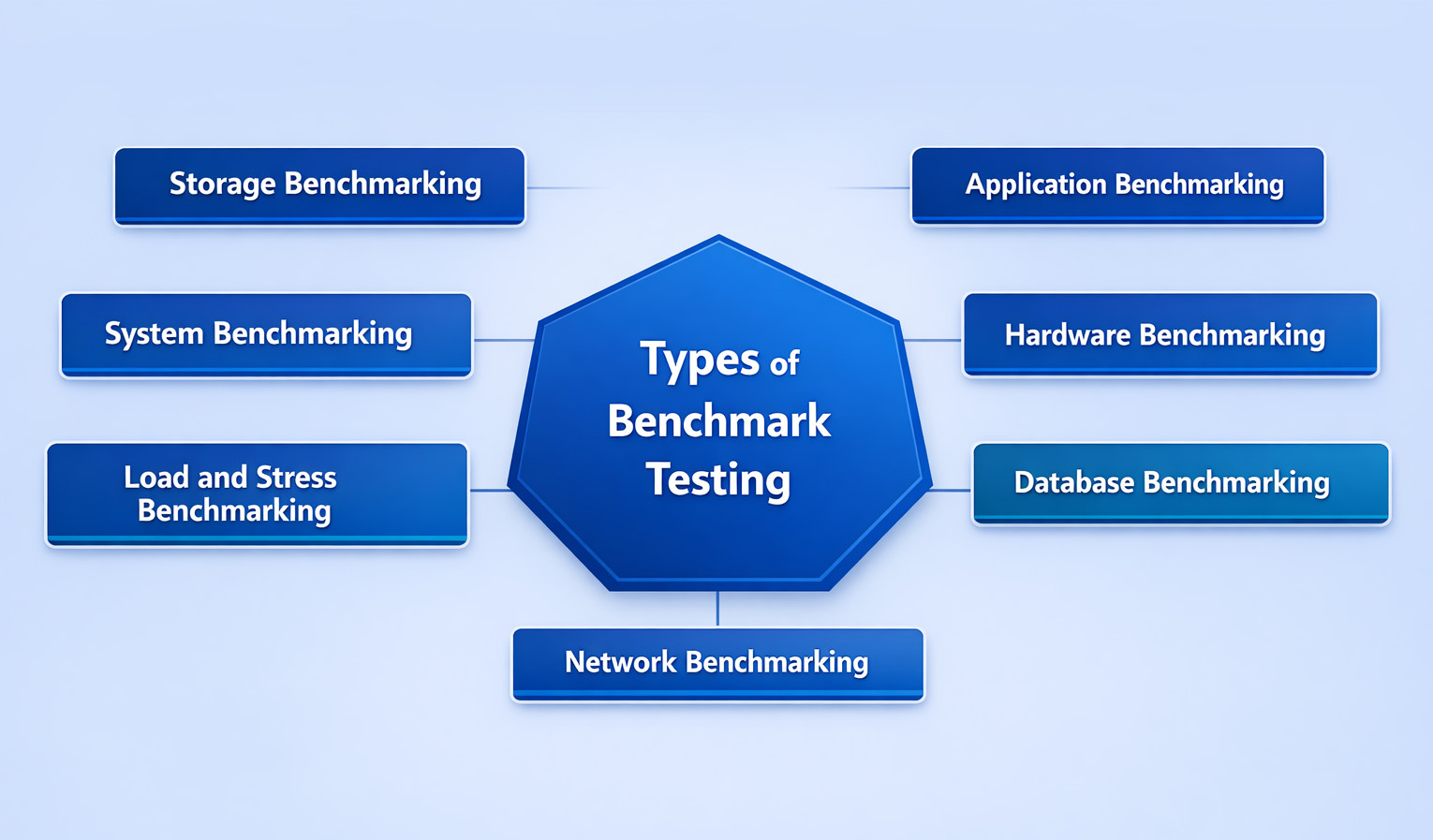
Benchmark testing is categorized into several distinct categories, each serving a unique purpose. The classification is as follows:
-
Application Benchmarking: Evaluates the performance of specific applications such as databases, web applications, and office productivity applications. Application benchmarking evaluates the following parameters:
- response time
- throughput
- transaction speed
- error rate
- resource utilization
The performance of SaaS platforms, web applications, and enterprise systems can be evaluated using application benchmarking. - Hardware Benchmarking: Involves evaluating the performance of specific hardware (physical) components, such as graphics cards, CPUs, GPUs, storage devices, network cards, and memory modules. For example, in gaming and machine learning, GPU benchmarks are widely used for optimizations.
- Database Benchmarking: Often perceived as the backbone of modern systems, database benchmarking helps measure parameters including query execution speed, concurrency handling, indexing performance, and transaction throughput. Database benchmarking utilizes tools such as TPC-C and TPC-H, which are recognized industry standards.
- Network Benchmarking: Evaluates the performance of network systems, including local area networks (LANs) and wide area networks (WANs). It primarily focuses on parameters such as latency, bandwidth, packet loss, and jitter. Network benchmarking is essential in distributed systems and cloud environments.
- Load and Stress Benchmarking: Although technically part of performance testing, load and stress benchmarking are used for comparing results across systems or versions.
- System Benchmarking: Evaluates the performance of entire systems, including their hardware, software, and network components.
- Storage Benchmarking: The performance of storage systems, including hard disk drives (HDDs), solid-state drives (SSDs), storage area networks (SANs), and other storage devices, is measured using storage benchmarking.
Key Benchmark Testing Metrics
Teams must track the right metrics to conduct effective benchmark testing. Here are some of the important metrics used in benchmark testing:
- Response Time: This metric measures the time it takes to respond to a request—lower response times result in better performance.
- Throughput: Throughput indicates the amount of work a system can handle and is measured in transactions per second (TPS) or requests per second (RPS).
- Resource Utilization: The resource utilization metric includes CPU, memory, disk I/O, and network usage during testing.
- Latency: It is the delay that occurs between sending a request and receiving a response. This measure is essential in network and database benchmarking.
- Scalability Metrics: They measure the performance changes in the system as the load increases.
- Error Rate: It is the measure of how often transactions fail under load.
- Concurrency and Parallelism: The metric for concurrency and parallelism measures how well the system is capable of handling multiple requests/operations simultaneously.
By tracking these metrics, engineers can make informed decisions on system performance improvements.
Components of Benchmark Testing
The following are the main components of benchmark testing:
- Test Environment: The hardware, software, and network components used during benchmark testing constitute the test environment. It should closely resemble the production environment so that when a product or application is released, there are fewer defects. Read: Managing Your Test Environment: What You Need to Know.
- Test Data: The data used for benchmark testing, including sample data sets, test data generators, and other data sources, is the test data. Test data is critical and must be clear, complete, and concise for the best outcomes.
- Test Plan: Every benchmark test should be thoroughly described to ensure accurate results. This is done using a test plan. The test plan also includes the purpose and scope of the test, the test environment, the test data, and the metrics to be considered for performance evaluation.
- Benchmarking Tools: Select the most suitable benchmarking tools for your specific needs and requirements from the broad range of tools available on the market.
- Report: A summary of the benchmark testing results and recommendations for improvement is compiled in a report. It also includes a clear and concise description of the results, as well as details of the performance metrics collected during testing.
Teams can design and perform benchmark testing more effectively when they understand these components. In addition to these components, there are a few testing frameworks used in benchmark testing that you should be aware of:
- Apache JMeter is a popular open-source testing framework used for load testing, performance testing, and benchmark testing.
- Gatling is an open-source load testing framework that supports distributed testing, real-time reporting, and detailed test results.
- Grinder is an open-source load testing framework used for benchmarking web applications, databases, and other types of software systems.
- Stress-ng is a Linux stress testing tool used to perform benchmark tests on various system components, including CPU, memory, and I/O.
The Benchmark Testing Process
Benchmarks may change from system to system. However, the general process for benchmark testing follows the steps discussed here:
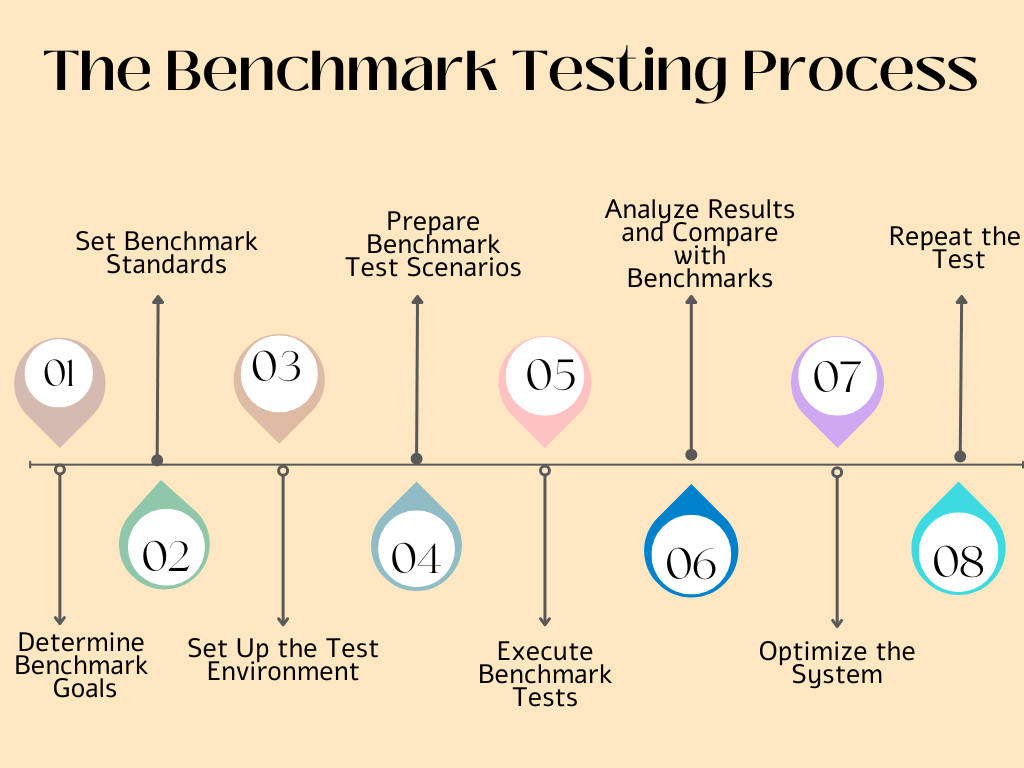
Step 1: Determine Benchmark Goals
Identifying benchmark goals involves deciding what you want to test and why. You should perform benchmark testing to compare systems, measure the impact of a new feature, or establish a performance baseline. So, in this step, set clear goals that will shape your benchmark testing design and process.
Step 2: Set Benchmark Standards
Select and set benchmarks, either internal or external. Some examples of benchmarks are:
- Industry benchmark tools that will set industry standard benchmarks
- Performance metrics from the previous system can be used as a reference point.
- Data from competitors that you can use for setting benchmarks.
- Internal SLAs or performance targets set by your company.
Once you set the benchmarks, you know what you have to test and what the expected outcomes are.
Step 3: Set Up the Test Environment
The next step is to set up the test environment. Ensure that the test environment closely mimics the production environment. When setting up test environments, it is essential to control the various factors, including hardware configuration, software versions, network conditions, test scripts, and data sources. A test environment that is set up perfectly ensures that your benchmark testing will be performed efficiently and accurately. Read: Testing in Production: What’s the Best Approach?
Step 4: Prepare Benchmark Test Scenarios
At this point, you have defined the objectives, set benchmarks, and readied the test environment. Now it is the time to mimic real-world usage and define test scenarios.
Decide on the scenarios you will test and prepare the corresponding tests accordingly. For example, performing benchmark testing for the number of users, peak load conditions, or the type of transactions. All these test scenarios should be designed in accordance with the established benchmark standards.
Step 5: Execute Benchmark Tests
Here, you use benchmark or performance testing tools for executing benchmark tests. While the tests are being executed, collect data related to response times, system resource usage, throughput, and other relevant parameters.
Step 6: Analyze Results and Compare with Benchmarks
Once the test results are obtained, compare them against the benchmark criteria. To conclude, you can ask some key questions, such as: Does the system meet the expected thresholds? Are there any bottlenecks, and if so, where are they located? How does it compare to the benchmark set or the data of competitors? Seeking answers to these questions will help you analyze the benchmark test results more accurately.
Step 7: Optimize the System
This is the important step in benchmark testing and serves the very purpose of the benchmark testing. In this step, you use the insights you have obtained from previous steps to enhance overall code efficiency, database queries, network performance, caching strategies, and server configurations.
Step 8: Repeat the Test
The process is not over once the system is optimized. Benchmark testing is a continuous process, and the system should be repeatedly retested to validate improvements and ensure it always remains in a consistent state.
This entire benchmark testing process is performed with a structured planning and execution to measure and evaluate system performance against set standards.
Tools Used in Benchmark Testing
Benchmark testing uses specialized tools that generate workloads, capture metrics, and develop detailed reports. The following table provides the details of some of the popular benchmark testing tools used for each benchmark testing type:
| Benchmark Testing Type | Tools Used |
|---|---|
| Application Benchmarking |
|
| Hardware Benchmarking |
|
| Database Benchmarking |
|
| Network Benchmarking |
|
Each of the tools mentioned has unique capabilities, and the choice of the tools depends on project requirements and testing objectives.
Interpreting Benchmark Test Results
Once the benchmark testing is performed, it is a challenging process to interpret the test results. You have to give due consideration to system understanding, the benchmark tests being executed, and the outcomes of the test. Here are some steps you would like to take while interpreting the benchmark test results:
- First, understand the system being tested, along with its hardware and software components, environment, and its intended use.
- Thoroughly understand the benchmark tests that you want to execute and familiarize yourself with each test measure and the metrics being used for measuring performance.
- Review the test outcomes and pay due attention to the overall performance score and results of individual tests.
- Compare the test results to the results of similar systems that have been benchmarked to determine how well the system performs compared to others.
- Observe the test results carefully and identify areas of the system with lower than threshold performance. These areas indicate the bottlenecks in the system that need to be improved.
Once the benchmark testing results are interpreted, you can make your recommendations and suggestions to achieve the desired quality results.
Factors Affecting Benchmark Testing Results
Although benchmark testing provides valuable insights into the performance of a system, the test results may be influenced by various factors, including:
- Network Conditions: The stability and the speed of the network significantly affect the performance of a system. Network parameters, such as latency, packet loss, and bandwidth limitations, can affect how quickly a website or application responds to user requests.
- Hardware and Infrastructure: The way the underlying hardware, such as processors, servers, or memory units, perform affects the system’s performance. For example, insufficient CPU power or inadequate memory can cause responses to be slower or system resources to fail.
- Traffic Volume: The traffic volume can also influence the benchmark results. If the traffic is high, performance may degrade if the system is not designed to handle the load.
- Software and Application Optimization: The application code efficiency directly affects the performance. Issues like unoptimized code, inefficient database queries, or uncompressed assets can degrade performance, affect the user experience, and slow down load times.
- Caching Mechanisms: Caching can either improve or degrade the system performance and affect the benchmark results. Results may be skewed if caches are not properly cleared or tested in various states. On the other hand, if caches are managed properly, performance will improve.
- Testing Environment: The testing environment, including the tools, server location, or device used for testing, is a key factor that can affect results.
Apart from these factors, third-party services/integrations, browser and device variability, content delivery networks (CDN) can also affect the benchmark testing results.
Challenges in Benchmark Testing
Benchmark testing is important and plays an important role in the development cycle. However, it also presents several challenges as follows:
- Environment Variability: In case the test environment is significantly different from production, test results may not reflect the real-world performance accurately.
- Lack of Standard Benchmarks: Comparisons may be difficult as some industries lack universal benchmarks.
- Data Inconsistencies: Insufficient, unclear, or unrealistic data sets can negatively affect benchmark results.
- Test Maintenance: Benchmarks become irrelevant quickly. They should be updated as technology evolves.
Increased Cost and Resource Requirements: Benchmark testing requires dedicated hardware, specialized tools, and skilled professionals, which can be costly.
Best Practices for Effective Benchmark Testing
Testers may follow the best practices listed here for effective benchmark testing:
- Define Clear Objectives: It is important that you understand what you are testing and why. This will help you set clear goals, and you will receive meaningful results.
- Use Realistic Workloads: As far as possible, try to use realistic workloads and simulate actual user behavior. Do not use overly simplified patterns for testing, as the results obtained may be different from those in production.
- Keep Environments Consistent: Use standardized configuration settings, hardware, and software components so that the environments are consistent. This way, you can ensure reliable comparisons.
- Document Everything: Keep everything documented, including test scripts, data sets, configurations, and results for future reference.
- Use Multiple Benchmark Tools: Use varied benchmark tools to get a diverse viewpoint on benchmark testing outcomes.
- Avoid Over-Optimization: Do not go for benchmark fixation, a phenomenon where systems are tuned only for benchmark performance. This greatly impacts real-world performance.
- Re-Benchmark After Major Changes: Even minor updates, such as database patches or OS upgrades, can significantly impact performance.
Real-World Applications of Benchmark Testing
Benchmark testing is essential and plays a vital role across multiple industries. Some of the real-world applications of benchmark testing are:
- Software Development: Developers often benchmark code to measure code efficiency and refine algorithms.
- Cloud Computing: Cloud system provides benchmarks for many of its components, including compute units, network speeds, storage services, and database services.
- Artificial Intelligence and Machine Learning: Powerful hardware used in AI models is benchmarked to compare training and inference times across GPUs.
- Gaming and Graphics: Benchmark testing is extensively used in gaming and graphics to evaluate frame rates, rendering speeds, and GPU performance.
The Future of Benchmark Testing
Benchmark testing is set to become more dynamic and sophisticated as technology evolves. Some of the emerging benchmark testing trends are:
- AI-Driven Benchmarking: Machine learning helps to predict performance, identify bottlenecks, and generate optimized testing scenarios.
- Cloud-native Benchmarking: New benchmarks are emerging that reflect the distributed environments, including microservices, containers, and serverless architectures.
- Continuous Performance Monitoring: Instead of periodic testing, benchmarking is moving towards real-time monitoring using CI/CD and DevOps.
- Security Benchmarking: With performance increasingly tied to security, new benchmarks are introduced to evaluate the security of systems under load.
- User-centric Benchmarks: Future benchmarks will not focus solely on metrics, but also consider user experience (UX) such as perceived response times, application smoothness, and consistency across devices.
Conclusion
Benchmark testing has emerged as an important and necessary practice for evaluating, refining, and optimizing system performance. You can understand how well a system performs relative to industry standards, past versions, or competitor systems using benchmark testing. It provides a measurable, objective insight into systems ranging from software applications and hardware to networks and databases that drive decision-making and continuous improvement.
Organizations deliver faster, more reliable, and more competitive products by adopting a high-quality benchmark testing strategy. As technology continues its advancements, benchmark testing tools and methods will also evolve, ensuring systems meet the ever-increasing demands of users and businesses.
| Achieve More Than 90% Test Automation | |
| Step by Step Walkthroughs and Help | |
| 14 Day Free Trial, Cancel Anytime |











