
Automating Multi-Tenant SaaS Testing: A Complete Guide
 |
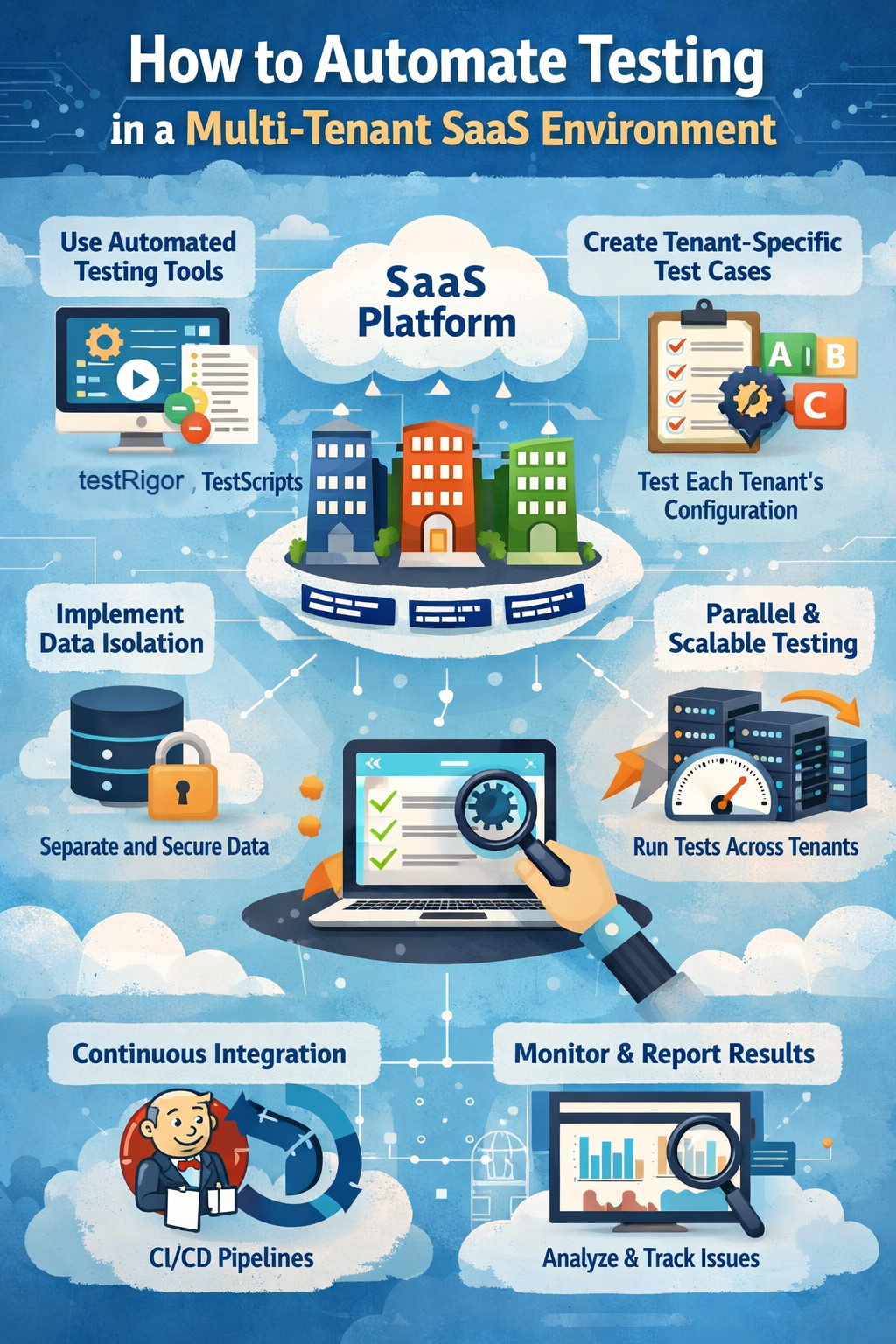
Multi-tenant SaaS applications are everywhere. From CRM platforms and HR systems to fintech dashboards and AI-powered analytics tools, the vast majority of modern software is no longer developed for a single-end customer working in a silo. Rather, one instance of an application serves many customers, or tenants, each with their own data, configurations, users’ permissions, and, all too often, business rules.
That architectural decision is excellent for both scalability and cost savings. For testing, though? It’s a whole different beast.
Automating tests in a multi-tenant SaaS environment isn’t simply about seeing if a log-in works or a report opens. It’s about ensuring tenant isolation, correct configuration, secure data, role-based behavior, and finally handling custom workflows, all without having your testing suite explode into a maintainability monster.
| Key Takeaways: |
|---|
|
Inside Multi-Tenant SaaS Test Automation
- One bug can impact hundreds or even thousands of tenants at the same time.
- The same feature may behave differently depending on each tenant’s specific configuration.
- Data must be strictly isolated so that it never leaks from one tenant to another.
- Users from multiple organizations coexist within the same shared infrastructure.
Think of a SaaS billing product with lots of tenants on the same code base, but they have different business rules. Tenant A uses USD with complex tax rules enabled; Tenant B might use EUR with a simple tax model. This implies that the invoice logic must change according to tenant settings.
Now add Tenant C, which has some custom approval workflows set up on top of invoice creation. The “Create Invoice” function not only needs to seamlessly handle processes and calculations related to currency exchange, tax laws, and approval flows, but it must also be reliable for every tenant, even though they are all using the same hardware platform.
This complexity makes manual testing fall apart at an unmanageable rate. Automation isn’t optional; it’s survival.
Read: SaaS Testing: Automate for Scalable Application Quality.
Tenant-Aware Automation from Day One
One of the biggest mistakes teams make is treating automation as if they are testing a single-tenant application and planning to add tenant coverage later. This approach usually results in brittle tests, heavy duplication, and increasing maintenance costs over time. In a multi-tenant SaaS environment, tenant awareness must be treated as a first-class concept from the start. Test design should explicitly account for tenant-specific configurations, data isolation, and behavioral differences across tenants.
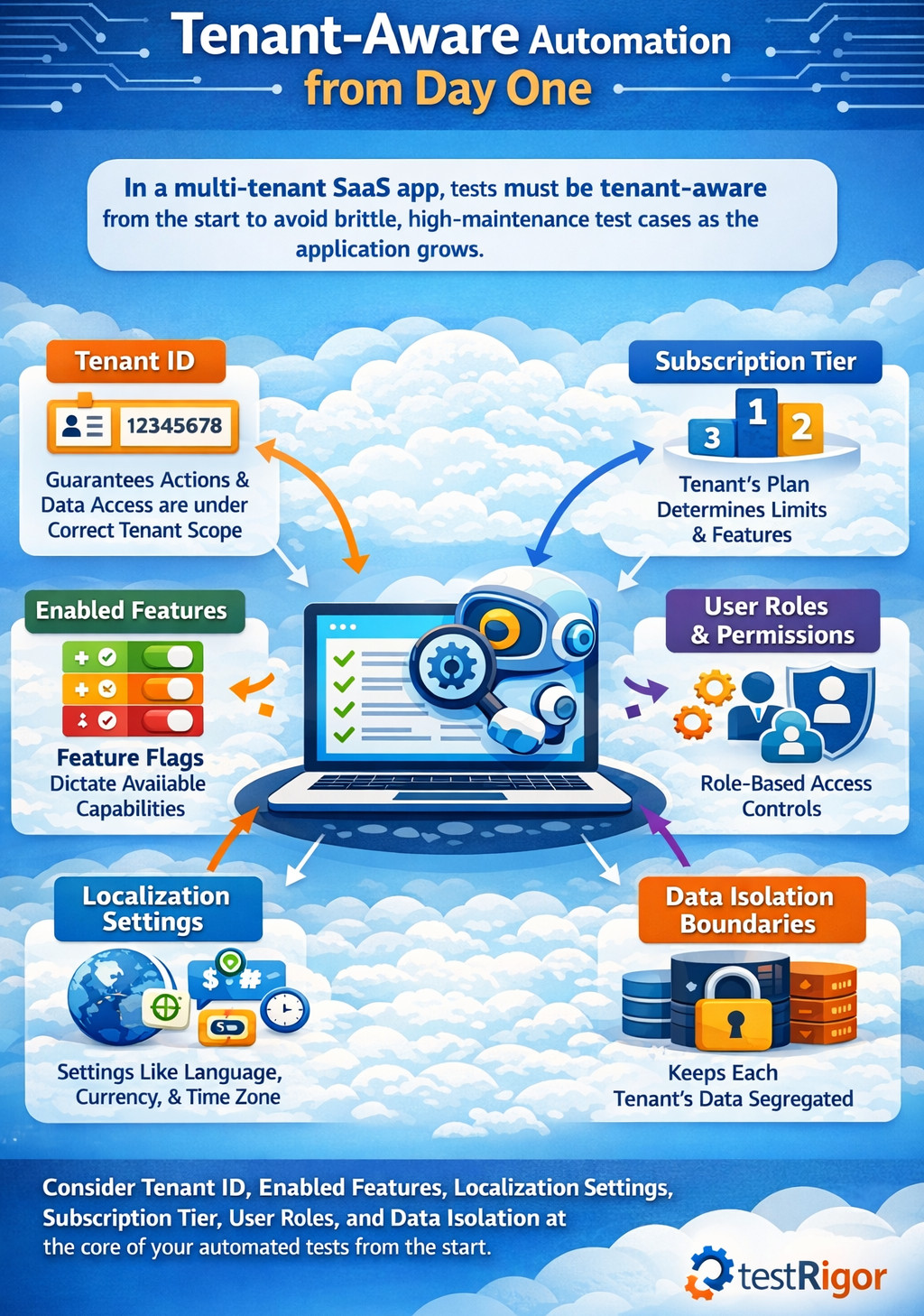
- Tenant ID: It uniquely identifies the tenant and guarantees all actions, data access, and validations are performed under the correct tenant scope.
- Enabled Features: Feature flags dictate which capabilities are active for a tenant, directly affecting available workflows and expected behavior.
- Localization Settings: Locale-specific configurations, such as language, currency, and time zones, determine how data is displayed, processed, and validated.
- Subscription Tier: The tenant’s plan determines usage limits, accessible features, and constraints that must be respected during execution.
- User Roles and Permissions: Role-based access controls govern what actions a user can perform within a tenant, impacting both positive and negative test paths.
- Data Isolation Boundaries: These boundaries ensure tenant data remains completely segregated, preventing unauthorized access or leakage across tenants.
In practice, this tenant context maps well to data-driven automation. With testRigor, you can treat tenant context (tenant name/ID, plan, locale, feature flags, user role) as runtime inputs, so the same test can run under different tenant profiles without duplicating the test logic. This keeps “tenant awareness” centralized and repeatable instead of scattered across many copies of the same test.
For example, when automating login flows, the test should not simply log in with a username and password. A naive login ignores the fact that the same credentials can behave differently across tenants, roles, and configurations.
Instead, the test should log in as a user belonging to Tenant X, with Role Y, under Configuration Z. The test must explicitly understand, set, and control this tenant context to produce reliable and meaningful results. This mindset shift alone prevents dozens of future problems.
Creating a Tenant-Aware Test Data Strategy
Test data is the foundation of all automation efforts, and in multi-tenant SaaS systems, it is also the most frequent source of instability and failures. Shared or poorly defined information very quickly leads to flaky tests, erratic behavior, and false negatives.
The first rule is very straightforward: never trust information that is shared across tenants, or information that is vague. Each automated test must either construct its own tenant-specific data or run off obviously unique, pre-seeded datasets of the tenant data designed for that purpose.
Suppose you’re testing a “Generate Monthly Usage Report” feature, and your test assumes that Tenant A already has usage data, which immediately introduces risk. Another test could delete that data, or an automated cleanup job might purge it, causing unpredictable failures.
A better alternative is for the test to create the necessary usage data for Tenant A directly, and then to verify the report with that known dataset. Once verified, the test must clean up the data itself or depend on a controlled automated teardown process.
Read: Top 20 SaaS Testing Tools for 2026.
Isolating Tenants Without Duplicating Tests
One common fear in multi-tenant automation is test explosion, where teams assume they must run every test separately for every tenant, making the effort feel unsustainable. This concern usually comes from thinking in terms of physical duplication rather than smart test design.
The solution is logical isolation, not separate test suites per tenant. Instead of writing individual tests for Tenant A, Tenant B, and Tenant C, you create parameterized tests that execute the same logic under different tenant contexts.
This is exactly the kind of scenario where testRigor’s data-driven execution helps: one test definition can be executed repeatedly with a tenant profile dataset (Tenant A / Tenant B / Tenant C), while the steps remain identical. That prevents the classic multi-tenant failure mode, copying the same test 30 times and maintaining 30 slightly different versions forever.
Tenant Isolation as a Core Automation Goal
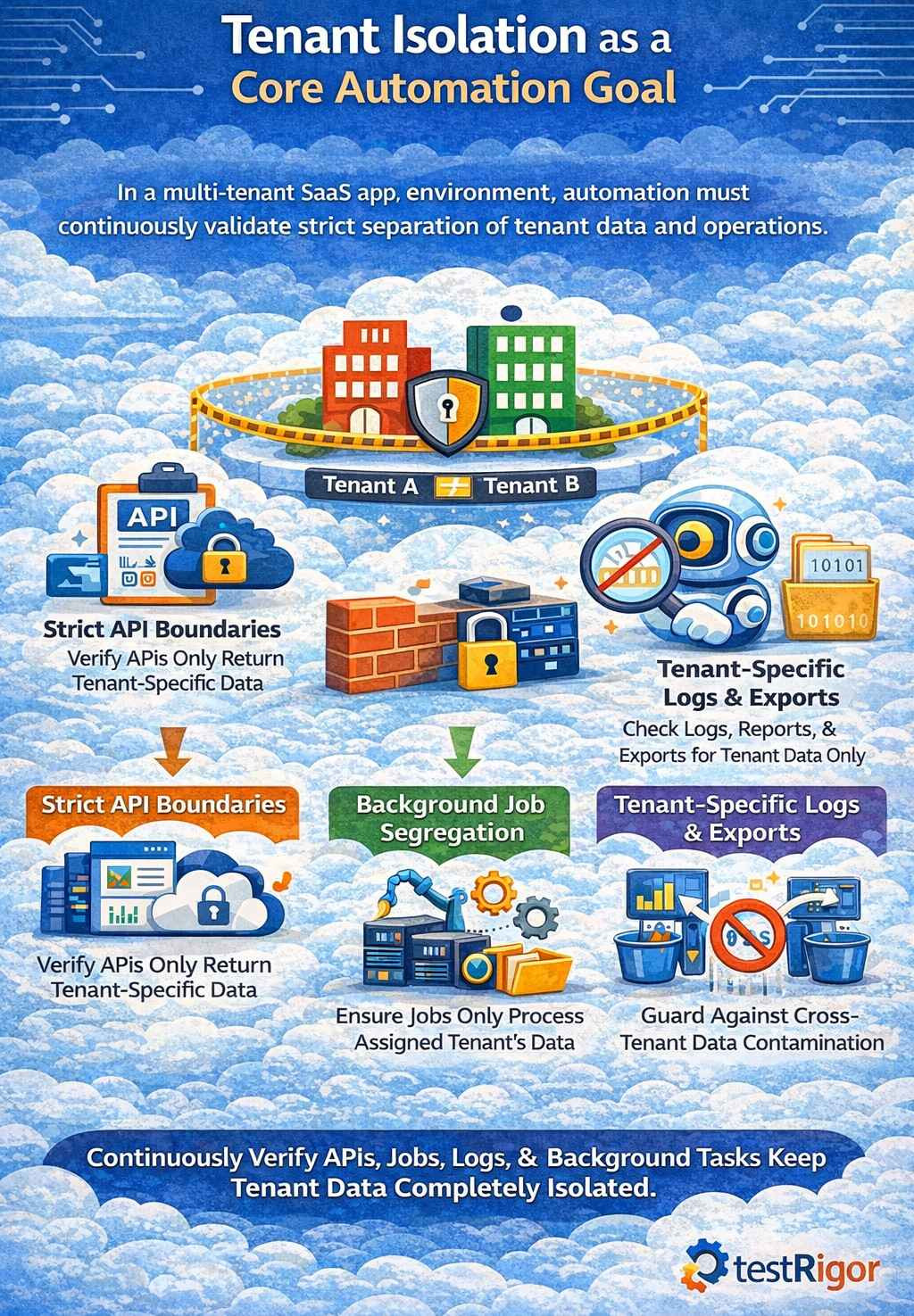
- Tenant A cannot access or view data belonging to Tenant B under any circumstances.
- It should ensure that APIs consistently enforce tenant boundaries and never return or modify data outside the authenticated tenant context.
- Background jobs must be validated to confirm they process data only within their assigned tenant and do not cross-contaminate information.
- Logs, exports, and analytics should also be checked to guarantee they remain strictly tenant-specific and do not leak data across tenants.
- Creates an invoice for Tenant A
- Logs in as a user from Tenant B
- Searches for that invoice using every possible UI and API path
The expected result is always the same: the invoice must not exist.
A practical way to implement this is to run the exact intent-based search through both UI and API entry points. Tools like testRigor can keep the UI checks stable by targeting actions by meaning (what the user is trying to do) rather than fragile selectors, which is useful when Tenant B’s navigation differs from Tenant A’s due to permissions or subscription tier.
Read: How to Do API Testing in Microservices Architecture: A Beginner’s Guide.
Handling Configuration Variability
Multi-tenant SaaS platforms thrive upon the concept of configurability: Feature flags, custom fields, workflows, and integrations all turn out to be major selling points but also significant complexity multipliers for testers. Automation should be built to welcome this variability rather than battle it by hardcoding unsafe assumptions.
- Tenant configuration metadata is the foundational context needed to determine how the application should behave for a specific tenant.
- Feature flag states define whether features are enabled or disabled and directly influence what the test should expect to see or validate.
- Subscription plans set boundaries and functional restrictions, and allow automation to assert only what’s allowed for that tenant.
When automating a workflow approval feature, the test should first verify whether approvals are enabled for the tenant. If they aren’t, the test should validate the absence of approval steps rather than failing. This turns automation from a brittle checklist into a context-aware validation system.
Read: Test Automation Blueprint.
Automating Access Control
Multi-tenant SaaS platforms rarely have a single user type and usually support admins, managers, auditors, contributors, viewers, and even custom tenant-defined roles. A strong automation strategy treats roles as data instead of hardcoding behavior into individual tests.
Instead of writing separate tests where an admin can do one action, a manager can do another, and a viewer is blocked from a third, automation should stay generic. You define a role-permission matrix as data, and a single reusable test validates permissions dynamically based on that matrix. Then it logs in as users with those roles under a specific tenant and verifies UI and API behavior accordingly.
This approach becomes incredibly powerful when tenants define their own roles. Your automation doesn’t need to change; it simply consumes the updated role definitions.
Testing Multi-Tenant APIs the Right Way
- Sends requests using credentials that are explicitly associated with Tenant A.
- It validates that the responses contain only data belonging to Tenant A and nothing from other tenants.
- The test then attempts unauthorized access by using credentials from Tenant B against Tenant A’s resources.
- It confirms that the system correctly denies access and enforces tenant isolation rules.
- The returned users belong only to the authenticated tenant
- Cross-tenant IDs are never exposed
- Pagination and filtering do not leak data
Many teams pair API-level tenant boundary tests with UI-level workflow tests. testRigor is typically used on the end-to-end workflow/UI side (where tenant-specific UI variations are painful), while API checks validate the strict boundary enforcement underneath. Together, they provide fast detection (API) and real-user confidence (UI).
Making UI Automation Resilient Across Tenants
- UI layouts will vary depending on which features a tenant has enabled.
- Menus can be hidden, reordered, or conditionally displayed in accordance with members’ roles and subscriptions.
- Branding elements and labels may also vary from one tenant to another.
- Instead of relying on brittle selectors or fixed layouts, automation must speak directly to the application using business language like “Create Invoice.”
- It should find elements according to meaning and not placement on the screen.
- The automation should also adapt dynamically to UI variations introduced by tenant-specific configurations.
For example, if a tenant has disabled “Advanced Reports,” the automation shouldn’t fail when the menu item is missing. It should validate that the menu item is correctly absent. This approach transforms UI automation from a maintenance nightmare into a powerful validation layer.
This is a core reason teams adopt testRigor for multi-tenant SaaS UI automation: it’s designed to express steps in business language (the intent) and use AI-based targeting to reduce dependency on brittle selectors and fixed layouts. When each tenant has different menus, optional modules, or altered labels, intent-driven automation is far more maintainable than DOM-heavy scripts.
Scaling Multi-Tenant Automation
- A minimal tenant is the simplest configuration that utilizes only core features to allow validation of baseline functionality.
- A power tenant has all features enabled and helps verify that advanced capabilities work together without conflicts.
- A highly restricted tenant is configured with limited permissions and disabled features to ensure access controls and constraints are enforced correctly.
- A tenant with heavy data volume is used to validate performance, stability, and behavior under large-scale data conditions.
- A tenant with custom workflows helps ensure that tenant-specific business logic and configurations are respected throughout the system.
These representative tenants are in a constant run against automation. Real production concerns are mapped against these models.
For instance, if a bug affects only those tenants who have both “Advanced Billing” and “Regional Tax Rules” enabled, that combination is a new representative model added to automation. This keeps coverage up to date with modern use in the real world.
Automation is always struggling against these representative tenants. These models then mapped back onto real production problems. For example, if a bug happens only on tenants with “Advanced Billing” and “Regional Tax Rules” enabled, that combination becomes a new representative model added to automation. This keeps coverage up to date with real-world use.
Integrating Automation into SaaS Release Pipelines
- Quicker tenant-isolation and API tests have to be run on every commit to catch boundary violations and contract issues as soon as possible.
- Core tenant workflows must run on every pull request to confirm stable critical paths among tenant contexts.
- To test for broader coverage while not slowing down developer feedback loops, we should run a full multi-tenant regression suite nightly.
- Prior to major releases, configuration-heavy scenarios should be exercised to reduce the risk of tenant-specific failures in production.
This ensures that tenant-related regressions are caught early, not after customers complain.
Automation Observability and Monitoring
With modern SaaS platforms largely dependent upon observability via logs, metrics, and traces, automation should actively leverage this data. Tests are best designed to reveal meaningful context, not to fail silently.
When a test fails, it should clearly indicate which tenant was involved, under what configuration, with which role, and in which environment the failure occurred. This kind of rich feedback will reduce triage time dramatically, while engendering long-term trust in the automation suite.
Maintaining Automation as the SaaS Evolves
Multi-tenant SaaS (Software as a Service) platforms are in constant motion, with new features, configurations, and tenants being continuously introduced. For automation to live long after this pace, it has to be built for long-term durability, not short-term wins.
The core to sustainable automation is clear ownership, consistent refactoring, and the removal of obsolete tenant models as the system evolves. Successful teams treat test automation as a product and core infrastructure, not as a catch-all set of scripts or overhead expense.
Final Thoughts
Automating testing within a multi-tenant SaaS platform is ultimately about embracing variability instead of fighting it, and creating tests that understand the tenant’s context, enforce isolation, and scale without duplication. And with intent-driven, data-driven, tenant-aware automation, teams can create high-confidence coverage without turning their test suite into an unmaintainable mess.
Platforms like testRigor actually make this practical by enabling business-language automation that adapts across tenants, configurations, and roles, so SaaS teams can ship faster while keeping every tenant safe and satisfied.
Frequently Asked Questions
Why is test automation harder in a multi-tenant SaaS application than in a single-tenant system?
Multi-tenant SaaS applications share infrastructure while maintaining tenant-specific data, configurations, and permissions, which means the same feature can behave differently for each tenant. Automation must validate isolation, configuration-driven behavior, and role-based access, making assumptions far more dangerous than in single-tenant systems.
What does “tenant-aware automation” actually mean in practice?
Tenant-aware automation means every test runs within an explicit tenant context that includes tenant identity, configuration settings, feature flags, subscription tier, and user roles. Tests are designed to validate behavior based on that context instead of assuming a uniform application state.
How do you prevent test suite explosions when testing multiple tenants?
Test suite explosion is avoided by using parameterized and data-driven tests that execute the same logic under different tenant profiles. Instead of duplicating tests per tenant, one test definition runs repeatedly with different tenant configurations supplied at runtime.
| Achieve More Than 90% Test Automation | |
| Step by Step Walkthroughs and Help | |
| 14 Day Free Trial, Cancel Anytime |











