
What is Deployment Testing? Types, Tools & Benefits
 |
The time of deployment is the most crucial point in the software delivery lifecycle. With the application being under development and testing for weeks or months, it finally gets to an environment where there are real users who interact with the application. Deployment testing is here to ensure that this transition proceeds reliably, safely, and smoothly. And after it’s been deployed, it checks that the application works as intended.

Deployment testing has become an activity that is no longer performed at the end of every release cycle, but is now a primary activity in modern software engineering. In any continuously integrated, coalesced, delivered, cloud-enabled, microservice, and frequently released environment, it has matured into a core quality checkpoint.
| Key Takeaways: |
|---|
|
Understanding Deployment Testing
Deployment testing, or sometimes known as deployment validation, is a type of software testing performed to ensure the application after deployment in a specific environment. We want to ensure the deployment process itself, directed from CI/CD pipelines, has not added defects and that the application is working correctly in its deployed form.
In contrast to traditional tests that check functionality on isolated test environments, deployment testing focuses on real-world conditions. It checks immediately after deployment if the configuration is correct, the environment is compatible, services are available, infrastructure is ready, and the system as a whole is stable.
Whether the application is successfully deployed and ready to use, deployment testing answers this basic question.
Why Deployment Testing Is Necessary
A deployment-related issue can cause an application to fail in production even though it passes every phase of pre-release testing: unit, integration, system, and user acceptance. It is not necessarily the business logic (which of course may also have bugs) that fails; it’s more about configuration, infrastructure, or environmental differences introduced in the release.
Known deployment risks include wrong environment settings, missing or invalid environment variables, database migration failures, and broken service dependencies. Other issues, like permissions-related, infrastructure mismatch, component version mismatch, or misconfiguration of a feature flag, can be weaponized to kill an otherwise healthy application silently.
These deployment checks become an important safety net by ensuring that the application works in a production-like environment right after release. It lets teams identify problems minutes after they’ve been deployed, reducing user-facing outages and expensive rollbacks. We also have a structured approach to test coverage at various levels as part of testing strategies. These methods specify the way different modules and components are validated during integration. Selecting a beneficial approach assists teams in identifying defects sooner and handling the complexity of testing better.
Structured test coverage is one of the testing strategies that is taken care of across various levels. These strategies specify the way various components and modules are verified as they integrate. Certain approaches allow teams to identify defects sooner and manage complexity in testing more efficiently.
Read: The Role of Testing in Deployment Strategy
When Deployment Testing Is Performed
Deployment testing is conducted immediately after an application is deployed to ensure the system functions correctly in the target environment. The exact timing varies based on the organization’s release strategy and level of automation.
Traditional Release Models
In traditional release cycles, deployment testing is typically executed after production deployments, major version upgrades, or significant infrastructure changes. These tests are often performed as a separate phase once deployment activities are completed. Depending on organizational maturity, testing may be manual or partially automated. Read: Production Testing: What’s the Best Approach?
Agile and CI/CD Models
In Agile and CI/CD environments, deployment testing is highly automated and embedded directly into the delivery pipeline. It can run after deployments to development, test, staging, or production environments. The results frequently control pipeline decisions, such as allowing progression to the next stage or triggering an automatic rollback. Read: A Roadmap to Better Agile Testing
Core Objectives of Deployment Testing
Deployment testing mainly focuses on validating that an app works just after being released to an environment, validating that the application does what it is supposed to do right when released. Its main intent is to catch environment-specific and runtime problems before they impact end users.
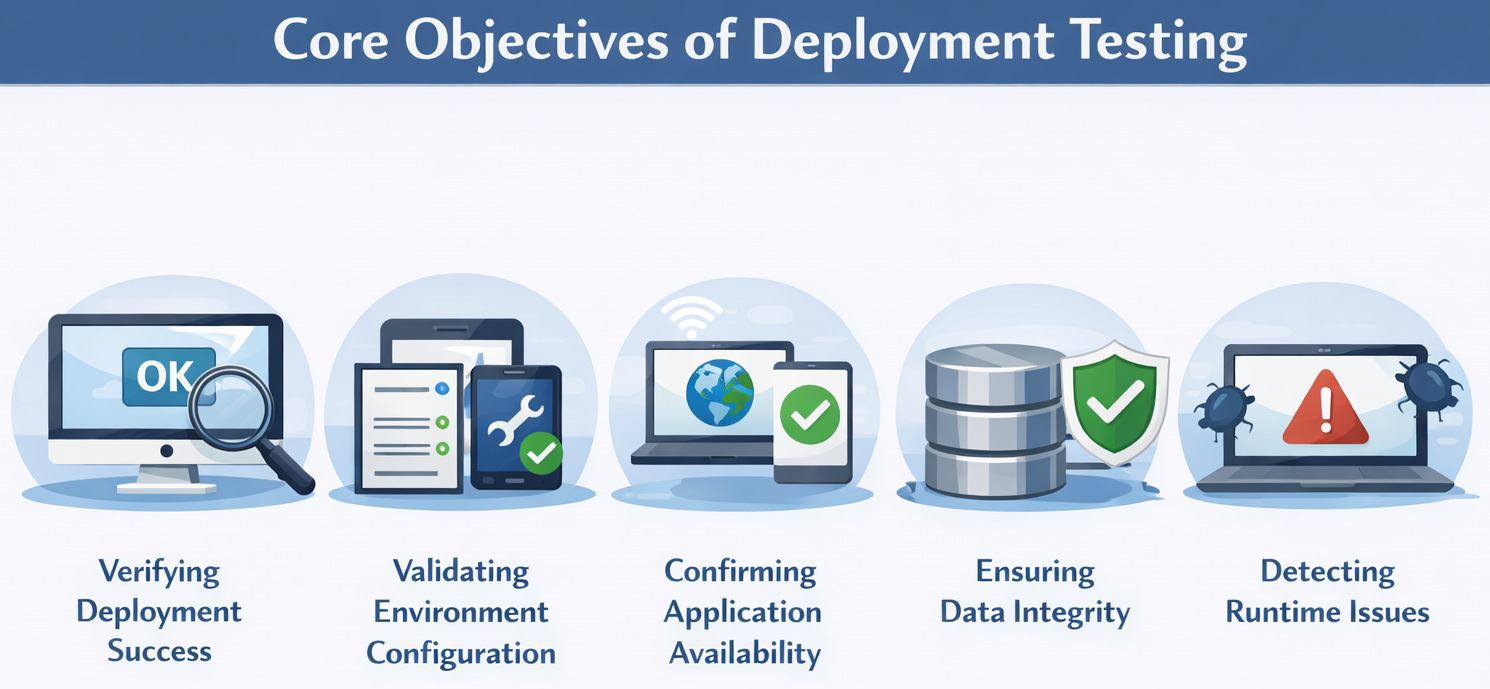
- Verifying Deployment Success: It is crucial to make sure that everything goes exactly as expected; all the required services, containers, jobs, and background processes that need to be in place should be up and running as per plan.
- Validating Environment Configuration: Deployment testing makes sure that all configurations for which the application is going to run, such as URLs, credentials, secrets, certificates, or feature flags, are correctly deployed. Even a small configuration error can cause critical functionality to fail.
- Confirming Application Availability: The application should be accessible to users and external systems after deployment. Deployment testing tests basic responsiveness, health endpoints, and service stability.
- Ensuring Data Integrity: The database migrations, schema changes, and data transformations need to work well when deploying. Deployment testing allows us to ensure the data is not lost, corrupted, or left in an inconsistent state.
- Detecting Runtime Issues: Some issues only occur in real deployment settings, like memory constraints, network limitations, or permission issues. Testing deployments helps you identify this kind of issue fairly early before it becomes a production failure.
Types of Deployment Testing
Deployment testing is not a single activity, but a set of focused validations carried out post-application deployment. Each category focuses on a different risk, e.g., availability, configuration, data, or infrastructure. Together, they make sure the deployment is stable, reliable, and production-ready.
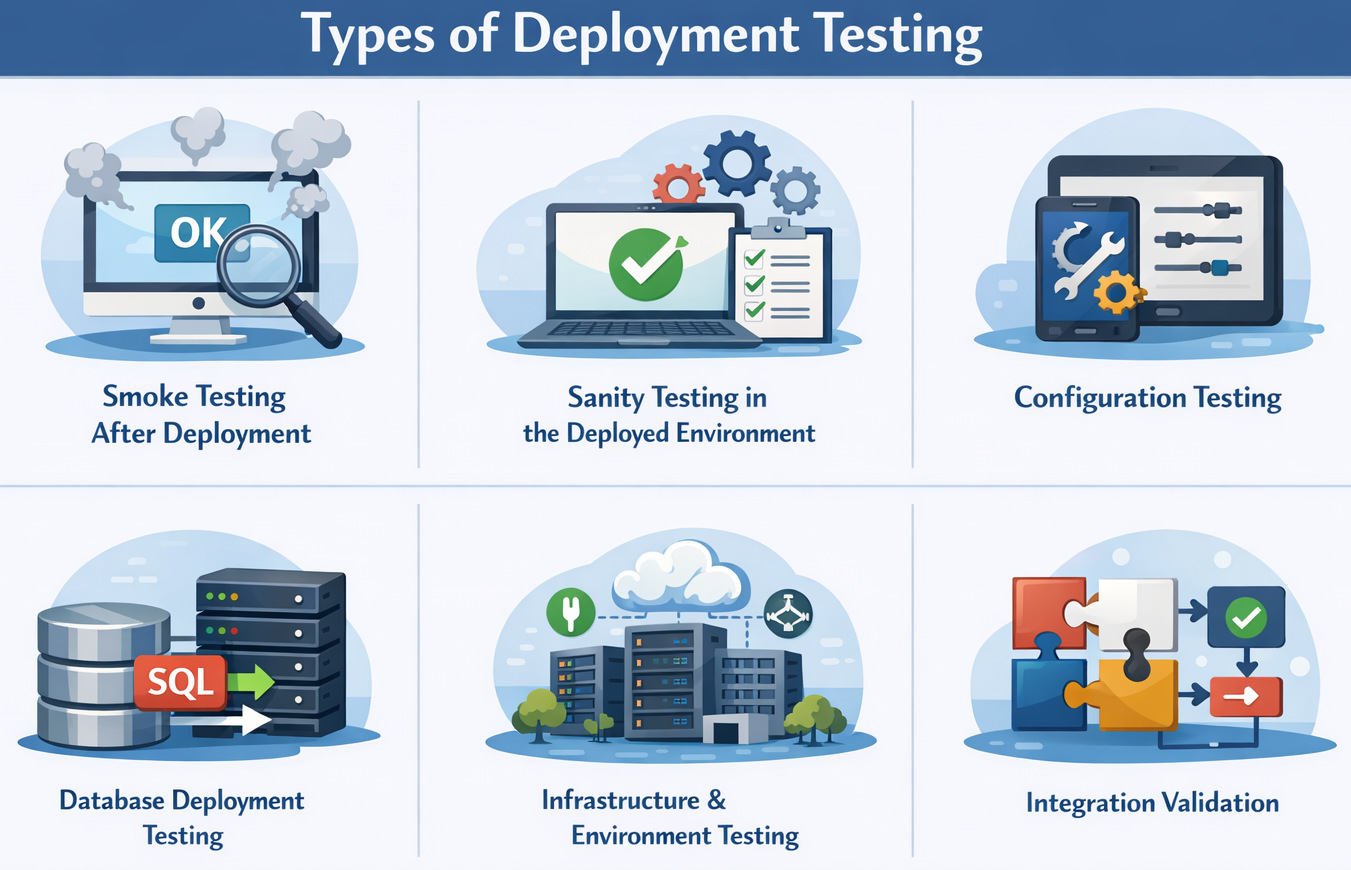
Smoke Testing After Deployment
Smoke testing is the first line of defense after deployment and aims to quickly confirm that the application is running. These tests verify that the application starts successfully, core APIs respond, the main UI loads, and basic authentication works. Smoke tests are intentionally lightweight and designed to fail fast.
Sanity Testing in the Deployed Environment
Sanity testing focuses on validating the specific changes introduced in the deployment. It ensures that new features, fixes, or configuration updates behave as expected in the deployed environment. Rather than covering the entire system, it targets the most impacted areas.
Configuration Testing
Configuration testing verifies that environment-specific settings are applied correctly after deployment. This includes environment variables, API keys, feature toggles, service endpoints, and load balancer or proxy configurations. Even minor configuration errors can cause major production issues, making this testing critical.
Database Deployment Testing
Database deployment testing validates that schema changes and migrations have been applied successfully. It ensures existing data remains intact and that no corruption or data loss occurs. Rollback readiness is also evaluated, especially for high-risk or irreversible changes.
Infrastructure and Environment Testing
Infrastructure testing confirms that the underlying environment properly supports the deployed application. It checks server and container availability, resource allocation, network connectivity, autoscaling behavior, and storage access. In cloud-based systems, this testing is essential to ensure operational stability.
Integration Validation
Current applications heavily depend on external services and systems. Deployment testing ensures that integrations like payment gateways, authentication providers, messaging systems, and third-party APIs still operate properly. Integrations may be broken quietly if configured or if versions are modified, and if not validated.
Deployment Testing Across Environments
Deployment testing has significance at all levels of the delivery service implementation process, not only in production. Running these tests across environments can help to identify issues early and lower the risk of a release incident. The scale is environment-dependent: the size and emphasis are on a variety of things.
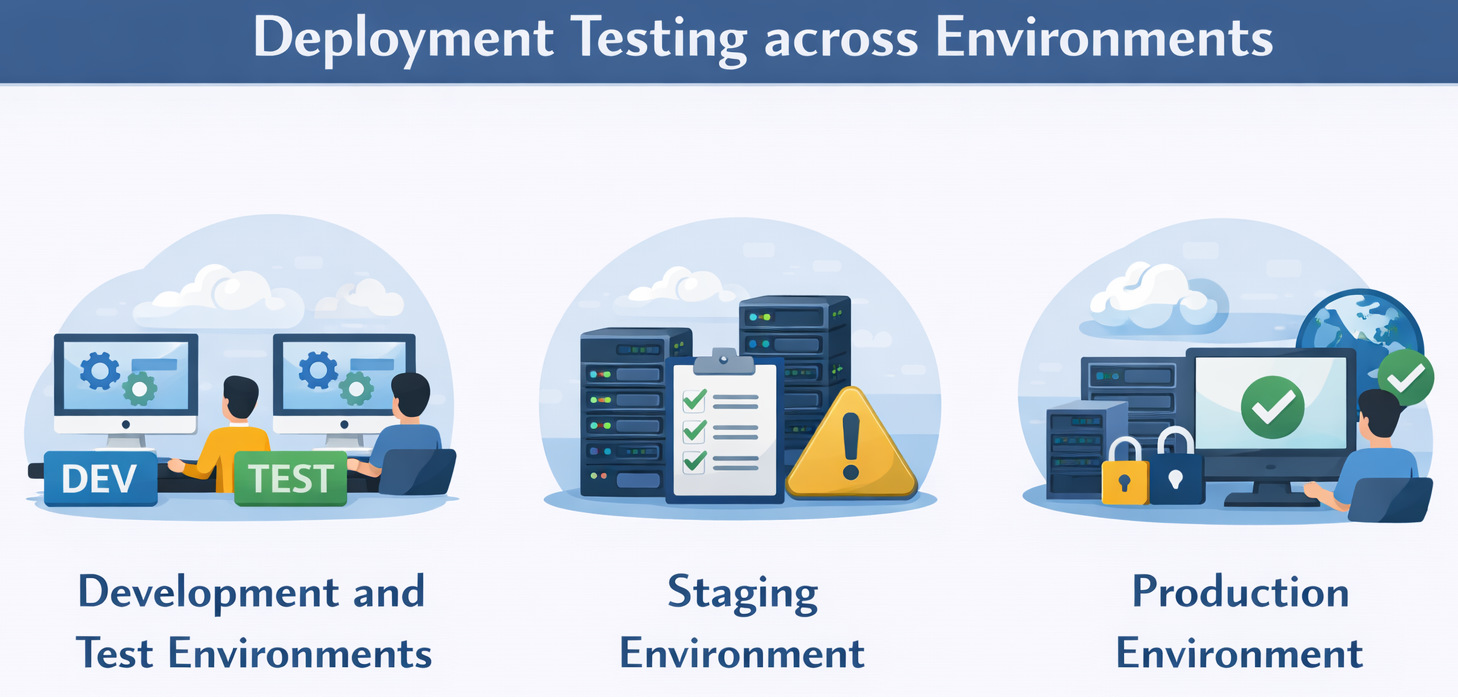
- Development and Test Environments: Deployment testing is part of the lower implementation level in support of validating build artifacts, deployment scripts, and infrastructure templates. It makes it possible for teams to spot problems with packaging or automation in their early stages. The earlier the better, and so the sooner a deployment becomes an issue, the cheaper it is to address this issue.
- Staging Environment: Staging environments are a final layer of testing, much like production, that really mirrors production and can serve as a last layer of checks. Deployment testing here takes on end-to-end workflows, as well as system integrations and performance baselines. Several teams view staging deployment tests as a dress rehearsal for production releases.
- Production Environment: Production deployment testing is low but crucial, as testing contains real users. They focus on application availability, important user journeys, and monitoring or logging validation. So, testing needs to be quick, safe, and reliable to prevent user effects.
Deployment Strategies and Testing
- Blue-Green Deployment: Blue-Green deployments involve two identical environments running in parallel, one serving live traffic, the other hosting the new release. Deployment testing on the inactive environment is done to ensure functionality, configuration, and stability. When the tests pass, the traffic is switched, reducing downtime and the chances of rolling back the system.
- Canary Releases: Canary releases put a new version out there to a small subset of users slowly. Testing the deployment complements real-time monitoring by ensuring stability, performance, and correctness in the early rollout phase. Release can be suspended or rolled back prior to affecting most users, if any problems are identified. Read: What is Canary Testing?
Challenges and Advantages of Deployment Testing
Deployment testing is essential for ensuring application stability after release, but it is not without its difficulties. Understanding both its challenges and benefits helps teams design effective and realistic deployment testing strategies.
| Limitations / Challenges | Advantages / Benefits |
|---|---|
| Differences between development, staging, and production environments can cause unexpected and hard-to-reproduce failures. | Deployment testing helps detect environment-specific issues early, improving consistency and reliability across releases. |
| Deployment tests often need to run under tight time constraints, especially in production environments. | Fast and targeted deployment tests provide quick feedback and enable confident release decisions. |
| Testing in production must be carefully controlled to avoid modifying or exposing sensitive user data. | Carefully designed tests validate availability and critical workflows without risking data integrity or compliance. |
| Automating deployment tests across multiple environments and configurations can be complex and difficult to maintain. | Once automated, deployment testing becomes repeatable, scalable, and consistent across every deployment. |
This balance shows why deployment testing, despite its challenges, plays a vital role in reducing deployment risk and improving production stability.
Role of QA in Deployment Testing
QA is not simply tasked with completing deployment testing, but becomes a critical component in the implementation of successful deployment testing. QA teams identify deployment-related risks, design meaningful deployment test scenarios, define production-safe test cases, and collaborate closely with developers and DevOps teams for smooth releases. By participating, they catch environment and deployment issues that the traditional stages of testing often miss.
Automation is particularly crucial in deployment testing, where releases happen frequently and must be quickly and reliably assessed. Manual checks are far too slow and inconsistent to meet the demands of modern CI/CD pipelines, especially in a production environment. Automated deployment tests allow for rapid validation, reduce human error, and enable teams to make confident go-or-no-go decisions within minutes of deployment.
Read: Continuous Deployment with Test Automation: How to Achieve?
AI-Based Deployment Testing
- Plain English Deployment Tests: testRigor enables QA teams to write quality tests in simple English without the need to worry about intricate scripting and maintenance. Thus, everyone on your team can participate in test automation. You can even use the tool to create plain English tests for yourself based on simple English descriptions. Read more about this over here: All-Inclusive Guide to Test Case Creation in testRigor
- Easy Integrations and Continuous Testing: You can easily integrate testRigor into your existing QA ecosystem. By doing this, you’re essentially promoting continuous testing and can trigger deployment tests whenever you want.
- UI Validations: testRigor can help identify broken UI and even suggest adjustments to test cases to ensure that your test runs are not flaky. Read: Vision AI and how testRigor uses it
- Test All Types of Scenarios and Apps: You can test various scenarios like 2FA logins, API tests, and even AI features like chatbots and LLMs with a single tool. Moreover, these tests can be run across multiple browsers and platforms, like the web, mobile, and even desktop.
- Near-Zero Test Maintenance: testRigor’s AI engine ensures that you don’t spend your time fixing broken tests. Hence, the tool doesn’t rely on implementation details of UI elements like XPaths and CSS tags. Instead, it scans the UI as a human emulator.
testRigor’s AI-driven approaches adjust on the go according to the environment, making the tests more robust against UI, configuration, workflow changes, and more. This allows QA teams to scale deployment testing across environments in a fast, production-safe manner while still being closely aligned with DevOps practices.
Deployment Testing as Risk Mitigation
Deployment testing helps to minimize the risk in operations as it detects problems almost immediately after rollout. It keeps downtime, user-facing failures, emergency rollbacks, and long-term loss of user trust at bay. Deployment testing turns deployments into predictable, controlled activities by validating real-world conditions early on. That transition takes releases from high-risk events to daily, confidence-oriented functions.
The Future of Deployment Testing
Deployment testing evolves quickly as software delivery becomes faster and more continuous. Things like the growing role of automation, AI for anomaly detection, continuous verification, shift-right testing, as well as tighter observability platform integration are changing the way teams are proving the validity of deployments. Deployment testing is no longer a simple checkpoint on a production release but a continuous event throughout the entire lifecycle of the software being released.
AI-based tools are helping to transform this, smart and resilient deployment testing at large. Platforms like testRigor utilize AI to build sturdy, self-adaptive tests that can detect unexpected behavior across environments, with minimal maintenance. This helps teams to regularly maintain validation of deployments as well as to respond quickly to any outliers, such as deviations from anticipated behavior, and maintain high confidence as release volume grows.
Final Thoughts
Deployment testing is a cornerstone of contemporary software delivery that guarantees that applications will not merely go through pre-release checks but will perform reliably in a real-world setting when they are delivered after release. By testing configurations, integrations, data integrity, and runtime behavior at the most critical time of release, the deployment transition from risky events to predictable, controlled operations is transformed. With AI-powered platforms like testRigor, teams can automate deployment testing at scale, reduce maintenance overhead, and gain fast, production-safe confidence that each release will be ready for real users.
FAQs
What makes deployment testing different from release or pre-release testing?
Deployment testing validates the application after it is deployed to an environment, focusing on configuration, infrastructure, integrations, and runtime behavior that cannot be fully verified before release.
Is deployment testing required if all pre-deployment tests have passed?
Yes, because many failures occur due to environment differences, misconfigurations, missing secrets, or infrastructure issues that are only introduced during deployment.
What are the biggest risks of skipping deployment testing?
Skipping deployment testing increases the risk of outages, broken integrations, data inconsistencies, failed migrations, emergency rollbacks, and loss of user trust.
| Achieve More Than 90% Test Automation | |
| Step by Step Walkthroughs and Help | |
| 14 Day Free Trial, Cancel Anytime |











