Release Notes: Scheduled runs, Text validation on new file types, PractiTest and Allure integration, Duplicated variables, AI agent allocation
 |
Scheduled runs enhacements
With this new update, our team has deployed a new setting that will allow us to modify the behaviour of scheduled test suite runs, whether they should be able to cancel current test case runs or simply not trigger if there’s a test suite run occurring at that time. You can check this setting on the “Settings” section, “Advanced” tab of your test suite:

Scheduled test suite runs will be also visible on the “Background Jobs” section, it will also display their current status (if they ran, are scheduled or were cancelled).

Added support to check for text on additional file types (.pptx, .rtf, .odt, .odp)
We can now validate text on the following file formats .pptx, .rtf, .odt, .odp. For example:
check that downloaded file "sample.pptx" contains "Test"
PractiTest and Allure integration
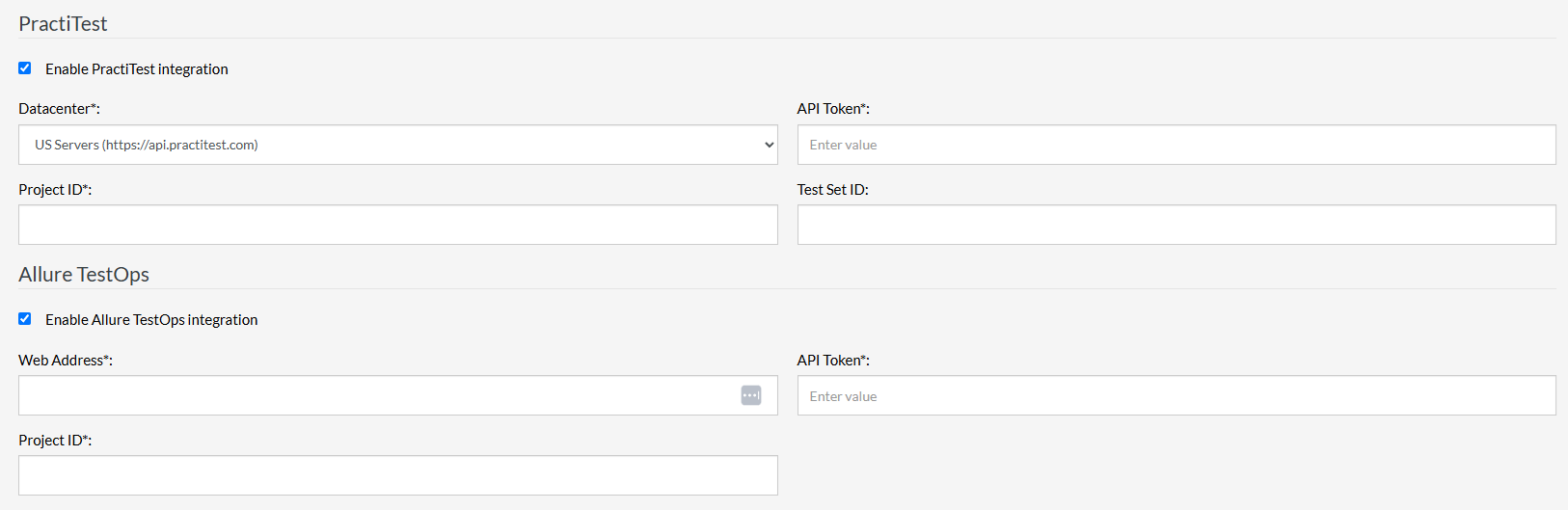
Our team has added the option to integrate test suites with both PractiTest and Allure. You can check these integrations on the “Settings” section, then click on the “Integrations” tab.
Duplicated test variables enhacements
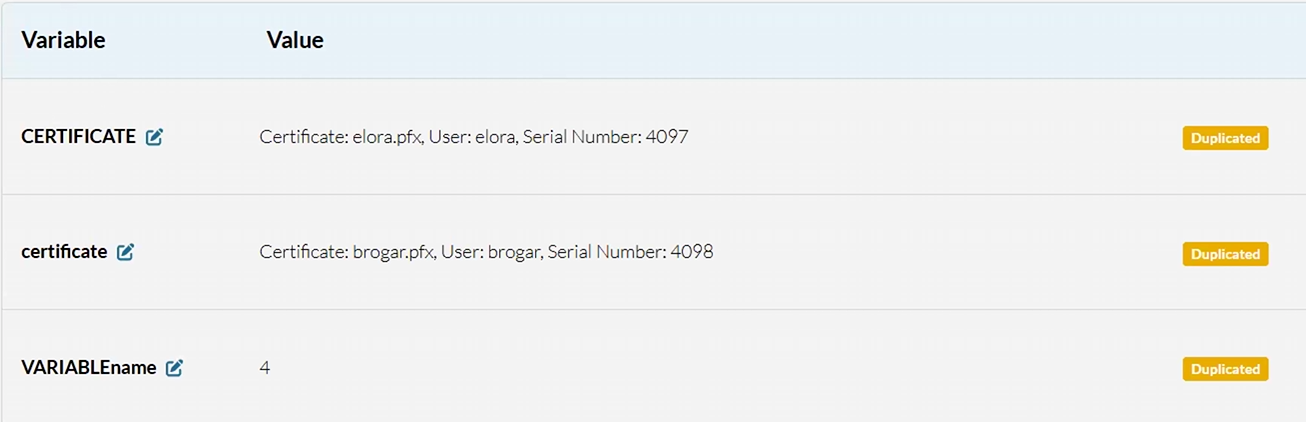
If we have a test suite with test data where 2 or more variables share name, they will be marked as “Duplicated” (this is not case sensitive).
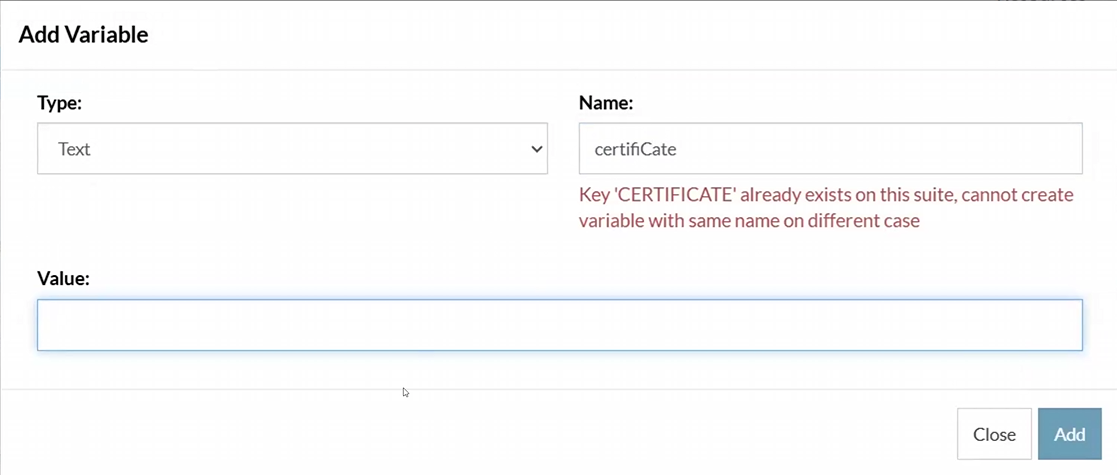
Additionally, you won’t be able to create variables that have an already existing name, a warning will be displayed if this were to occur:
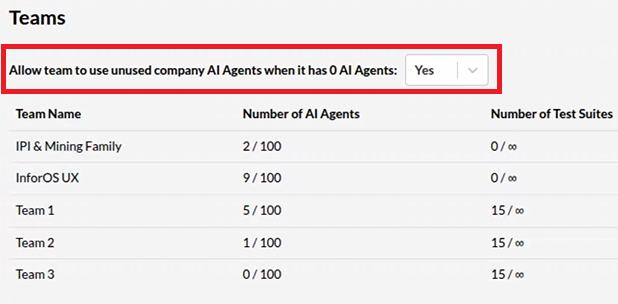
Changes to AI agent allocation on teams
Incldued a new setting that will allow/disallow to allocate unused AI agents onto test suites that belong to teams that are currently using all of their assigned AI agents.