
Release Notes: AI Test Completion, Inherited Status
 |
New “Use AI to Complete Creating This Test” Button for Smarter Test Case Generation
testRigor now features a powerful “Use AI to complete creating this test” button that leverages advanced AI to automatically fill in missing test steps based on the test case title, existing steps, and the provided AI Context. When activated, the AI analyzes the test description and current steps to generate the necessary additional actions to fully complete the test case, aligning it with the intended test goal.
This AI-driven feature supports an iterative workflow—users can trigger the AI to add steps, manually edit or remove generated steps, update the AI Context if needed, and then rerun the process to refine the test case progressively. The button is conveniently accessible in multiple locations, including during test case creation, editing, and the quick actions dropdown.
Additionally, the existing “Review changes done by AI” button allows users to easily inspect the AI-generated steps, ensuring complete control and transparency in AI-assisted test development.
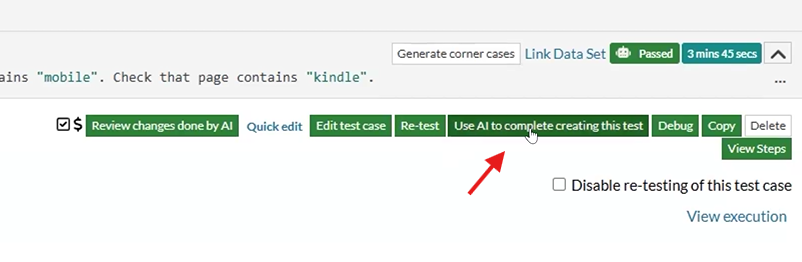
Caption: New button location.
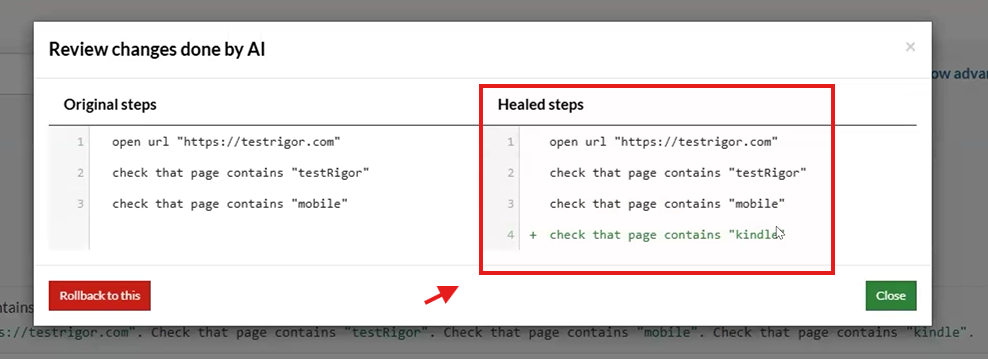
Caption: Steps added by AI.
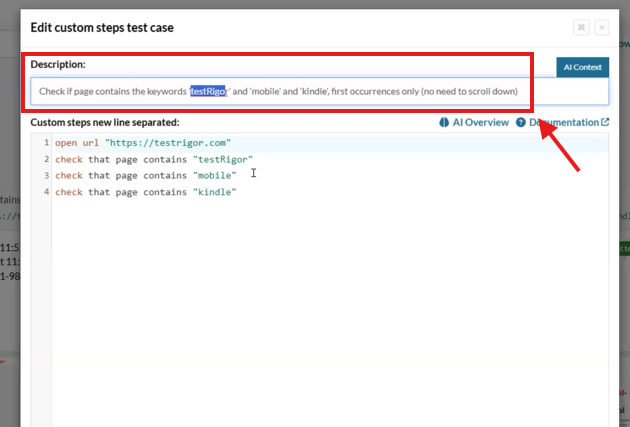
Caption: Title description and step added to the test case.
Enable or Disable Tests Across Parent and Child Suites
testRigor now provides enhanced control for enabling or disabling test cases within parent suites and their associated child suites. When you disable a test case in a parent suite that contains multiple child suites, a confirmation modal appears offering two options:
-
Disable the test case only in the parent suite
-
Propagate the disabling action to all corresponding test cases in child suites.
This functionality streamlines test management by allowing you to selectively enable or disable tests across various suites without manual updates to each child suite. You can also choose which specific suites to apply the disable action, providing flexibility in complex test hierarchies.
This feature optimizes test suite maintenance and execution strategy by ensuring precise control over test case activation across parent-child relationships, reducing redundancy and improving overall test organization.
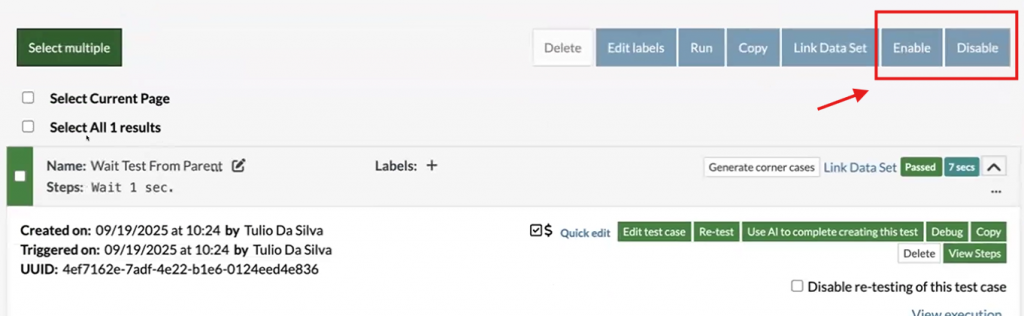
Caption: Enable and Disable buttons.
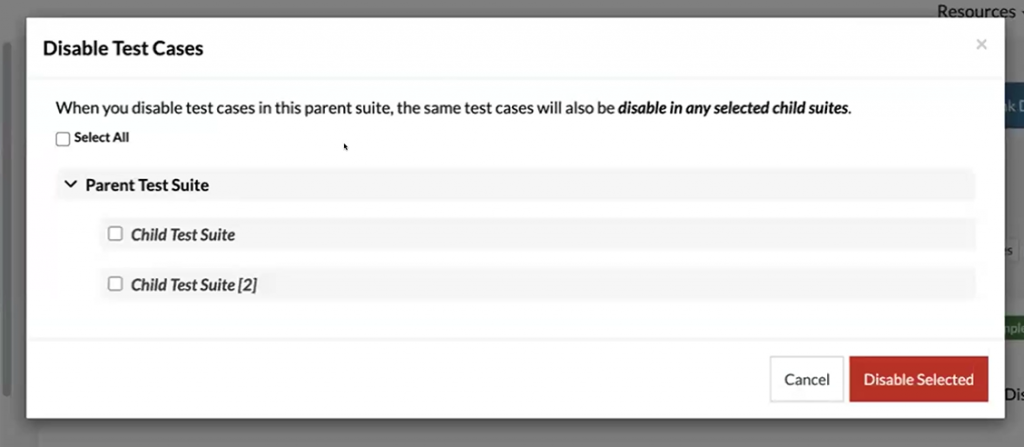
Caption: Child test suite disable options.
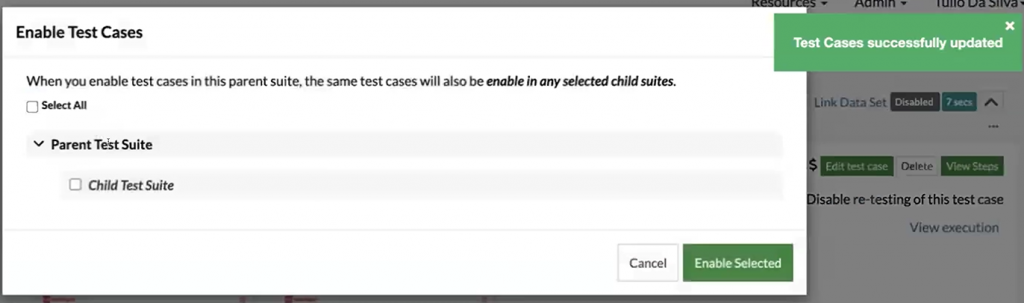
Caption: Child test suite enable options.










