
Release Notes: Dataset Search, Hidden Data and IOS 18
 |
Improved Data Set Linking: Search Bar, Pagination, and Enhanced Formatting
Linking a dataset to a test case is now more efficient and user-friendly with the addition of a search bar, pagination, and enhanced formatting. When selecting a dataset, all available datasets are displayed in a paginated list for easier navigation, even when managing large volumes of data.
Key Features:
-
Search by Dataset Name: Instantly filter datasets by typing in the search bar. The system detects when you finish typing and then queries the database, delivering fast and relevant results.
-
Pagination for Large Data Sets: Datasets are now displayed with pagination, ensuring optimal performance and a streamlined user experience when browsing extensive lists.
-
Enhanced Formatting: Improved visual presentation makes it easier to identify and select the correct dataset for your test case.
These enhancements simplify the process of linking datasets to test cases, improving productivity and enabling more precise data-driven testing within your automation workflows.
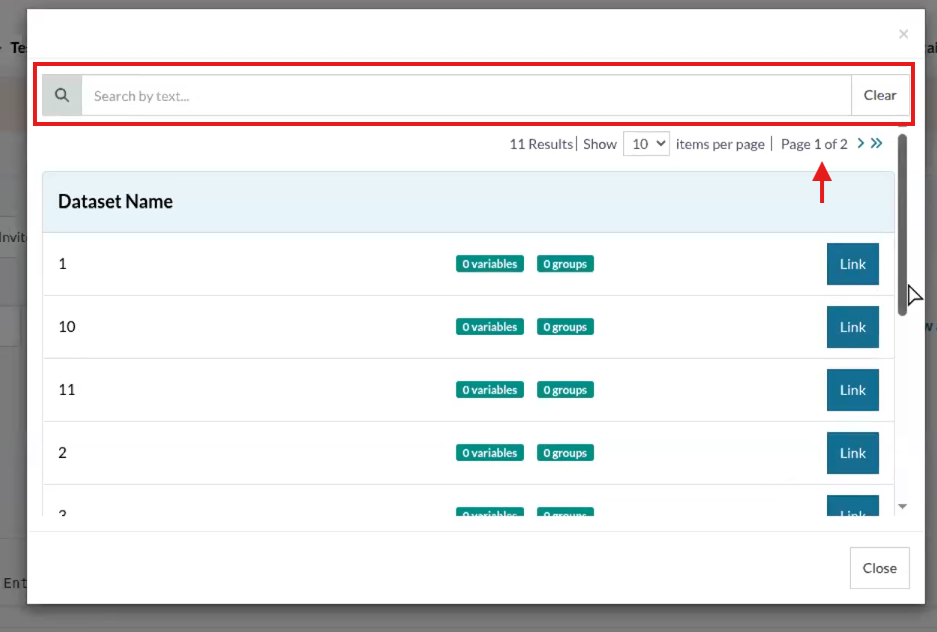
Caption: Pagination and filtering.
Expanded Support for New iOS 18 Versions on ARM64 and Intel Devices
Support has been rolled out for the latest iOS 18 versions, now including compatibility with both ARM64 and Intel-based devices. The newly supported versions are iOS 18.4, 17.5, and 17.4. This update ensures comprehensive test coverage and seamless automation for applications targeting the newest iOS releases, enabling teams to validate functionality, performance, and compatibility across a broader range of Apple devices and operating system versions.
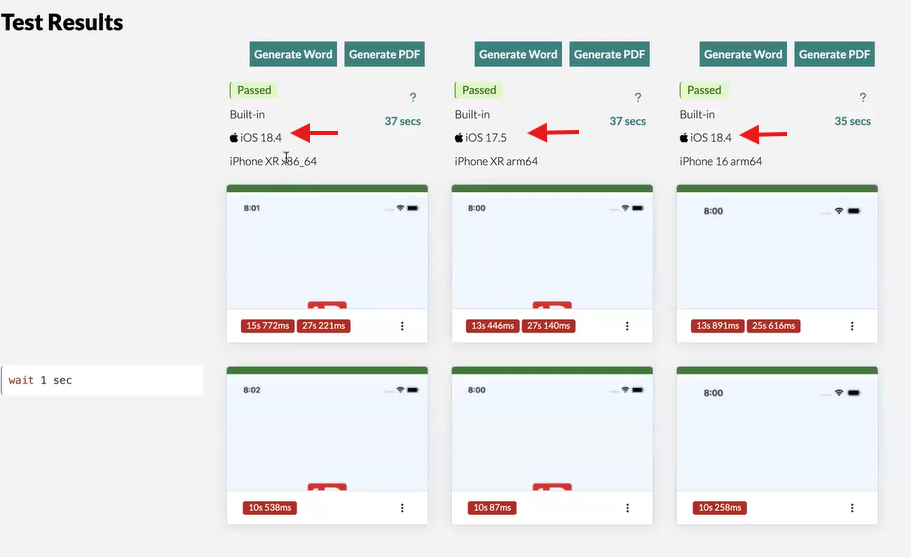
Caption: New available iOS versions.
Enhanced Data Security: Hidden Variables from Linked Data Sets No Longer Visible in Execution View
To strengthen data privacy and security, hidden variables from linked Data Sets are no longer displayed in the Dataset Group/Row table at the bottom of the View Execution page. Previously, hidden values—such as passwords or sensitive information—were visible during execution review. With this update, any variable defined as hidden in a dataset will remain concealed, ensuring that confidential data like passwords are never exposed in test execution reports.
This improvement aligns with best practices for data protection and compliance, helping teams maintain the highest standards of security in their automated testing workflows.
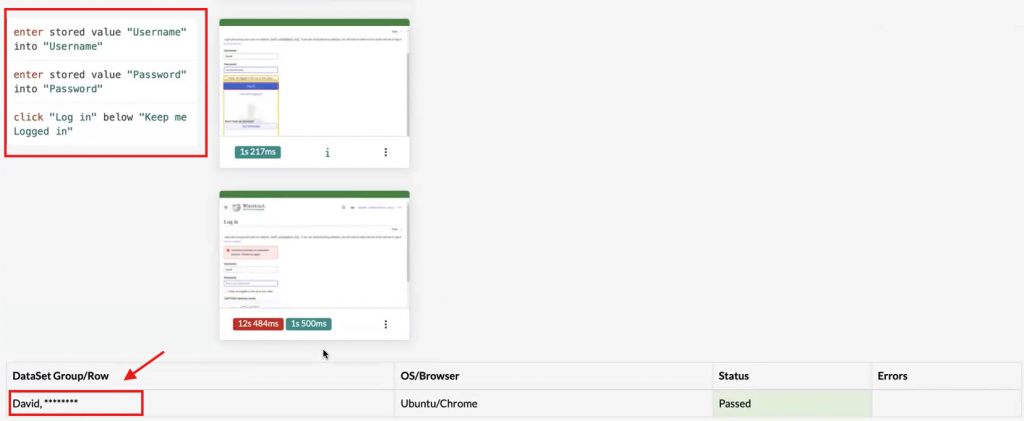
Caption: Hidden value for dataset.










