
Release Notes: Test cases overriding, Invisible button
 |
Overriding test cases steps when copying from another suite
testRigor now offers a powerful feature that allows you to override test case steps when copying from one suite to another. It works in this way:
-
Let’s say you have a test case A in test suite 1 (Parent suite), which is going to be copied into test suite 2 (Child suite) which has a test case B with the same name as test case A.
-
What will happen is that the test case B in test suite 2 (Child suite) will override the commands that it currently has and the steps from test case A in test suite 1 (Parent suite) will take its place.
To illustrate this process, refer to the example below:
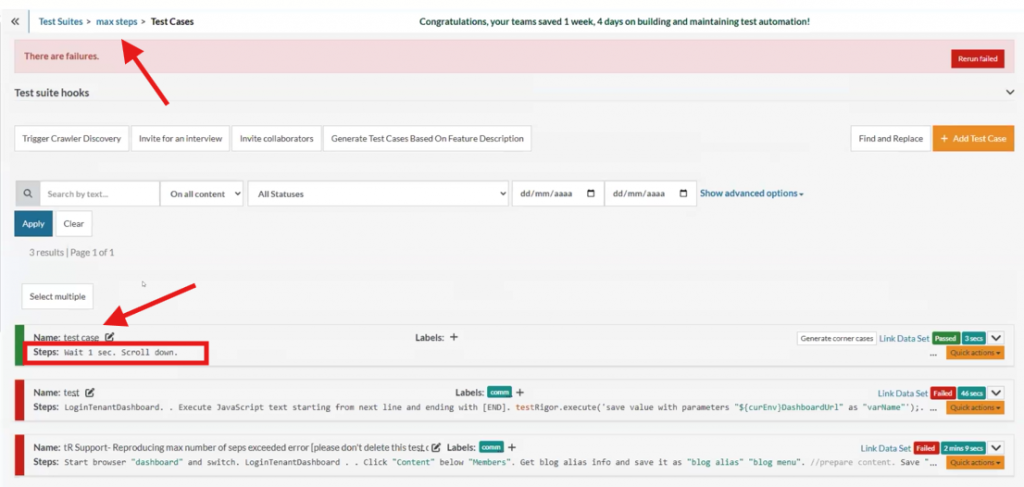
Caption 1: Test suite 2 with the test case B and its current steps.
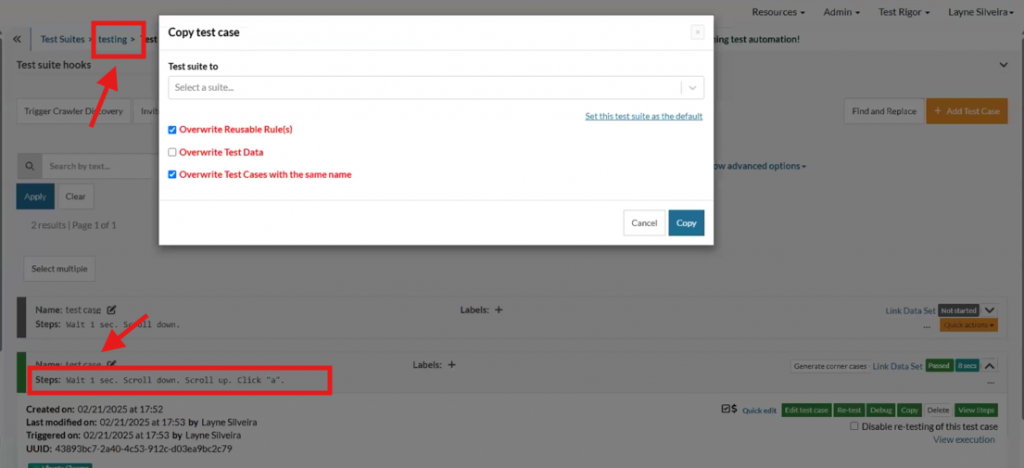
Caption 2: Test suite 1 with test case A with the same name as test case B, but with different steps.
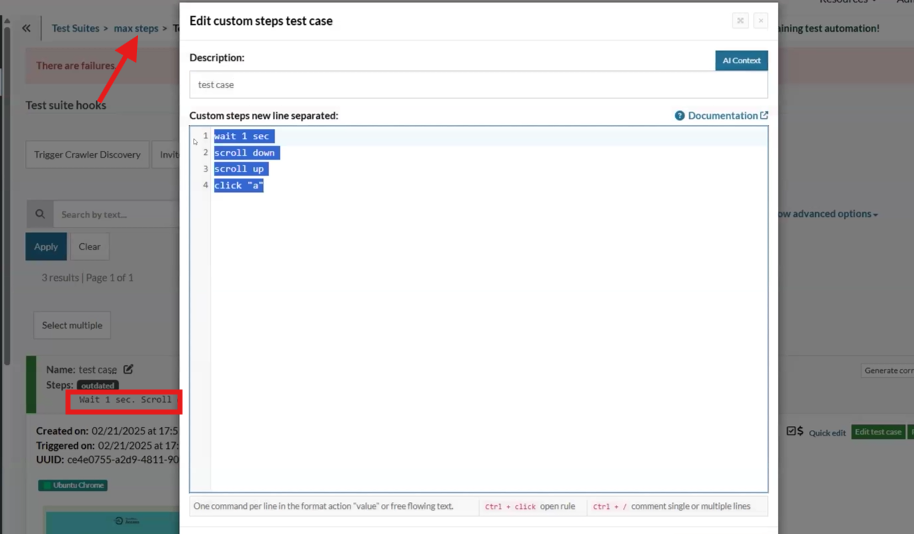
Caption 3: You can see that steps changed on test case B, and now it shows its new steps.
Enhanced Reliability for iOS Native Apps: Invisible Button Click Strategy
We have introduced a new setting specifically designed for iOS native apps to improve test reliability. Located in Settings -> Advanced, the “Invisible button click strategy” option allows users to configure how the AI agent handles attempts to click on invisible buttons.
When set to “fail test,” any attempt by the AI to interact with an invisible button will result in the test failing. This feature is particularly beneficial for reducing false positives in certain applications, ensuring that tests accurately reflect the intended user experience.
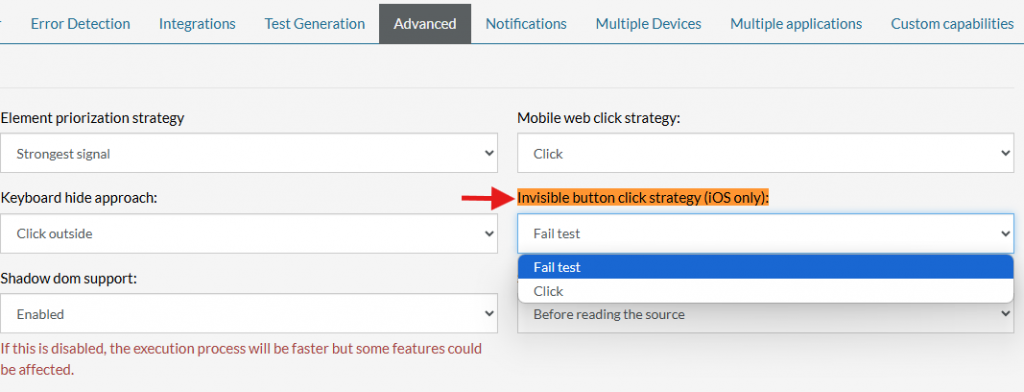
Caption: Invisible button setting location.










