
Release Notes: Accessibility Filter, Binary API Uploads
 |
Added accessibility filter for the errors page
This release adds filtering to the errors page dropdown. Users can now select “All issues” or “Accessibility issues only,” hiding unrelated errors for better focus on WCAG compliance, contrast violations, ARIA problems, and similar accessibility concerns.
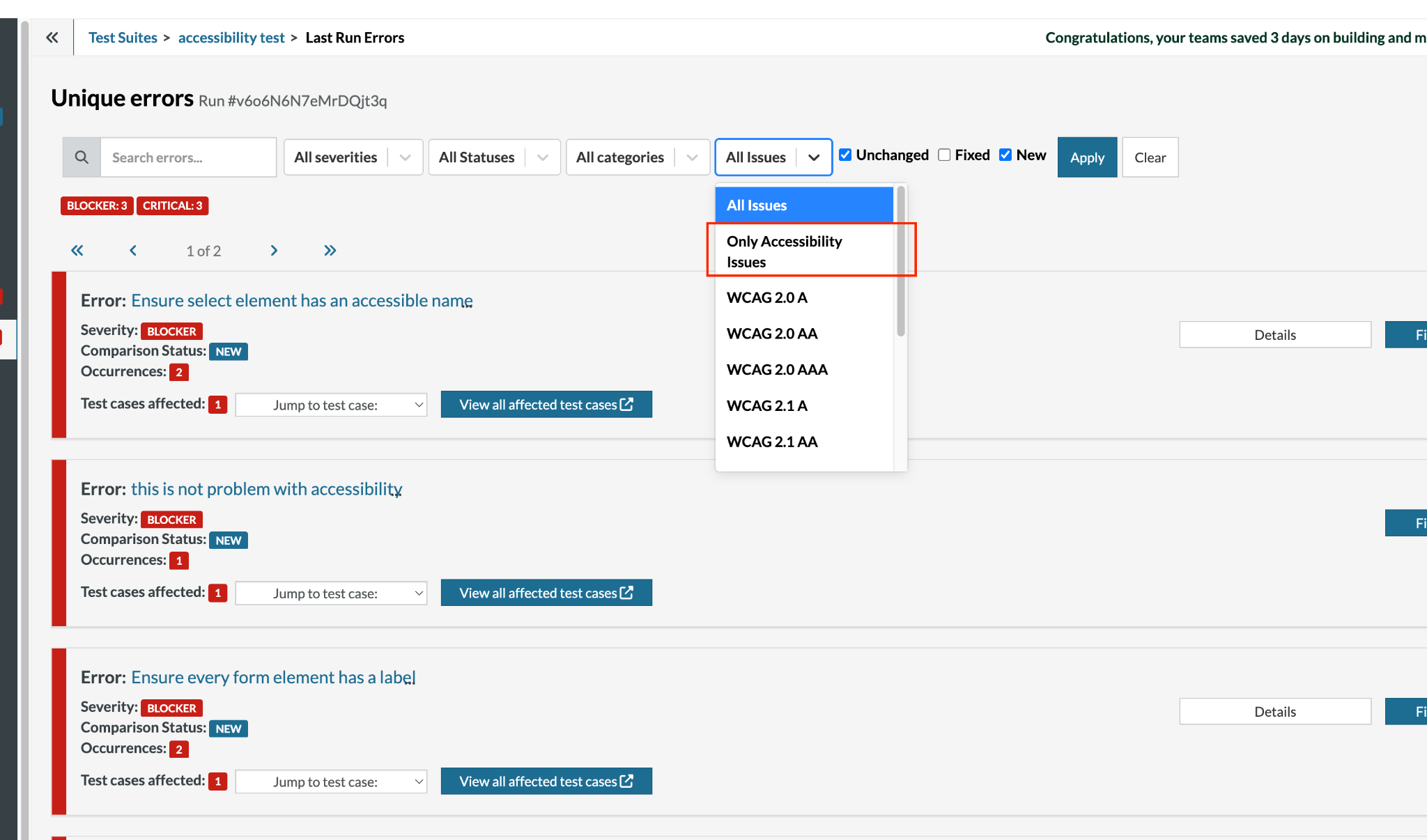
Caption: New accessibility filter dropdown.
Added support for uploading binary files in API calls
This update introduces support for uploading binary files in API calls, a major enhancement that enables seamless handling of images, PDFs, executables, and other non-text data directly in your tests. Previously limited to JSON/text payloads, you can now include binary attachments alongside headers and body data. You can use this syntax to do so:
call api post "http://dummy.restapiexample.com/api/v1/create" with headers "Content-Type:application/json" and body "{}" and binary data stored value "data"
This unlocks advanced file upload testing scenarios across REST APIs.
Introducing AI Descriptor for Reusable Rules
This release introduces an optional “AI Descriptor” field in reusable rules, significantly improving the quality of AI-powered test case generation. Previously, AI models received truncated rule names (limited to 60 characters with special characters stripped), often resulting in poor step generation due to incomplete or garbled context. The new AI Descriptor field lets you provide a clean, optimized description specifically formatted for AI consumption, no special characters, max 60 characters. This is sent directly to the AI alongside your rules during test case generation or AI-based rule execution.
If left empty, our system intelligently generates the descriptor from the rule name and steps, ensuring optimal results either way.
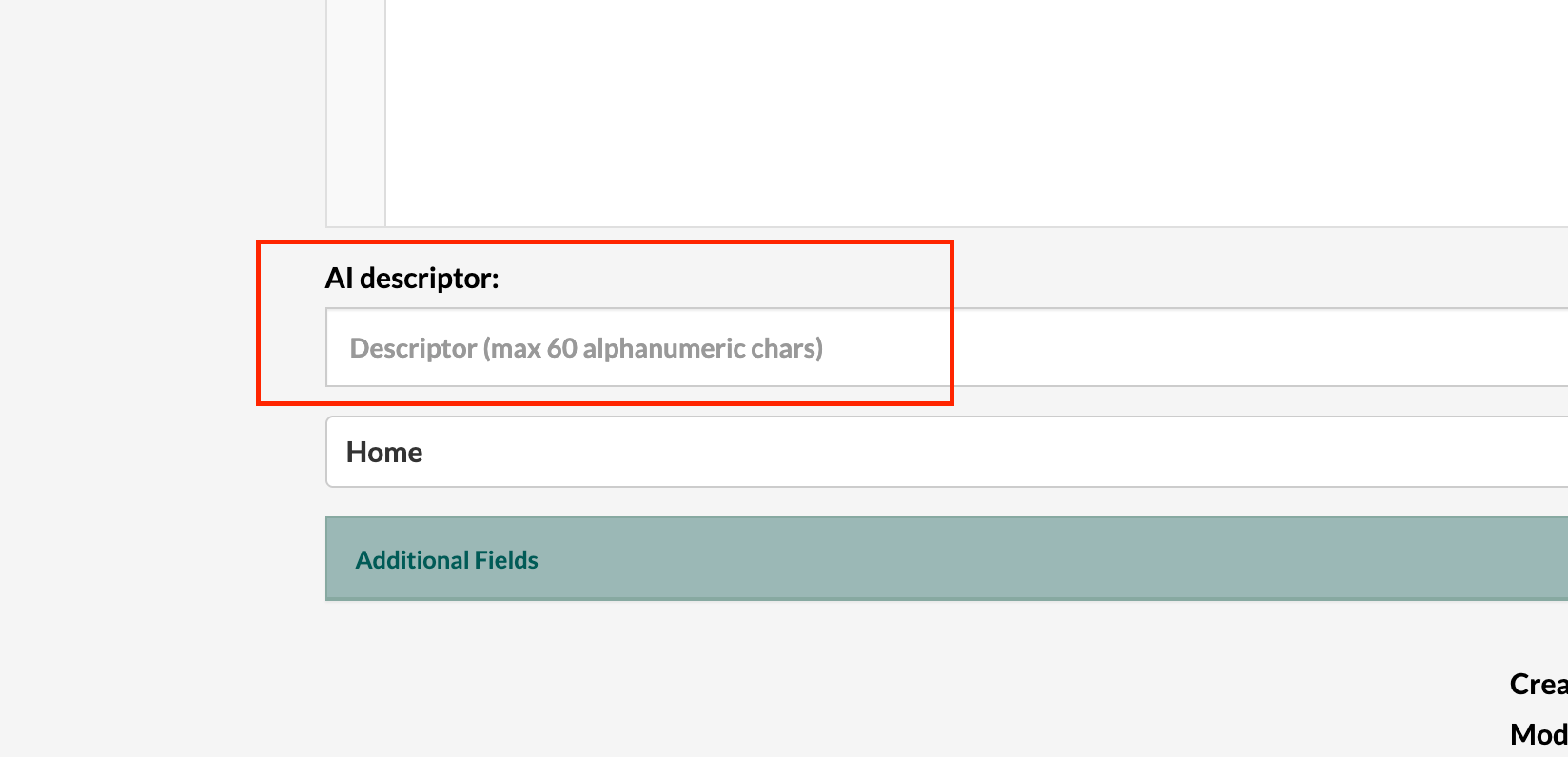
Caption: New AI descriptor field available in the reusable rules page.
Happy Holidays! ~~










