
What are Red Box, Yellow Box, and Green Box Testing?
 |
If you have spent time in software testing, chances are someone has spouted words like red box, yellow box, or green box testing. Does it sound silly? Like names from a beginner’s programming games, huh? Still, you may spot these names on some QA websites, old job interview tips, maybe even in workplaces that sort app behavior by color tags.
Right now, before jumping, let us make one thing clear:
Red Box, Yellow Box, and Green Box Testing are not formal, standardized testing techniques like Black Box, White Box, or Gray Box Testing.
They lack set rules and structured formats when it comes to verification rules. They don’t follow rigid guidelines similar to more prominent types out there. While known names have clear frameworks, these stay flexible, undefined by comparison.
They are kind of casual shortcuts. Loose terms that define common system behaviors testers usually verify. Especially when dealing with messages, alerts, glitches, smooth results, or how components connect together.
Still, while these ideas don’t show up in standard “testing guides,” they turn out to help a lot once you take a moment to consider how testers really do their jobs out there.
That’s precisely why folks keep mentioning them.
| Key Takeaways: |
|---|
|
Let’s understand what “color box testing” actually means. Teams use these methods in different ways, based on their needs. There’s a reason they came about in the first place. Problems needed solving, and they delivered. AI tools now take much of the hassle out of this work.
Grab a coffee. Let’s go.
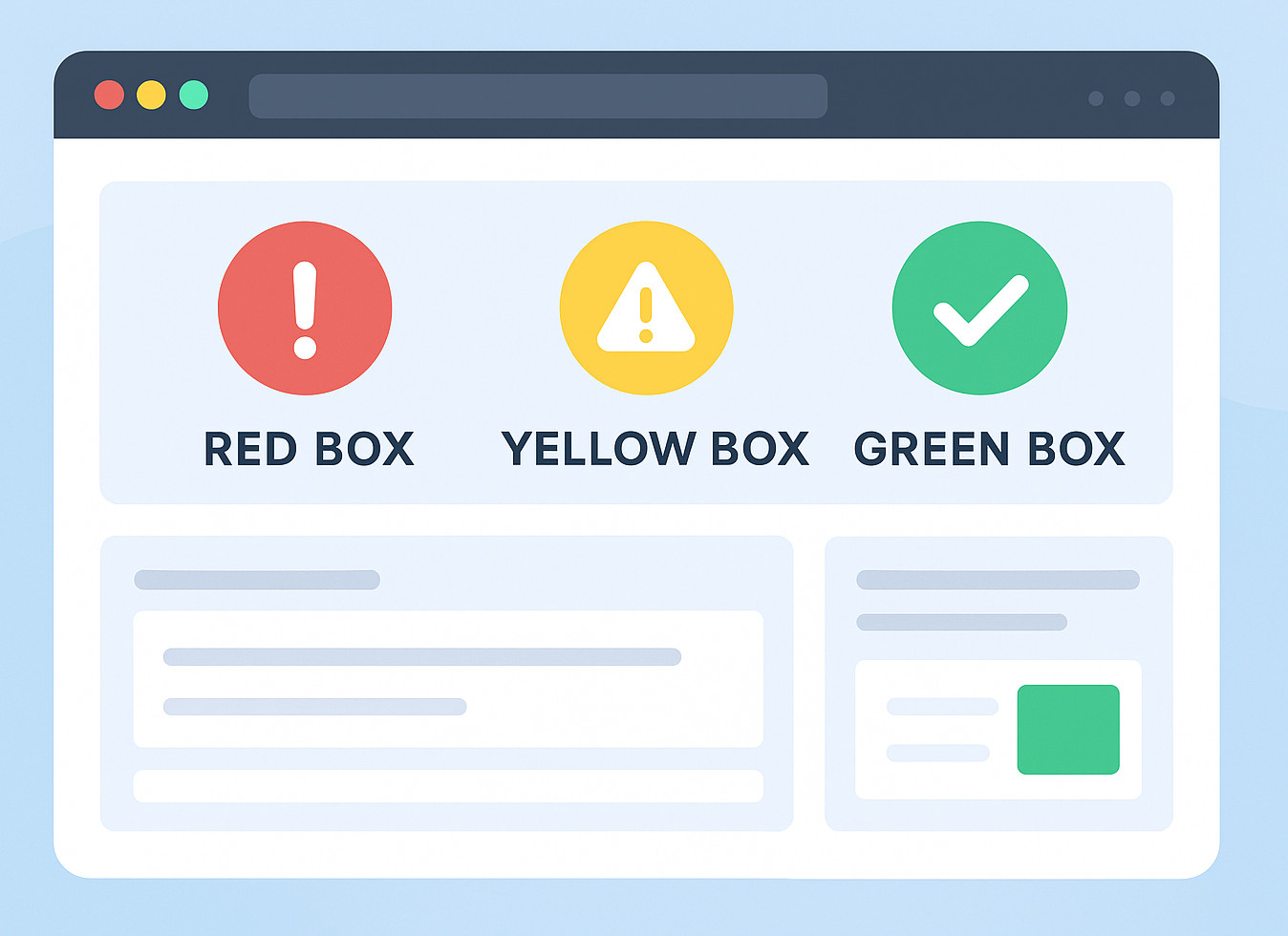
Red Box Testing: Checking Errors, Failures, and “Something Went Wrong” Moments
Here’s the most daring shade among them, Red Box Testing takes the spotlight.
Imagine “red”, likely you see stop signs, warning lights, or bold error messages. This is exactly what it is meant to do.
- Error messages
- System failures
- Critical issues
- Situations where the system must halt the user or block the workflow.
- User Acceptance Testing (UAT) scenarios where failure handling is key.
It changes slightly based on who’s talking, yet the core idea remains constant.
- Submitting a form with wrong information
- Trying to access restricted functionality
- A payment process is failing due to API outages
- A file upload that crashes halfway
- A login attempt with incorrect credentials
Fair enough, this is really just checking the routes where things go sideways. Let’s face it, errors pop up constantly when people use stuff day-to-day. Maybe even way more than expected. That means these validations actually matter a whole lot.
Here’s the thing: testers rarely get enough time to check every odd edge case manually. Especially if deadlines are squeezing the regression cycles.
This is when AI-powered tools for test automation work best for iterative tasks and often mess up. But let’s keep going with the other boxes first.
Yellow Box Testing: The World of Warnings, Alerts, and “Hey, Watch Out” Messages
- “Are you sure you want to delete this?”
- “You’ve exceeded recommended limits.”
- “This setting may affect performance.”
- “Password strength: weak.”
You catch my drift, yellow’s the warning shade.
- Warning indicators
- Risk-level messages
- Validation hints
- Non-blocking alerts
- Banners on screen telling people what’s up
This approach feels softer than Red Box Testing. Although the system works fine, it’s meant to nudge the user into noticing a detail using hints instead of force.
- Clear
- Accurate
- Set off just when needed
- Consistent across screens
- Not overly intrusive
If you’ve tried checking alerts by hand, you realize how boring it gets. Certain ones pop up only in rare cases. Meanwhile, some rely on exact moments, the amount of info, or outside triggers.
Once more, this is when automation, particularly basic, plain English-driven setups like testRigor, really saves the day.
Let’s first finish the trilogy.
Green Box Testing: The “Everything Worked Fine!” Validation Path
Green usually means “go,” “success,” and “looks good to me.”
Green Box Testing checks if things go right. Ensuring that the system runs smoothly when conditions are right.
- A user logs in with the correct credentials
- A purchase completes smoothly
- A report downloads successfully
- A form submits without warnings
- A workflow runs from start to finish with no interruptions
The system pretty much says:
“Yes, everything is ok. Carry on!”
- Success pop-ups
- Confirmation emails
- “Operation successful” banners
- Completed transactions
- Correct data saving
While these validations feel easier, they actually hold up the whole system. If the happy path breaks, everything else becomes noise.
Still, oddly enough, test teams focus on edge cases. So normal flows end up slipping through. Or they get tested manually so often that testers get numb to them.
Automation loves these paths. Thus, an area apt for AI-powered test automation tools.
Before moving on to automation tools, let us also visit an important point.
Why Teams Still Use These “Color Box Testing” Labels
The reason these casual test notions keep going is that they let testers break things down easily.
- “Do we have enough tests for red conditions (errors)?”
- “Did we include yellow conditions (warnings or alerts)?”
- “Are we validating green paths (success and happy flows)?”
Think of it as stop-and-go signs for how good a program works.
- talking about tests so regular folks get it
- organizing test cases
- planning tests that check old features again whenever changes happen
- onboarding new testers
- creating test cases based on how users act
So even if these words aren’t official, they still work in real life. Besides, that kind of usefulness usually matters most.
How Does Test Automation Fit into Red, Yellow, and Green Box Testing?
This is when stuff starts getting wild.
Checking alerts, glitches, or smooth runs manually drags on… way too long. Worse, it tends to repeat itself every time you go through it. Sometimes things just don’t stay consistent. Setting up edge cases feels like a chore. Nobody enjoys rebuilding those complex scenarios from scratch.
- Red Box Testing scenarios often break easily
- Yellow Box Testing depends on subtle, conditional triggers
- Green Box Testing requires repetitive verification with every release
So this is what makes organizations finally say:
“We need automation… but traditional automation scripting takes too long.”
This is where testRigor steps in.
How testRigor Helps Teams (Without the Headaches)
testRigor doesn’t act like usual automation software. Instead, it uses Gen AI, Vision AI, NLP, and AI context, so people can build tests using plain English. Kind of like how they describe steps out loud.
This matters a lot with color-driven tests since everyone depends on tracking messages, interface changes, or how users move through steps.
Here’s how testRigor fits naturally into each area:
Using testRigor for Red Box Testing: Errors, Failures, and Negative Scenarios.
Creating automatic negative checks with old-school tools, such as Selenium, is a real hassle. You’ll want selectors, scripts, paths and also patience when things load slowly. If the interface gets updated, those scripts fail – since they can’t adapt on their own.
enter "wrongpassword" in “Password”
click "Login".
check that page contains "Invalid credentials"
This is all there is. Not a single selector or line of code involved.
AI takes care of what’s left.
- Error messages shift spots now and then
- UI layouts shift
- Negative routes usually need careful planning
- Faster cycles may cause us to overlook rare edge cases
- invalid form submissions
- blocked workflows
- payment failures
- API/connection failures
- missing permissions
- incorrect file formats
- rate limiting alerts
check that page contains "try again."
The AI gets your point.
Using testRigor for Yellow Box Testing: Warnings and Alerts.
Yellow Box Testing often relies on conditions tied to states.
- “Show a warning if a field is partially filled.”
- “Trigger an alert when the user exceeds the recommended value.”
- “Show yellow banner on slow network.”
check that page contains "Your input is too long."
The AI takes care of tricky parts, and testers avoid that hassle.
testRigor for Green Box Testing: Happy Paths
This is when testRigor really succeeds.
Green Box Testing consists of the happy paths users follow every day, so keep these tests stable and repeatable.
login
enter "Kindle" into "Search"
enter enter
click "Kindle"
click "Add to cart"
click “checkout”
check that page contains “Order placed”
- doesn’t rely on brittle locators
- adapts to UI changes through self healing
- understands elements by meaning, not XPaths
- workflows
- success pages
- confirmation banners
- correct outputs
- final states
You typically set up the working processes one time. Then they just keep running without issues later on.
Are Red, Yellow, and Green Box Testing: Actually Real Testing Types?
The quick reply? Nope, not really.
- academic textbooks
- ISTQB materials
- industry standards
- certification exams
- formal QA frameworks
- QA team conversations
- Blogs
- Interview question sites
- Internal documentation
- Developer forums
Fair enough, really.
- Red = errors
- Yellow = warnings
- Green = successes
It’s a useful way to see things. Because it shapes how you think, it’s really ideal for creating full test sets that are a great fit overall.
A Natural Fit: testRigor as a Unified Solution for All Three “Color Box” Categories
- It deals with message checks without any hassle.
- It gets what users are trying to do.
- It handles negative, positive, or warning cases just as smoothly, using different tools each time.
- It cuts down test maintenance a lot.
- It runs on the web, mobile (hybrid, native), API, desktop apps , mainframe, database, and AI features.
- Works fine for manual testing teams, not only coders who automate.
Other than this, since the tests use plain English words, they fit how testers talk about red, yellow, or green results. It just fits.
Why These Concepts Still Matter
In the end, Red Box, Yellow Box, or Green Box testing aren’t terms that you see in a formal testing definition. Yet they stand for actual user experiences. How people get feedback, react, and what happens when using a system.
- failures
- warnings
- successes
The three categories fit neatly into how you plan tests.
- red (errors)
- yellow (warnings)
- green (successes)
This makes life easier.
Using a tool like testRigor makes these ideas especially useful as they keep the automated tests organized. While clear structure matters, it is what actually works that counts. So instead of guessing, you build on solid steps. Because without some order, things get messy fast. Yet with an AI-powered approach, everything fits together more easily.
- Red Box Testing: “What happens when things go wrong?”
- Yellow Box Testing: “What happens when users need caution?”
- Green Box Testing: “What happens when everything goes right?”
testRigor makes it easy to manage every task by using simple, readable tests. Anyone on the team, regardless of their skills and experience as testers.
Conclusion
No matter which words you pick, fancy or casual. The bottom line stays the same: create apps that work correctly, no matter what. When things go awry, teams need clear info. When issues loom, a heads-up helps, and when it’s all good, they just want to progress.
Red, Yellow, and Green Box Testing? Just quick labels people use to make sense of things.
Using tools like testRigor, teams manage these cases faster without the problem of traditional methods. When validating success notes, warnings, errors, or tricky workflows, testRigor lets you build clear, dependable tests that scale with your app.
| Achieve More Than 90% Test Automation | |
| Step by Step Walkthroughs and Help | |
| 14 Day Free Trial, Cancel Anytime |











