
Learn how to integrate PractiTest
PractiTest Integration
Integrate PractiTest with testRigor to connect your manual test management and automated testing workflows. The integration allows you to import manual test cases from PractiTest into testRigor and use them as the foundation for creating stable, AI-powered automated tests.
Once the integration is configured, teams can manage their test cases in PractiTest while using testRigor to automate and execute them as part of their regular testing and CI/CD processes.

GET STARTED IN MINUTES
How to Enable the PractiTest Integration
Enable PractiTest
Settings -> Integrations
Before enabling the integration in testRigor, you need to obtain your Personal API Token and Project ID from PractiTest.
- Log in to your PractiTest account using your credentials.
-
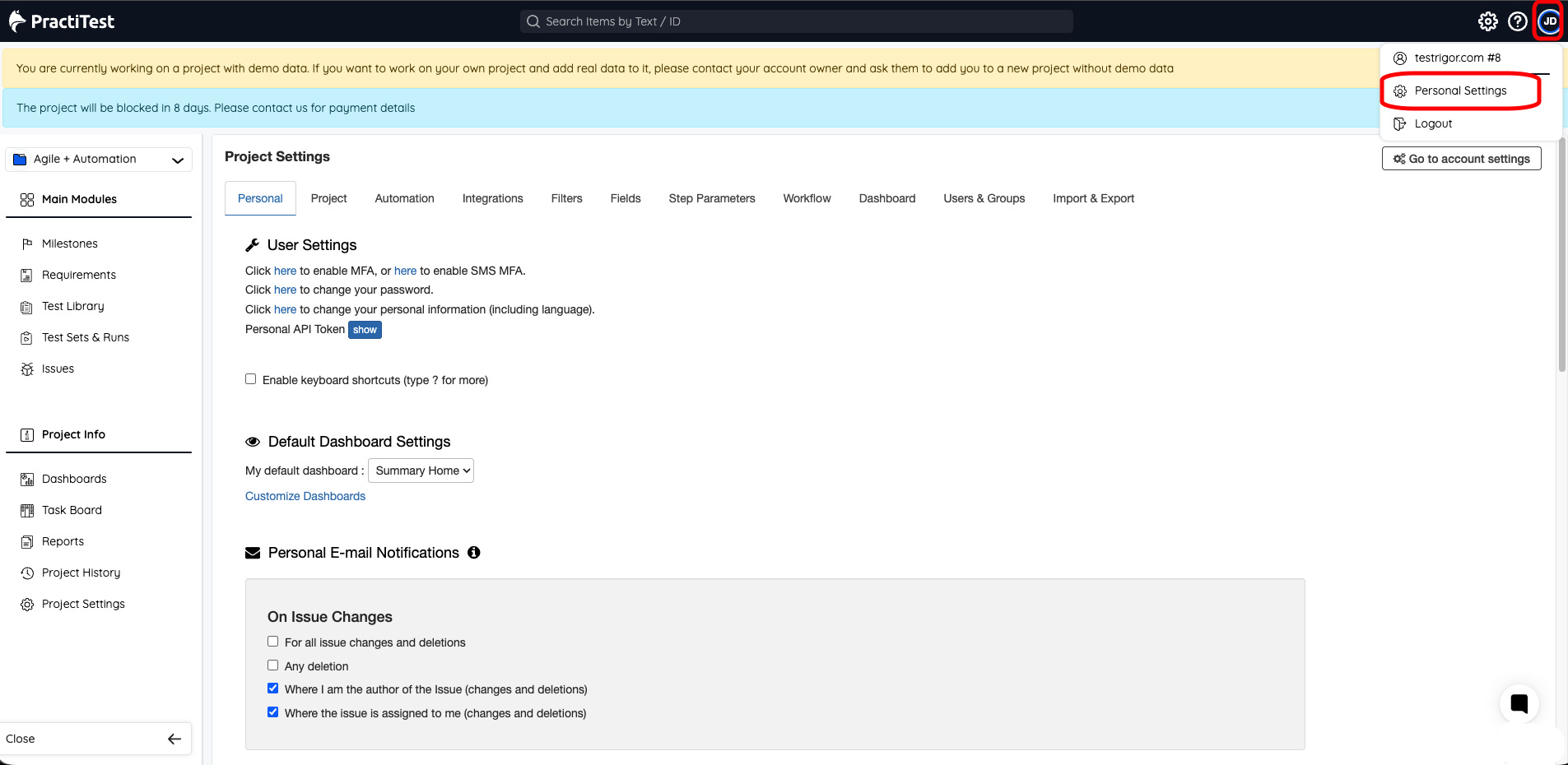
Click your profile option in the upper-right corner of the PractiTest dashboard and select Personal Settings.
-
Under the Personal tab, locate the Personal API Token (PAT) section. Click Show to view your Personal API Token. Copy the PAT token to a notepad.
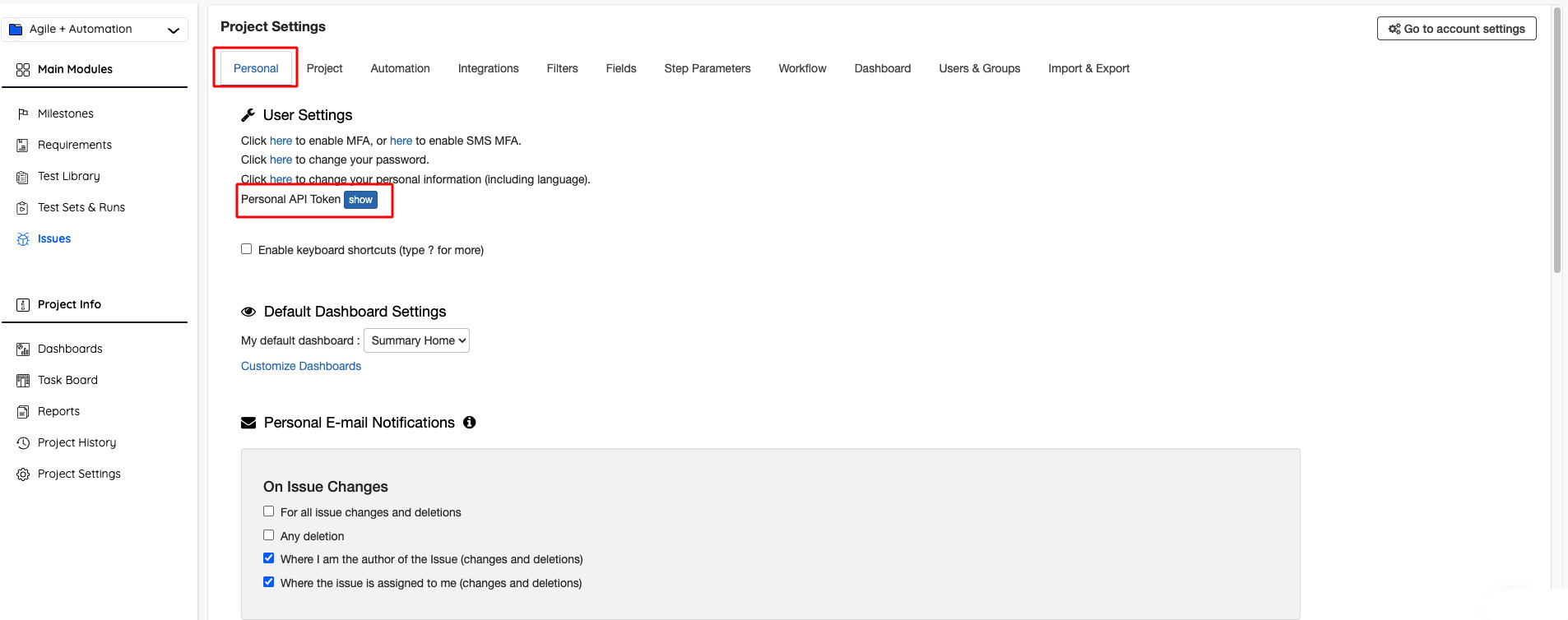 Personal API Token (PAT) will be generated when your PractiTest account is created. Copy the token and store it securely, as you will need to enter it when configuring the integration in testRigor.You can also regenerate the token when required. However, remember that regenerating it may invalidate the token currently being used by other integrations.
 -
Go to the Project tab in PractiTest and copy the corresponding Project ID.
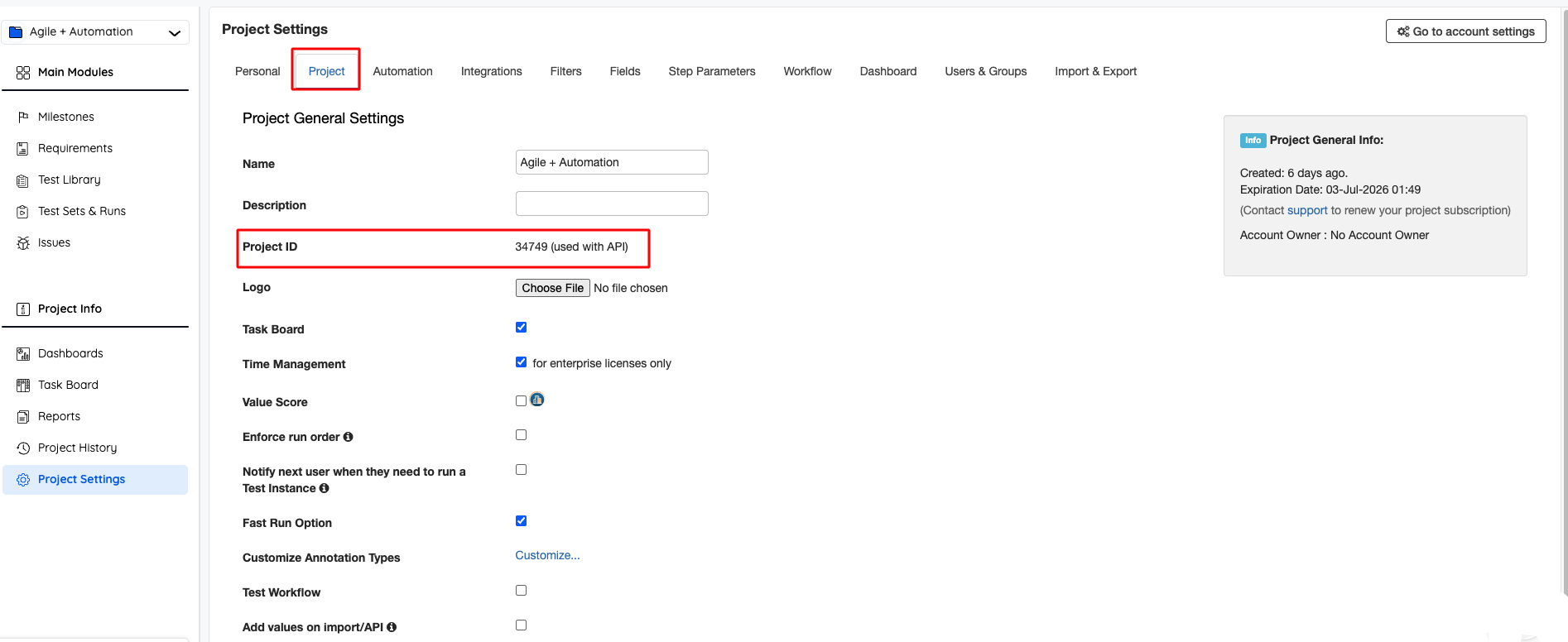 You will need this ID to connect the correct PractiTest project to your testRigor test suite.
 -
Now open your corresponding project in testRigor and go to Settings -> Integrations -> PractiTest and select Enable PractiTest Integration.
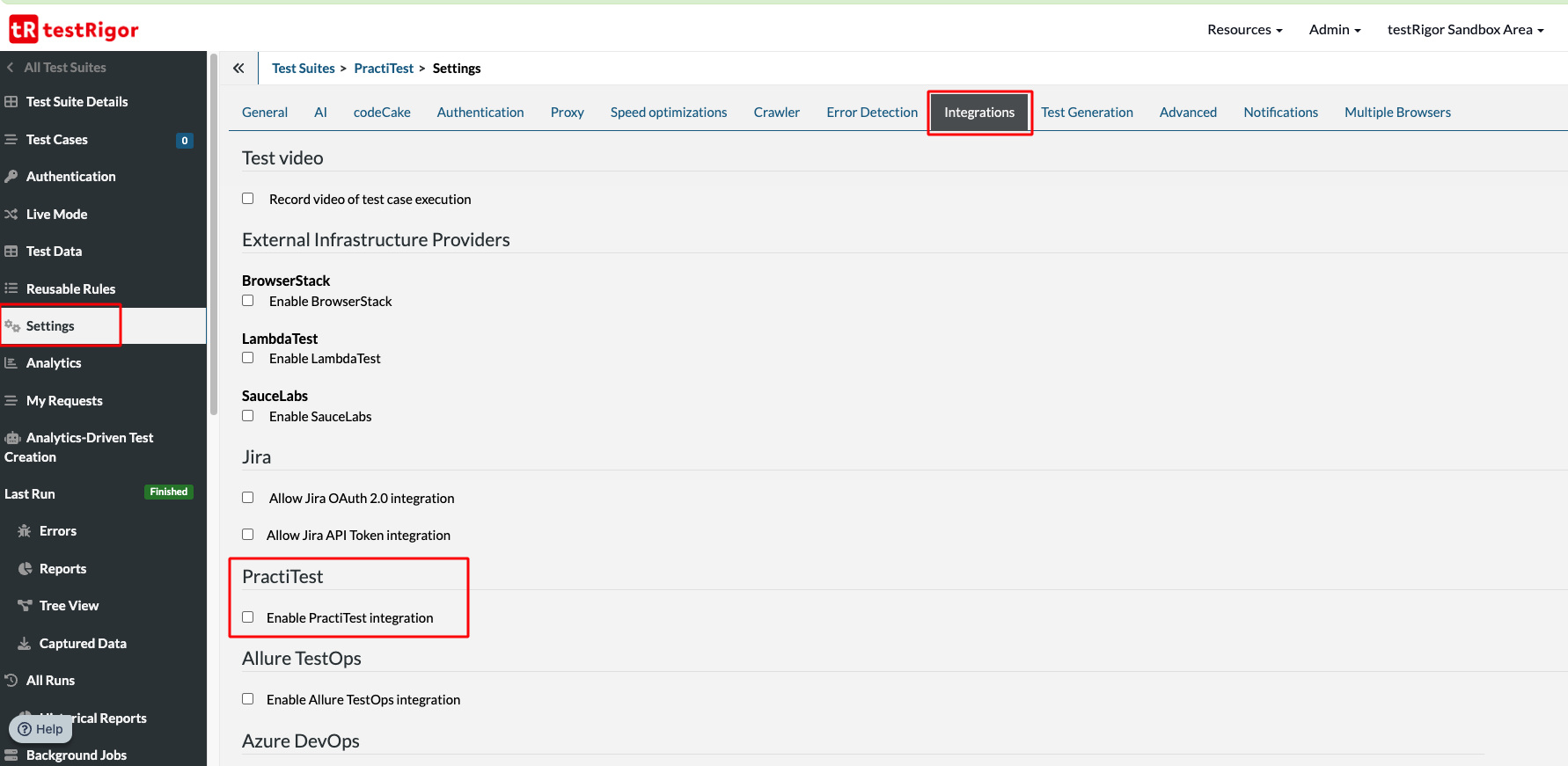
-
Once the integration is enabled, complete the following fields:
- DataCenter: Based on your PractiTest account, you need to select a US server or EU server.
- API Token: Provide the copied Personal API Token (PAT) in the field.
- Project ID: Provide the Project ID in the field.
- Test Set ID: If you are mapping to a particular test set, you can provide the ID, but it’s not mandatory.
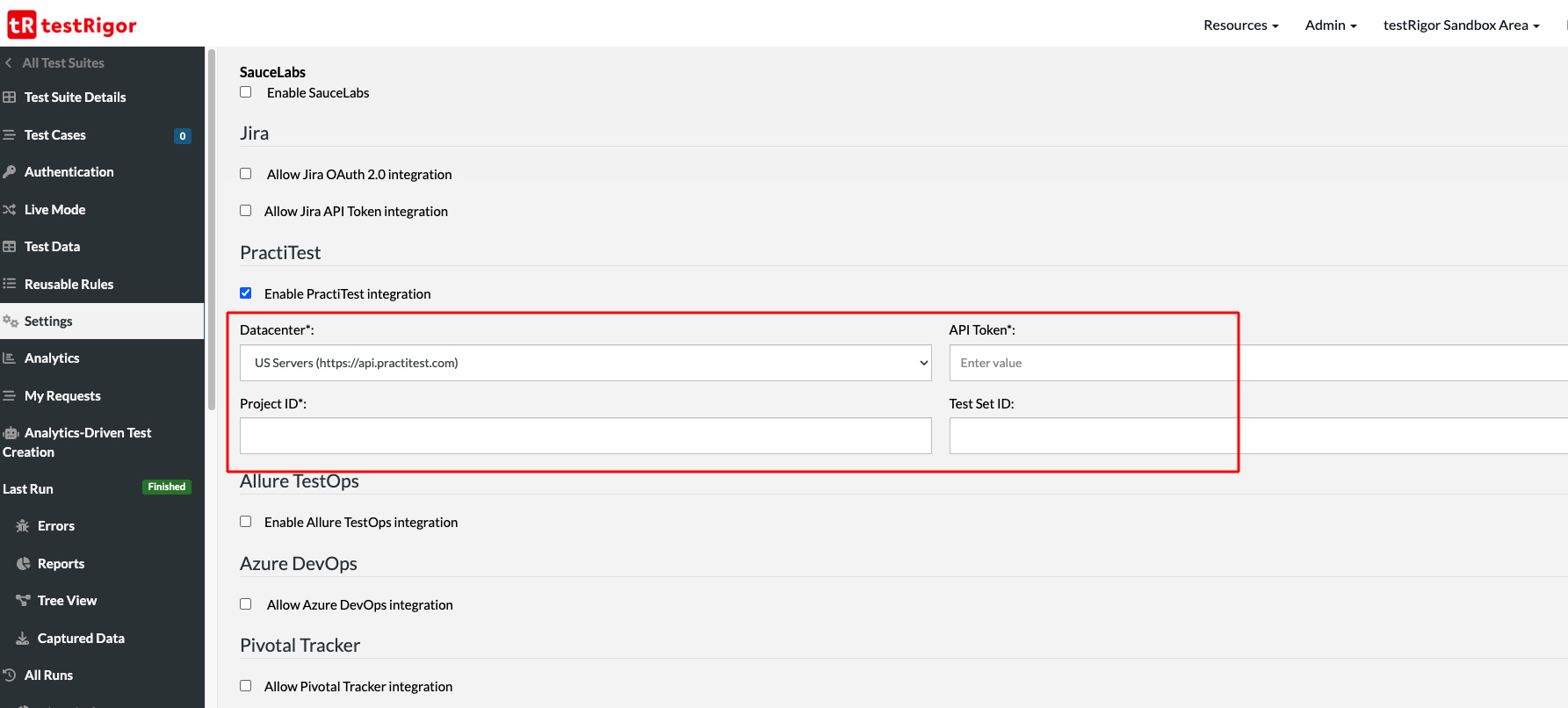 Once these details are provided, click Save at the bottom of the page.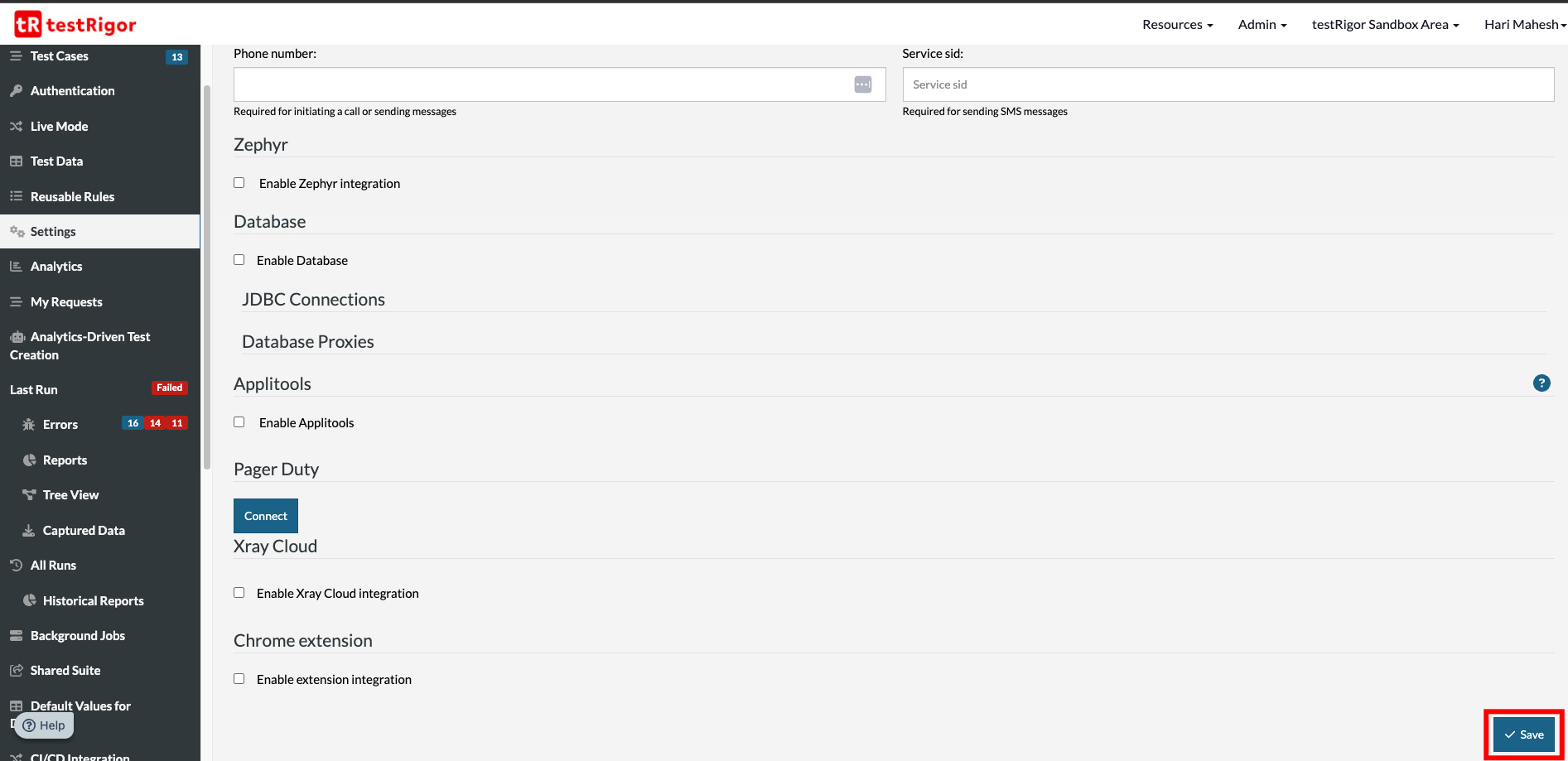
Settings
CI/CD
After enabling the PractiTest integration, additional settings will appear under the CI/CD Integration tab.
These settings are useful when your testRigor test executions are triggered as part of a CI/CD pipeline. They allow you to include the PractiTest integration details when configuring automated test runs through your continuous integration and delivery workflows.
FINISHED
Now Import Your Manual Test Cases!
Congratulations! You have successfully integrated PractiTest with your testRigor test suite.
You can now import your existing manual test cases from PractiTest into testRigor and convert them into executable automated tests.










