
Release Notes: Xray Labels, Browser Language, Better SQL on CSVs
 |
Import Xray Test Cases by Labels
We’ve added a new feature that enables users to import test cases from X-Ray using labels. This update simplifies test management by allowing you to specify a label name and automatically import all test cases associated with it.
To use this feature, open the Import from Xray Cloud modal, select Import all test cases with label, enter the desired label name, and click Import. The system will then retrieve and add all test cases matching that label.
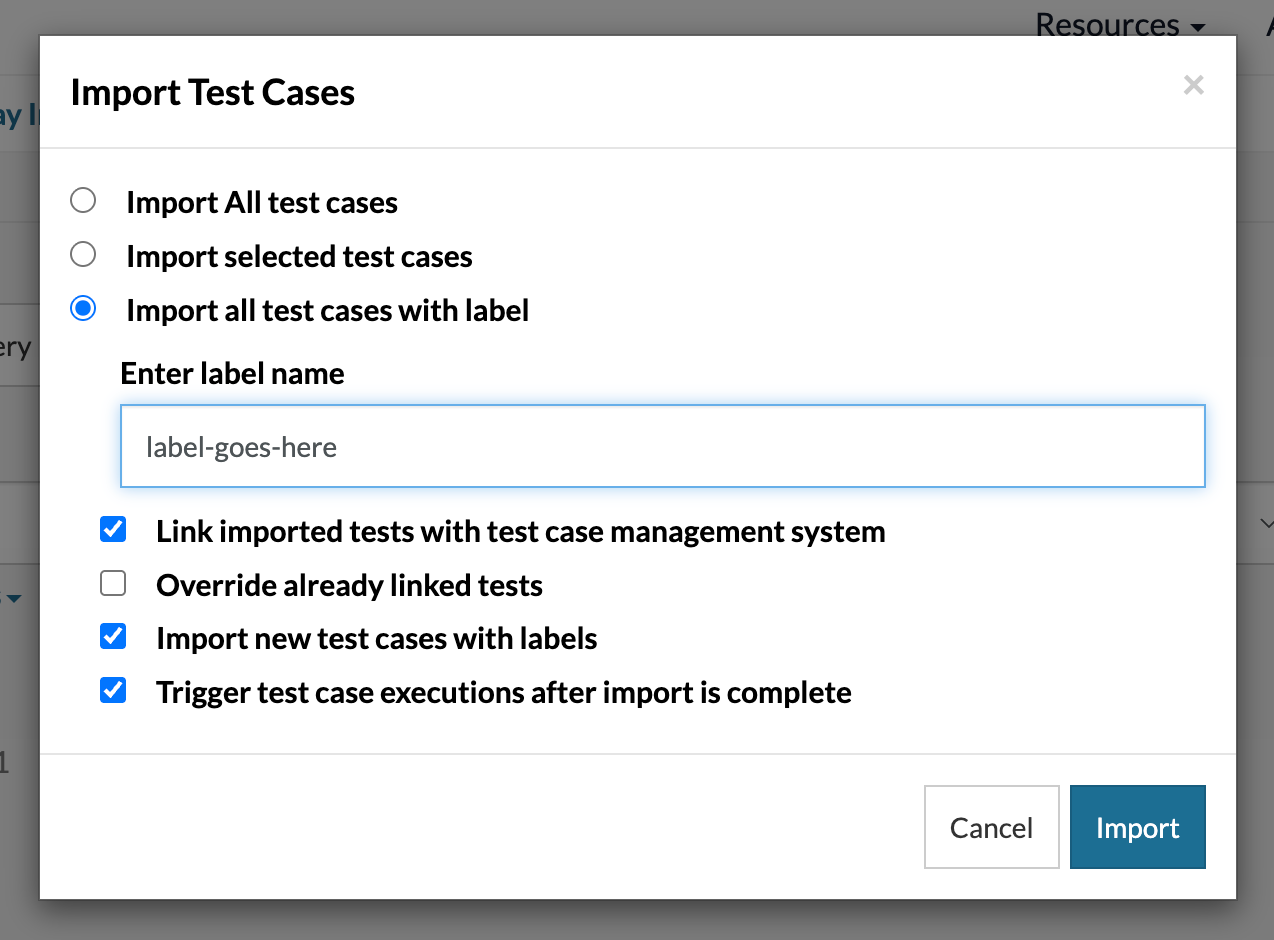
Caption: The new label options for importing test cases from Xray.
SQL Queries on CSV Files from Test Data
This update enables you to run SQL queries on CSV files directly from stored values or downloaded files during the test execution. With this enhancement, you can now query data using the CSV file name, stored test data, or a file downloaded during the test. This improvement increases flexibility and simplifies retrieving data from CSV files on testRigor.
Browser/Device Language Settings
This update adds the ability to change the browser language on both desktop and mobile platforms. It improves localization testing by letting users simulate browser behavior in different languages.
On mobile devices, users can additionally configure the device language alongside the browser language, enabling end-to-end testing for multilingual and regional user experiences.
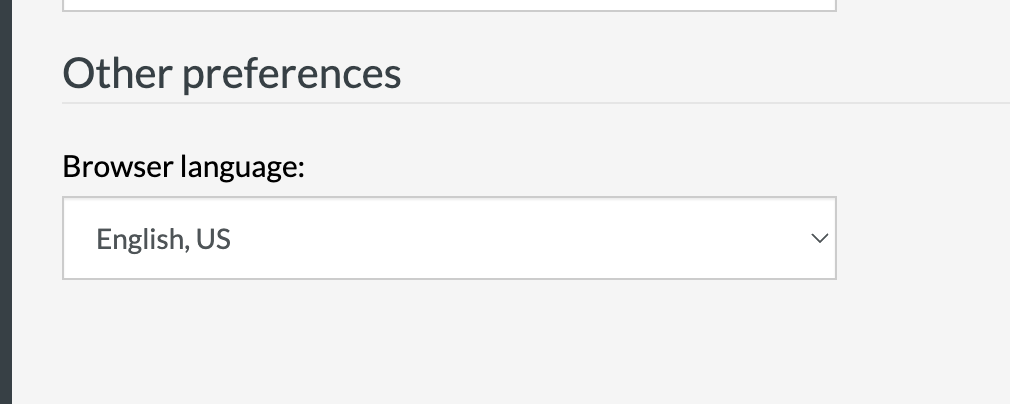
Caption: New dropdown for Browser/Device language.
This setting can be found under Settings -> Advanced -> Other preferences.










