
testRigor Release: Parallel Execution, Improved Validations, and API Enhancements
 |
Parallel Execution for RDP Testing
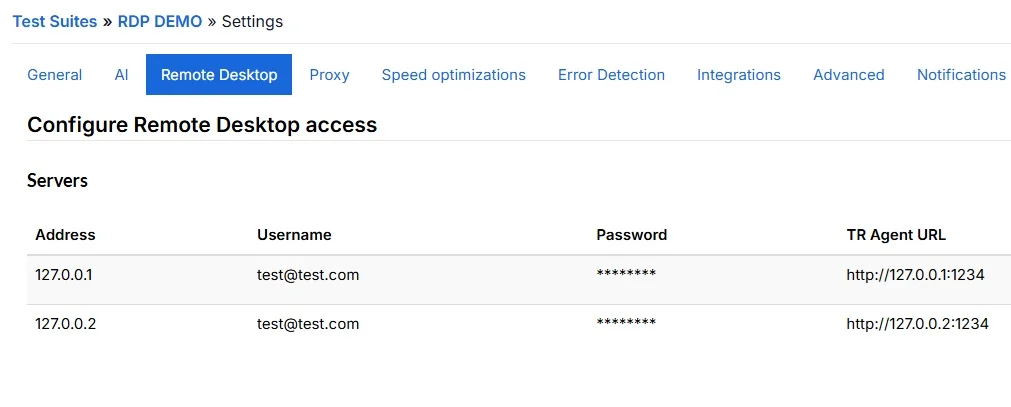
testRigor now supports multiple servers within a single RDP test suite, allowing users to run multiple test cases simultaneously. The number of test cases that can run in parallel depends on the available servers and AI agents.
To configure parallel execution, go to Settings → Remote Desktop in your RDP test suite and add additional servers as needed.
Create Test Suites and Folders Within Existing Folders
Users can now create test suites and subfolders directly within existing folders. Previously, all newly created test suites and folders were automatically placed at the root level.
This improvement makes it easier to organize and manage test suites.
Improvements to Consecutive Validations
We’ve introduced two new settings to give users more control over consecutive validations. Both options are available under Settings → Speed Optimizations.
- Reread the screen between consecutive validations: Controls whether testRigor rereads the screen after each validation in a sequence.
- Treat timeout as a shared timeout for consecutive validations: When enabled, consecutive validations share a single combined timeout instead of having individual timeouts.
Test Data API
We’ve introduced a new CRUD API that allows users to create, retrieve, update, and delete global variables and data sets within a test suite.
For more information and API documentation, go to the CI/CD section of your test suite.
Test Case Edit Page Improvements
We’ve made two improvements to the test case edit page:
- Play button availability: When video recording is enabled, users can now start playback directly from the test case edit page by clicking the Play button.
- Retesting specific data set combinations: For test cases linked to a data set, users can now retest individual data set combinations directly from the edit page.