
Fake CAPTCHA Attack: How Hackers Use Trusted Websites to Steal Passwords
 |
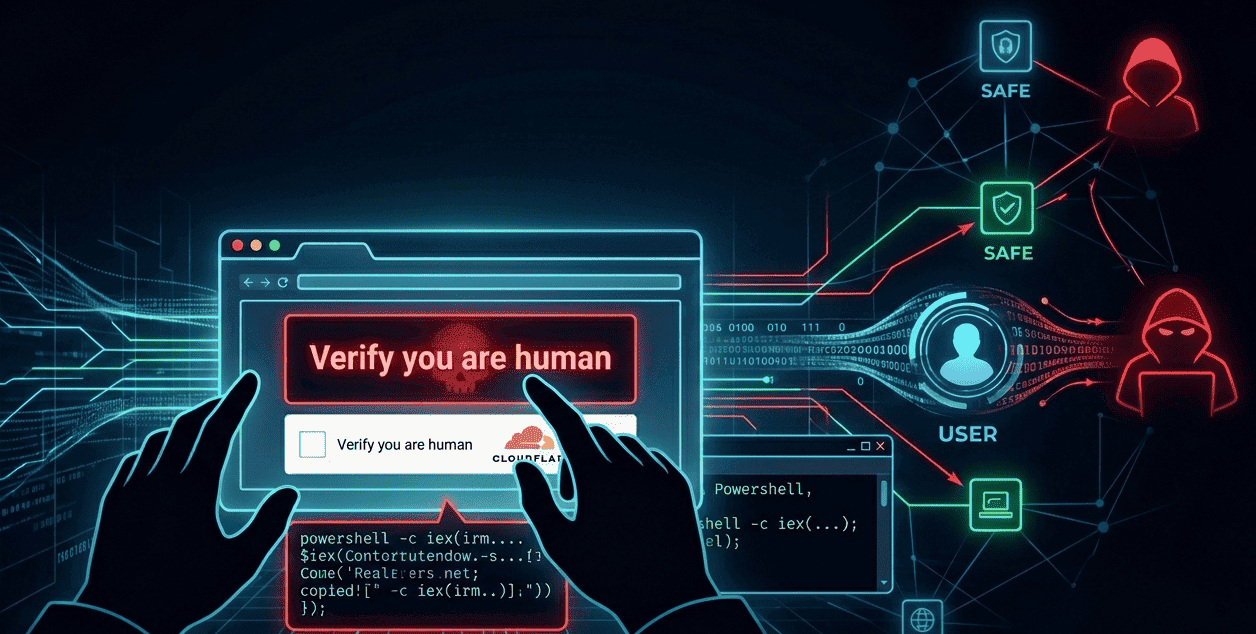
We all click on the checkbox “I’m not a robot”. But have you ever thought, “Is CAPTCHA safe?”
Security researchers at Rapid7 have now uncovered a major scam. Hackers are using around 250 trusted websites worldwide for this scam. This includes local news sites, business pages, including local news sites, business pages, and even the official website of a US Senate candidate. They have set up fake CAPTCHA screens on these sites that mimic Cloudflare verification pages and trick users into executing malicious PowerShell commands that steal passwords and digital wallets.
This is not just another phishing email or spam message. This kind of scam is hidden within websites we trust.
| Key Takeaways: |
|---|
|
What Is a CAPTCHA Test and Why Does It Matter Here?
Before we talk more about this attack, let’s see what a CAPTCHA test is.
CAPTCHA verifications are used to identify whether a person is visiting a website or a robot (bot). The checkboxes we see all the time, the curved letters, or the ones that ask us to find traffic signals in photos are all part of this. Since we see Google’s reCAPTCHA all the time, none of us thinks twice when a CAPTCHA pop-up like this appears when we visit a site.
Hackers are now exploiting this habit of trust.
Here’s How the Attack Works: How Does a Single Click Become a Trap?
According to a report released, hackers are using a new method called ClickFix to target trusted WordPress sites. Let’s see how it works:
Hackers first hide a small JavaScript code on websites we trust. When we go to that site, a fake Cloudflare CAPTCHA window appears that is designed to closely imitate the original. As usual, it will also show instructions to copy and paste a verification fix. Sometimes, with prompts like “click allow to confirm that you are not a robot” or “click allow if not a robot.” Since it is something we see all the time, we will click on it without suspecting anything malicious.
But here is the trick. When we click on that button, a destructive PowerShell command will be copied to the clipboard on our computer. The site will ask users to paste it into the Windows + R Run dialog. If we do that, fileless malware will be executed that runs directly in the computer’s memory. It can immediately steal passwords and cryptocurrency wallet information stored in browsers.
They use some of the most dangerous malware strains for this scam, such as Vidar Stealer, Impure Stealer, and the newly discovered Vodka Stealer. This scam, which started in December 2025, has already affected websites in about 12 countries, including the United States, the UK, and India.
➦ Vidar Stealer is a malware program that steals saved passwords, browser data, banking details, and cryptocurrency wallet information from infected devices.
➦ Impure Stealer is an information-stealing malware written in Python that targets browser credentials, session data, and other sensitive personal information.
➦ VodkaStealer is a recently discovered C++ based stealer malware used to collect passwords, cookies, and crypto wallet data from compromised systems.
Watch Out: Hackers Are Exploiting Trust
This scam is destroying our biggest security habit: blindly trusting what we know.
When we see a robot CAPTCHA on a news site or a local business page, most users do not become suspicious. We immediately click, thinking, “Is this site unsafe?” One thing to note here: they haven’t compromised the actual technology like Google’s reCAPTCHA. Instead, they mimic Cloudflare’s human verification on sites we trust. This difference may not be immediately obvious to the average user.
In fact, this is not a problem with the CAPTCHA technology, but rather hackers taking advantage of user behavior. This is where end-to-end testing becomes essential.
How Can We Be Safe?
The first step is to use security software and be aware of such CAPTCHA scams. For Windows users, disabling the ‘Win+R’ shortcut may help reduce such risks.
If you own a WordPress site, check your plugins and ensure that your admin account has a strong password and multi-factor authentication (MFA). The study found that the admin login panel of most of the sites that were hacked was visible to anyone. This is a serious threat that can often be prevented through proper security practices.
Why Should Testers Take This Seriously?
Here’s something for those in the field of quality assurance (QA) to think about:
Are we really testing what users see? Too often, we only check whether the features we develop work properly. But this incident shows that such threats can happen at the infrastructure level, even before we get to the application code.
Checking how third-party scripts are loaded or whether unnecessary iframes are being displayed in production is worth testing. In 2026, these must be checked to ensure the quality of the software. Utilizing AI-driven visual testing can help teams detect unauthorized UI changes, like a fake CAPTCHA overlay, that traditional functional tests would ignore.
Teams that do authentication and CAPTCHA integration should be especially aware of this. These real-world problems cannot be detected by just doing regular tests that ensure everything is working correctly.
More than just automation, tools that can accurately monitor browser changes and detect unexpected content changes have become essential today. Good software should not only be bug-free, but also secure.
When Trust Becomes the Weakness
According to the report, this fake CAPTCHA is available in about 31 languages, including Russian, French, German, and English. The hackers had been planning and preparing for this attack for months before it began. From this, we can understand that this is not just a joke, but a well-planned event carried out by a large group.
Hacking does not only happen when we find a security bug in our phone or computer; it can also be done by taking advantage of our habits. When such a trap is hidden inside a site that we have trusted for years, our own ‘trust’ becomes our enemy.
The question we need to ask ourselves here is not only “Is this CAPTCHA original?” but also “How can I tell if it is fake?”
What Can We Do
➽ Users: Never copy and paste code into your terminal or ‘Run’ box just because a CAPTCHA window says so. No real CAPTCHA test will ask you to do this.
➽ Site Owners: Check your WordPress plugins thoroughly. Restrict access to the admin panel and see if any unnecessary JavaScript code is coming to the site.
➽ QA Teams: Include third-party scripts and unexpected content changes in your test planning. Ensure real-browser validation instead of just automation.
➽ Executives: Such password thefts lead to huge business risks. It’s time to include such threats in your company’s security plans (threat models).
Hackers are now using our trust as a weapon. Therefore, the only way forward is not to compromise on quality testing.
Want to know how to tackle such complex problems with AI? Try testRigor and make your software testing more robust.
| Achieve More Than 90% Test Automation | |
| Step by Step Walkthroughs and Help | |
| 14 Day Free Trial, Cancel Anytime |











