Release Notes: SauceLabs Regions, Edge for Ubuntu, New AI settings, HTTP warnings, API Endpoints, Text nodes
 |
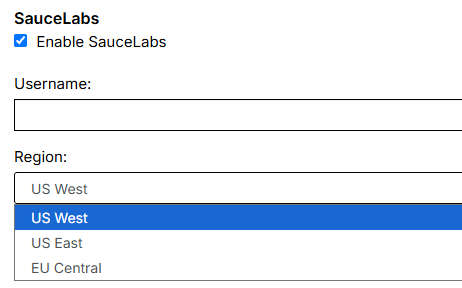
Region selection for SauceLabs
Since our latest update, we are now able to select the region for test suites that have been integrated with SauceLabs.
Edge browser available for Ubuntu
It is now possible to select the Edge browser when utilising Ubuntu as an operative system to run tests on.
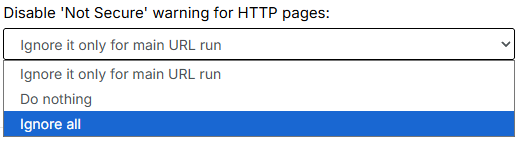
Handling HTTP warnings
A new setting has been introduced which will let us determine how to handle warnings from HTTP pages. You can find it on Settings -> Advanced, it will only be displayed if incognito mode is enabled.
New AI settings
Two new settings have been added, which will allow us to tweak how AI operates, you can find them on Settings -> AI:
- Timeout for AI call: which limits the max amount of time AI spends trying to execute a command.
- AI evaluation strategy: this setting modifies how AI processes validations. We can select between the following options:
- Single call (default setting): AI validations will only be executed by a singular AI model.
- Majority vote: multiple AI models will run a specific validation, the result (failure or pass) will be decided by a majority vote.
New API endpoints to modify data
New endpoints have been added (PUT and PATCH) to the following APIs:
/api/v1/apps/{appId}/test_data/global_variables/api/v1/apps/{appId}/test_data/global_variables/batch/api/v1/apps/{appId}/test_data/datasets
Which will allow updates on existing data sets and global variables. You can find more info about the existing endpoints on the CI/CD section of your test suite.
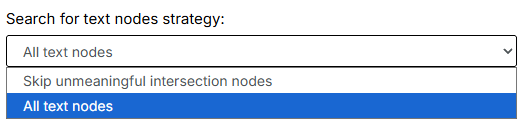
Search for text nodes
On the Settings section, Speed optimization we can find a new setting that has been added on the latest update, “Search for text nodes strategy”. Two options are available, we can either select to skip intersection nodes that do not have information or consider all text nodes.