
testRigor Release: Qt Quick Controls Support, Authentication Overrides, and CLI Test Suite Export
 |
Support for Qt Quick Controls
We have added support for applications built with Qt Quick Controls in native desktop test suites.
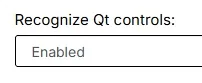
When creating a Native Desktop test suite, users can choose whether to enable Qt command recognition. This option can also be enabled or disabled in an existing test suite by navigating to Settings → Advanced.
Overriding Authentication Credentials via the API and CLI
Users can now override a test suite’s authentication credentials using the Retest API or the CLI.
{
  "authentication": [
    {
      "username": "[email protected]",
      "password": "secret",
      "basicAuth": { "username": "staging", "password": "secret2" },
      "otpRegistrationCode": "JBSWY3DPEHPK3PXP",
      "phoneNumber": "+15551234567",
      "defaultClientCertificate": "qaCert",
      "defaultPasskey": "qaPasskey"
    }
  ]
}
For more information on how to use this feature, refer to the CI/CD section of your test suite.
Exporting Test Suites via the CLI
We have added a new command to the testRigor CLI that allows users to export test suites directly to their current working directory.
testrigor forcepull [<suite>]
The command first downloads the specified test suite to a temporary directory. If the download fails, the contents of the user’s working directory remain unchanged.