
Live Webinar: Top 3 Nightmares Every QA Has Faced. Register Now.
Turn your manual testers into automation experts! Request a Demo

Release Notes: Set maximum wait timeout and time interval to update screenshots in Live Mode

Set maximum wait timeout in Live Mode

We released the ability to adjust the maximum wait timeout (the total time that testRigor will spend searching for an element before the step that it is trying to execute fails) in the Live Mode section.

The default is 30 seconds, and it can be adjusted in order to speed up debugging time, see the screenshot below:
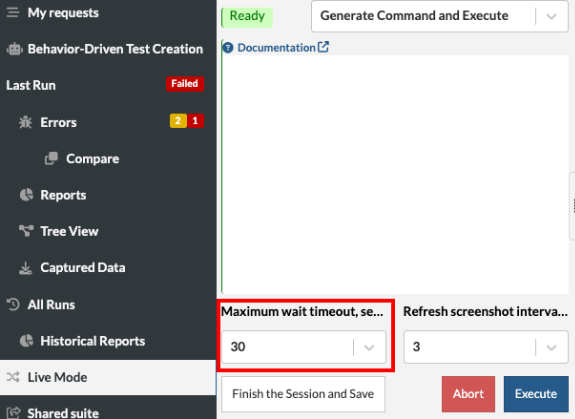
*The time can be adjusted as low as 1 second and up to 180 seconds


Ability to set the time interval to update screenshots in Live Mode

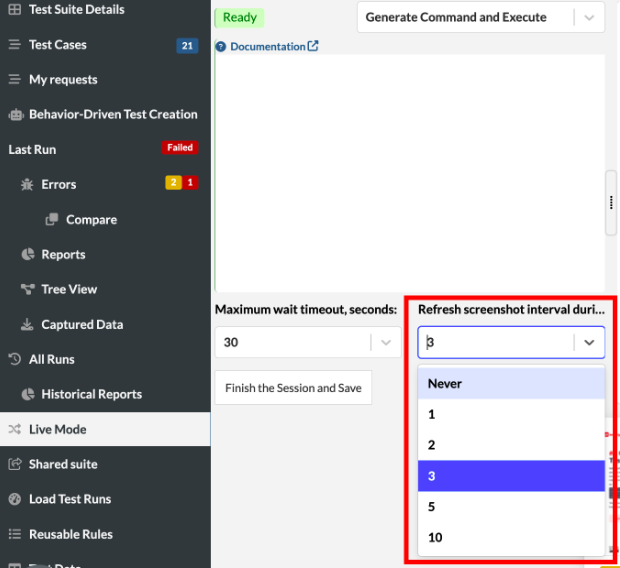
We have implemented the ability in Live Mode to refresh the screenshot based on the chosen interval time. Since some pages have events that occur between screenshots, live mode updates the screenshot as often as every second so that the user doesn’t miss these events.

The option can be found below the edit panel in Live Mode page, see screenshot below:
Related Articles

Release Notes: Copy Rules and Settings, Homepage Pagination

Copy Reusable Rules to Another Suite The new copy rules button in testRigor lets you duplicate reusable rules to other test ...

Release Notes: Bulk Edits, Rules Tooltip Settings

User Settings for Reusable Rules Tooltip Preview When you hover over a rule, you can view its execution steps directly in a ...

Release Notes: Revamped Sidebar, Actual Text Parameter

Key Sidebar Options Moved to the Top for Easier Access This is a minor but important usability update. The navigation buttons for ...
Privacy Overview
This site utilizes cookies to enhance your browsing experience. Among these, essential cookies are stored on your browser as they are necessary for ...
Read more
Strictly Necessary CookiesAlways Enabled
Essential cookies are crucial for the proper functioning and security of the website.
Non-NecessaryEnabled
Cookies that are not essential for the website's functionality but are employed to gather additional data. You can choose to opt out by using this toggle switch. These cookies gather data for analytics and performance tracking purposes.










