
Release Notes: Analytics for Test Suites
 |
New Analytics Page
We’ve introduced a new Analytics tab in the side menu, designed to provide insights into test performance and team productivity.
In this section, you can view failure trends from the last 30 days. The chart displays the number of test case failures per day (red line) alongside the failure rate relative to the total number of test cases (blue line). This allows you to quickly understand how many tests failed on a given day compared to overall test execution.
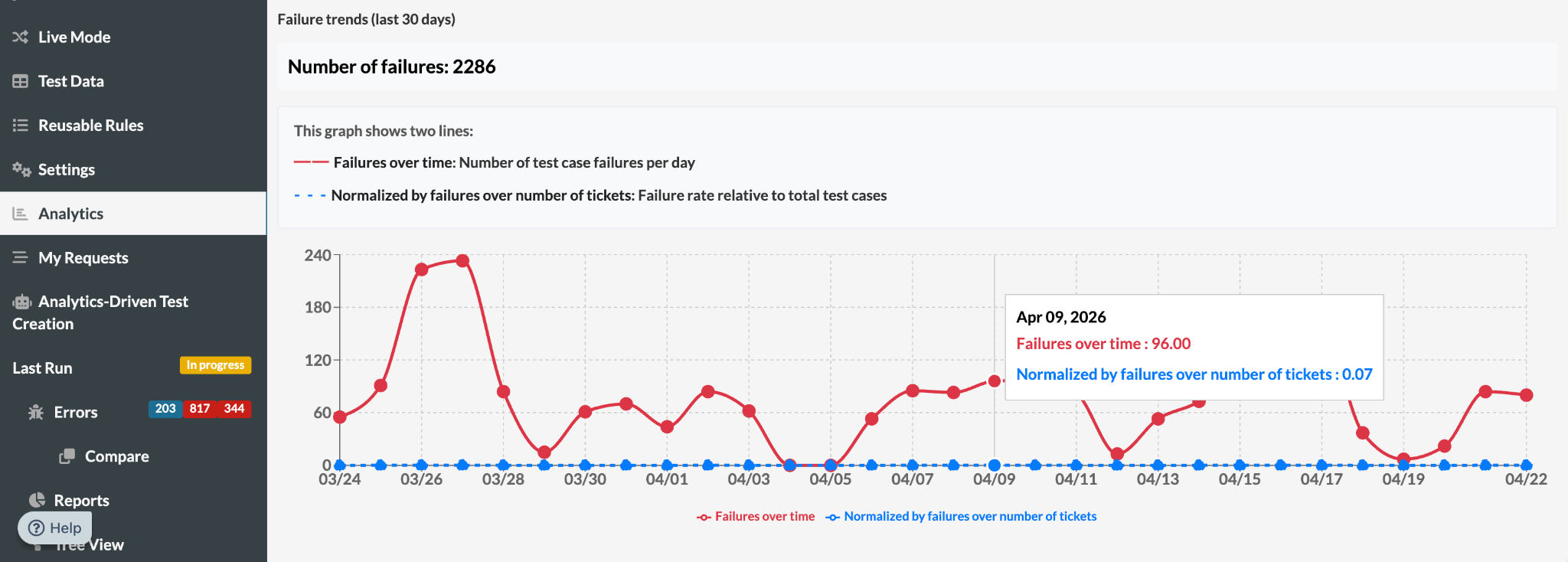
Caption: Failure trends graph in the Analytics page.
The Analytics tab also includes productivity metrics. You can track the total number of test cases created over the past three months, helping you monitor testing activity over time.
Additionally, a Top Test Case Creators leaderboard highlights the three users who created the most test cases. By hovering over the chart columns, you can see detailed information about each user and the number of tests they contributed.
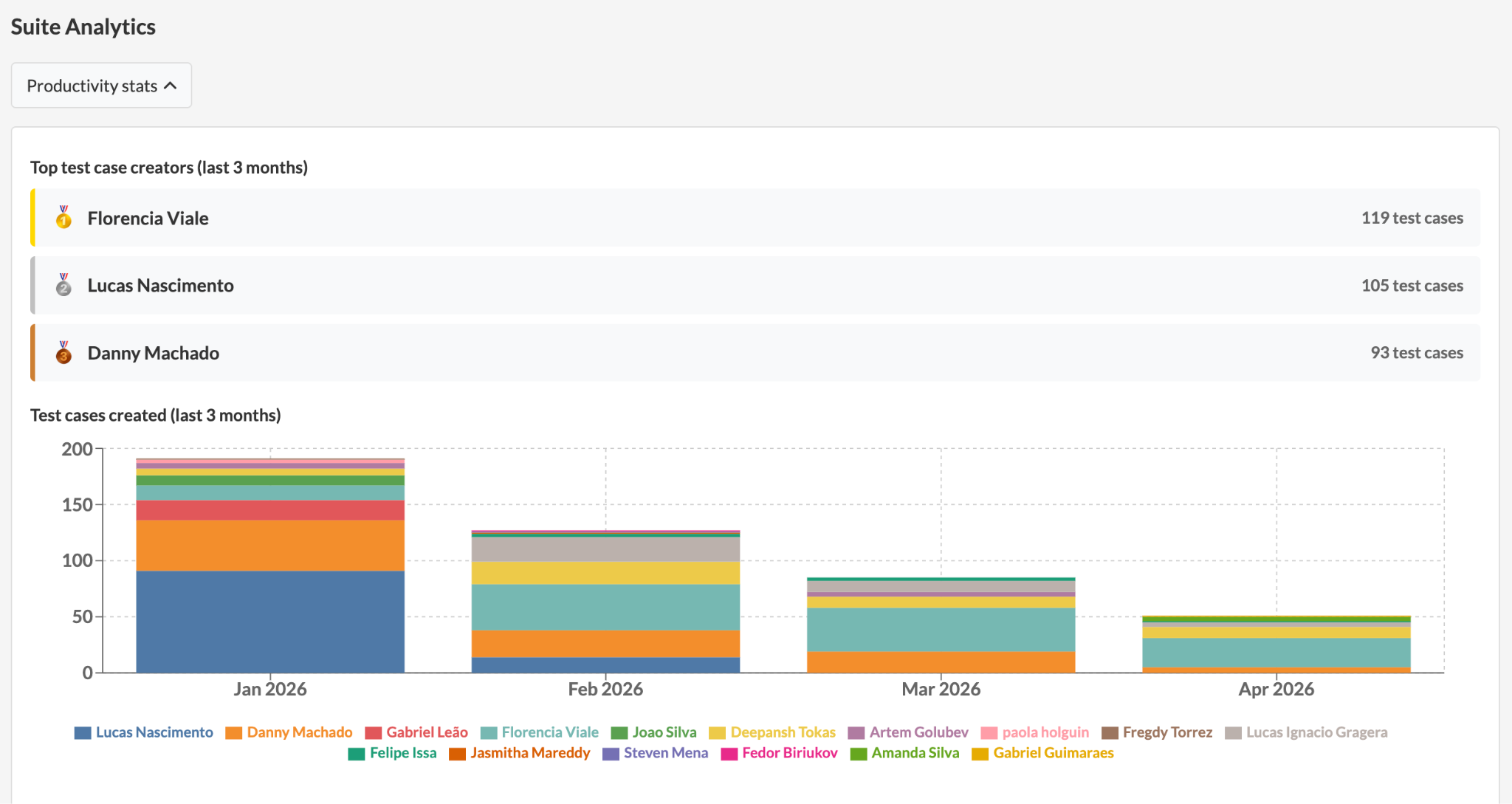
Caption: Productivity stats in the Analytics page.
You can also view how many test cases each user created on a weekly and monthly basis, giving you deeper visibility into individual contributions and team productivity trends.










