
Live Webinar: Top 3 Nightmares Every QA Has Faced. Register Now.
Turn your manual testers into automation experts! Request a Demo

Release Notes: Enhanced Failed Results

Enhanced Debugging: Display Stored Value Variables on Failed Steps

testRigor now improves your debugging experience by displaying the values of Stored Value variables whenever a test step fails. When a failure occurs during a test run, the relevant Stored Values are automatically highlighted and shown, making it easier to identify issues and accelerate troubleshooting.

For security and privacy, this feature does not display hidden variables or passwords, ensuring sensitive data remains protected-just as it is concealed elsewhere in the testRigor UI.
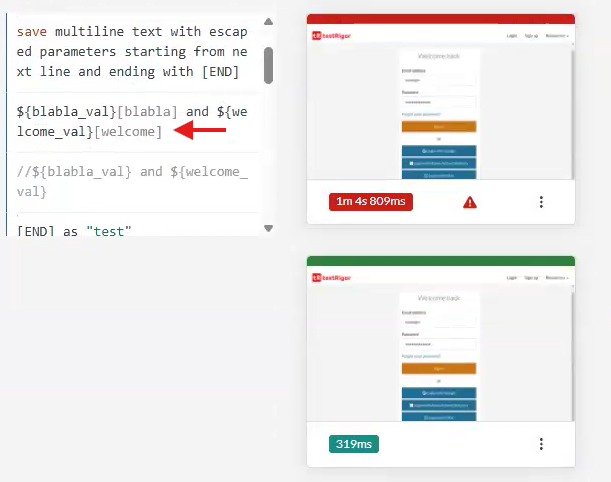
Caption: Showing stored values.
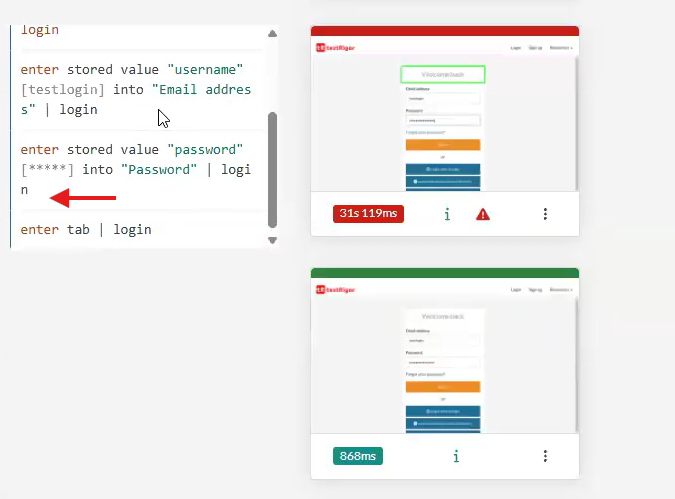
Caption: How it works when using hidden elements.


Related Articles

Release Notes: Copy Rules and Settings, Homepage Pagination

Copy Reusable Rules to Another Suite The new copy rules button in testRigor lets you duplicate reusable rules to other test ...

Release Notes: Bulk Edits, Rules Tooltip Settings

User Settings for Reusable Rules Tooltip Preview When you hover over a rule, you can view its execution steps directly in a ...

Release Notes: Revamped Sidebar, Actual Text Parameter

Key Sidebar Options Moved to the Top for Easier Access This is a minor but important usability update. The navigation buttons for ...
Privacy Overview
This site utilizes cookies to enhance your browsing experience. Among these, essential cookies are stored on your browser as they are necessary for ...
Read more
Strictly Necessary CookiesAlways Enabled
Essential cookies are crucial for the proper functioning and security of the website.
Non-NecessaryEnabled
Cookies that are not essential for the website's functionality but are employed to gather additional data. You can choose to opt out by using this toggle switch. These cookies gather data for analytics and performance tracking purposes.








