
Choosing the Right Testing Model for Your Application Type
 |
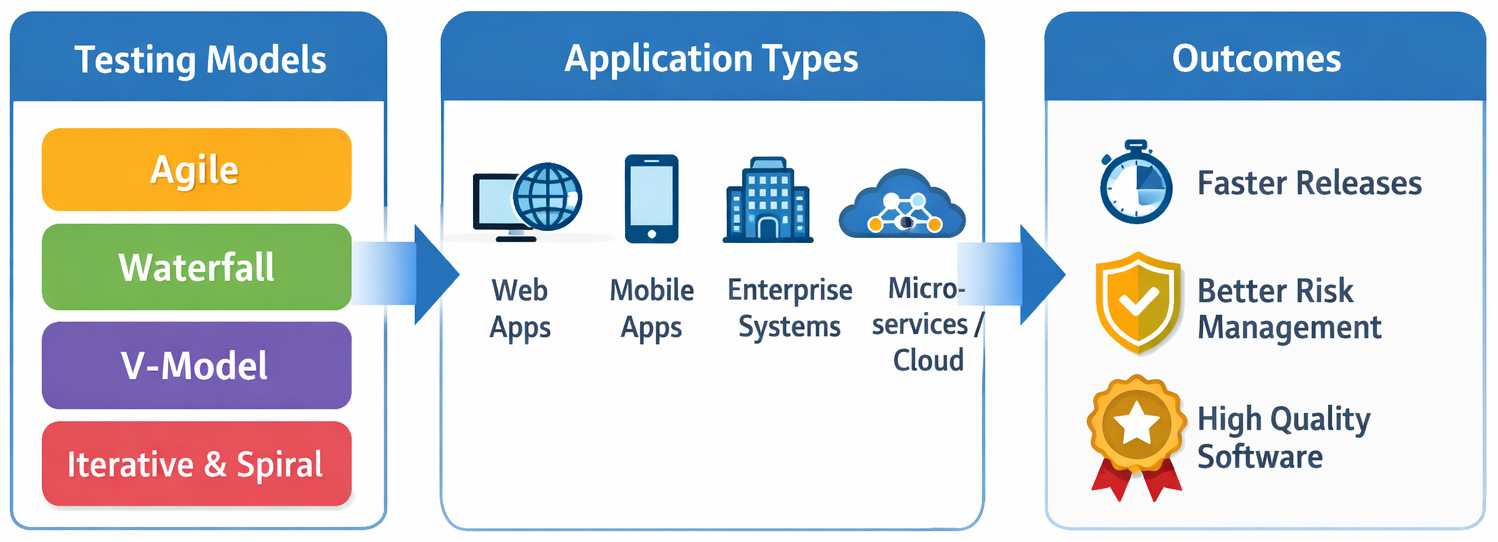
If one is wrestling with a deceptively simple question: Which testing model should we use for our application? Picking a test model for your app might look straightforward. Maybe you thought a comparison table would settle it. One column says Agile, another says Waterfall. Or perhaps the V-Model compared to the Spiral. Pick one and move on.
Real projects beg to differ. Requirements changes and deadlines get dragged on. Teams get bigger or shrink without warning. Automation tools, said to fix everything, fail to deliver as promised. And suddenly, the testing model that looked perfect on paper starts to feel like friction rather than structure.
Let us explore different ways to test software, different methodologies, and models, and the type of app you’re dealing with. Picking a method that fits your product is a big decision to make. Along the way, we’ll also talk about where modern test automation and AI-powered testing tools, like testRigor, fit into this decision. After all, the right tech can shape or sink a testing plan, despite often being added last.
| Key Takeaways: |
|---|
|
What are Software Testing Types?
Most teams jump straight into testing models without asking: What kind of testing are they actually doing? This shapes every decision made later on. Before methods or results show up, this unseen pick bends everything else sideways.
Most kinds of software tests fit neatly into just two groups: functional or non-functional. Looks distinct on paper. In practice? Let’s find out.
Functional vs. Non-functional Testing
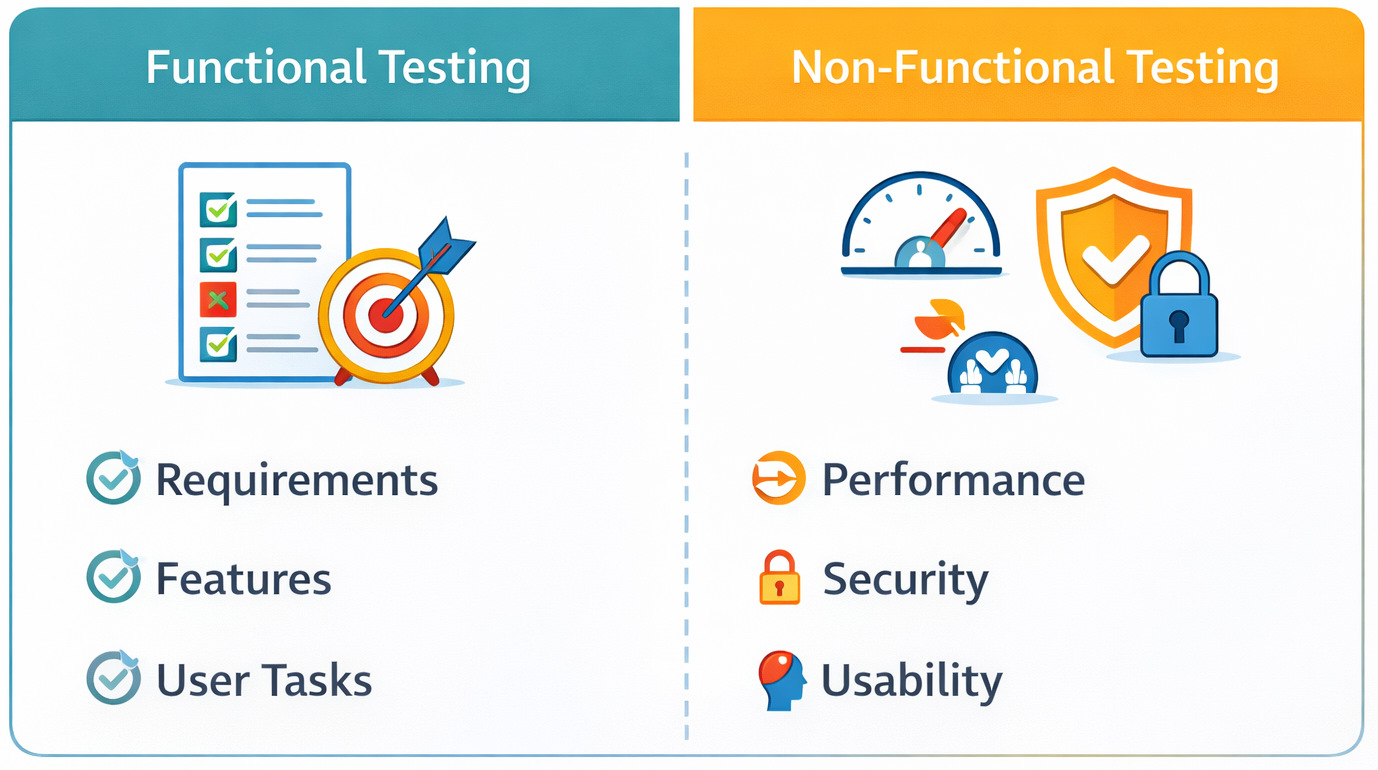
- Functional testing focuses on what the application does.
- Non-functional testing focuses on how well it does it.
| Testing Type | What It Validates | Common Examples | Where Teams Slip Up |
|---|---|---|---|
| Functional Testing | Business logic and user workflows | Login, checkout, APIs, form submissions | Assuming passing flows = a quality product |
| Non-Functional Testing | Quality attributes | Performance, security, usability, accessibility | Pushed to “later” or skipped entirely |
When teams spend too much time on functional tests at the start, other tests often get shunted towards release, just as hours shrink and stress climbs.
When choosing a testing model, this distinction matters more than teams expect. A model that only supports late-stage non-functional testing creates blind spots that surface in production, not during QA.
What are Common Software Testing Methodologies?
Testing models define when testing happens. Fresh ways of testing code shape what happens each day. Different methodologies guide actions on the ground without delay.
Confusion sneaks in when people treat these terms interchangeably. Picking a test methodology gets messy if the team follows one method but chooses tools for another.
Most common software testing methodologies teams rely on:
Black Box Testing
Tests the system from a user’s point of view, without any knowledge of the internal code. On paper, it seems fine. Yet out in the actual projects, relying only on black box testing might overlook edge cases hidden far down in business logic.
White Box Testing
Focuses on internal code structure, logic paths, and conditions.
It’s tricky when tests depend too much on code details. Refactoring the structure slightly, and everything fails. That happens a lot more than people expect.
Read more: Black box vs White box testing.
Gray Box Testing
A hybrid approach that combines partial knowledge of internals with user-level validation.
When apps rely heavily on APIs, services, or integrations, this option tends to work best.
Read more: Black box vs White box vs Gray box testing.
Risk-Based Testing
Prioritizes testing effort based on business and technical risk.
When teams see eye to eye on what counts as a risk, this fits neatly into Agile or Spiral approaches. Yet if definitions shift from person to person, every item is a top priority.
Read more: Risk-based Testing: A Strategic Approach to QA.
What is a Software Testing Model?
Software testing begins at different points depending on the model used across projects. How closely tests follow development shapes each approach taken by teams. Feedback shows up in cycles, some fast, others stretched over phases.
- Release cadence
- Collaboration between teams
- Tooling decisions
- Cost of defects
- Confidence in production releases
One limitation teams often underestimate is that testing models are deeply connected to human behavior.
Common Software Testing Models (and Where They Tend to Break)
Imagine the usual ways teams test software, not just from a textbook view, but how things actually unfold when building real systems.
Waterfall Testing Model
Best known for: Sequential, phase-based testing
- Stable requirements
- Regulated or compliance-heavy systems
- Legacy enterprise applications
Where it breaks:
In real projects, this usually breaks when requirements evolve after development has already started. Testing becomes a late-stage activity, and defects pile up when it’s hardest to fix them.
One thing flows right into the next when you know what comes. These days, few things go exactly as planned.
Read more: Waterfall Project Management Methodology: Principles and Practices.
V-Model Testing
Best known for: Mapping each development phase to a corresponding testing phase
- Safety-critical systems
- Environments that demand traceability
- Hardware-software integrations
The underestimated limitation:
With the V-Model comes tighter organization – yet flexibility doesn’t appear out of nowhere. When changes happen, they ripple into documentation and testing plans, and overhead escalates.
Agile Testing Model
Best known for: Continuous testing alongside development
- Web applications
- SaaS platforms
- Mobile apps
- Products with fast-changing requirements
Where it breaks:
Agile testing depends heavily on tooling and collaboration. When automation misses the mark, sprints often waste time rebuilding brittle checks or skipping coverage fully.
Read more: A Roadmap to Better Agile Testing.
Iterative Testing Model
Best known for: Repeated cycles of build, test, and refine
- Products built incrementally
- Early testing of features by new companies
- Systems with evolving user feedback
Where teams struggle:
Without clear rules, iterations pile up problems later. Early tests fail to scale when automation can’t adapt.
Spiral Testing Model
Best known for: Risk-driven testing and development
- Large, complex systems
- High-risk applications
- Projects with unknowns early on
Where it breaks:
Working with spiral takes practice. Because risk assessment doesn’t come naturally, a lack of seasoned guidance can lead teams to waste time on minor issues while skipping vital checks.
Choosing a Testing Model Based on Application Type
This is where theory meets reality. What shapes the best testing model isn’t popularity – it’s how your app actually behaves.
Testing Model for Web Applications
Web apps change fast. UI tweaks, feature flags, A/B tests-it never really stops.
- Agile testing
- Iterative testing
- Fragile results often come from UI-based automation. Fixing broken tests eats up hours, leaving little room to confirm new features.
Here’s when an AI-powered tool like testRigor becomes useful. When tests are written from a user’s perspective instead of being tied to implementation details, they survive UI changes much better.
Testing Model for Mobile Applications
Apps on mobiles have to deal with device fragmentation, OS upgrades, and unpredictable environments. One model works today, fails tomorrow, as software shifts underneath. Updates roll out unevenly, causing hiccups across devices.
- Agile testing
- Continuous testing
- Maintaining mobile automation scripts across devices and OS versions is brutal without abstraction. If your testing model assumes “write once, run everywhere,” expect a fight every time the real world shows up, though intelligent testing tools such as testRigor follow this.
Testing Model for Enterprise and Legacy Applications
Enterprise systems value stability over speed.
- V-Model
- Hybrid Waterfall + Agile
- Teams often skip automation, even when manual regression suites balloon out of control. Automation is talked about, but rarely implemented well because the cost of script maintenance feels too high.
With AI handling the heavy lifting, crafting and maintaining tests becomes simpler for those without extensive tech skills.
Testing Model for Microservices and Cloud Applications
Distributed systems fail in ways that monoliths never did.
- Agile testing
- DevOps-oriented continuous testing
- Service dependencies, test data, and environment stability become the bottleneck. Feedback needs to move more quickly than the pace of deployment drifts.
Summary: Choosing the Best Testing Model
| Application Type | Best-Fit Testing Model | Primary Risk | Why It Fits |
|---|---|---|---|
| Web / SaaS Apps | Agile | UI instability | Fast feedback, adaptable |
| Startups / MVPs | Iterative | Test debt | Early validation |
| Enterprise Systems | Waterfall / Hybrid | Late defect discovery | Predictable structure |
| Safety-Critical Systems | V-Model | Documentation overload | Strong traceability |
| Complex, High-Risk Systems | Spiral | Poor risk prioritization | Risk-driven testing |
| Microservices / Cloud | DevOps / Continuous | Environment complexity | Continuous validation |
Key Factors that Should Drive Testing Model Selection
- How stable are your requirements?
Stable requirements fit rigid designs just fine. When everything changes all the time, loose setups work better instead.
- How expensive are late defects?
When bugs hit production systems hard, checking early plus often stops being a choice. It becomes survival. Read: Minimizing Risks: The Impact of Late Bug Detection.
- What is your team actually good at?
Should the model match what people can actually do? A testing model that assumes advanced automation skills will fail if your team isn’t there yet.
- How much automation can you sustain?
On paper, it seems neat: automate every last thing. In practice, automation only helps if tests are easy to create, understand, and maintain. Still, without straightforward updates, even AI-based tools fall short over time.
Manual Testing vs. Automated Testing
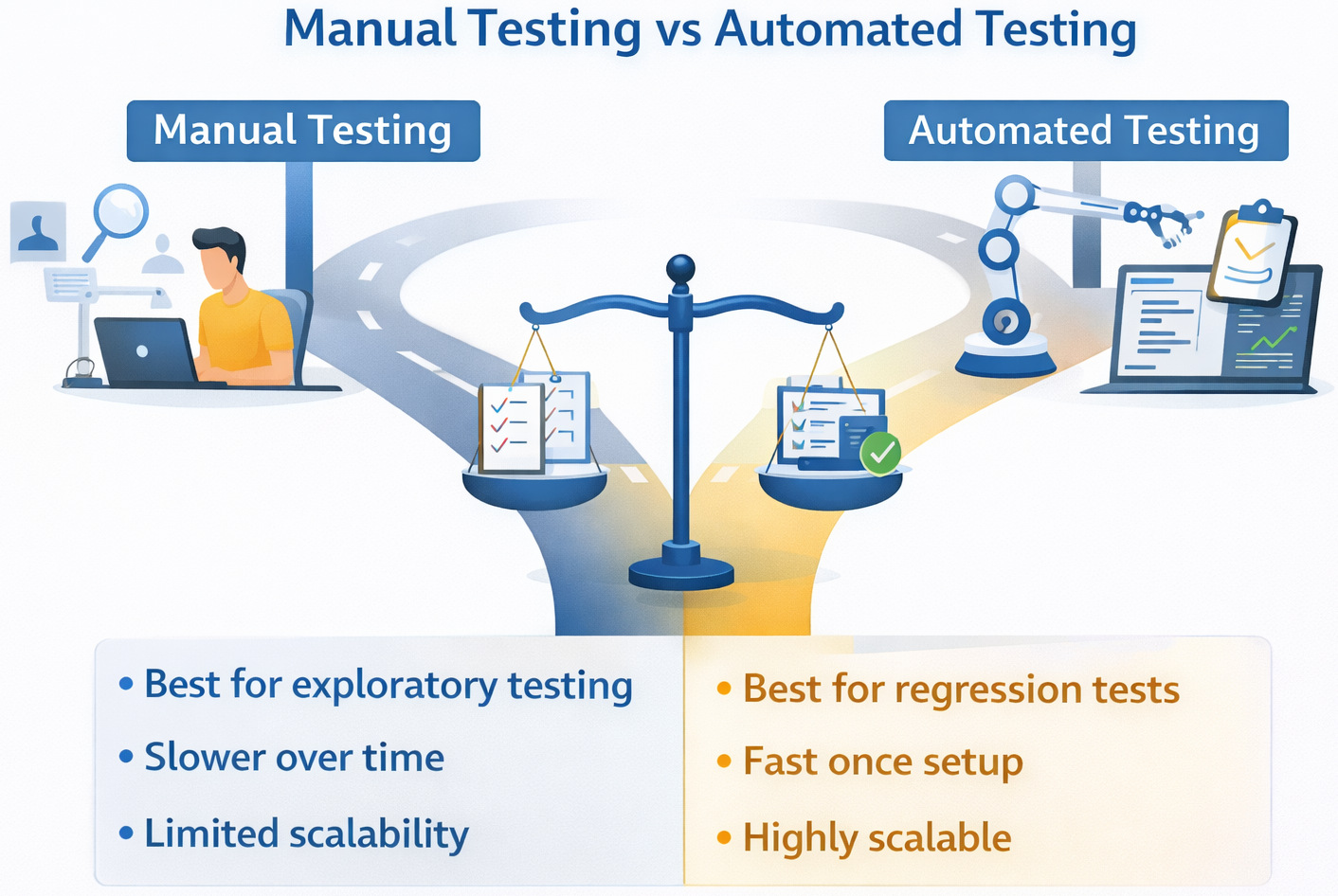
Starting off, picking a testing approach means looking at manual or automated methods. Yet here’s the twist: people act like you must choose one over the other. Truth is, that kind of thinking misses the bigger picture entirely.
Pieces fit together differently, yet nearly every test design leans on both-just without spelling that out loud.
| Aspect | Manual Testing | Automated Testing |
|---|---|---|
| Best For | Exploratory testing, usability, and early validation | Regression testing, repetitive flows, CI/CD pipelines |
| Speed | Slower over time | Fast once set up |
| Maintenance | Low upfront, high repetition cost | Higher upfront, lower long-term cost |
| Human Insight | High | Limited |
| Scalability | Poor | Excellent |
“Automate everything and move fast.” It sounds good to hear, yet somehow, that idea falls apart when real work begins.
Most times, automated testing offers value only if writing, reading, or maintaining tests feels straightforward. When it doesn’t, teams end up stuck with fragile systems that delay launches rather than accelerating things.
This is where modern AI-powered test automation tools, such as testRigor, overhaul how teams approach testing. As automation is simpler to create and less sensitive to UI changes, they support every test model instead of holding them back.
Where Test Automation and AI Change the Equation
Traditional testing models assumed automation cost a fortune and were highly technical. Today, that idea no longer holds value.
Intelligent tools such as testRigor transform the way teams approach. Not only do they reshape methods, but they also redefine expectations quietly behind the scenes.
Why does this Matter for Testing Model Choices?
- Plain English tests mean fewer scripting skills are needed
- Automation becomes accessible earlier in the lifecycle
- Tests align better with business intent, not just code structure
- Agile testing becomes more sustainable
- Continuous testing stops feeling overwhelming
- Though built on rigid steps, something like the V-Model might still gain ground by implementing automation earlier
Instead of forcing your testing model to adapt to your tools, you can finally let your tools support your testing model.
A Practical Comparison Table
| Application Type | Recommended Testing Model | Key Risk | How Automation Helps |
|---|---|---|---|
| Web Apps | Agile / Iterative | UI changes break tests | Plain-English, resilient tests |
| Mobile Apps | Agile / Continuous | Device fragmentation | Cross-platform abstraction |
| Enterprise Systems | V-Model / Hybrid | Manual regression overload | Faster regression coverage |
| Microservices | Agile / DevOps | Service dependencies | Early, continuous validation |
Common Mistakes Teams Make
- Picking a testing model because it’s popular
- Ignoring tooling until late in the project
- Assuming automation equals speed automatically
- Underestimating maintenance costs
In real-world projects, this often fails when teams realize too late that their testing approach doesn’t scale in accordance with the product.
How to Actually Decide (A Simple Framework)
- Right now, what sort of app is taking shape?
- What about its frequency of changing?
- What level of automation can we realistically maintain?
Start by selecting a test model that works right now, rather than waiting for some future version of your setup.
Conclusion
Choosing the right testing model for your application type isn’t just about perfection. It’s about alignment as well. A working test model fits right alongside the app type and tools you pick. This mix turns testing from a barrier into a path forward.
And when testing tools reduce the friction of writing and maintaining tests, teams gain the freedom to choose models that actually support quality. With less struggle, real quality gets room to grow. Only then does testing start working right-guiding teams through releases without second-guessing.
FAQs
- Can one testing model work for all application types?
In theory, maybe. In practice, rarely. Most organizations end up using hybrid testing models, especially when they support multiple application types (for example, a web front end with legacy backend systems). The key is knowing where structure is needed-and where flexibility matters more.One limitation teams often underestimate is how quickly a single rigid model becomes a constraint as products evolve.
- How does automation affect testing model selection?
Automation doesn’t replace testing models, but it changes what’s realistically possible within them.For example, Agile and Continuous testing depend heavily on fast, maintainable automation. If automation is hard to write or constantly breaks, the testing model suffers.
- How do I choose the right testing model for my application?
Start by looking at your application type, how often it changes, and what happens if a bug reaches production. Web and SaaS apps usually benefit from Agile or Iterative testing. Stable, regulated systems lean toward Waterfall or V-Model. There’s no universally “best” model, only what fits your current reality.
| Achieve More Than 90% Test Automation | |
| Step by Step Walkthroughs and Help | |
| 14 Day Free Trial, Cancel Anytime |











