
Release Notes: Telnyx integration, API Settings, Run Options
 |
SMS Validation Integration via Telnyx in testRigor
We’re excited to add Telnyx as a new SMS validation provider in Settings -> Integrations. For seamless SMS validation, all you need is:
-
A Telnyx phone number (Found in the Control portal).
-
A Telnyx API Key (Found in the Auth section of the Telnyx portal)
Simply enter the API Key in the API Key section, followed by the phone number. Once set, SMS validation functions just like any other SMS integration. Learn more about SMS testing with testRigor here.

Caption: Telnyx Integration Location.

Caption: Telnyx Integration Content.
Customizable Notification Fields for Retest API in CI/CD
When using the retest API, you can easily configure notification fields for seamless alerts across platforms. Adjustable fields include:
-
enableEmailNotifications
-
notificationsEmail
-
enableSlackNotifications
-
slackWebhookUrl
-
enableMicrosoftTeamsNotifications
-
microsoftTeamsNotificationsEmail
-
allCombinations
To access the retest API schema, navigate to CI/CD Integration -> Settings. This allows for tailored notifications across email, Slack, and Microsoft Teams, ensuring updates align with your preferred channels.
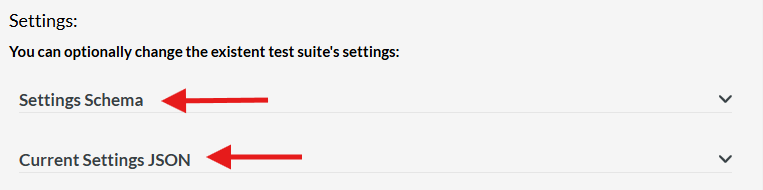
Caption: Settings location
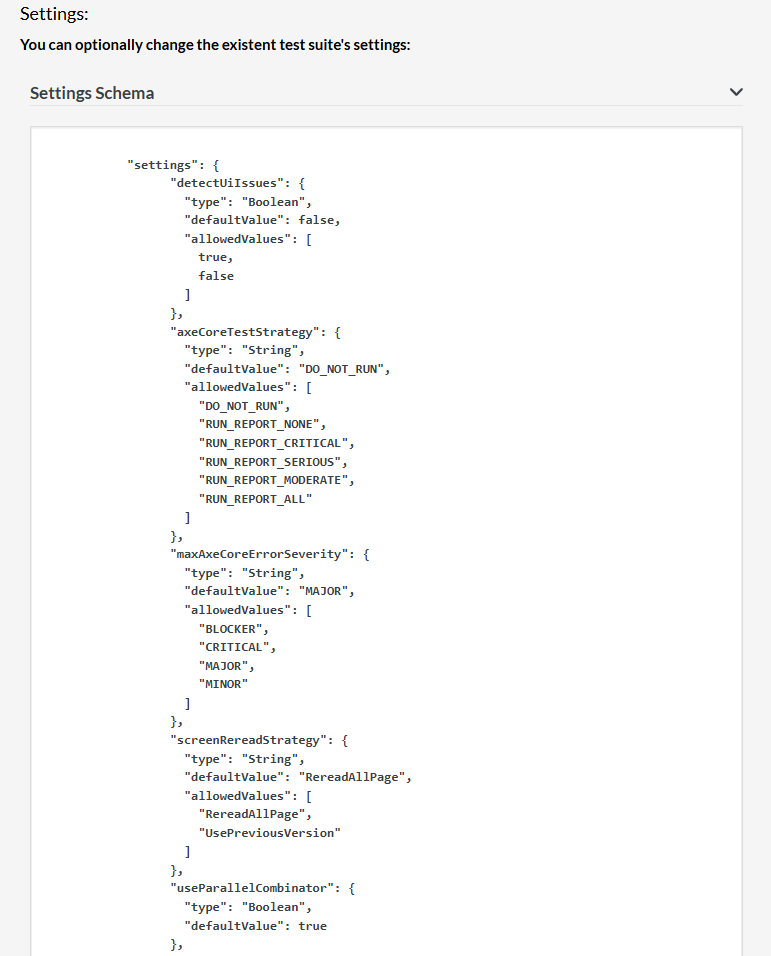 \
\
Caption: Settings Content.
Here we share an example for it:
curl -X POST \
  -H 'Content-type: application/json' \
  -H 'auth-token: 98ebc62f-7741-4614-ac68-410c666c6cc2' \
  --data '{ "storedValues": { "storedValueName1": "Value" }, "customName": "optionalNameForRun", "settings": {"enableEmailNotifications": { "type": "Boolean","defaultValue": true }} }' \
  https://api.testrigor.com/api/v1/apps/eiRFH5aYEDdSjrTku/retest
New Scheduling Options for Test Runs: Baseline or Branch
Scheduled test runs (formerly “monitoring”) now offer a choice to run as either Baseline or Branch directly from the UI. This option, located in Settings -> Advanced -> Schedule -> Type of Retest, gives users greater flexibility in managing test environments. Runs that were scheduled before this update will simply run as baseline.
Additionally, we’ve updated the naming convention for scheduled runs, making them easier to identify under All Runs: “Baseline: scheduler retest” or “Branch: scheduler retest,” based on the selected option.

Caption: Schedule branch/baseline option.










