
Release Notes: Universal SAML
 |
Universal SAML: SSO Authentication with Any Identity Provider
testRigor now supports SAML Single Sign-On (SSO) authentication from any Identity Provider (IDP), offering a secure and streamlined login experience for users across all Test Suites. By integrating with any IDP server, testRigor enhances security and convenience by eliminating the need for multiple login credentials. You can find the new option by going to Profile -> Company -> Settings -> Single Sign On as shown in the image below:
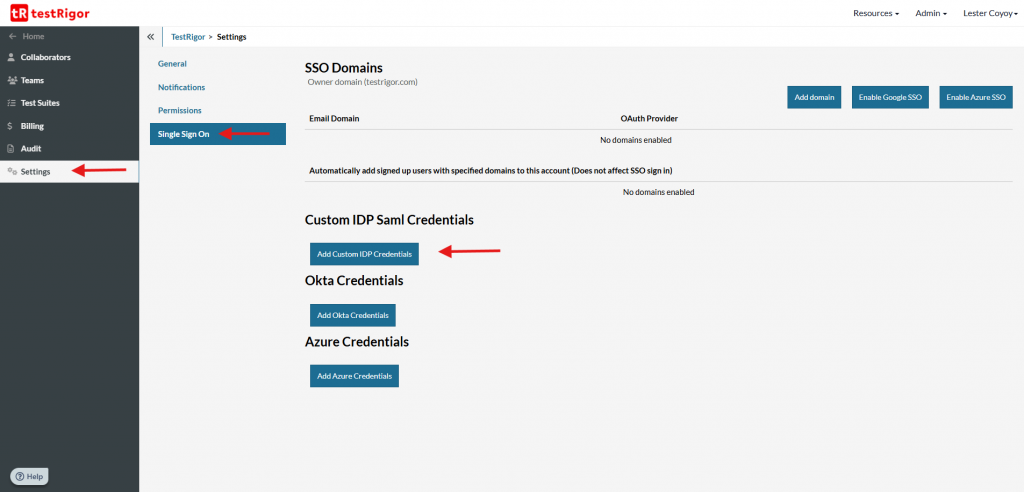
Caption: Custom SAML location.
Here I show you a simple example with KeyCloack:
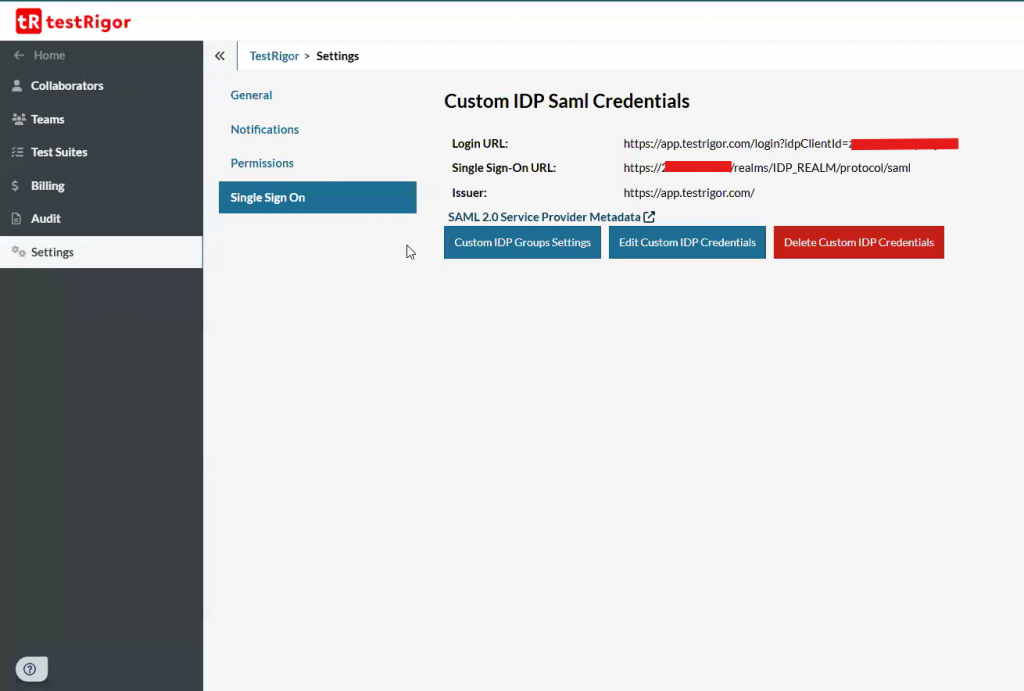
Caption: SAML already setup.
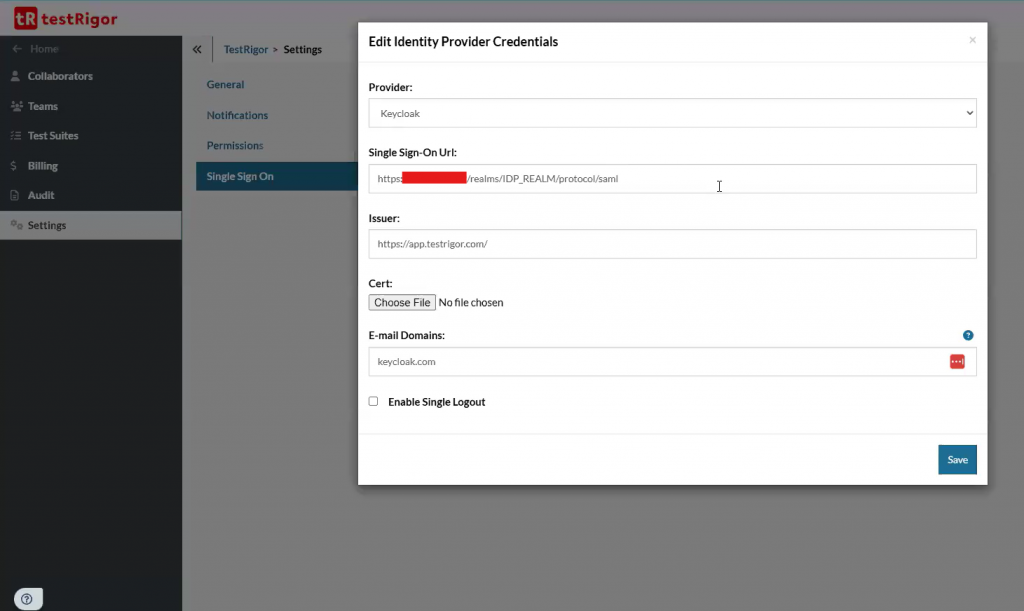
Caption: IDP settings.
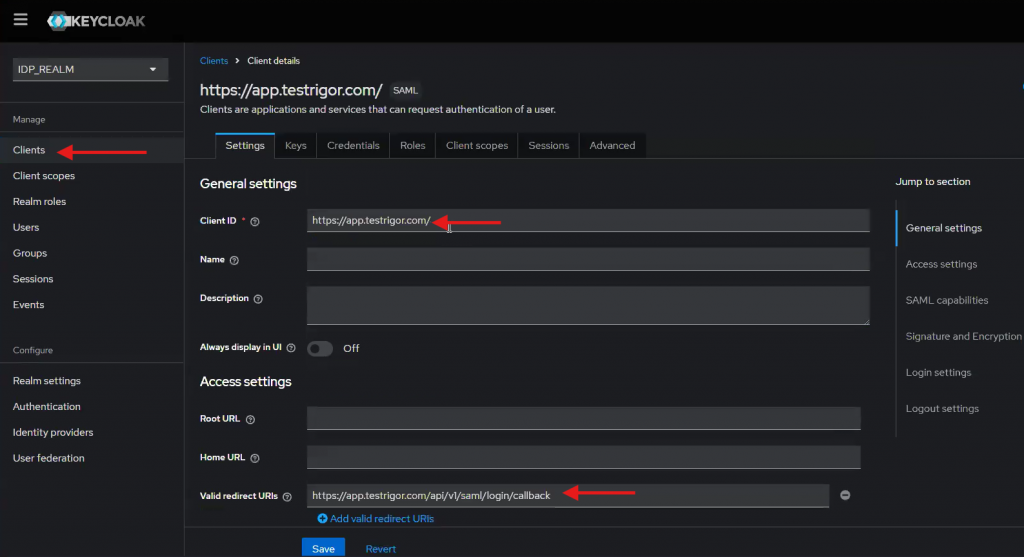
Caption: KeyCloack Client ID and URIs configuration.
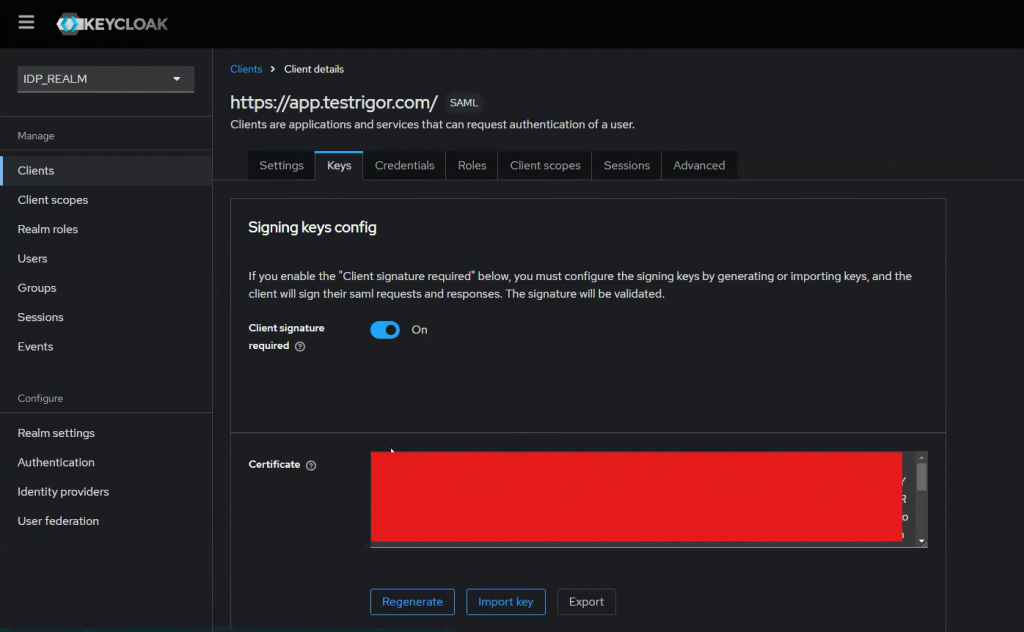
Caption: KeyCloack certificate.
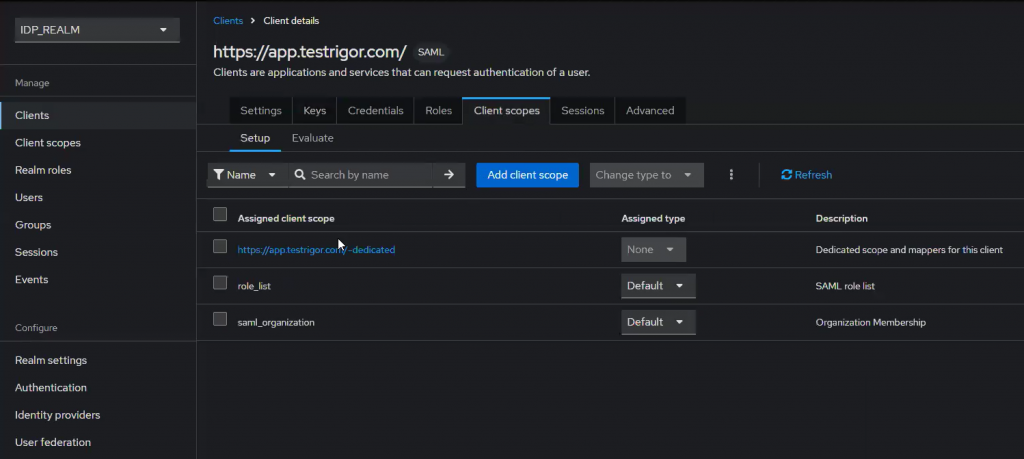
Caption: Define scopes.
And this is how the Microsoft Entra Setup Sample should be set up:
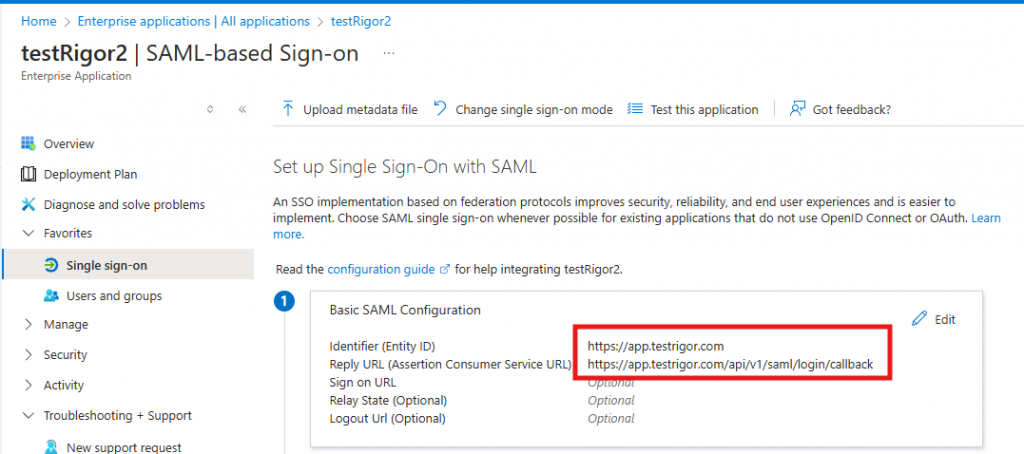
Caption: Entra setup issuer Id (Entity ID) and callback URL (ACSU).
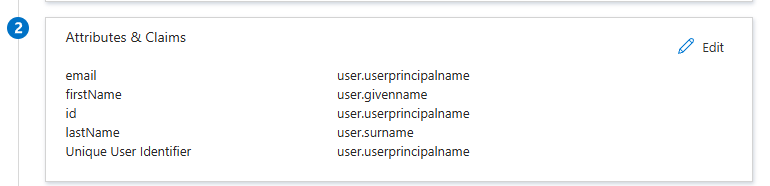
Caption: Entra setup claims.
Note: Make sure to set correct names and remove namespace from fields.
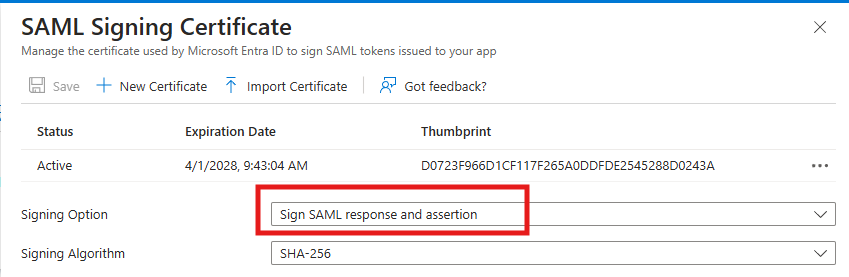
Caption: Entra certificate signing.
Note: Make sure to sign the response and assertion.
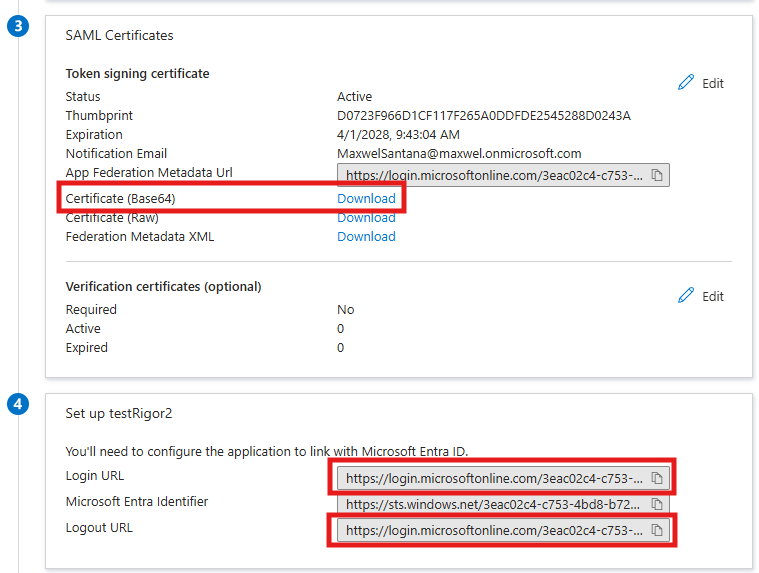
Caption: Entra certificate, Login and Logout URLs.
Once done, we go to testRigor and verify the login actions to confirm everything was set up correctly.
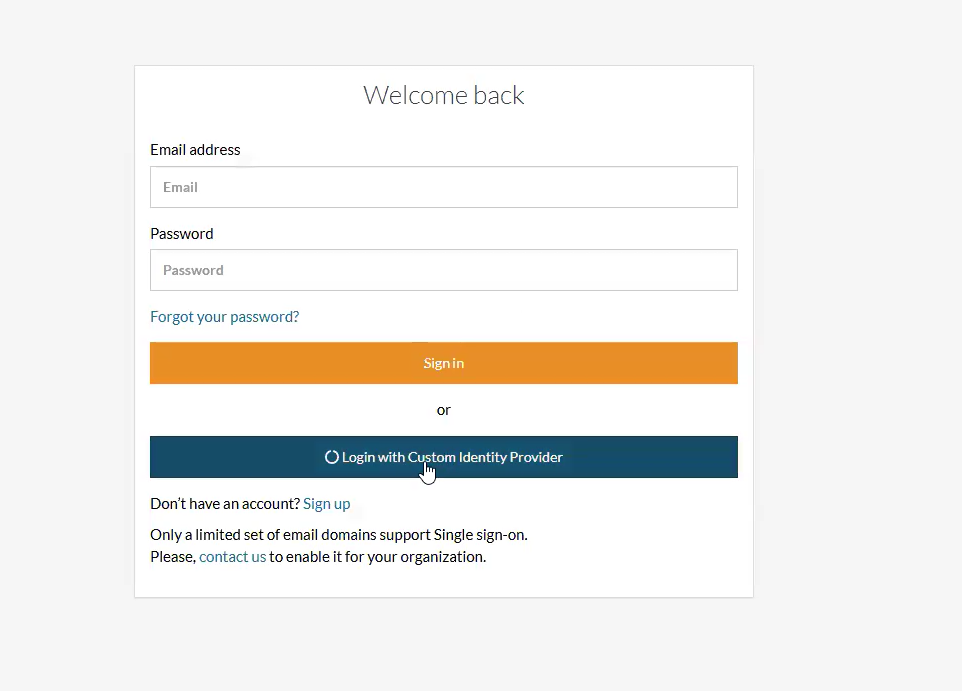
Caption: testRigor Login with custom IDP.
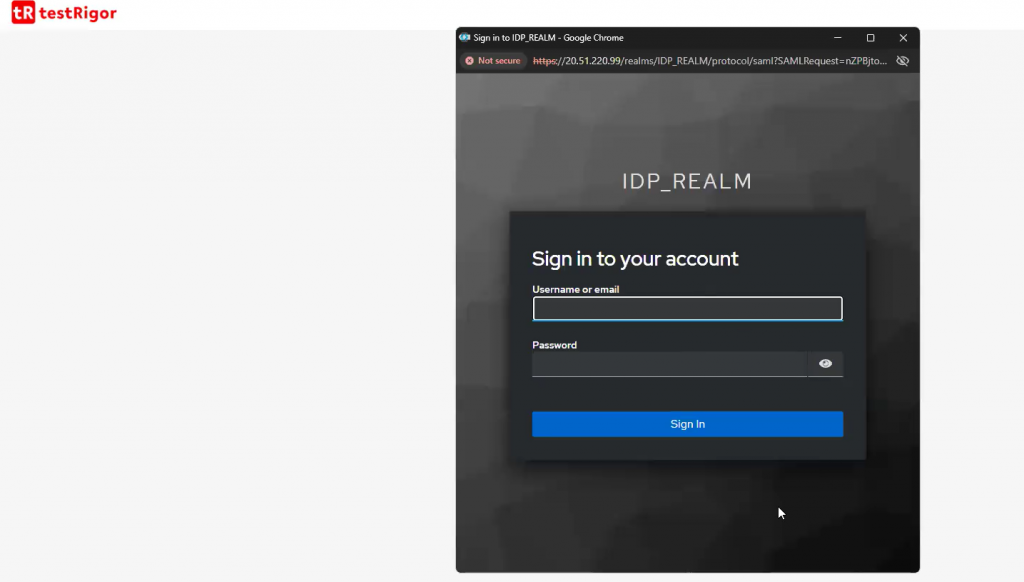
Caption: testRigor login with Keycloack result.
With this universal SAML SSO support, organizations can maintain a consistent authentication experience while benefiting from testRigor’s advanced testing capabilities. You can find more information about it in our official documentation.










