
Guidewire Testing
 |
Guidewire is a software platform used by insurance companies to manage their core operations. It helps insurers handle everyday processes like creating policies, processing claims, and managing billing – all in one system.
- PolicyCenter for policy administration.
- ClaimCenter for claims management.
- BillingCenter for handling payments and invoices.
What Makes Guidewire Applications Hard to Test?
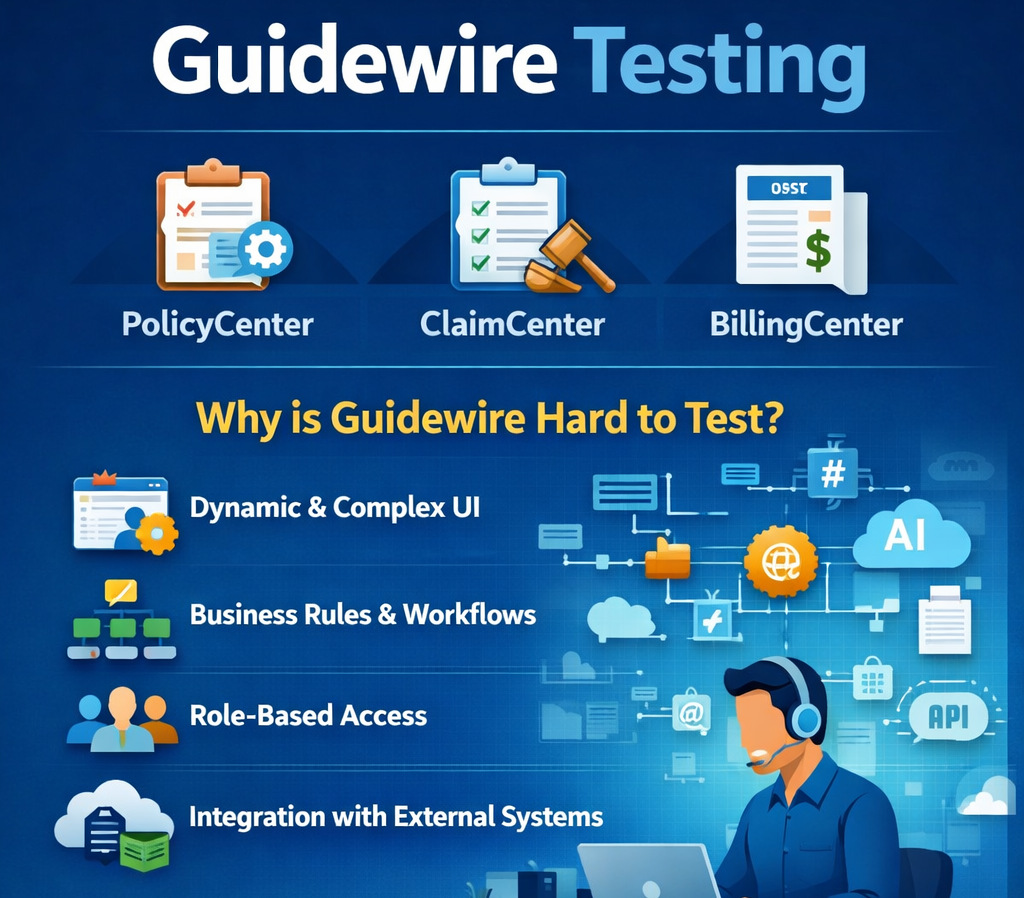
At first glance, Guidewire may look like any other enterprise web application. But once you start testing it, the complexity becomes obvious. It’s not just about validating screens or clicking through flows – there’s a lot happening underneath.
One of the biggest challenges is the dynamic nature of the UI. Elements don’t always behave consistently, and even small configuration changes can affect how things are rendered. This makes traditional locator-based automation brittle and hard to maintain.
Then there’s the heavy reliance on business rules. Guidewire is built around insurance logic – things like underwriting rules, claim validations, and approval workflows. A simple action on the UI can trigger multiple backend decisions. If you’re not testing with the business context in mind, it’s easy to miss critical issues.
Another layer of complexity comes from role-based access and workflows. Different users – agents, adjusters, underwriters – see different screens and follow different processes. Testing all these variations takes time and careful planning.
Guidewire also doesn’t operate in isolation. It’s usually connected to several external systems, such as payment gateways, document management tools, and third-party data providers. This means you’re not just testing one application – you’re testing how well everything works together.
Finally, frequent updates and configuration changes can quickly break existing test cases. Even if the core functionality remains the same, small UI or workflow changes can cause automated tests to fail, leading to constant rework.
All of this makes Guidewire testing less about simple validation and more about understanding workflows, data flow, and business impact. That’s why it often requires a different strategy compared to typical application testing.
Traditional Testing Approaches (and Their Limitations)
Most teams start testing Guidewire applications using a mix of manual testing, automation tools like Selenium, and some level of API testing. While these approaches can work, they tend to hit limitations pretty quickly in a Guidewire environment.
Selenium and Script-Based Automation
To speed things up, many teams move to automation using tools like Selenium. On paper, this sounds like the right step – but in practice, it comes with its own challenges.
Guidewire’s UI changes frequently, and most automation scripts rely heavily on element locators like XPath or CSS selectors. Even small UI updates can break these scripts. As a result, teams end up spending more time fixing tests than actually testing.
There’s also a dependency on coding skills. Writing and maintaining these scripts requires technical expertise, which limits who can contribute to automation.
API Testing
API testing is often more stable compared to UI automation. It allows teams to validate backend logic, transactions, and data flow without worrying about UI changes.
However, API testing alone isn’t enough. Guidewire applications are built around user workflows, and APIs don’t always capture the full picture. You still need to verify how everything works from the user’s perspective – especially for end-to-end scenarios.
GT Framework
Guidewire provides its own built-in testing framework, commonly referred to as the GT Framework. It’s designed specifically for Guidewire applications and is mainly used for UI and API testing using BDD. The framework employs many standard tools and practices like Cucumber and Gherkin for BDD, Karate for API testing, UI automation in TestCafe style, and other tools.
However, it is still more suited for teams that are comfortable working within the Guidewire ecosystem. Setting up and maintaining tests requires a certain level of technical expertise, and it doesn’t fully replace the need for user-level, end-to-end validation from a real user’s perspective.
Why testRigor Works Well for Guidewire Testing
Instead of focusing heavily on technical implementation details like locators and scripts, teams are now looking for ways to test Guidewire applications from a business perspective – focusing on workflows, outcomes, and user behavior.
testRigor is designed with this shift in mind. By allowing tests to be written in plain English and reducing dependency on fragile UI elements, testRigor offers a more stable and scalable way to handle Guidewire testing – especially for complex, fast-changing environments.
login
click "New Claim"
enter "Policy123" into "Policy Number"
click "Submit"
check that page contains "Claim created successfully"
click "Assign"
click "Adjuster1"
click "Save"
check that page contains "Assigned"
click "Approve"
check that page contains "Approved"
For Guidewire applications, these end-to-end scenarios are what give the most confidence, since they reflect how the system is actually used in production.
- No Dependency on UI locators: One of the biggest advantages is how it handles UI changes. In Guidewire, even small updates can break locator-based scripts. With testRigor, tests are written in plain English and don’t depend on fragile selectors, so they tend to remain stable even when the UI evolves.
-
AI-powered Testing: testRigor uses agentic testing to:
- Fix broken UI elements in test scripts.
- Vision AI to smartly locate UI elements even if there are changes in the element’s implementation, like a name, position, or an id change.
- Generative AI to simplify test creation further by creating tests for you.
- Reduce flaky test runs and provide stability.
- Test complex AI features like LLMs, chatbots, graphs, images, and more that are increasingly becoming a part of modern applications.
- Easy to Test User Behaviors: Guidewire testing is not just about clicking buttons – it’s about validating processes like creating a policy, processing a claim, or handling billing transactions. testRigor allows you to write these flows in a way that closely matches real user behavior, making the tests easier to understand and maintain.
- Easy to Automate Tests: It also opens up automation to a wider group. Since tests are written in simple language, non-technical users like QA analysts or business stakeholders can contribute. This is especially useful in Guidewire projects, where understanding business logic is just as important as technical skills.
- Test a Variety of Scenarios: testRigor supports testing beyond just the UI. You can validate APIs, database changes, and other backend processes as part of the same test flow. This makes it easier to cover complete scenarios without switching between multiple tools.
Tips to Effectively Test Guidewire Applications Using testRigor
Here’s an approach that can help you test Guidewire applications effectively using testRigor.
Start With Core Business Flows
- Creating and issuing a policy.
- Filing and processing a claim.
- Handling billing and payments.
These are the flows that matter most to the business, so they should be your priority for automation.
Write Tests the Way Users Think
With testRigor, you don’t need to worry about locators or code. You write tests in plain English, based on what the user actually does. This makes the tests easy to read and maintain. It also helps teams align on what’s being tested without digging into code.
Cover End-to-End Scenarios
Instead of testing isolated steps, focus on complete workflows. This ensures that both the UI and the underlying business logic are working together correctly.
Add Validations Beyond the UI
Guidewire applications involve a lot of backend processing. It’s important to validate more than just what’s visible on the screen.
- Check API responses.
- Validate database updates.
- Verify emails or notifications.
This helps confirm that the entire process is working as expected.
Run and Scale Your Regression Tests
- Execute tests across different environments.
- Run them after every release or configuration change (testRigor integrates well with CI/CD).
- Quickly identify issues without manual effort.
This is where you start seeing real value – faster feedback, better coverage, and less time spent on repetitive testing.
Keep Tests Clean and Reusable
- Break large workflows into reusable steps.
- Keep test data manageable.
- Focus on high-value scenarios.
This makes it easier to scale without creating unnecessary complexity.
Common Scenarios Covered in Guidewire Testing
These scenarios usually form the core regression suite in most Guidewire projects, since they cover the main business processes that insurance companies rely on daily.
Policy Creation and Issuance
- Create a new policy.
- Add customer and coverage details.
- Generate a quote and issue a policy.
- Verify policy status and data.
Policy Renewal
- Trigger policy renewal.
- Update coverage or details.
- Validate premium recalculation.
- Ensure renewal is processed correctly.
Policy Cancellation
- Cancel an active policy.
- Select cancellation reason.
- Verify refunds or adjustments.
- Check status updates.
New Claim Creation
- Create a new claim against a policy.
- Enter incident details.
- Validate claim number generation.
- Ensure the claim is linked correctly.
Claim Assignment and Workflow
- Assign claim to adjuster.
- Move claim through stages (open, in progress, closed).
- Validate role-based access and actions.
Claim Processing and Settlement
- Add damages, reserves, and notes.
- Approve or reject the claim.
- Process payments.
- Verify final claim status.
Billing and Payments
- Generate invoices.
- Process payments (full/partial).
- Handle refunds or adjustments.
- Validate account balance updates.
User Roles and Permissions
- Log in as different users (agent, adjuster, underwriter).
- Verify access to features and data.
- Ensure restricted actions are blocked.
Integration with External Systems
- Validate data exchange with payment gateways.
- Test document generation systems.
- Verify third-party API integrations.
- Check error handling and retries.
End-to-End Regression Scenarios
- Combine policy, claim, and billing flows.
- Run full business workflows.
- Ensure no impact after releases or config changes.
A Smarter Way to Test
Traditional approaches like manual testing or script-based automation can get the job done, but they often struggle to keep up as the application grows and evolves. Maintenance becomes a constant effort, and teams end up spending more time fixing tests than actually improving coverage.
Guidewire’s own testing framework helps address part of the problem, especially when it comes to backend logic and workflow validation. But it still leaves a gap when it comes to testing from a real user’s perspective.
A tool like testRigor can dramatically improve your Guidewire testing strategy. By focusing on simple, readable test steps and reducing dependency on fragile UI elements, it becomes much easier to automate real business scenarios without adding complexity. Teams can move faster, spend less time maintaining tests, and involve more people in the testing process.
| Achieve More Than 90% Test Automation | |
| Step by Step Walkthroughs and Help | |
| 14 Day Free Trial, Cancel Anytime |











