Generative AI Use Cases
 |
Generative AI produces new content in response to a prompt or other input. It can produce text, summarize documents, create images, generate software code, synthesize speech, and help people explore data. These capabilities have shifted AI from a background system that classifies or predicts information to a tool that people can interact with directly.
A person can say what they want in plain language, look at the first result, and refine it.
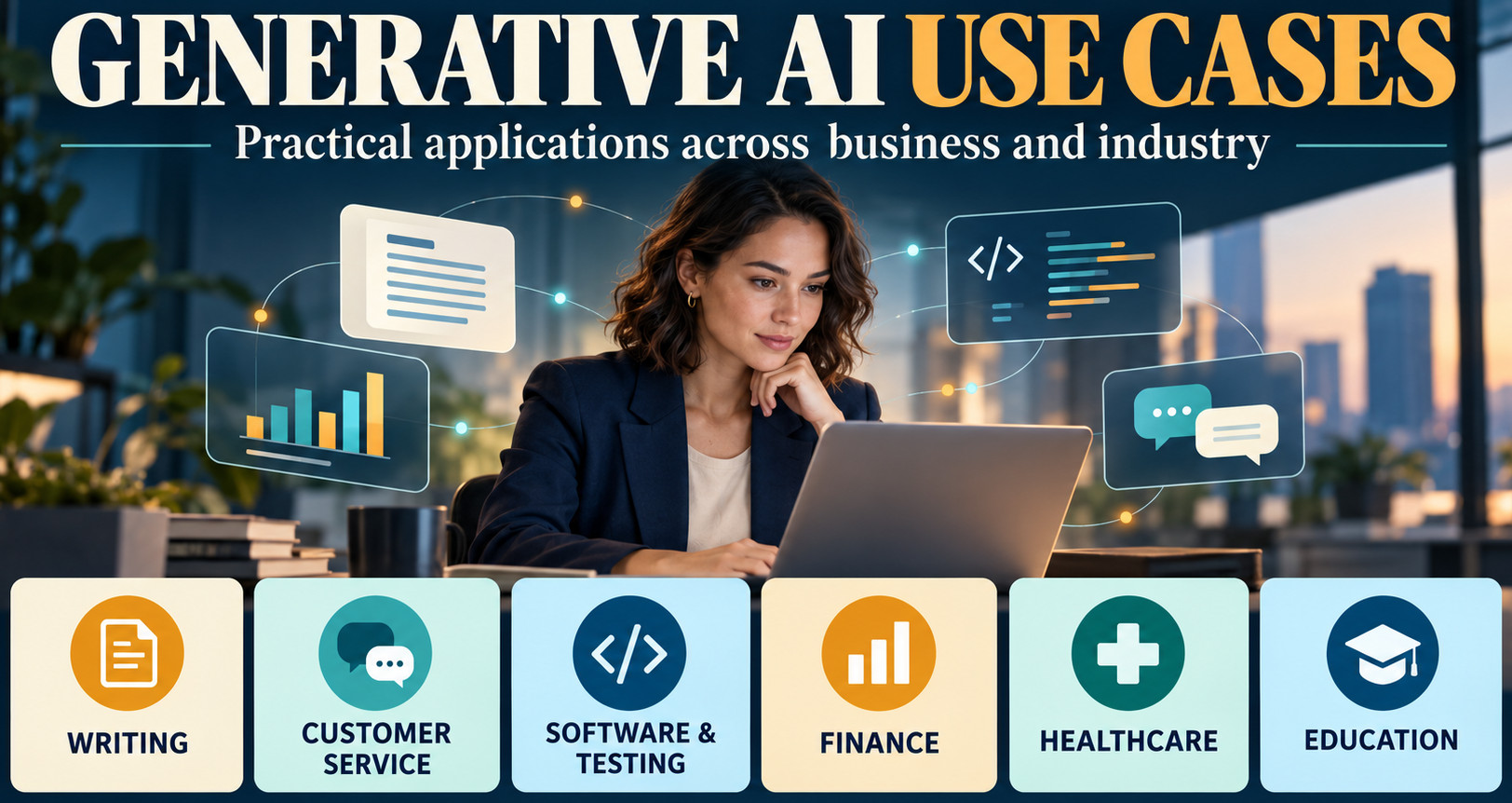
The most promising generative AI use cases don’t start with the technology. They start with work that involves creating, finding, explaining, or transforming information. A customer service rep might need a short answer based on multiple policy documents. A developer might want a draft test or an explanation of unfamiliar code.
A marketing team might need to tweak a campaign for different audiences.
In each case, artificial intelligence can save time on a first draft or routine information work, but a person is still responsible for judgment and the final result.
| Key Takeaways: |
|---|
|
How Generative AI Creates Value
A generative model learns patterns from big sets of data and uses those patterns to generate a likely response to a prompt. Some systems only accept text; others can read images, audio, video, tables, or a combination of these. Business applications typically associate a model with authorized company data, software tools, and workflow rules. This enables the application to answer questions about the current internal material or to execute a defined sequence of actions. For a broader overview, explore these applications of generative AI.
- Create a first draft: prepare an email, proposal, design concept, or code snippet.
- Transform material: translate a guide, shorten a report, or adapt content for another audience.
- Find and explain information: answer a question from approved documents and link to the source.
- Spot patterns: group support requests, identify feedback themes, or suggest next steps.
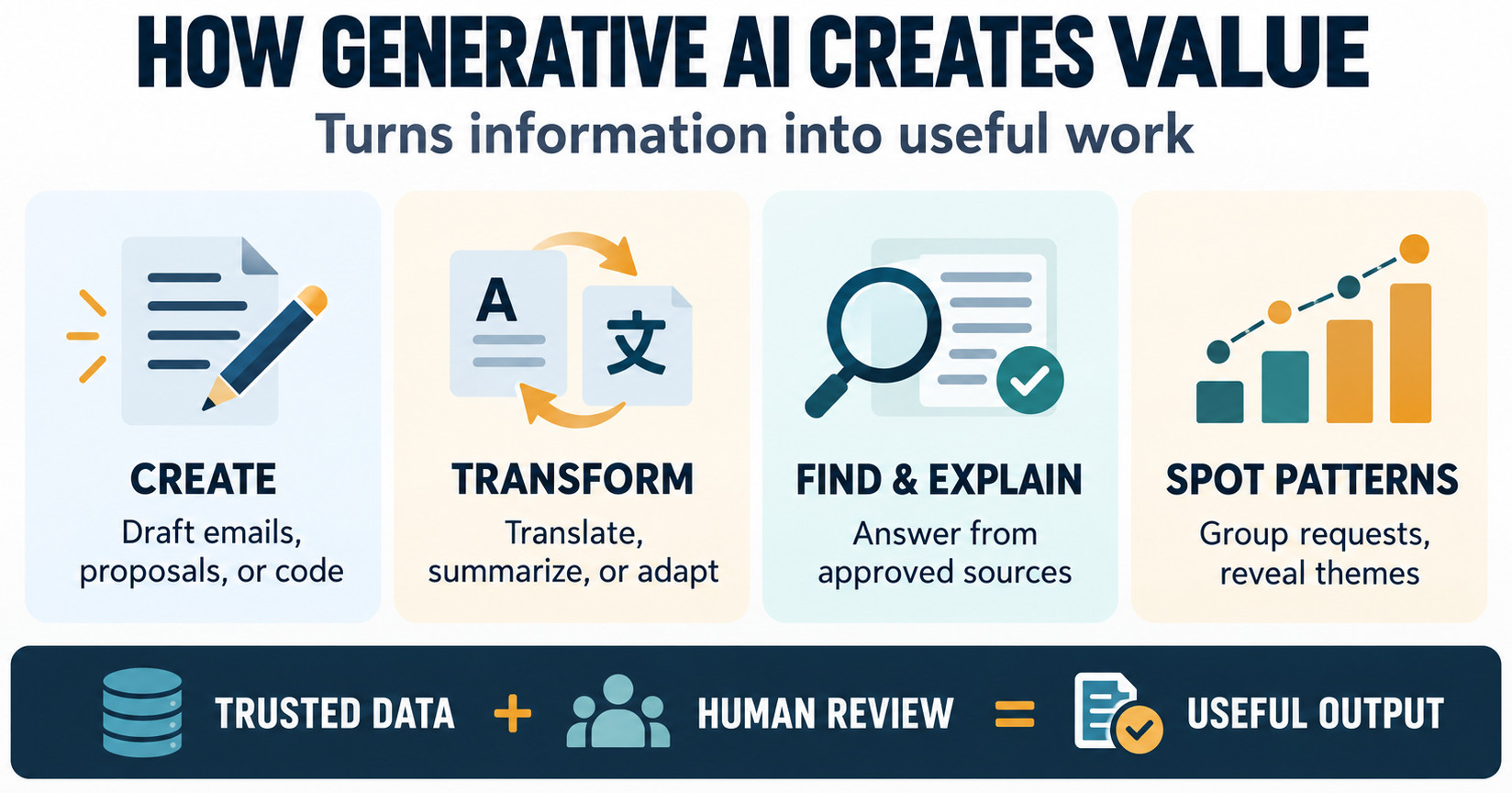
For instance, an employee might ask an internal assistant to turn a long travel policy into a short checklist, with links to the relevant clauses. The result still has to be accurate for its purpose, fit the workflow, and cost less than the value it creates.
Use Cases in Writing, Communication and Knowledge Work
With these tasks, AI can extract decisions from conversations, turn rough notes into clear updates, and surface answers from approved company materials. Employees still validate the most critical details and sources before passing or acting on the result.
Drafting and Editing
Generative AI can help employees draft outlines, meeting summaries, reports, project updates, and messages for specific audiences. For example, a manager can take sprint notes and turn them into a status update, checking dates, owners, and commitments. It can also compare documents, such as a customer proposal and the company’s standard terms, highlighting differences and suggesting changes. AI might miss exceptions or overstate the evidence, so these drafts still need a legal or commercial review.
For example, Microsoft Copilot in Word can draft, rewrite, and refine documents from a user’s instructions.
Summarization and Meeting Support
Generative AI is able to summarize meetings, reports, and email threads, extracting decisions, open questions, action items, and recurring blockers. For example, it can draft a decision summary and action list after a planning call so attendees can check the transcript. Use the summaries as signposts: names, dates, negations, or assignments are likely to be misheard, especially in noisy recordings or technical discussions.
For instance, Zoom’s AI Companion can summarize meetings and capture action items.
Enterprise Search and Knowledge Assistants
A knowledge assistant can query approved internal sources and respond to questions in natural language, including the production deployment process with a link to the current release process. It relies on accurate and up-to-date information to properly answer questions. Duplicate or conflicting documents can lead to inconsistent answers. Organizations should keep source documents, match access rights to original stores, and test answers against real-world questions. For example, teams can use testRigor to check whether an AI-generated summary accurately captures the key facts, decisions, and action items from a source document.
See how to use AI to test AI for a practical example.
Use Cases in Customer Experience and Sales
In customer-facing work, AI is able to answer routine questions, guide simple workflows, and help sales teams prepare relevant follow-ups. For example, an assistant could collect the details of a standard request, and an unusual or sensitive case could be passed to an employee.
Customer Service Assistants
Generative AI can answer routine questions about orders, billing, returns, and account access, and can also collect details and prepare requests, such as checking a return policy and gathering an order number. It can also help service agents find policies, write replies, and summarize customer histories. But unusual or sensitive cases should be routed to a human. Assistants need to signal uncertainty, avoid making up policies, protect personal data, and log relevant decisions.
For instance, Salesforce says its Agentforce Help agent has handled more than four million customer inquiries on its Help site.
Teams can use testRigor to test customer service assistants with realistic prompts, checking that they provide approved policy information, gather required details, and check chatbots’ responses for bias, true/false information, hallucinations, user intent, etc. This helps catch incorrect or inconsistent responses before customers encounter them.
Personalization and Sales Enablement
Generative AI can help sales teams prepare for a meeting by summarizing approved account information, generating discovery questions, and customizing a product overview to a business’s stated priorities. It can also produce proposals, locate relevant case studies, and tailor campaign materials for different audiences and channels. Personalization must be based on suitable data and approved product facts and should be human-reviewed to ensure messages are not inaccurate or intrusive.
For instance, Salesforce’s generative AI can research customer accounts and help prepare personalized sales emails.
Use Cases in Software Engineering and IT
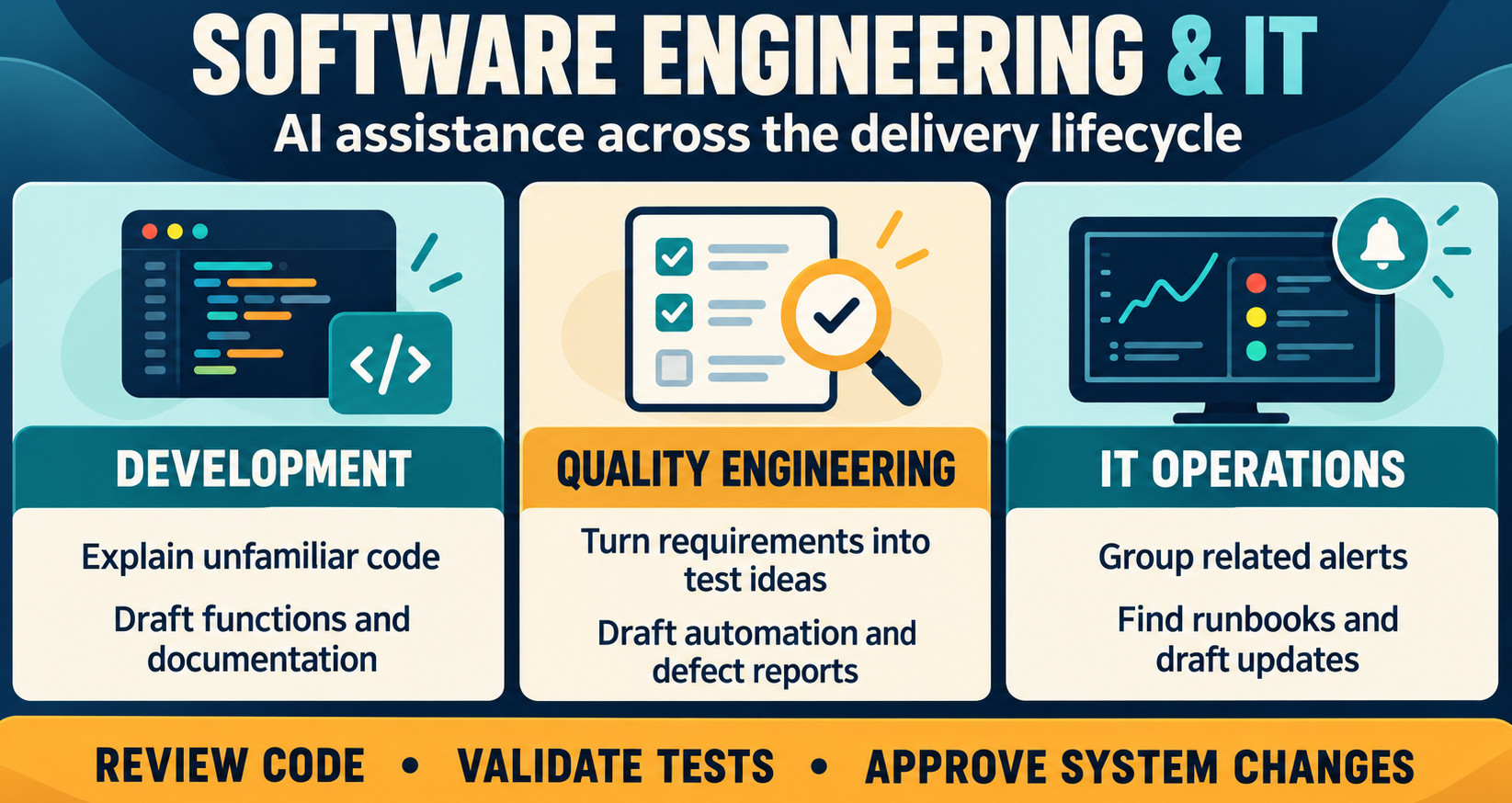
In engineering and IT, AI can support code, testing, documentation, and incident response. A developer might ask it to explain a failing build, suggest a fix, and draft test changes for an engineer to review.
Code Generation and Developer Assistance
A coding assistant can explain unfamiliar code, generate functions, boilerplate, tests, and documentation. For example, a developer can draft a date-validation function and unit tests, then check edge cases. AI-generated code can contain security flaws, inefficient logic, licensing issues, or assumptions that do not fit the system. Teams should protect repository data, run static analysis and tests, and review the code before merging, especially for clearly scoped tasks with defined acceptance criteria.
For more on practical ways to use AI for development, see these takeaways on getting value from AI code generation.
Testing, Quality Engineering, and Documentation
- A valid card completes the purchase and creates an order.
- A declined card shows a clear message and does not create an order.
- A network interruption does not charge the customer twice.
- A successful purchase sends the correct receipt.
Teams can evaluate testRigor, an AI-based automated testing tool that creates tests from plain-English descriptions. For a practical example, see how testRigor uses generative AI to create tests.
Generated tests still need review, as they may reflect misunderstandings, miss business context, or focus on implementation details instead of user outcomes. Teams can measure its value by assessing review effort, coverage of important paths, defects found, maintenance burden, and time to feedback.
Read more about how AI can support software testing.
IT Operations and Support
Artificial intelligence can help IT teams by summarizing alerts, explaining error messages, searching runbooks, drafting incident updates, and even recommending diagnostic steps. For example, in an outage, an assistant could cluster related alerts and direct responders to current recovery steps.
Actions that change infrastructure, user permissions, or production data require stronger controls than informational suggestions. Systems should ask for confirmation before taking consequential actions, save what was suggested and what was approved, and restrict the model to explicitly allowed tools. Recommendations during incidents should be made based on the current runbooks and system state.
For example, ServiceNow’s Now Assist can summarize incident details to help IT agents understand the issue and respond.
Use Cases in Operations Finance and Human Resources
Administrative workflows tend to be full of repetitive documents and questions, making them good places to test carefully bounded AI assistance. For example, a procurement team might compare supplier responses to a standard requirements list and summarize what is missing for follow-up.
Finance and Procurement
AI is able to extract invoice information, classify expenses, summarize policies, make predictions, and compare supplier proposals or contract terms. For example, it can flag an invoice price that varies from its purchase order for an accounts payable specialist to investigate prior to payment. Teams need to keep the source documents, make the recommendations auditable, get approval for financial commitments, and test the outputs against known cases and unusual formats.
For instance, Intuit Assist provides AI-powered financial insights and recommendations through Intuit products such as QuickBooks.
Human Resources and Learning
HR teams use generative AI to draft job descriptions, answer routine policy questions, create onboarding guides, and customize training. For example, by providing a new employee with steps to enroll in benefits from current policy. It can also generate quizzes and practice scenarios, but consequential hiring and performance decisions require clear criteria, bias checks, and supervision by humans. An example would be: Workday’s generative AI can help HR teams draft job descriptions and other employee content.
Teams should review content for inclusive language and protect employee information with strict access and retention rules.
Use Cases in Marketing and Creative Production
Generative AI can create campaign concepts, headlines, social posts, product descriptions, storyboards, illustrations, and video drafts that teams adapt for their brand and channels. More output does not guarantee effective content, so teams should check accuracy, tone, cultural relevance, accessibility, usage rights, and intellectual-property concerns. Marketers and designers can use AI to explore ideas and prepare drafts, then refine and approve the final material.
For example, Adobe Firefly helps teams generate and refine images, video, and other creative assets.
Use Cases in Data Analysis and Decision Support
Generative AI enables users to ask natural-language questions about approved datasets, such as sales by region, quarter-over-quarter comparisons, or changes in a metric. It can generate queries, charts, and summaries of customer feedback. But a slick answer can still be based on a faulty question or misleading sample. Teams should define metrics clearly, disclose sources and time periods, and enable users to inspect queries and verify results against trusted reports.
For example, Tableau Pulse presents data insights and metric trends in natural language.
Use Cases in Healthcare and Life Sciences
Generative AI is able to produce clinical notes, summarize records, explain discharge instructions, and search protocols. For example, a clinician can review a medication detail in an AI-generated note against the conversation before signing it. It can also assist in drafting referral letters and summarizing research, but it might miss symptoms or include things that were never said. Healthcare organizations must test systems using representative cases, safeguard patient privacy, hold clinicians responsible, and monitor performance across populations and specialties.
For example, Microsoft DAX Copilot can turn patient-clinician conversations into draft clinical summaries for review.
Another related healthcare example: read about generative AI in testing digital health products.
Use Cases in Education and Research
Generative AI can help teachers create lesson plans, reading questions, and personalized explanations. For instance, a physics tutor might provide a hint to a student and then ask the student to explain their reasoning. Researchers can use it to review literature, brainstorm hypotheses, translate material, generate code, and organize qualitative data, but they should check citations, methods, and claims. Schools should have clear policies around disclosure, privacy, and acceptable help and should encourage students to analyze AI explanations rather than assume that they are correct.
Choosing the Right Use Case
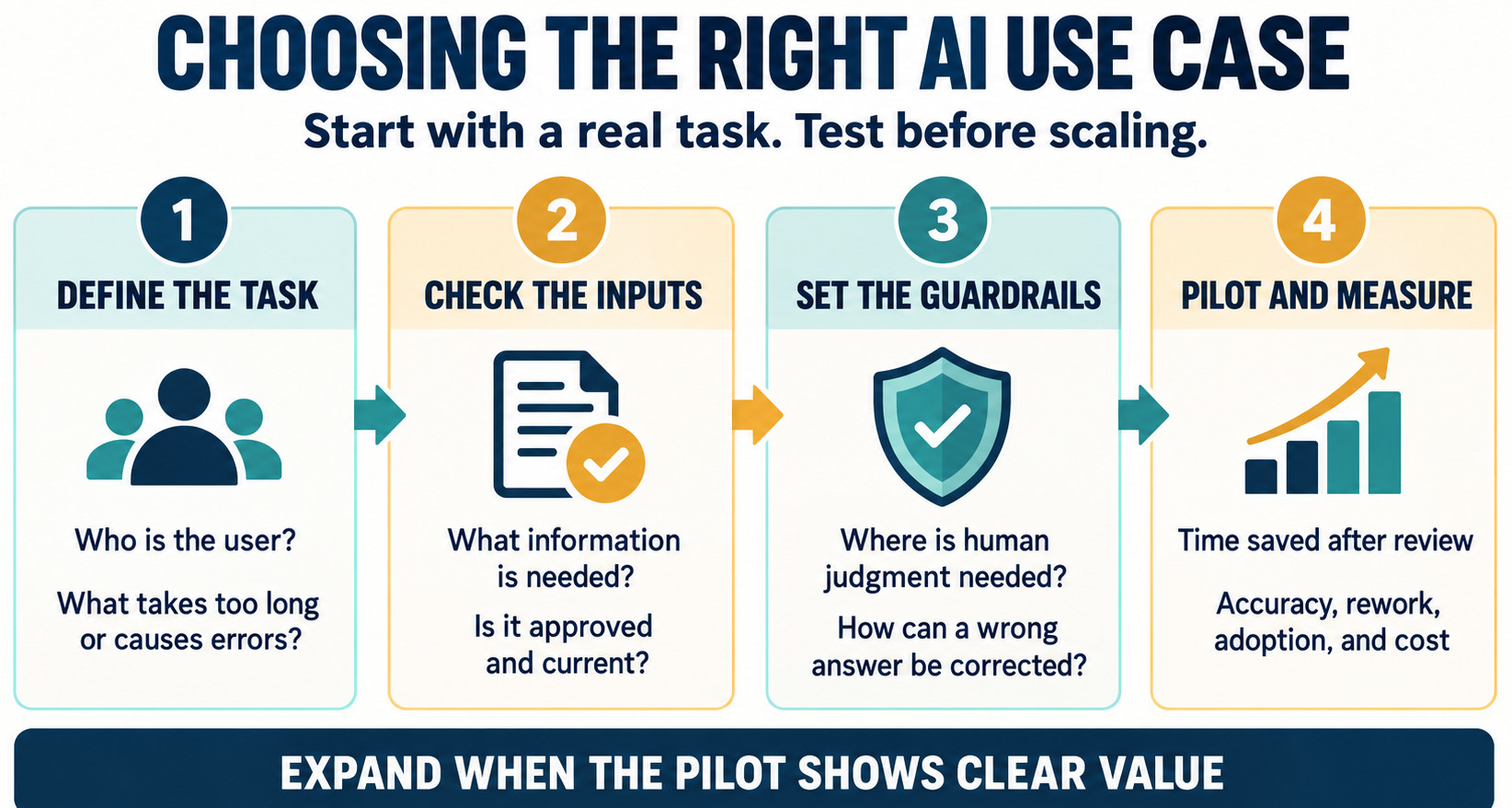
- The user persona and the task that takes too long or causes repeated errors.
- The information the system needs and the output it should produce.
- Decisions that still require human judgment.
- The likely impact of a wrong answer and how it can be corrected.
- Time saved after human review.
- Accuracy and quality of the final output.
- Adoption, escalations, and rework.
- Customer or employee experience and operating cost.
- Ongoing effort to maintain prompts, data connections, and evaluation cases.
A support team can compare resolution time and repeat contacts with its pre-pilot baseline. This article discusses quality at scale in generative AI software testing.
Risks and Responsible Use
- Which data the system may use and who can access it.
- Which actions it may take and which need approval.
- How important outputs are checked, recorded, and corrected.
The risk controls should be appropriate for the use case. Low-impact internal brainstorming may need light review, but medical, legal, financial, employment, and safety-related work needs stronger validation and oversight. Teams should validate models on realistic and adversarial examples, log important outputs, monitor errors, and provide a mechanism for reporting problems. Practical guidance is needed for staff on fact-checking claims, protecting confidential information, and disclosing AI assistance where required.
For more on evaluating these systems, see generative AI in software testing.
The Role Of People And Skills
The widespread availability of AI changes the scope of work for companies. But it does not eliminate the need for expertise. Domain experts know which exceptions are meaningful; editors can sense when a draft is off; engineers can see how a piece of code relates to the wider system.
In QE, a tester can add a regulatory edge case that AI did not cover. These skills help people evaluate results and determine when the system should not be trusted.
Teams will need to create new habits: articulating the task, providing relevant context, validating sources, testing for edge cases, and escalating questionable results. They also need process owners that decide where AI fits and who is accountable for outcomes. As people gain experience, organizations can shift routine work to AI support, freeing human attention for complex cases, relationships, creative decisions, and sound judgment.
Read how to write good prompts: Prompt Engineering in QA and Software Testing.
Conclusion
Generative AI can help people draft and summarize content, find answers, assist with software and testing, analyze information, and cut down on repetitive work across different industries. Organizations should begin with a genuine user need, test a specific workflow, evaluate quality and speed, and include protections for data and consequential decisions.
Its long-term value will depend on how well teams use it to make work more useful, accurate, and accessible.
Frequently Asked Questions (FAQs)
- How should an organization choose between an off-the-shelf AI tool and a custom solution?
Compare how well each option handles your tasks, data sensitivity, integrations, customization needs, ongoing support, and total cost. Test the strongest options on the same representative workflow before deciding.
- What data preparation is needed before connecting AI to company information?
Inventory the relevant sources, remove or label outdated and duplicate content, assign owners, and confirm that permission settings are accurate. Then test the system with realistic questions to see whether it retrieves the right information for the right users.
- How can a team keep a generative AI pilot affordable as usage grows?
Estimate expected usage and monitor costs alongside review time, rework, and other operating effort. Set budgets and alerts, and check whether the selected model and workflow continue to provide value as usage increases.
| Achieve More Than 90% Test Automation | |
| Step by Step Walkthroughs and Help | |
| 14 Day Free Trial, Cancel Anytime |